


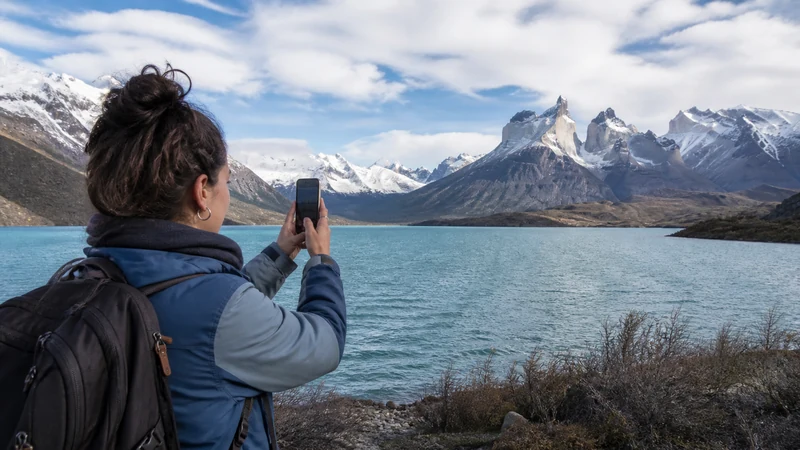

Mobile internet on an Argentina road trip is useful in cities and towns, but it should not be treated as continuous highway coverage. The distances are large, and rural, mountain and Patagonian routes can include long stretches without a dependable signal.
The right setup combines a suitable Argentina data plan with offline maps, saved bookings and reliable charging. Route planning matters more than choosing the largest allowance.
NoveSIM Argentina plans are data-only. They do not include an Argentine telephone number, conventional calls or carrier SMS, although navigation, messaging and internet calling can work where mobile data is available.
Quick answer: Install and test the eSIM before the first driving day, check partner-network coverage along the route and download each day’s map while connected. Keep accommodation details, fuel stops and emergency information offline because reception can disappear between towns.
Top Argentina eSIMs

Argentina eSIM
Fixed
1 GB, 7 days€ 4.902 GB, 15 days€ 8.913 GB, 30 days€ 12.03Unlimited
Unlimited, 1 day€ 6.68Unlimited, 3 days€ 16.93Unlimited, 5 days€ 27.17
Plan Coverage by Route, Not by Country
A coverage map showing service across Argentina does not mean every road has reception. Buenos Aires–Mendoza, routes through the northwest and journeys across Patagonia encounter different terrain and network density. Check the route at road level and identify the towns where you expect to regain service.
The Argentina eSIM coverage guide explains how partner-network access affects a travel plan. For southern itineraries, add the more specific advice in the Patagonia mobile-data guide.
Connectivity Priorities on Popular Argentina Routes
| Route or travel mode | Mobile-internet preparation |
|---|---|
| Buenos Aires–Mendoza | Download the full intercity route and save the Mendoza address before leaving the urban corridor. |
| Buenos Aires–Bariloche | Prepare for a long journey with large rural sections and identify connected overnight stops. |
| Salta–Jujuy | Keep mountain and side-road navigation offline because terrain can change reception quickly. |
| Long-distance bus | Save the ticket, terminal details and arrival route; onboard Wi-Fi should be treated as optional. |
These routes do not require separate eSIM products. The same Argentina plan can be used where its supported partner has coverage, while offline preparation handles the stretches where no usable service is available.
Prepare Each Driving Day Offline
- Download the complete route and surrounding area in the navigation app.
- Save the accommodation address, access instructions and telephone number.
- Mark fuel stations and realistic alternatives before leaving a populated area.
- Save tickets, rental documents and key booking confirmations on the device.
- Share the intended route and arrival time for remote legs.
- Check road and weather information while a connection is available.
Offline navigation still relies on battery power. Carry a working vehicle charger and a charged power bank, especially if the phone also handles photos, translation and booking documents.
Choose Enough Data without Overbuying
Downloaded maps and ordinary messaging are relatively light. Music streaming, automatic photo backup, passenger video and laptop tethering can increase use quickly. Review recent phone statistics and count every device that may share the connection.
The Argentina data-planning guide gives starting ranges. If passengers will stream for hours, download entertainment on Wi-Fi before departure or choose a plan whose allowance and hotspot policy support that use.
Set Up the Phone before the First Drive
- Confirm that the exact phone model is eSIM-compatible and unlocked.
- Choose an Argentina plan that remains valid through the final driving day.
- Complete the steps in the Argentina eSIM installation guide on reliable Wi-Fi.
- Select the travel eSIM for mobile data and enable Data Roaming on that line when required.
- Leave network selection on automatic initially.
- Test navigation, a browser page and any required messaging app before departure.
Keep roaming disabled on the primary SIM if you do not want it to use expensive home-carrier data. A dual-SIM phone can often retain the primary number for calls or messages while the Argentina eSIM handles data, but home-carrier charges may still apply.
What to Do When the Signal Disappears
A loss of service on a remote road may simply mean that no supported network covers the location. Continue with the offline route and wait until reaching a populated area before changing settings.
If the phone still fails where service is expected, check that the eSIM is on, selected for data and allowed to use Data Roaming. Toggle Airplane Mode once and allow the phone to register again. Use the Argentina eSIM troubleshooting guide if the problem persists, and do not delete the installed profile.
Border Crossings Need a Separate Check
An Argentina-only plan should not be assumed to work in Chile, Uruguay, Bolivia, Paraguay or Brazil. Confirm every included country before the border. If the next country is not covered, arrange another plan while you still have Wi-Fi or Argentine mobile service.
For an Andean crossing, review the Argentina–Chile border internet guide. Travellers using ferries or roads towards Uruguay can use the Argentina–Uruguay connectivity guide.
Related Articles
- Argentina eSIM Plans
- Internet in Argentina for Tourists
- Choosing a Mobile Network in Argentina
- Using an Argentina eSIM as a Hotspot
FAQ
Will I have mobile internet throughout an Argentina road trip?
No. Service is usually better in towns and along major corridors, but remote highways and mountain or Patagonian routes can have long gaps. Download each route before departure.
How much data is needed for driving in Argentina?
Maps and messages use relatively little, especially with offline maps. Streaming, photo backup and passenger hotspot use can require a much larger allowance.
Will an Argentina eSIM work after crossing into Chile?
Only if Chile is explicitly included in the plan. Check the country list and validity before reaching the border.
Should I manually select a network on the road?
Keep automatic selection enabled first. Manual selection helps only when the plan supports another listed partner; it cannot create coverage where no supported network is available.
Final Recommendation
Prepare Argentina road-trip mobile internet around the exact route, supported networks and planned stops—not a promise of nationwide continuous coverage.
Install and test the eSIM before driving, download each day’s navigation and carry enough charging capacity for the phone.
At borders and across remote stretches, make sure the journey can continue safely even when the mobile signal cannot.