


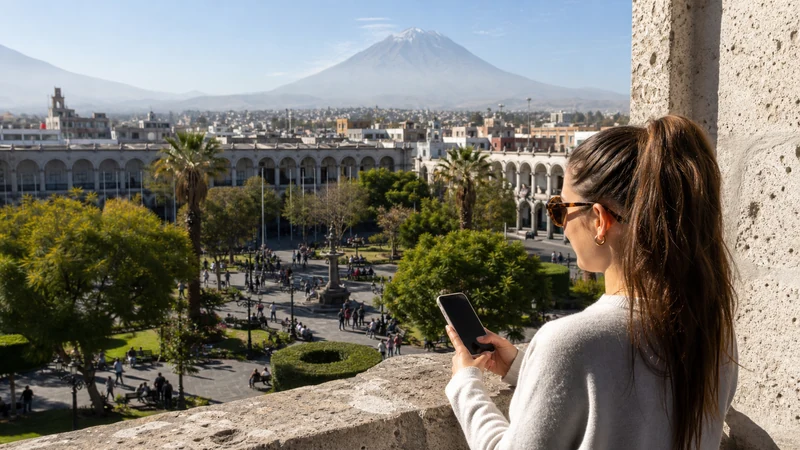

Arequipa mobile internet is useful for airport or bus transfers, finding accommodation, navigating the historic centre and coordinating an excursion towards Colca Canyon.
The important planning boundary is the edge of the city. A connection that works well in central Arequipa should not be treated as proof of uninterrupted service on high-altitude roads or at remote viewpoints.
NoveSIM Peru plans are data-only. They do not include a Peruvian number, conventional calls or SMS, while online messaging and calling apps can use the data connection.
Quick answer: Prepare a Peru eSIM before arriving in Arequipa, use it for city travel, and download the Colca route, pickup point, accommodation and return details before leaving urban coverage. Keep hotel Wi-Fi for large uploads and mobile data for movement.
Top Peru eSIMs


Arequipa Mobile Internet: Pick the Right Connection
| Option | Best use | Limitation |
|---|---|---|
| Travel eSIM | Data ready for arrival and short visits | Requires an unlocked compatible phone |
| Local prepaid SIM | Longer stays or need for a local number | Local purchase and registration |
| Home roaming | Occasional use with known terms | Home-carrier charges and restrictions |
| Hotel or café Wi-Fi | Backups and large files | Does not cover streets or regional routes |
If Arequipa is one stop in a wider trip, compare all connection methods in the Peru mobile internet guide. Travellers choosing eSIM can review current Peru eSIM plans before departure.
Where Data Helps in the City
Arequipa’s central streets, visitor sites and accommodation may be close on a map, yet a pickup or entrance can still be difficult to identify. Save the full address in Spanish and pin the location before setting out. For an early departure, keep the driver’s name and vehicle information outside the messaging app as a screenshot.
- Airport and bus-station transfers
- Walking navigation through the historic centre
- Restaurant and museum hours
- Tour operator and driver messages
- Tickets and onward transport changes
Inside thick-walled buildings, signal can be weaker than it is on the street. Test near an entrance or outdoors before changing the phone’s network settings.
Prepare the Phone Before Travel
- Confirm that the exact phone model supports eSIM.
- Verify that it is unlocked for another provider.
- Choose a Peru plan whose validity covers the complete itinerary.
- Install the profile over dependable private Wi-Fi.
- Label it Peru and keep the QR code private.
- Download the Arequipa map and first accommodation address.
Check the compatible-device list rather than relying only on a handset family name. Regional variants can differ, and an eSIM menu does not prove unlocked status.
Recommended Settings After Arrival
| Setting | Starting value |
|---|---|
| Mobile Data | Peru travel eSIM |
| Travel-line Data Roaming | On |
| Home-line Data Roaming | Off |
| Automatic data switching | Off |
| Network Selection | Automatic |
| Manual APN | data.esim only if required |
Automatic data switching can silently move traffic back to the home SIM when the travel signal weakens. Turning it off makes costs and troubleshooting easier to understand.
City Coverage Is Not Colca Coverage
The journey towards Colca crosses a different environment from central Arequipa. Long road sections, elevation changes and distance from populated areas can produce service gaps. A tour should have a confirmed meeting point and return process that do not depend on a live map.
Before departure:
- Download a broad offline map that includes the road and destination.
- Screenshot the pickup location, operator contact and booking reference.
- Store the accommodation address for the return.
- Confirm whether the vehicle returns to the same place.
- Tell the operator in advance if a work call or time-sensitive connection is essential.
The Peru eSIM coverage guide explains how to check operator-reported maps. A map remains a planning aid, not a signal guarantee at a canyon viewpoint or moving vehicle.
Battery and Offline Planning for Long Days
Navigation, photography and weak-signal searching can all increase battery use. Begin a Colca day with a charged phone and carry a power bank within its safe temperature range. Lower screen brightness and close unneeded background apps.
Keep the route and meeting information as screenshots so they open instantly. A paper hotel card or handwritten address is also useful when the phone is unavailable.
How Much Data Does an Arequipa Stay Need?
Maps, messages and booking checks use far less data than video, cloud photo backup or hotspot work. A traveller who saves media uploads for hotel Wi-Fi may need only a moderate allowance, even with a full-day excursion.
Review a recent week of per-app usage and include the rest of the Peru itinerary. Pause automatic photo backup and download entertainment before the journey. The Peru data guide provides daily and trip-length planning ranges.
4G, 5G and Speed Expectations
Available service depends on the selected plan, supported network, handset, location, terrain and congestion. 5G also requires a compatible plan, phone and local network. Leave the handset in Automatic mode so it can use stable 4G when 5G is unavailable or weak.
Do not use an urban speed test to predict a highland route. The useful question is whether maps and messages work where you need them, with offline information ready when they do not.
Use Accommodation Wi-Fi Carefully
Trusted hotel Wi-Fi is suitable for photo backups and large downloads. Confirm the network name with staff, avoid sensitive activity on an unknown open network, disable file sharing and turn off automatic joining after use.
Do not expose the eSIM QR code on a shared computer or send it through a public display. Treat it as a credential.
Troubleshoot Without Deleting the eSIM
- Confirm that the Peru line is enabled and selected for Mobile Data.
- Enable Data Roaming on the travel line.
- Toggle Airplane Mode for 30 seconds and allow registration.
- Move outdoors if the problem occurs inside a thick-walled building.
- Restart the phone and keep Network Selection on Automatic.
- If signal appears without data, check the allowance and enter data.esim only when manual APN setup is required.
Do not delete the installed eSIM unless NoveSIM Support instructs you to do so. Provide the order number, exact model, current location and safe screenshots if assistance is needed.
Related Articles
- Peru eSIM Coverage
- Peru Road-Trip Mobile Internet
- Best eSIM for Peru
- Mobile Internet in Peru
- How Much Data Do You Need in Peru?
- Best SIM Card for Peru
FAQ
What is the easiest way to get mobile internet in Arequipa?
For an unlocked compatible phone, a travel eSIM installed before departure is usually the easiest data option. A local SIM may suit a longer stay or a traveller who needs a Peruvian number.
Will mobile data work throughout the Colca Canyon trip?
Do not assume continuous service. Terrain, distance, supported network and exact route affect reception, so keep maps, pickup details and the return plan offline.
Can I use 5G in Arequipa?
5G may be available where the plan, partner network, phone and local coverage all support it. Automatic mode allows the handset to use 4G when that is the stronger connection.
Why does my signal change inside Arequipa buildings?
Thick walls and interior spaces can weaken reception. Test near an entrance or outdoors before changing settings or manually selecting a network.
Final Recommendation
Use Arequipa mobile internet for the city tasks it handles well: transfers, addresses, bookings and driver messages. Treat the Colca journey as a separate route that requires offline preparation.
Choose the Peru eSIM for Mobile Data, enable its Data Roaming and enter data.esim only if manual APN setup is required. Retain the installed profile while troubleshooting.
Download the route and return details before leaving Arequipa, then preserve battery and mobile data for coordination. That is more dependable than expecting a city connection to continue across highland terrain.