


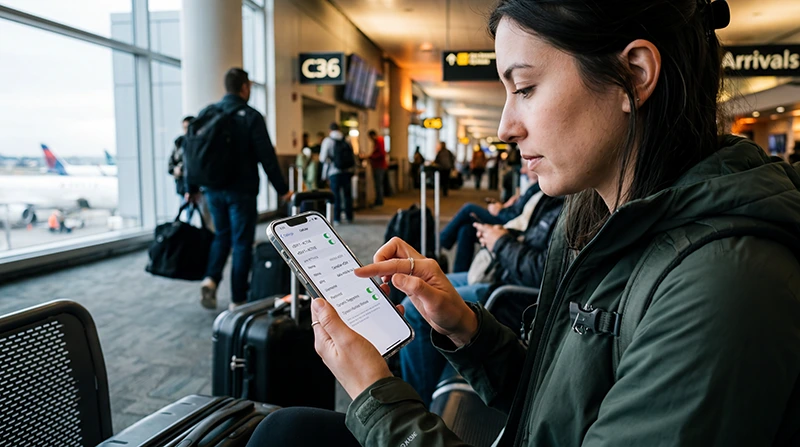

For a NoveSIM Canada eSIM, the manual APN is data.esim. Most travellers should leave an APN that already works alone. Check or enter the value only if the eSIM is installed and enabled but mobile data will not load, and the plan instructions or NoveSIM support call for a manual APN.
The APN is a mobile-data setting, not a coverage switch. If the phone has no network signal, the plan has not started or the wrong SIM is selected for data, changing the APN is unlikely to fix the underlying problem. Work through those checks before editing a profile.
Our Canada travel eSIM is data-only. We do not provide a Canadian phone number, conventional calls or SMS with it; apps such as maps and internet messaging use the data connection. The APN controls that data path, not telephone service.
Quick answer: Select the NoveSIM Canada eSIM for mobile data and follow its data-roaming instructions first. If it has network signal but still cannot open a website and manual APN entry is required, set the APN to data.esim on the travel eSIM line. Leave username and password blank unless your own order instructions say otherwise. Do not replace the home SIM’s APN or delete the installed eSIM.
Top Canada eSIMs


The NoveSIM APN Values
| Field | Value for manual NoveSIM setup |
|---|---|
| APN | data.esim |
| Username | Leave blank |
| Password | Leave blank |
Enter data.esim exactly, without spaces. These are NoveSIM values; do not copy the APN of a Canadian retail operator, your home carrier or another travel eSIM provider. If the order-specific instructions differ, use those instructions or ask NoveSIM support before replacing a working configuration.
When Should You Leave the APN Alone?
If mobile data already works on the Canada eSIM, there is nothing to gain by changing its APN. Leave the installed settings in place. If only one app fails while a browser and map load normally, investigate that app or its permissions instead of rewriting mobile-network settings.
An APN also cannot create coverage. Check the selected Canada plan’s current coverage and terms if you are travelling beyond a city or across a long route. Network availability, speed, hotspot and 5G depend on the plan, device, location and local conditions.
Three Checks Before Manual Entry
- Confirm that the Canada plan is valid and has data remaining. If it has not started or has expired, an APN change will not restore service.
- Open the phone’s SIM or mobile-data settings and make sure the NoveSIM line is enabled and selected for mobile data. Keeping a home SIM active does not automatically make the travel line the data line.
- Follow the NoveSIM plan’s instruction to allow data roaming on the travel eSIM line, then give the phone time to register on a supported network. Review roaming on the home line separately to avoid unintended charges.
If there is no signal at all, or the phone cannot see the installed eSIM, follow the broader Canada eSIM troubleshooting sequence. Manual APN entry is most relevant when the line is present and appears to have network service, but mobile data still fails.
Where to Check APN on iPhone
Apple notes that an iPhone can show or allow changes to APN settings only when the network provider permits it. The path and labels can vary. If the option is available, open Settings → Cellular/Mobile Service, select the Canada eSIM and look for Cellular Data Network or Mobile Data Network. Confirm you are editing the travel line before changing its mobile-data APN. Apple’s APN support guide explains why the control may not appear.
If no editable APN field appears, do not assume the phone is faulty or reset all network settings merely to expose it. Check the NoveSIM setup instructions or contact support with the phone model and the symptom you see.
Where to Check APN on Android
Android paths differ by manufacturer and software version. On many Samsung Galaxy phones, Settings → Connections → Mobile networks → Access Point Names shows the available profiles; Samsung’s APN instructions document that route. Other Android phones may place APN under Network & internet, SIMs or Mobile network. Choose the NoveSIM eSIM, not the home SIM.
If manual entry is available and the NoveSIM instructions call for it, add or edit the APN for the travel line, enter data.esim, leave the login fields blank, save and select that APN. Do not erase other profiles just to make this one appear. After saving, briefly toggle aeroplane mode to refresh the connection and test a website with Wi-Fi switched off.
What If data.esim Still Does Not Load?
Return to the symptom rather than repeatedly creating APNs. Check that the saved value is on the correct eSIM, that the line remains selected for mobile data and that it has registered on a network allowed by the plan. A visible signal with no data, no signal at all, and slow data are different problems. The Canada troubleshooting guide separates them.
Keep the eSIM installed while you work through reversible checks. If the APN control is unavailable, the plan details are unclear or the connection still fails, contact NoveSIM support with your order, phone model, location and the exact error. Do not delete the eSIM unless support instructs you to do so.
Related Articles
- Diagnose an eSIM connection problem in Canada
- Review the Canada eSIM installation steps
- Check the current Canada eSIM plan
FAQ
What is the APN for a NoveSIM Canada eSIM?
When manual entry is required, enter data.esim as the APN on the NoveSIM travel line. Leave username and password blank unless your order-specific instructions say otherwise.
Should I enter data.esim before travelling to Canada?
Not if the eSIM’s automatic settings are present and working. Install and use the plan according to its instructions. Check the APN only if mobile data fails and a manual value is required.
Why can I not find the APN field on my iPhone?
Apple says APN controls are visible or editable only when the network provider allows it. If you cannot find the field, check your plan instructions or contact NoveSIM support rather than resetting unrelated phone settings.
Will changing the APN fix no signal in Canada?
Usually not. An APN affects the mobile-data path after the eSIM can use a network. First check the plan, travel line, roaming instructions and local coverage; use the broader troubleshooting guide if the phone has no signal.
Final Recommendation
For Canada eSIM APN settings, start with the connection symptom. Leave an automatically configured and working NoveSIM profile untouched. If manual entry is necessary, use data.esim on the Canada travel line with blank username and password, unless your order says otherwise.
Check the active data line and the plan’s roaming instructions before editing. Save only the intended APN, refresh the connection and test mobile data without Wi-Fi.
If there is still no usable data, keep the installed eSIM and move to symptom-based support. Repeated APN changes cannot repair a plan, device or coverage issue.