


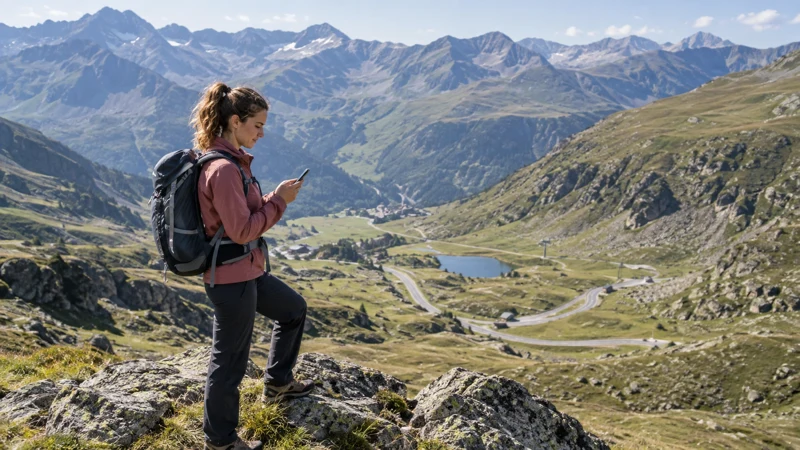

Andorra eSIM coverage depends on the plan’s authorised network, your phone and the place where you use it. Steep terrain, buildings and tunnels can affect reception; an urban connection is not evidence that the same service will be available along a mountain route.
A travel eSIM does not operate its own radio network. It connects through the network available to the purchased plan, so coverage depends on the exact plan, device bands, network conditions and location.
NoveSIM travel eSIMs are data-only. They provide internet access for maps, messaging and apps but not a local number or conventional calls and SMS.
Quick answer: Check the network listed for your exact Andorra plan and test data before leaving for a mountain journey. Signal bars or a 5G label do not establish usable internet or continuous route coverage. Download and open essential maps offline, and save meeting and return details independently of a live connection.
Top Andorra eSIMs

Andorra eSIM
Fixed
1 GB, 7 days€ 10.722 GB, 15 days€ 18.323 GB, 30 days€ 25.02Unlimited
Unlimited, 1 day€ 9.83Unlimited, 3 days€ 26.80Unlimited, 5 days€ 43.78
Europe Extra eSIM
Fixed
1 GB, 7 days€ 2.232 GB, 15 days€ 3.573 GB, 30 days€ 4.47Unlimited
Unlimited, 1 day€ 2.68Unlimited, 3 days€ 5.36Unlimited, 5 days€ 8.93How Does Andorra eSIM Coverage Work?
Checked on 23 October 2026, the supported-network panel for the current Andorra eSIM plan lists Andorra Telecom, S.A.U. and 5G. Recheck the panel before purchase: this is a current product listing, not a guarantee that your phone will obtain 5G at a particular hotel, road or resort.
The radio technology shown on a phone does not promise a speed, latency or uninterrupted session. Device support, network conditions, the exact package and local reception still matter. Hotspot permission is a separate plan condition, not something proved by the network listing.
If you are still choosing between data-only service, local prepaid and home-carrier roaming, first plan your internet connection in Andorra. This guide concerns reception and route preparation rather than SIM prices or billing.
Coverage in Towns and Populated Valleys
In Andorra la Vella or Escaldes-Engordany, test the connection where you will actually need it: your accommodation, a pickup point or the car park before departure. This guide does not provide measured coverage rankings between towns, valleys or resorts. Building materials and underground spaces can produce a different result from a test outside.
If data works outside but not in a hotel room, move near a window or test in an open area before changing settings. Wi-Fi can supplement mobile service indoors.
Mountain Roads, Tunnels and Border Crossings
Signal can change rapidly on roads between valley walls. Tunnels may interrupt service entirely, and the phone can hold a weak Spanish or French network near the border before registering locally.
- Download the route and accommodation address offline.
- Save border and parking instructions as screenshots.
- Select the travel eSIM as the Mobile Data line before crossing.
- Leave network selection on Automatic for the initial registration.
- Use Airplane Mode briefly if the phone remains attached to an unusable network.
Do not repeatedly force visible networks without plan guidance. A network name appearing in the list does not prove that the eSIM is authorised to use it.
For billing controls, check home-SIM roaming before the border. A change of network and a change of the selected data line are different events; the line used determines which provider’s service you are using.
Coverage for Grandvalira and Other Ski Areas
Resort bases and developed facilities may have mobile or Wi-Fi service, but coverage can change on lifts, pistes and routes behind terrain. Congestion during busy ski periods can also reduce usable speed even when signal bars remain visible.
Download the piste map, meeting point, transport timetable and emergency information before going up the mountain. Keep essential safety information independent of a live data connection.
Agree on a named meeting place and time before separating. Save the return bus stop, accommodation address and any booking confirmation as readable offline documents; a link that needs a new login is not an offline copy.
Hiking and Remote-Area Preparation
A smartphone is helpful for weather and navigation, but it is not a substitute for an offline route, appropriate equipment or local safety guidance. Battery drain can increase when the phone searches for signal in marginal areas.
- Save offline maps covering the full route.
- Carry a charged power bank in cold weather.
- Tell another person the route and expected return time.
- Do not depend on an internet call as the only emergency plan.
Test Your Offline Backup Before Departure
- Download the complete map area for the outward and return journey, not just the town centre.
- Turn on Airplane Mode with Wi-Fi off while safely stopped, then open the saved map and zoom into the route and meeting point.
- Open the saved tickets, accommodation instructions and return transport details to check that they remain readable without signing in.
- Restore your intended connectivity settings and confirm the selected data line before leaving.
An offline map does not supply live traffic, fresh resort information or a guaranteed route for every activity. Check current local instructions before departure and keep an agreed return arrangement if messages cannot get through.
What to Check When Data Does Not Work
- No network registration: confirm the line is enabled, the package covers Andorra and Automatic Network Selection is on. If safe, try an open location; do not assume an unauthorised visible network will work.
- Signal but no internet: check the selected data line, active allowance and required roaming settings before treating the problem as a coverage gap.
- Data works but is slow: pause large transfers and test a small page. Compare indoors and outdoors if practical; a 4G/5G icon alone does not identify congestion or establish available speed.
- Confirm that the plan includes Andorra and remains active.
- Select the eSIM under Mobile Data.
- Enable Data Roaming for that eSIM if required.
- Disable automatic data switching to the home SIM.
- Move to an open location and refresh registration with Airplane Mode.
- Check the order instructions before entering an APN manually. If required for NoveSIM, use data.esim, not a domestic operator’s APN.
Use the signal-without-data diagnostic when bars appear but apps remain offline. Do not delete the installed eSIM; preserve it for support.
If the phone has not registered at all, first confirm compatibility with the eSIM device checks.
Related Articles
- Andorra eSIM Plans
- Fix an eSIM with Signal but No Data
- Data Roaming for Travel eSIMs
- Check eSIM Device Compatibility
FAQ
Does an eSIM work throughout Andorra?
It can provide broad useful coverage, but no plan should promise uninterrupted service in tunnels, behind steep terrain or on remote mountain routes.
Is coverage good in Andorra la Vella?
Check the exact place where you need data. Indoor construction and underground spaces can affect reception, and this guide does not establish a measured city-wide coverage or speed guarantee.
Will an Andorra eSIM work at ski resorts?
It may work around developed resort areas, but signal and speed can change on lifts, pistes and crowded days. Keep maps and meeting details offline.
Does a Europe eSIM always cover Andorra?
No. The plan must explicitly list Andorra. Coverage in Spain and France does not prove coverage inside Andorra.
Final Recommendation
Use a plan that explicitly names Andorra, recheck its listed network and test data at your departure point. A successful test is useful preparation, not proof of coverage throughout the next journey.
Keep Automatic Network Selection for the first connection, choose the correct data line and enable roaming only where the plan requires it.
Download maps, tickets and safety details in advance. Terrain, tunnels, congestion and weather can affect mobile service even within this small country.