


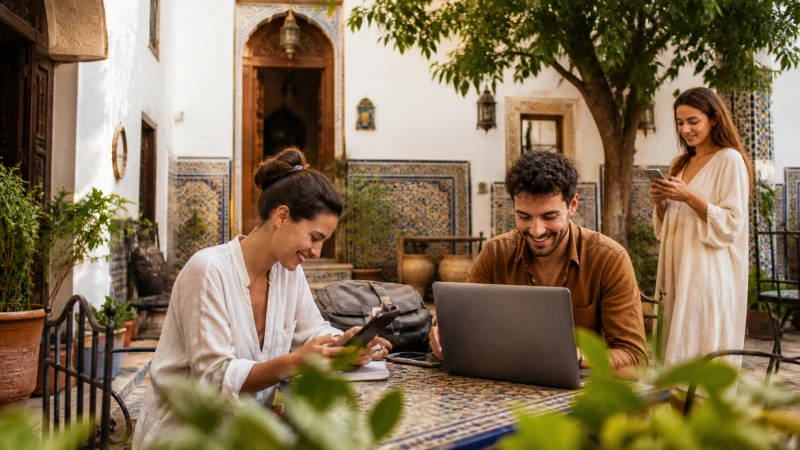

Sharing your Algeria eSIM’s data connection through your phone’s mobile hotspot lets you connect a laptop, tablet, or a travel companion’s device without needing a separate SIM for each one — a genuinely useful feature for groups or anyone traveling with multiple devices.
Quick answer: Most phones support turning on a personal hotspot to share your eSIM’s data connection with other devices, found in your phone’s network or connections settings. Checking your specific eSIM plan’s hotspot allowance or restrictions before relying on this heavily is worth doing.
Top Algeria eSIMs

Algeria eSIM
Fixed
1 GB, 7 days17.50$2 GB, 15 days33.00$3 GB, 30 days46.00$Unlimited
Unlimited, 1 day15.50$Unlimited, 3 days44.50$Unlimited, 5 days73.50$
Turning on your phone’s hotspot
Enabling a personal hotspot is generally found within your phone’s network or connections settings menu, letting nearby devices connect to your eSIM’s data through WiFi, Bluetooth, or a USB cable.
Checking your plan’s hotspot allowance
Some eSIM plans place restrictions on hotspot usage or count it differently against your data allowance — confirming this against your specific provider’s terms before relying heavily on hotspot sharing avoids surprises.
Sharing data with a laptop for work
Business travelers or digital nomads working from a laptop while in Algeria often rely on hotspot sharing as their primary internet connection — the business travel guide and digital nomad guide cover connectivity considerations for this kind of use.
Sharing data within a family or group
Rather than setting up a separate eSIM for every device, hotspot sharing from one phone can cover a small group’s connectivity needs — the family travel guide covers this consideration for group trips.
Managing battery drain from hotspot use
Running a hotspot continuously drains your phone’s battery faster than normal use, worth keeping in mind if you’re relying on it for extended periods without easy access to charging — a portable battery pack helps bridge this gap on longer travel days.
Hotspot use in areas with limited coverage
Hotspot sharing depends entirely on your phone having a usable connection in the first place, so it won’t help in areas with genuinely limited signal — the Algeria eSIM coverage guide covers where coverage is strong enough to support this kind of use.
FAQ
Can I use my Algeria eSIM as a hotspot?
Yes, most phones support sharing your eSIM’s data connection through a personal hotspot.
Are there restrictions on hotspot usage?
Some plans do restrict this — check your specific provider’s terms before relying on it heavily.
Can I share my hotspot with a laptop?
Yes, useful for business travelers or anyone needing internet access on a laptop.
Is hotspot sharing good for a family trip?
Yes, it can cover a group’s connectivity needs without a separate eSIM for every device.
Does using a hotspot drain my battery faster?
Yes, worth keeping in mind for extended use without easy access to charging.
Where do I find hotspot settings on my phone?
Generally within your network or connections settings menu.
Final Recommendation
Check your eSIM plan’s hotspot terms before relying on it heavily, and keep an eye on battery drain during extended use. See the how much data guide to size a plan that accounts for hotspot sharing.