


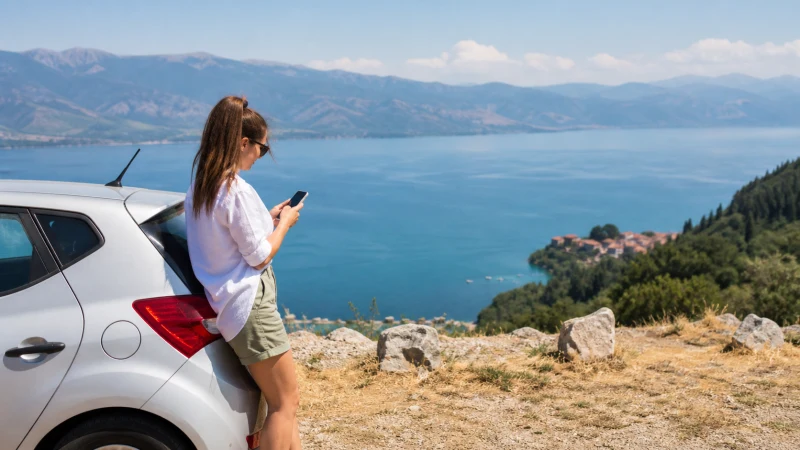

Travelling through Albania and North Macedonia is easier when the same travel eSIM covers both countries. The important detail is the plan’s supported-country list: Albania and North Macedonia must both appear there. A plan that works in one country does not automatically include the other.
NoveSIM travel eSIMs are data-only. They provide mobile internet for maps, tickets, messaging and bookings, but do not include a local Albanian or North Macedonian phone number, conventional calls or SMS.
Quick answer: Choose a regional eSIM that explicitly lists Albania and North Macedonia, install it before departure, keep automatic network selection enabled and expect a short loss of service while the phone changes partner networks at the border. Download the Tirana–Ohrid–Skopje route and essential travel documents offline before leaving reliable coverage.
Top Albania eSIMs

Albania eSIM
Fixed
1 GB, 7 days4.50$2 GB, 15 days6.50$3 GB, 30 days8.50$Unlimited
Unlimited, 1 day4.50$Unlimited, 3 days10.50$Unlimited, 5 days16.00$
North Macedonia (Republic of North Macedonia) eSIM
Fixed
1 GB, 7 days4.00$2 GB, 15 days5.50$3 GB, 30 days7.00$Unlimited
Unlimited, 1 day4.00$Unlimited, 3 days8.50$Unlimited, 5 days12.50$
Can One eSIM Work in Albania and North Macedonia?
Yes, if the selected plan includes both destinations. A regional Balkans eSIM can avoid buying separate SIM cards and changing the active data line midway through the journey. Check the live coverage list before purchase rather than relying on the plan name alone.
The phone must also support eSIM and be carrier-unlocked. Confirm compatibility before paying, especially if the device was supplied by a mobile operator. A locked handset may reject a travel eSIM even when the model itself supports the technology.
What Happens to Mobile Data at the Border?
The eSIM does not physically change when you cross the border. Instead, the phone disconnects from its Albanian partner network and searches for a supported network in North Macedonia, or the reverse on the return journey. During that handover, the signal may disappear temporarily.
Leave network selection on Automatic first. Near a border, the phone may still detect a stronger signal from the country you have just left, so registration can take longer than it does in a city. Give the device several minutes before changing settings. Repeatedly selecting networks while the phone is still searching can make the interruption harder to diagnose.
Mobile Internet on the Tirana–Ohrid–Skopje Route
The most common overland itinerary links Tirana with Ohrid and then Skopje. Mobile data is generally most useful at the points where plans change: checking the departure location in Tirana, following the route around Lake Ohrid, contacting accommodation and navigating from the Skopje bus station.
Do not assume continuous service on every mountain or rural section. Terrain, the road used, the partner network, weather and local congestion can all affect reception. Before departure, save:
- offline maps for Tirana, the border area, Ohrid and Skopje;
- the accommodation address and check-in instructions;
- bus tickets, booking references and operator contact details;
- a screenshot of the eSIM setup instructions and order number;
- essential phone numbers in a form accessible without mobile data.
This preparation is particularly useful when arriving after dark or continuing beyond Ohrid on a route with fewer services.
Settings to Check Before the Journey
| Phone setting | Recommended choice | Why it matters |
|---|---|---|
| Mobile Data | Travel eSIM | Keeps app traffic on the intended plan |
| Data Roaming on travel eSIM | On | Allows connection to the plan’s partner networks |
| Data Roaming on primary SIM | Off | Reduces the risk of home-carrier roaming charges |
| Mobile Data Switching | Off | Prevents the phone from silently using the primary SIM for data |
| Network Selection | Automatic | Lets the phone register on an available supported network after the border |
Menu names vary between iPhone and Android models. The principle is the same: the travel eSIM handles mobile data, while the primary SIM is prevented from taking over that traffic. If you keep the primary line enabled for calls or verification messages, check its roaming prices separately.
How to Prepare the eSIM Before Leaving
- Confirm that both Albania and North Macedonia appear in the selected plan’s coverage list.
- Check that the phone supports eSIM and is not locked to another carrier.
- Install the eSIM while connected to reliable Wi-Fi.
- Give the new line a clear label such as Balkans Data.
- Follow the activation timing stated in the plan instructions.
- Save the QR code instructions and order details securely, without sharing them.
- Download the maps, tickets and addresses needed for the first part of the route.
- On arrival, select the eSIM for mobile data and enable Data Roaming on that line.
Do not delete the installed eSIM after setup. A QR code may not be reusable, and removing the profile can make troubleshooting more difficult.
How Much Data Is Useful for Two Countries?
Data needs depend more on behaviour than on the number of borders crossed. Navigation, text messaging, email and occasional searches usually consume much less than video calls, streaming, hotspot use or automatic photo uploads.
Review your phone’s recent mobile-data statistics before choosing a plan. Multiply typical daily use by the trip length and add a margin for transport changes. Download entertainment and large map areas over Wi-Fi, and pause automatic application updates and cloud backups while using mobile data.
Hotspot support, 5G availability, speeds and fair-use conditions depend on the selected plan, device, partner network, location and local coverage. Verify any feature that is essential to the trip before purchase.
Keeping Your Main Number While Travelling
On a compatible dual-SIM phone, the primary SIM can remain available while the travel eSIM supplies data. Messaging apps normally continue using their existing registered account when they have an internet connection.
Traditional calls, voicemail and carrier SMS remain services of the primary mobile operator and may incur roaming charges. Turning off data roaming on the primary SIM does not automatically make calls or voicemail free. If the number is needed only for occasional verification messages, avoid answering unexpected calls and review the home carrier’s terms before departure.
What to Do If Data Stops After the Border
- Confirm that the new country is included in the plan.
- Check that the travel eSIM line is still switched on.
- Make sure it remains selected for Mobile Data.
- Verify that Data Roaming is on for the travel eSIM and off for the primary SIM.
- Leave Network Selection on Automatic and wait several minutes.
- Toggle Airplane Mode on for about 30 seconds, then turn it off.
- Restart the phone if it still does not register.
- If signal appears but data does not work, follow the APN details supplied with the plan.
- Contact NoveSIM Support with the phone model, current location and screenshots if the problem continues.
Do not delete the eSIM unless support specifically instructs you to do so. Near the border, also move farther into the new country before assuming the plan has failed; overlapping signals can delay registration.
When Separate Country Plans May Be Better
A regional plan is convenient for a continuous Albania–North Macedonia itinerary. Separate country plans may be worth comparing when most of the trip takes place in one destination, the required validity periods differ substantially or a particular allowance is available only on a national plan.
For a country-specific stay, compare the live Albania eSIM plans with the regional options available for the complete itinerary. For a longer route through several neighbouring countries, use the Balkans eSIM guide to evaluate the wider journey.
Related Articles
- Balkans eSIM plans
- Best eSIM for Balkans travel
- Albania eSIM plans
- Greece–North Macedonia mobile internet guide
- Mobile internet in Albania
- Albania eSIM troubleshooting
FAQ
Can I use the same eSIM in Albania and North Macedonia?
Yes, when the selected plan explicitly includes both countries. Check the live supported-country list before purchase because coverage varies by plan.
Will the eSIM reconnect automatically after the border?
It normally searches for a supported partner network automatically, but registration may take several minutes. Keep network selection on Automatic and use Airplane Mode briefly if the connection does not return.
Should Data Roaming be enabled in both countries?
Enable Data Roaming on the travel eSIM because it connects through partner networks. Keep data roaming off on the primary SIM unless you have deliberately chosen to use your home carrier’s roaming service.
Should I buy separate eSIMs for Albania and North Macedonia?
Not necessarily. One regional plan is usually simpler for a continuous two-country journey, provided it includes both destinations and offers suitable data and validity. Compare separate plans if most of the trip is in one country.
Final Recommendation
For a Tirana–Ohrid–Skopje journey, choose a travel eSIM only after confirming that Albania and North Macedonia are both included. Install it before departure, use it as the mobile-data line and keep automatic network selection enabled at the border.
Prepare for short coverage gaps with offline maps, saved tickets and accommodation details. This makes the route manageable even while the phone is changing networks or travelling through a weaker rural section.