


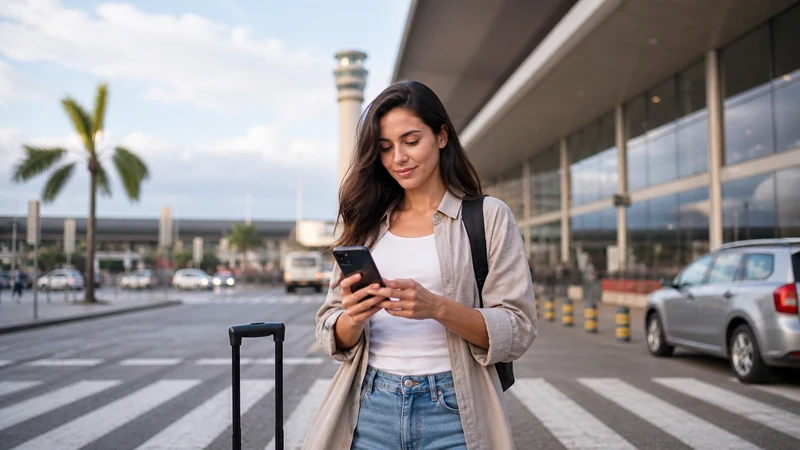

Brazil eSIM activation is often confused with installation. Installation places the profile on the device; activation follows the product rule; connection occurs when the phone registers on a supported network.
Some plans begin on network connection, while others may use a different trigger. The order instructions—not a generic rule—decide when your validity starts.
Check that rule before switching the line on during a stopover.
Quick answer: Install the eSIM before travel, but activate it according to the exact order instructions. In Brazil, turn on the line, choose it for mobile data, enable Data Roaming and wait for automatic network registration.
Top Brazil eSIMs

Brazil eSIM
Fixed
1 GB, 7 days€ 4.442 GB, 15 days€ 7.103 GB, 30 days€ 9.32Unlimited
Unlimited, 1 day€ 4.88Unlimited, 3 days€ 11.54Unlimited, 5 days€ 18.19
Installation, Activation and Connection
| Stage | Meaning |
|---|---|
| Installation | The profile is added to the phone |
| Activation | The plan begins under its stated rule |
| Connection | The phone registers on a supported Brazilian network |
Arrival Settings
- Switch on the Brazil eSIM.
- Select it for mobile data.
- Enable Data Roaming on that line.
- Disable automatic data switching.
- Leave network selection on Automatic.
- Test with Wi-Fi off.
If Activation Appears Stuck
Wait in an area with usable coverage, toggle Airplane Mode for 30 seconds and restart once. Confirm validity and allowance. If signal appears without internet, use data.esim only when manual APN entry is required. Do not delete the profile.
For a systematic check, follow eSIM not working in Brazil.
Check the Activation Rule Before You Travel
Do not assume that every eSIM starts in the same way. One product may begin when it first registers on a supported network, while another may follow a date, installation or manual-activation rule stated in the order. Open the confirmation email and product instructions before departure, identify the trigger and note the validity period. This prevents a stopover, a settings test or an early installation from using travel days unintentionally.
If Brazil is the second country on the itinerary, decide which line should remain off during the first segment. Merely labelling a profile “Brazil” does not stop the phone from using it. Keep automatic data switching disabled and verify the selected mobile-data line after every flight. A phone can retain a previous choice even when a new eSIM has been enabled.
The plan must explicitly cover Brazil. A regional plan may include several countries, but that does not mean every visible network is authorised. Save the plan name, order number and support link offline so they remain available if the airport connection is poor.
How to Know Whether the eSIM Is Installed
An installed eSIM appears in the phone’s SIM list with its own on/off control. On iPhone, look under Cellular or Mobile Service. On Android, look under SIMs, SIM Manager, Network & Internet or Connections. Menu wording changes by manufacturer and software version, but a successfully installed line should be visible without rescanning the QR code.
A status such as “Activating,” “No Service” or “Not Connected” before arrival does not by itself prove that installation failed. The profile may be waiting for a supported Brazilian network. Confirm that the line exists, then leave it installed. Repeated scanning can fail because many activation credentials are designed for a single download.
If no new line appears at all, check whether the phone showed a success message, whether the QR code was already used on another device and whether the model actually supports eSIM. Do not confuse a phone camera’s ability to read QR codes with eSIM compatibility. Use the exact model number when checking support.
Activate a Brazil eSIM on iPhone
- Open Settings and choose Cellular or Mobile Service.
- Confirm that the Brazil line appears and switch on “Turn On This Line.”
- Open Cellular Data and select the Brazil eSIM.
- Open the Brazil line and enable Data Roaming.
- Turn off Allow Cellular Data Switching.
- Keep Network Selection on Automatic for the first connection attempt.
- Turn off Wi-Fi briefly and open a normal webpage to test mobile data.
The default voice line can remain the home number if you still need it, but voice, voicemail and SMS charges are controlled by the home carrier. Selecting the Brazil eSIM for data does not make other roaming services free. If avoiding all home-carrier charges is essential, ask that carrier how to disable or control them.
Activate a Brazil eSIM on Android
- Open the phone’s SIM Manager, SIMs or Mobile Network settings.
- Switch on the line labelled Brazil.
- Select it as the preferred SIM for mobile data.
- Enable roaming for the Brazil eSIM and keep home-line roaming off.
- Disable automatic or adaptive data switching between SIMs.
- Leave network selection on Automatic and wait several minutes.
- Test a browser with Wi-Fi disabled.
Samsung, Google Pixel, Motorola and other Android phones use different labels, and regional variants may expose different controls. Work from the current menus on the exact device. Do not install an unofficial configuration app or profile merely to reproduce instructions written for another brand.
What Each Connection Symptom Means
| What you see | Most useful next check |
|---|---|
| The Brazil line is absent | Installation status, compatibility and whether the QR code was already used |
| The line exists but shows No Service | Location, coverage, line status, Airplane Mode and network selection |
| Signal appears but pages do not load | Selected data line, Data Roaming, allowance and APN |
| Data works only on Wi-Fi | Mobile-data assignment and travel-line roaming |
| The home carrier sends a roaming alert | Automatic data switching and home-line roaming settings |
| Service worked and then slowed | High-speed allowance, congestion, location and background use |
Test after one change at a time. If several settings are changed together, you cannot tell which one mattered and may accidentally introduce a second problem. Take safe screenshots before editing, but hide the QR code, activation code, full order details and personal information.
Activation at a Brazilian Airport
Airport buildings can create unusual radio conditions, and a newly landed phone may take time to leave aircraft mode and register. At São Paulo–Guarulhos Airport, verified terminal Wi-Fi can provide a temporary connection while you review the order, but the travel eSIM should be tested with Wi-Fi switched off before leaving. Read the GRU airport internet guide for the arrival sequence.
Move away from the aircraft gate or a deep indoor area if no network appears. Toggle Airplane Mode for about 30 seconds, turn it off and wait. Restart once if necessary. Repeated restarts, rapid manual-network changes and repeated QR scans rarely help a device that simply needs time to register.
APN and Manual Network Selection
An APN controls data routing after the phone reaches a network; it does not create radio coverage. If the Brazil eSIM has signal but no internet and the instructions require manual entry, use data.esim exactly. Leave username and password blank unless the order supplies different values. Avoid APNs copied from Claro, TIM, Vivo or another eSIM provider because those settings belong to different services.
Automatic network selection is the correct starting point. If it repeatedly fails, test only a partner supported by the selected plan and allow time between attempts. The list on the phone can include networks the plan cannot use. Return to Automatic before travelling to another city or region so the device can adapt.
Protect the eSIM After Activation
Keep the profile installed for the whole validity period. Deleting it does not refresh a network session, restore data or improve coverage. It can instead remove credentials that are not reusable. Also keep the QR code private: it is closer to an account credential than a travel document.
When the trip is over, confirm that the plan is no longer needed before removing it. If another traveller will use the same phone or if a future top-up may rely on the profile, check the product rules first. Never transfer the QR code to another person.
Related Articles
- Brazil eSIM plans
- Install a Brazil eSIM
- Brazil eSIM on iPhone
- Brazil eSIM on Android
- Brazil dual-SIM settings
- Brazil APN settings
- Manual network selection in Brazil
- Brazil eSIM not working
- Slow Brazil eSIM
- Brazil eSIM coverage
- Mobile internet in Brazil
- How much data for Brazil
- eSIM-compatible devices
- How NoveSIM works
- NoveSIM Support
FAQ
When should I activate a Brazil eSIM?
Follow the exact product instructions because activation triggers differ between plans.
Can I install it before activation?
Often yes, and advance installation is useful, but the plan-specific instructions control the sequence.
Why does the eSIM show no service before Brazil?
It may only register on supported networks within the covered destination.
Should roaming be enabled?
Enable Data Roaming on the travel eSIM after arrival; keep home-line roaming off unless intended.
Final Recommendation
Read the exact activation rule before departure and separate it from installation. Add the profile once on reliable Wi-Fi, label it clearly and keep the QR code and order information private.
After arrival in Brazil, switch on the travel line, select it for mobile data, enable Data Roaming on that line and disable automatic switching to the home SIM. Start with Automatic network selection and test with Wi-Fi off.
If connection fails, identify the symptom and use reversible checks for coverage, registration, allowance and APN. Keep the eSIM installed and contact support with safe diagnostic details when the documented steps do not restore service.