


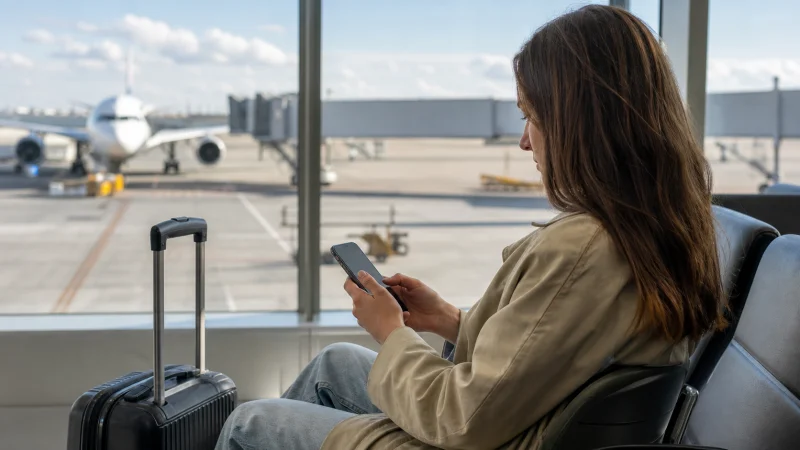

Installing a Belgium eSIM adds the profile to the phone; activating it makes the line ready to use under the purchased plan’s rules. These actions may happen at different times, so read the order instructions before scanning the QR code or enabling the line.
When advance installation is permitted, complete it on reliable Wi-Fi before departure. Keep the Belgium line off for data until the activation time stated with the plan, particularly when validity begins at activation or first supported-network connection.
NoveSIM Belgium eSIM plans are data-only. They do not include a Belgian number, conventional calls or carrier SMS.
Quick answer: Confirm compatibility and unlock status, install the profile on reliable Wi-Fi, label it Belgium and follow the plan’s timing. After arrival, enable the line, select it for mobile data and turn Data Roaming on for the travel eSIM.
Top Belgium eSIMs

Belgium eSIM
Fixed
1 GB, 7 days€ 1.782 GB, 15 days€ 3.553 GB, 30 days€ 4.44Unlimited
Unlimited, 1 day€ 2.22Unlimited, 3 days€ 4.89Unlimited, 5 days€ 8.00
Europe Extra eSIM
Fixed
1 GB, 7 days€ 2.222 GB, 15 days€ 3.553 GB, 30 days€ 4.44Unlimited
Unlimited, 1 day€ 2.67Unlimited, 3 days€ 5.33Unlimited, 5 days€ 8.89Europe+ eSIM
Fixed
1 GB, 7 days€ 2.672 GB, 15 days€ 4.003 GB, 30 days€ 5.33Unlimited
Unlimited, 1 day€ 2.67Unlimited, 3 days€ 6.22Unlimited, 5 days€ 10.22Check compatibility before installation
Confirm the exact phone model and regional variant support eSIM and that the device is unlocked for another provider. Look for an EID and an Add eSIM or Add Mobile Plan option.
Use the Belgium eSIM compatibility guide before purchase. An operating-system update cannot add missing eSIM hardware or remove a carrier lock.
Read the activation rule supplied with the plan
Do not assume that installation always starts paid validity. Some plans begin when the profile first connects to a supported network, while another plan may use a different rule. The order instructions are the authority for the selected product.
Keep the QR code, manual details and support reference accessible on another device. A QR code shown on the same phone may be difficult to scan during setup.
Install a Belgium eSIM on iPhone
- Connect the iPhone to reliable Wi-Fi.
- Open Settings and choose Cellular, Mobile Data or Mobile Service.
- Tap Add eSIM.
- Scan the supplied QR code or use the approved manual installation option.
- Label the new line Belgium.
- Allow the profile to finish installing before leaving Settings.
The Belgium iPhone guide explains Dual SIM data selection and Cellular Data Switching.
Install a Belgium eSIM on Android
- Connect the phone to reliable Wi-Fi.
- Open Settings and find SIM Manager, Network and Internet or Connections.
- Select Add eSIM or Add mobile plan.
- Scan the QR code or enter the approved installation information.
- Label the profile Belgium.
- Wait for the phone to confirm that installation is complete.
Menu names vary by manufacturer and software version. See the Belgium Android guide for the post-installation data settings.
Activate the travel line after arrival
- Turn the installed Belgium eSIM on at the time specified by the plan.
- Select it as the preferred line for mobile data.
- Enable Data Roaming for the Belgium eSIM.
- Turn data roaming off for the home SIM.
- Disable automatic mobile-data switching if the phone could use the home line.
- Leave network selection on automatic.
- Switch Wi-Fi off and test an ordinary webpage.
The home line may remain active for its usual number on a compatible Dual SIM phone, but calls and carrier SMS can have separate roaming charges. Review Belgium roaming costs before leaving it enabled.
If installation does not finish
Check that the phone still has internet access, sufficient battery and free eSIM capacity. Do not repeatedly scan or share the QR code. If the profile appears in SIM settings, do not assume the installation failed merely because it has not connected outside Belgium.
Record the exact error and contact support before deleting anything. An eSIM profile or QR code may not be reusable after removal.
If activation does not produce mobile data
Allow several minutes for registration, toggle aeroplane mode once and restart the phone once. Confirm that the Belgium line remains selected for data and Data Roaming is enabled for it.
If manual APN entry is required, use data.esim. The Belgium APN guide shows where it belongs. Do not delete the installed eSIM unless NoveSIM support specifically instructs you to do so.
Related Articles
- Belgium eSIM Not Working
- Manual Network Selection in Belgium
- Belgium eSIM Coverage
- Mobile Data in Belgium
FAQ
Can I install a Belgium eSIM before travelling?
Yes when the plan instructions permit it. Install on reliable Wi-Fi, but follow the stated timing for enabling the line and starting service.
Does scanning the QR code always start validity?
No. Activation rules vary by plan, so check the instructions supplied with the purchased product.
Should Data Roaming be enabled?
Enable it for the Belgium travel eSIM when required and keep it off for the home line unless you intentionally use home-network roaming.
Should I delete an eSIM that will not activate?
No. Keep the profile installed, record the error and contact NoveSIM support after completing the ordered checks.
Final Recommendation
Install the Belgium eSIM on a compatible unlocked phone and a reliable internet connection.
Follow the product’s activation rule, then select the Belgium line for data and enable roaming for that line after arrival.
Protect the home SIM from unintended data use and keep the installed profile intact if support is needed.