


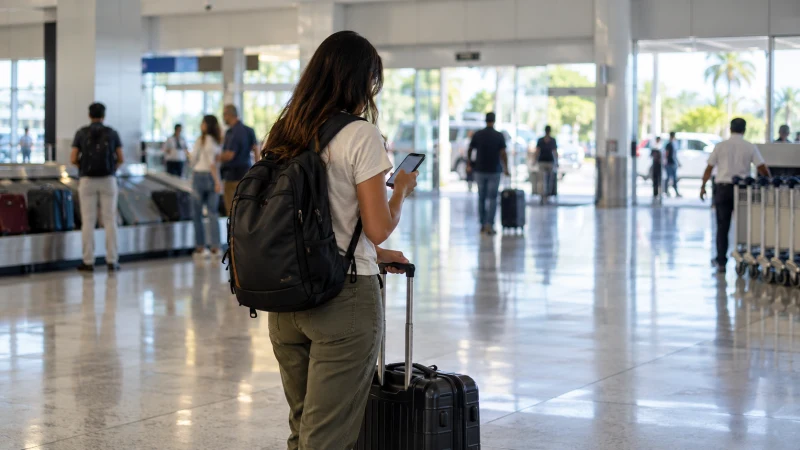

Internet at Managua Airport can come from terminal Wi-Fi, home-carrier roaming, a local SIM or a travel eSIM prepared before the flight. For the smoothest arrival, install your eSIM in advance and keep Wi-Fi as a fallback for messages or setup checks.
Airport retail availability, opening hours and Wi-Fi access procedures can change, especially for a late arrival. Do not make the onward journey depend on finding a particular SIM kiosk after baggage reclaim.
NoveSIM Nicaragua travel eSIMs are data-only. We do not provide a local phone number, normal calls or SMS, but internet-based calling and messaging apps can use the data connection.
Quick answer: Save your driver or hotel details before landing, then try your pre-installed eSIM with Wi-Fi switched off. If you need terminal Wi-Fi, confirm the official network name and sign-in process at the airport. Buy a local SIM only after checking the seller, registration requirements, package validity and whether the service works before you leave.
Top Nicaragua eSIMs

Nicaragua eSIM
Fixed
1 GB, 7 days€ 7.132 GB, 15 days€ 11.583 GB, 30 days€ 14.70Unlimited
Unlimited, 1 day€ 5.35Unlimited, 3 days€ 17.82Unlimited, 5 days€ 24.94
Central America eSIM
Fixed
1 GB, 7 days€ 7.132 GB, 15 days€ 11.583 GB, 30 days€ 15.59Unlimited
Unlimited, 1 day€ 6.68Unlimited, 3 days€ 16.48Unlimited, 5 days€ 26.28Choose an arrival option before the flight
| Option | Useful for | Arrival risk |
|---|---|---|
| Pre-installed travel eSIM | Maps and messages immediately after network registration | Requires an unlocked compatible phone and correct data settings |
| Airport Wi-Fi | Retrieving a booking or contacting a driver inside the terminal | Coverage, sign-in method or session quality may change |
| Local SIM | A local number or local prepaid package | Seller availability, queue, identification and activation time |
| Home roaming | A brief emergency connection | Potentially high charges or restrictive allowance |
If you have not chosen between a travel eSIM and local service, compare them in the Nicaragua SIM card guide. The broader Nicaragua mobile internet guide covers connectivity after you leave the airport.
Prepare the information needed before landing
- The full accommodation address and a map pin.
- The driver’s name, meeting point and contact details.
- A screenshot or offline copy of the booking confirmation.
- The eSIM installation details and provider support link.
- A payment method and identification if you may buy a local SIM.
This preparation matters most when the flight arrives late. A functioning phone connection is useful, but it should not be the only place where the hotel address or transfer instructions are stored.
Connect a travel eSIM after landing
- Wait until the aircraft has arrived and phone use is permitted, then turn off Airplane Mode.
- Open the SIM settings and select the Nicaragua eSIM for mobile data.
- Enable Data Roaming on the travel line, as required for access through its local partner network.
- Keep data roaming disabled on the home line if you want to avoid home-carrier data charges.
- Turn Wi-Fi off briefly and load a webpage to confirm that mobile data works.
- Only after the test succeeds should you depend on the phone for the journey into Managua.
Review the current Nicaragua eSIM plan before purchase and use the device compatibility guidance to confirm support. Network registration can take a short time after landing. Do not delete the installed eSIM if the first connection attempt fails.
Use airport Wi-Fi as a temporary bridge
Look for the network information displayed by the airport or ask authorised airport staff to confirm the correct name. Avoid similarly named networks that you cannot verify. If a captive portal opens, read the terms and provide only the information needed for access.
Use the connection for practical arrival tasks, then disconnect when finished. Avoid sensitive financial activity on an unfamiliar public network. Wi-Fi inside the terminal does not solve connectivity in the taxi, on a bus or later in the trip.
Buying a local SIM at or after the airport
Do not assume that a particular operator desk will be open for every flight. If a seller is available, ask which company it represents, what identification is required, when the bundle expires and whether a local number is included. Have the seller turn Wi-Fi off and demonstrate working mobile data before you leave.
If the airport option is unavailable or unsuitable, use a verified connection to locate an authorised shop in the city. Compare coverage for your onward route using the Nicaragua network coverage guide rather than buying solely for the first night in Managua.
Related Articles
- NoveSIM Nicaragua eSIM plans
- Best eSIM for Nicaragua
- Best SIM Card for Nicaragua
- Nicaragua eSIM Coverage
FAQ
Is there Wi-Fi at Managua Airport?
Wi-Fi arrangements can change, so check the information displayed in the terminal or ask airport staff for the official network name and current access method. Prepare another connection for travel beyond the building.
Can I buy a SIM card at Managua Airport?
Retail availability and opening hours may vary. If a seller is present, confirm that it is authorised, ask about identification and package terms, and test mobile data before leaving.
Should I install my Nicaragua eSIM at the airport?
It is usually safer to install it before departure over private, stable Wi-Fi. After landing, select it for mobile data and enable roaming on that travel line according to the instructions.
What should I do if the eSIM has signal but no internet?
Check the selected mobile-data line, Data Roaming and remaining plan allowance. Use data.esim only if manual APN entry is required, and contact support without deleting the installed profile.
Final Recommendation
Prepare an eSIM and your transfer details before flying to Managua, then test mobile data before leaving the terminal.
Use verified airport Wi-Fi as a short fallback, not as the connection for the onward journey. If buying a local SIM, confirm the seller, registration and working service.
Once connected, keep offline copies of the route and accommodation information for the rest of the Nicaragua trip.