


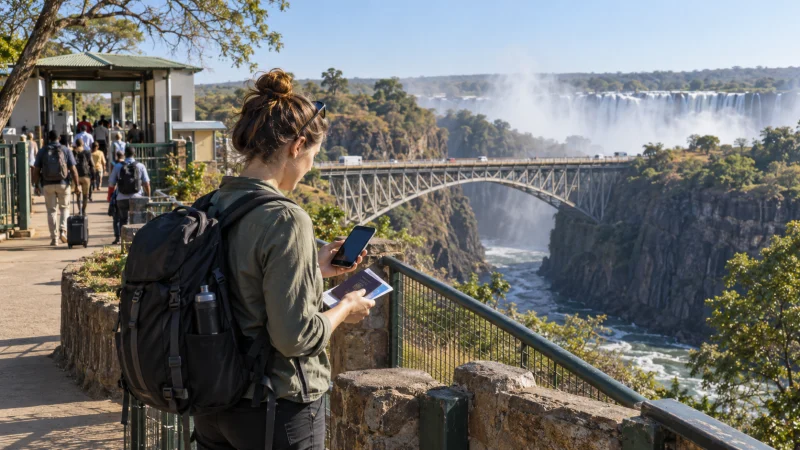

Mobile internet for a Zambia and Zimbabwe trip requires coverage in two separate countries. A plan that works in Livingstone does not automatically continue after the Victoria Falls border, even when the crossing is a short part of the itinerary.
The practical choices are a regional eSIM that explicitly includes both countries, separate country plans, local SIMs, or home-network roaming with confirmed tariffs. Prepare the network change before reaching the border.
NoveSIM travel eSIMs provide data only. We do not provide a Zambian or Zimbabwean number, conventional calls or SMS. Internet messaging and calls can work through data when the selected plan has service.
Quick answer: Choose a plan whose country list explicitly names both Zambia and Zimbabwe, or arrange a separate connection for each side. Save border information, accommodation details and the first route in the next country offline, and prevent the home SIM from taking over mobile data.
Top Zambia eSIMs

Zambia eSIM
Fixed
1 GB, 7 days€ 10.242 GB, 15 days€ 19.153 GB, 30 days€ 26.73Unlimited
Unlimited, 1 day€ 13.81Unlimited, 3 days€ 39.64Unlimited, 5 days€ 65.48
Why a Zambia-only plan stops at the border
A travel eSIM connects through approved local partners. On the Zambian side it needs a supported Zambian network; after entry into Zimbabwe it needs an approved Zimbabwean partner. Without Zimbabwe in the plan, there is no included network to use there.
Review the exact country list before purchase. Marketing terms such as “Africa” or “regional” are not enough by themselves. The Zambia eSIM guide explains the other checks, including validity and hotspot rules.
Choose one regional plan or two country plans
| Setup | Advantage | Check before buying |
|---|---|---|
| One regional eSIM | Less switching at the border | Both countries and partners are listed |
| Separate eSIMs | Country-specific allowance choices | Activation and validity for each profile |
| Local SIM in each country | May provide local-number services | Registration, shop access and SIM slots |
| Home SIM roaming | No new profile | Tariff in both countries |
For a short Victoria Falls visit, simplicity can matter more than the largest allowance. For a longer journey, compare the route, expected uploads and the time available for local registration.
Prepare before crossing near Victoria Falls
- Save the applicable official border and entry information separately from this connectivity guide.
- Download the next accommodation address and route.
- Screenshot tickets, transfers and booking references.
- Tell the driver or host which side and meeting point you will use.
- Charge the phone and pause background uploads.
The Livingstone and Victoria Falls guide covers connectivity around the Zambian base and visitor areas.
Manage the network handover
A brief loss of service while the phone leaves one network and searches for another is possible. Keep network selection automatic initially and allow time for registration. If using separate profiles, switch the mobile-data line only after entering the intended country and follow each plan’s activation instructions.
- Turn off mobile data on the home SIM.
- Select the regional or country-specific eSIM for data.
- Enable its required roaming setting.
- Wait for automatic network selection.
- Test a lightweight webpage before starting the onward route.
Do not delete an eSIM because the handover takes time. Restart the phone once in a covered area, then contact support if the correct plan still cannot connect.
Avoid accidental home-SIM roaming
Automatic data switching can move the phone to the primary SIM when the travel line temporarily loses signal. Disable that feature and keep roaming data off on the primary line. The home SIM may remain available for essential messages, but charges for calls and SMS depend on its provider.
For a full comparison of eSIM, local SIM, roaming and Wi-Fi on the Zambian part of the trip, see mobile internet in Zambia.
Remote routes still need offline preparation
Two-country support does not guarantee continuous reception on rural roads, in parks or at every lodge. Ask each property which network works locally and download the entire route before departure. A regional plan solves eligibility across the border, not gaps in physical coverage.
If the trip includes safari activities, follow the Zambia safari internet checklist and the equivalent guidance from the Zimbabwean operator or lodge.
Related Articles
FAQ
Does a Zambia eSIM work in Zimbabwe?
Only if Zimbabwe is explicitly included in the purchased plan. A Zambia-only plan should be expected to stop at the border.
Can one regional eSIM cover both countries?
Yes, when its current country list and supported networks explicitly include Zambia and Zimbabwe.
Why did data stop during the border crossing?
The phone may be leaving one partner and searching for another. Confirm the correct data line and allow automatic network registration in a covered area.
Should I keep my home SIM active?
It can remain available for essential messages, but disable its mobile data, data roaming and automatic data switching to reduce unintended charges.
Final Recommendation
For a Zambia–Zimbabwe itinerary, buy connectivity by country coverage rather than assuming proximity at Victoria Falls makes the two networks interchangeable.
Set the correct eSIM as the data line, keep the home SIM from taking over and allow the phone to register on the new partner after crossing.
Save the onward route, accommodation and meeting details offline because cross-border eligibility does not remove rural or temporary coverage gaps.