


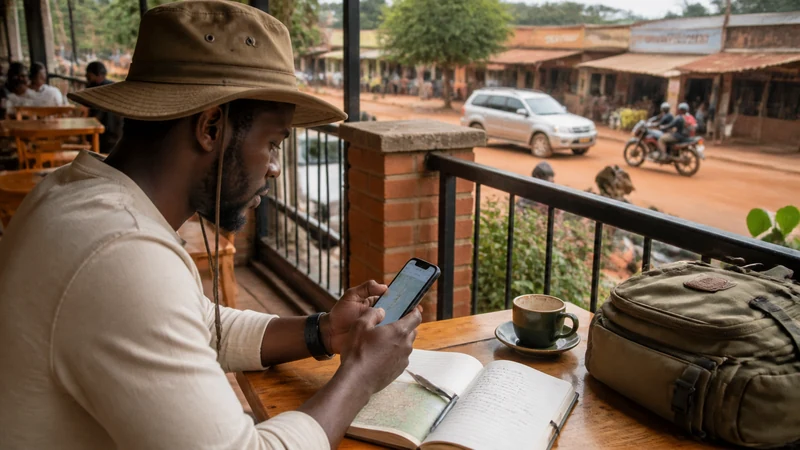

Most guides list twenty apps you’ll never open. In practice, a handful cover what you’ll actually need in Uganda — getting around, paying for things, staying in touch when signal drops, and knowing what the weather is doing before a day trip.
Top Uganda eSIMs

Uganda eSIM
Fixed
1 GB, 7 days€ 11.112 GB, 15 days€ 21.333 GB, 30 days€ 29.33Unlimited
Unlimited, 1 day€ 10.22Unlimited, 3 days€ 29.33Unlimited, 5 days€ 47.99
Offline maps come first
Google Maps works fine in Fort Portal, Kampala or Jinja, but the moment you’re on the road to Kibale or a crater lake, you’re often out of signal. Download the relevant offline area before you leave town — Google Maps supports this natively, and it’s worth doing a day ahead rather than at the last hotel with WiFi. Maps.me is a common alternative some travellers prefer for rural areas, since its offline maps are sometimes more detailed outside major towns.
Whichever you use, download more than the destination pin — the whole route you’ll be driving, including any detours. A saved pin doesn’t tell you which gate a lodge uses.
WhatsApp is the default way to stay in touch
If you’re on a data-only eSIM, you won’t have a local number for calls or SMS — WhatsApp fills that gap for almost everyone in Uganda, including drivers, lodges and tour operators. Agree on it as the contact method before you need it, and save the other person’s number outside the chat thread too, in case the app itself is what’s inaccessible when signal is weak.
Mobile money: MTN MoMo and Airtel Money
Mobile money is how a lot of everyday payments happen in Uganda — market stalls, boda-boda rides, even some lodges. If you’re using a local SIM from MTN or Airtel, their respective money apps (MTN MoMo, Airtel Money) are worth setting up early, since registration can take a little time and often needs to happen in person at an agent. A tourist eSIM generally won’t support this the same way, since it isn’t tied to a registered local number — check with your provider before assuming otherwise. The guide on choosing between a local SIM and an eSIM covers this trade-off in more detail.
Getting around Kampala
Uber and Bolt both operate in Kampala and are the easiest way to get a fair price without negotiating, especially at night or from the airport. Coverage thins out fast once you’re outside the capital — in Fort Portal or smaller towns, arranging a driver directly or through your accommodation is usually more reliable than checking an app.
A currency converter, even a simple one
Any basic currency converter app works, but the useful habit is checking it before you negotiate a price, not after — mental math on Ugandan shilling amounts (often in the tens or hundreds of thousands) is easy to get wrong on the spot. A calculator app you already have does the same job if you’d rather not install anything new.
Weather, mainly for planning ahead
A standard weather app is enough — the main use case in Uganda is checking rain forecasts before activities like chimpanzee trekking or a day on the crater lakes, where a downpour changes the plan more than it would on a city sightseeing day. Don’t expect much precision beyond a day or two out.
What to skip
Translation apps are rarely necessary — English is an official language and widely spoken, especially in tourist areas. Dedicated “travel safety” apps that claim to work everywhere usually don’t add much beyond what a saved emergency contact and your accommodation’s front desk already cover. And any app that needs a constant connection to be useful is a poor fit for the stretches between towns where you won’t have one — that’s exactly where the offline map and a saved phone number matter more than another app.
Setting up before you fly
Install and test whatever you’re bringing while you’re still on reliable WiFi at home — Uganda’s mobile data is fine in towns but not the moment to be troubleshooting an app download for the first time. If you’re using a NoveSIM eSIM for data, the Uganda eSIM plans page has current options, and the data-use guide for a Uganda trip is useful if you’re unsure how much to buy based on how much navigating, messaging and video you expect to do.
Frequently asked questions
Do I need to download maps in advance for a Uganda trip?
For anywhere outside the main towns, yes. Signal drops quickly on the roads to national parks and rural lodges, and an offline map is the difference between navigating and guessing.
Will WhatsApp work without a local phone number?
Yes — WhatsApp runs over data, so it works fine on a data-only eSIM without a Ugandan number attached.
Can I use mobile money as a tourist?
Generally only if you have a locally registered SIM, since mobile money is tied to the phone number. A data-only eSIM usually won’t support it — check with your provider first.
Is Uber reliable outside Kampala?
Not really — coverage is concentrated in the capital. Outside it, arranging transport through your accommodation or a known driver works better.
Bottom line
A handful of apps cover most of what you need in Uganda: offline maps downloaded before you leave signal, WhatsApp for contact, mobile money if you have a local SIM, and ride-hailing for Kampala specifically. Everything else is optional — set the essentials up before you fly, and you won’t need to think about the rest.