


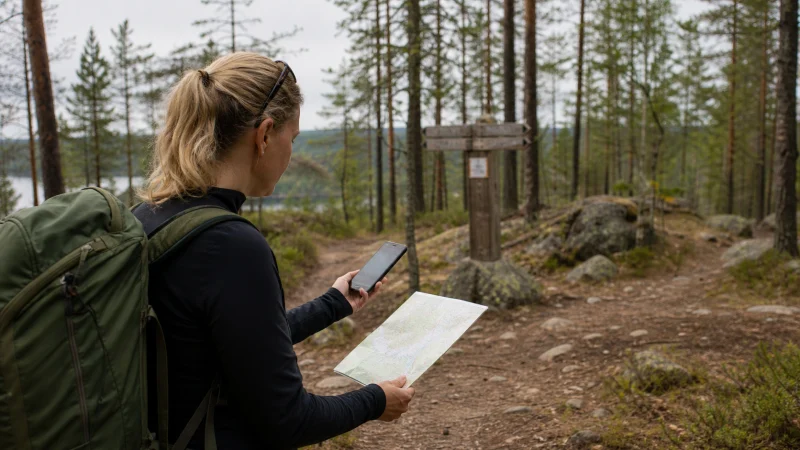

Google Maps works well for most journeys in Finland, including driving, walking and finding nearby services. The weak point is not the app itself but relying on a live connection for every turn. Forest roads, islands, underground parking and long northern routes can include periods of weaker reception.
Quick answer: Download the areas you will visit before departure, save important places and keep the Finland eSIM selected for mobile data. Offline maps can preserve driving directions when reception drops, but live traffic, public-transport updates and some walking details still require internet.
Top eSIMs

Download the right Finnish areas before the trip
In Google Maps, open your profile menu, choose Offline maps, then select the part of Finland you need. A Helsinki-only download is not enough for a trip that continues to Turku, the Lakeland region or Lapland. Check that every overnight stop and the roads between them fall inside a saved area.
Offline areas can be large, so download them over trusted Wi-Fi and leave enough storage on the phone. Google periodically updates saved maps; open the app before departure and confirm that the download has not expired.
What works offline and what still needs data?
Downloaded maps are most useful for basic driving navigation and finding saved locations. They do not reproduce every live feature. Current congestion, temporary road changes, public-transport departures and some alternative routes depend on a connection.
Save the accommodation, ferry terminal, airport and first fuel or charging stop as named places. A screenshot of the booking address is also useful because searching for a new place may fail outside the downloaded area.
Using Google Maps for public transport in Finland
Google Maps can give a useful overview, but the local operator should be checked for the final timetable, ticket rules and disruption notices. In the Helsinki region, HSL is the primary source for local journeys. Other cities and long-distance services use their own official systems.
Read our guide to public-transport apps in Finland before relying on a single app for the whole country. Save the route and ticket separately: a map screenshot is not a valid travel ticket.
Ferries, islands and remote roads
In the archipelago, a route may depend on a ferry timetable rather than simply the shortest road. Google Maps can show the direction, but it should not replace the current operator schedule. Download the island area, save the terminal location and note the final departure of the day.
For a longer coastal itinerary, use the preparation advice in our Finland archipelago internet guide. On rural and northern roads, keep enough fuel, power and offline information to continue safely without mobile service.
How much data does navigation use?
Turn-by-turn navigation normally uses much less data than streaming video or uploading photos. The larger data use often comes from satellite imagery, repeated searches, app updates and background photo backup. Offline downloads reduce repeated map loading and make usage more predictable.
- Download maps and app updates on Wi-Fi.
- Use the standard map view instead of satellite view when data matters.
- Pause cloud photo uploads during driving days.
- Save addresses rather than searching for them repeatedly.
- Review how much data a Finland trip may need.
Winter navigation needs extra preparation
Cold weather can shorten battery life, and gloves make it harder to change settings at the roadside. Mount the phone safely, carry a charged power bank and start navigation before leaving a warm building. Live road and weather warnings should take priority over a cached route.
If you are travelling beyond the main cities, combine offline maps with the advice in our winter internet guide for Finland. Do not follow an app onto an unmaintained road simply because it appears shorter.
Set the eSIM up for reliable navigation
Install the travel eSIM on secure Wi-Fi, then select it as the phone’s mobile-data line in Finland. Data Roaming normally needs to be enabled for the travel eSIM, while roaming should remain disabled for the home SIM. NoveSIM travel plans are data-only; we do not provide a Finnish phone number, conventional calls or carrier SMS.
Before leaving the airport or hotel, open Google Maps and confirm that the blue location marker updates. If data does not work, check the active data line, Data Roaming and automatic network selection before changing anything else. Do not delete an installed eSIM unless NoveSIM support asks you to do so.
Related Articles
- Best Apps for Finland Travel
- Mobile Internet for a Finland Road Trip
- Mobile Coverage in Rural Finland
- How to Install an eSIM for Finland
FAQ
Does Google Maps work in Finland?
Yes. Google Maps supports navigation and place search in Finland. Download important areas so basic driving directions remain available when mobile reception is weak.
Can I use Google Maps offline in Finland?
Yes, within an area downloaded in advance. Some features, including live traffic, public-transport changes and certain route options, still need internet access.
Will Google Maps use a lot of eSIM data?
Ordinary navigation is usually modest. Satellite imagery, repeated searches, updates and background uploads can consume considerably more data than the directions themselves.
Is Google Maps enough for Finnish ferry routes?
Use it for orientation, but confirm departure times and operating conditions with the current ferry or transport operator, especially for island connections.
Final Recommendation
Download every part of the route before travelling, save the essential addresses and keep official transport or ferry information available separately. A working Finland data plan is valuable for live changes, but offline maps and a charged phone are what keep navigation dependable when coverage changes.