


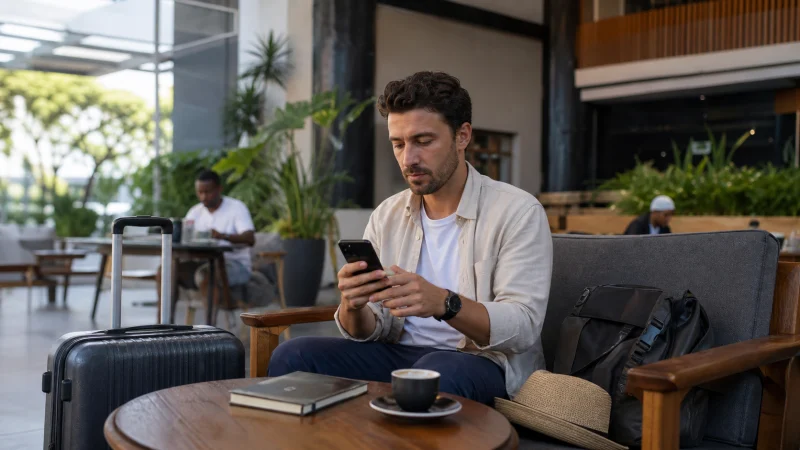

Yes, WhatsApp can work in Kenya over a working mobile-data or Wi-Fi connection. An existing account can use data from a travel eSIM without changing the number your contacts know.
That is useful for hotel messages and arrival coordination, provided the other person uses WhatsApp and you have internet. It does not turn a data connection into ordinary telephone service or guarantee reception during a safari.
Our Kenya eSIMs are data-only. We do not provide a Kenyan number, conventional calls or SMS. WhatsApp messages and calls use internet data; receiving a telephone verification code is a separate matter.
Quick answer: Keep your existing WhatsApp account when travelling to Kenya and use Wi-Fi or your selected travel-data line. You do not need to change the account number simply because you install an eSIM. Prepare access to verification methods before departure, and test an arrival message before relying on WhatsApp to meet a driver.
Top Kenya eSIMs

Kenya eSIM
Fixed
1 GB, 7 days€ 9.332 GB, 15 days€ 15.553 GB, 30 days€ 21.33Unlimited
Unlimited, 1 day€ 10.22Unlimited, 3 days€ 26.22Unlimited, 5 days€ 42.66
Your WhatsApp number and your data line do not have to match
The number registered with WhatsApp identifies the account. The connection carrying its messages can come from Wi-Fi or another mobile-data line. WhatsApp’s guidance on roaming charges confirms that travellers using a local SIM can keep using WhatsApp with their home number.
Changing the SIM or installing a data eSIM is therefore not, by itself, a reason to use the app’s Change Number feature. Keep the existing account unless you deliberately want to migrate it to another number.
For the broader distinction between local voice service and travel data, see our Kenya SIM-card comparison.
Existing account access is different from verification
A working account may continue using the new data connection, but reinstalling the app, moving phones or re-registering can require verification. A data-only eSIM cannot receive an ordinary SMS addressed to your home number.
Before travelling, review your account’s recovery and two-step verification settings. Keep legitimate access to the registered number and any available recovery method. Do not assume that access to Wi-Fi alone guarantees completion of registration.
If you are already abroad and cannot get a code, follow WhatsApp’s travel verification guidance. Use only the methods available for your account; never give a verification code to someone claiming they need it to arrange your pickup.
Arrange the arrival conversation before flying
- Confirm that the driver or accommodation uses WhatsApp and save the correct contact.
- Send a message before departure so both sides recognise the conversation.
- Save the meeting point and booking details outside the app.
- After arrival, check internet access and send a short update.
- Keep the reply available offline before leaving the connection point.
At JKIA, our Nairobi airport Wi-Fi guide explains verifying the network and completing its portal. Once you leave Wi-Fi coverage, WhatsApp needs another working connection to continue sending messages.
WhatsApp calls use data, not local voice minutes
Voice and video calls inside WhatsApp run over the internet connection. A data-only plan can support them where access is available, but call quality depends on that connection. If video breaks up, try audio-only before changing phone settings.
A WhatsApp call is not a conventional call to any telephone number. The recipient needs to be reachable through the app. Maintain an appropriate alternative contact arrangement for situations where internet is unavailable.
For a safari, agree delayed check-ins rather than promising immediate replies throughout a game drive. Coverage at the accommodation does not prove coverage along the vehicle’s route.
Messages fail: check the connection before changing the account
Open a fresh webpage. If that also fails, investigate the mobile-data connection or Wi-Fi portal first. With a travel eSIM, confirm the intended data line is selected and follow its supplied settings. Our Kenya eSIM troubleshooting guide covers that path. Do not delete the installed eSIM or re-register WhatsApp simply because mobile data drops.
If webpages work but WhatsApp does not, check that the app is allowed to use mobile data and review any displayed account or service error. If only one contact cannot be reached, sending another short message or trying another agreed channel can help distinguish a contact-specific issue from a connection failure.
Keep media from using the allowance unexpectedly
Review automatic media downloads and backup behaviour before the trip. Busy groups can download photographs and videos even when you only intended to send a short message. Use suitable Wi-Fi for large transfers where practical.
Choose the current Kenya data plan around all your internet use, not just WhatsApp. Maps, cloud backups and other apps share the same allowance. Check hotspot and speed conditions on the selected product rather than assuming every plan behaves identically.
Related Articles
FAQ
Does WhatsApp work in Kenya with a data-only eSIM?
Yes, an existing account can use its internet connection. The data line does not need to supply the number registered with WhatsApp, but local reception and app access still matter.
Will installing a Kenya eSIM change my WhatsApp number?
No. Installing a data profile does not migrate the WhatsApp account. Do not use Change Number unless you intend to move the account to another number.
Can a NoveSIM plan receive my WhatsApp verification SMS?
We do not provide conventional SMS service. A code sent to your registered home number requires access to that number or an alternative verification method available for your account.
Are WhatsApp calls included as ordinary Kenyan calls?
No. They use internet data rather than domestic voice minutes. Conventional telephone calls and WhatsApp calls are different services.
Final Recommendation
WhatsApp can work in Kenya with your existing account and a checked internet connection. Keep the account number separate from the choice of travel-data line.
Prepare verification access before flying, establish the pickup conversation early and store its essential details offline.
If messages stop, diagnose internet access first rather than changing the account. A brief reception gap should not become an unnecessary re-registration problem.