


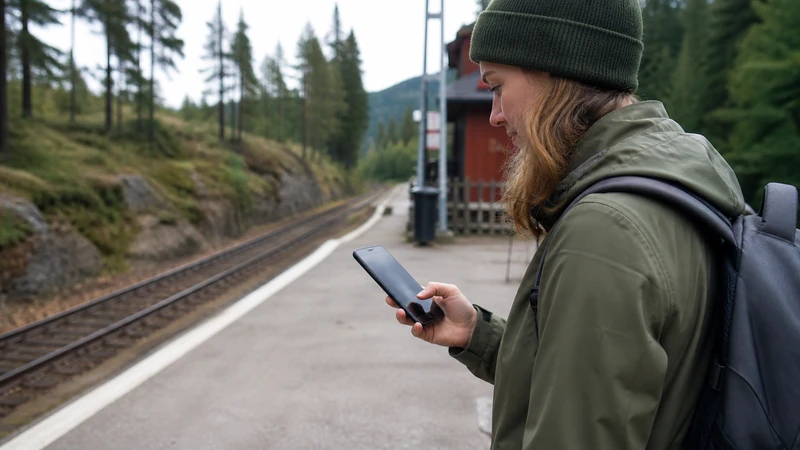

Slow mobile data in Sweden does not automatically mean that an eSIM is damaged. A weak indoor signal, a crowded station, local congestion, exhausted high-speed data or a background download can all reduce performance while the line remains connected.
The first task is to identify whether the problem follows the location, the time of day or the phone. Changing several settings at once can hide that distinction.
NoveSIM Sweden plans are data-only. They support online services but do not include a Swedish number, conventional calls or carrier SMS.
Quick answer: Keep the eSIM installed. Check remaining high-speed data, test outdoors, pause background downloads, use automatic network selection and compare stable 4G with 5G before changing APN or other advanced settings.
Top Sweden eSIMs

Sweden eSIM
Fixed
1 GB, 7 days€ 2.222 GB, 15 days€ 3.553 GB, 30 days€ 4.44Unlimited
Unlimited, 1 day€ 2.22Unlimited, 3 days€ 5.33Unlimited, 5 days€ 8.44
Europe Extra eSIM
Fixed
1 GB, 7 days€ 2.222 GB, 15 days€ 3.553 GB, 30 days€ 4.44Unlimited
Unlimited, 1 day€ 2.67Unlimited, 3 days€ 5.33Unlimited, 5 days€ 8.89Europe+ eSIM
Fixed
1 GB, 7 days€ 2.672 GB, 15 days€ 4.003 GB, 30 days€ 5.33Unlimited
Unlimited, 1 day€ 2.67Unlimited, 3 days€ 6.22Unlimited, 5 days€ 10.22Establish whether the connection is slow or completely offline
Turn off Wi-Fi and open a lightweight webpage. If it loads slowly, the problem is performance. If nothing loads, use the broader Sweden eSIM troubleshooting guide, because the selected data line, roaming or activation may need attention.
Also confirm that the Sweden eSIM, not the home SIM, is recording mobile-data usage.
Check the signal in a second location
Indoor construction, underground platforms, ferries, forests and long rural routes can change reception. Move near a window or outside and repeat the same small test. A connection that improves after moving points to local coverage rather than a profile fault.
For travel beyond the larger cities, consult rural mobile coverage in Sweden and keep important maps available offline.
Rule out congestion
Stations, airports, concerts and city events can place many phones on the same local network. If the signal indicator looks normal but every service is slow, test again after leaving the venue or at a quieter time.
Do not repeatedly switch networks during a temporary busy period. Automatic selection normally gives the phone the best chance to reconnect as conditions change.
Review the high-speed allowance
A plan can remain active after its full-speed allowance or fair-use threshold has been reached. Open the plan information and check remaining data, validity and any daily reset time.
If the plan is described as unlimited, compare the fair-use wording with the explanation in Unlimited Data in Sweden. Reduced speed after a threshold is different from a network failure.
Stop hidden data use
- Pause photo and video backup.
- Stop operating-system and app updates.
- Close an active laptop hotspot when it is not needed.
- Reduce streaming quality and automatic media downloads.
Background transfers compete with navigation, tickets and messages. The Sweden data-allowance guide explains which activities usually drive usage.
Compare 4G and 5G without forcing a permanent mode
A weak 5G connection is not always faster than stable 4G. If the phone permits it, test its normal automatic 4G/5G setting, then briefly compare 4G in the same location. Availability and speed depend on the plan, device, region and current coverage.
Return to the device’s normal automatic setting after the test. The Sweden 5G guide covers compatibility and coverage expectations.
Use a safe troubleshooting order
- Confirm plan validity and remaining high-speed data.
- Verify that the Sweden eSIM is selected for mobile data.
- Pause large downloads, backups and hotspot sessions.
- Test outdoors or in a second location.
- Turn aeroplane mode on briefly, then off.
- Restart the phone and leave network selection on automatic.
APN changes are not the first response to a slow but working connection. If manual APN entry is genuinely required, NoveSIM uses data.esim. Never delete the installed eSIM unless NoveSIM support directs you to do so.
Related Articles
- Sweden eSIM Not Working
- Manual Network Selection in Sweden
- Sweden eSIM APN Settings
- Sweden eSIM Coverage
- Mobile Networks in Sweden
FAQ
Why is mobile data slow even with a strong signal?
Congestion, a reached high-speed threshold, background downloads or the capacity of the local network can reduce speed even when the signal bars look strong.
Should I force 5G when Sweden mobile data is slow?
No. Stable 4G may perform better than weak 5G. Automatic network mode is normally the safest setting, with a brief 4G comparison used only as a diagnostic test.
Will changing the APN make slow data faster?
Usually not when data already works. Check allowance, congestion, coverage and background use first. If manual APN entry is required, the NoveSIM APN is data.esim.
Should I delete and reinstall a slow Sweden eSIM?
No. Keep the profile installed and contact NoveSIM support after completing the safe checks. Delete it only if support specifically instructs you to do so.
Final Recommendation
Treat slow mobile data in Sweden as a measurement problem before treating it as a setup failure. Compare the same lightweight task after moving location and pausing background transfers.
Check the high-speed allowance and use automatic network selection, with stable 4G as a practical fallback when 5G is inconsistent.
Keep the eSIM installed and give support the time, location, network indicator and completed tests if performance remains unusually poor.