


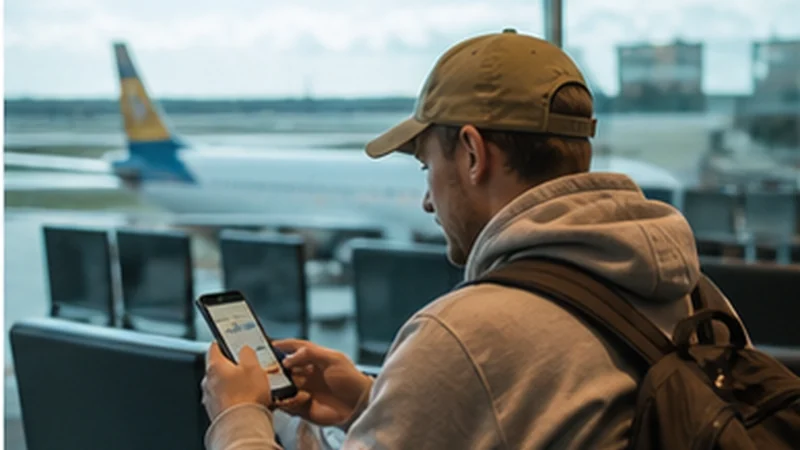

Billund Airport lists wireless internet among its passenger services, making the terminal connection useful for checking a bus, contacting accommodation or retrieving a booking after landing. Confirm the official network and current connection instructions from airport signage.
Many Billund arrivals continue to LEGOLAND, holiday accommodation, Vejle, Aarhus or another part of Jutland. Airport Wi-Fi does not follow the traveller onto those transfers, so prepare mobile data or a reliable offline plan before leaving the terminal.
NoveSIM Denmark plans are data-only. They support online maps, tickets and messaging but do not include a Danish number, standard calls or carrier SMS.
Quick answer: Use the airportâs identified wireless network for immediate arrival tasks, then switch to prepared mobile data for the onward journey. Install an eSIM before departure when convenience matters; verify a physical SIM retailer and stock if you specifically need a Danish number.
Top Denmark eSIMs

Denmark eSIM
Fixed
1 GB, 7 days€ 1.792 GB, 15 days€ 3.123 GB, 30 days€ 4.02Unlimited
Unlimited, 1 day€ 2.23Unlimited, 3 days€ 5.36Unlimited, 5 days€ 8.48
Europe Extra eSIM
Fixed
1 GB, 7 days€ 2.232 GB, 15 days€ 3.573 GB, 30 days€ 4.46Unlimited
Unlimited, 1 day€ 2.68Unlimited, 3 days€ 5.36Unlimited, 5 days€ 8.93Europe+ eSIM
Fixed
1 GB, 7 days€ 2.682 GB, 15 days€ 4.023 GB, 30 days€ 5.36Unlimited
Unlimited, 1 day€ 2.68Unlimited, 3 days€ 6.25Unlimited, 5 days€ 10.26How should you use Billund Airport Wi-Fi?
- Check the official network name displayed in the terminal.
- Select that exact network in the phone or laptop settings.
- Complete any browser sign-in page that appears.
- Test the connection with an ordinary webpage.
- Forget the network later if automatic reconnection is unnecessary.
Keep public Wi-Fi use limited to low-risk tasks. Avoid entering sensitive financial or work information, turn off file sharing and reject unexpected certificate or software-installation requests.
What if the airport Wi-Fi does not connect?
Forget the network, reconnect and open a browser page to prompt the portal. Temporarily pausing a VPN may allow the portal to load; reconnect the VPN afterwards. If the service remains unavailable, use saved transport details or the prepared mobile line rather than joining a similarly named unknown hotspot.
Can you buy a SIM card at Billund Airport?
A physical SIM purchase depends on current retailers, hours and stock. Travellers have different requirements for a local number, calls, validity and data, so the first available product may not be the right one. Confirm current availability rather than assuming an airport shop will solve the connection.
If mobile data is the only requirement, compare a prepared eSIM with the options in the Denmark SIM card guide. A compatible unlocked phone can keep the home SIM active while the eSIM handles data.
How do you stay connected after leaving Billund Airport?
Install the eSIM before travel using reliable Wi-Fi. On arrival, choose it as the data line, enable roaming on the eSIM when required and keep data roaming off on the home SIM. The Denmark eSIM installation guide covers the preparation steps.
Save the first bus or car route, accommodation address and attraction booking offline. For a wider Jutland itinerary, review Denmark eSIM coverage and keep automatic network selection enabled.
What should families download before arrival?
- Accommodation check-in instructions.
- Airport transfer tickets or the first driving route.
- Attraction confirmations and QR codes.
- An offline map covering Billund and the onward destination.
- Contact information for the accommodation and transport provider.
Shared entertainment can consume data quickly. Download childrenâs media over trusted Wi-Fi and check the allowance with the Denmark data-planning guide before using a hotspot.
What if the eSIM does not start at BLL?
Confirm that the plan is active, the Denmark eSIM is selected for mobile data and roaming is enabled on that line. Toggle aeroplane mode briefly and restart the phone if needed. If signal is present but data does not load, follow Denmark eSIM troubleshooting; do not delete the profile while diagnosing it.
Related Articles
- Denmark eSIM Plans
- Best Ways to Get Internet in Denmark
- Public Transport Apps for Denmark
- Denmark Road Trip Mobile Internet
FAQ
Does Billund Airport have Wi-Fi?
Yes. Billund Airport lists wireless internet among its practical passenger services. Confirm the current official network name in the terminal.
Can I use airport Wi-Fi on the bus from Billund?
No. The terminal network does not provide continuous service after departure. Prepare mobile data or save the route and ticket offline.
Is a prepaid SIM always available at Billund Airport?
No availability should be assumed. Retailers, opening hours and stock can change, so verify the option or install an eSIM before travel.
Can a family share one Denmark eSIM by hotspot?
Only when the plan and device permit tethering. Check the hotspot terms and allowance because several devices can use data quickly.
Final Recommendation
Use Billund Airport Wi-Fi for immediate arrival tasks after confirming the official network, but prepare the onward connection before the flight.
An eSIM is the simplest data-only option for many visitors; a physical SIM is better only when its local number or included services are necessary.
Save transport, attraction and accomodation details offline so the Billund arrival remains manageable even if either Wi-Fi or cellular service is temporarily unavailable.