


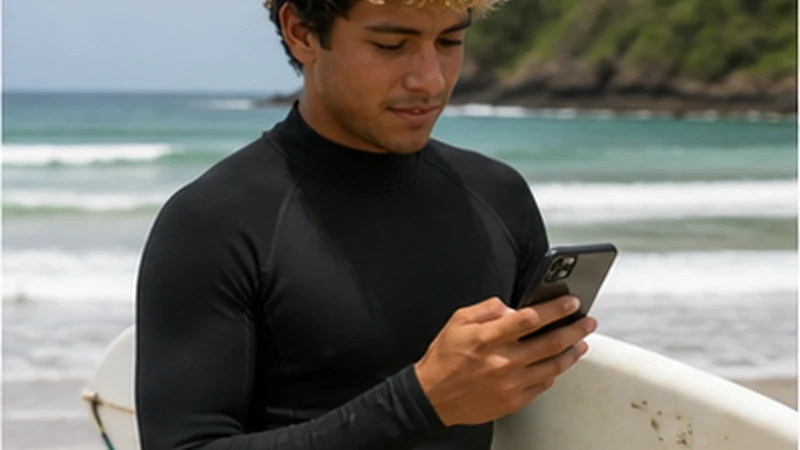

An El Salvador eSIM for a surf trip is most useful for forecasts, maps, accommodation messages and changing transport plans. It should not be treated as guaranteed reception beside every break or as the sole copy of the return journey.
The western surf corridor around La Libertad, El Tunco and El Zonte has established visitor infrastructure, while more distant coastal stages can offer fewer immediate connection alternatives. Exact-property Wi-Fi still matters for work and large media transfers.
NoveSIM El Salvador plans are data-only. They support internet apps but do not provide a Salvadoran number, conventional calls or SMS.
Quick answer: Test the travel line in town, save forecasts and return details before each session, pause automatic surf-video backup and verify Wi-Fi separately at every accommodation.
Top El Salvador eSIMs

El Salvador eSIM
Fixed
1 GB, 7 days€ 3.992 GB, 15 days€ 7.103 GB, 30 days€ 11.98Unlimited
Unlimited, 1 day€ 5.32Unlimited, 3 days€ 17.75Unlimited, 5 days€ 24.40
Caribbean eSIM
Fixed
1 GB, 7 days€ 9.322 GB, 15 days€ 16.863 GB, 30 days€ 23.52Unlimited
Unlimited, 1 day€ 13.75Unlimited, 3 days€ 39.49Unlimited, 5 days€ 65.22Central America eSIM
Fixed
1 GB, 7 days€ 7.102 GB, 15 days€ 11.543 GB, 30 days€ 15.53Unlimited
Unlimited, 1 day€ 6.66Unlimited, 3 days€ 16.42Unlimited, 5 days€ 26.18Plan the coast as several connection zones
- La Libertad: service hub and gateway to nearby breaks.
- El Tunco: compact visitor town with more venue alternatives.
- El Zonte: quieter stay where exact-property reliability matters.
- Eastern or isolated beaches: prepare more information before departure.
Use the separate El Tunco and El Zonte pages when choosing a base.
What an El Salvador eSIM for a surf trip should handle
| Task | Preparation |
|---|---|
| Forecast and tide | Check live, then save the relevant session |
| Driver coordination | Store name, meeting point and return time |
| Break navigation | Download the coastal map |
| Photo and video | Disable cellular backup |
| Remote work | Verify property Wi-Fi and a second venue |
Keep the phone useful around water
A mobile connection does not replace physical preparation. Protect the phone from water and heat, carry sufficient power and keep the accommodation and return route available to another group member when possible.
Do not leave valuables unattended merely to keep the phone near a signal. Follow local beach, transport and safety guidance rather than a map shortcut.
Prevent surf media from consuming the allowance
- Disable automatic photo and video backup on cellular.
- Save forecasts as screenshots before leaving Wi-Fi.
- Upload selected images rather than the whole camera roll.
- Transfer large clips over verified property Wi-Fi.
- Check app-level usage after the first two days.
The El Salvador data guide helps separate ordinary phone use from large video transfers.
Test every new accommodation
On arrival, test Wi-Fi at the intended desk and mobile data with Wi-Fi turned off. Coastal buildings, router placement and shared demand create local differences. For work, use the digital-nomad checklist and identify a second location before a deadline.
Prepare before moving to another break
Download the route, exact entrance, driver contact, return arrangement and relevant forecast while the current connection is stable. The Pacific coast internet guide covers longer road stages.
If mobile data disappears, wait until safely back on land and at a suitable stopping point before troubleshooting. Confirm line selection and roaming. Use data.esim only when manual NoveSIM APN configuration is required, and keep the installed eSIM through local coverage gaps.
Related Articles
FAQ
Will an eSIM work along El Salvador’s surf coast?
It can provide useful service in covered areas, but reception depends on the plan, local network, device and exact coastal location.
How much data does a surf trip need?
Forecasts and messages are light; automatic photo and video uploads are the main risk to a modest allowance.
Can I work remotely from the surf coast?
Yes at a verified property with a tested backup, but never infer work reliability from town-wide claims.
Should I change settings at the beach?
Wait until the phone is dry and you are in a safe place. Many beach-level gaps are local coverage conditions.
Final Recommendation
Use an El Salvador eSIM for a surf trip to support forecasts, movement and coordination rather than guarantee every beach.
Control media uploads, test each property and carry the session and return plan offline.
Protect the phone, preserve the installed profile and troubleshoot only from a safe dry location.