


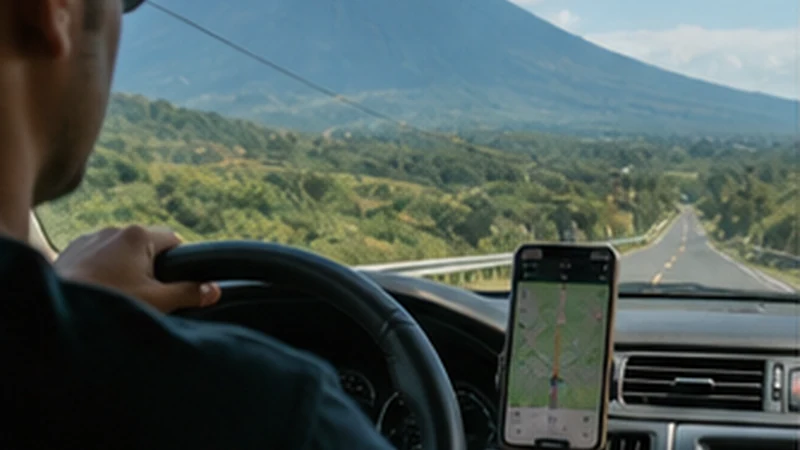

El Salvador road trip internet should improve navigation and coordination without becoming the only copy of the route. Mobile coverage can change with terrain, buildings and distance from populated corridors, so the journey must remain workable without signal.
A tested travel eSIM helps with live traffic, booking changes and messages. Offline maps, written addresses and roadside details protect the drive when the phone cannot register or the driver cannot safely troubleshoot.
NoveSIM plans are data-only and do not include a Salvadoran number. Internet calls and messages work through data where coverage is available.
Quick answer: Download the entire driving region, save every overnight address and test mobile data before moving. Stop in a safe place before changing network settings, and never leave the planned route merely to search for signal.
Top El Salvador eSIMs

El Salvador eSIM
Fixed
1 GB, 7 days€ 3.982 GB, 15 days€ 7.083 GB, 30 days€ 11.95Unlimited
Unlimited, 1 day€ 5.31Unlimited, 3 days€ 17.70Unlimited, 5 days€ 24.34
Caribbean eSIM
Fixed
1 GB, 7 days€ 9.292 GB, 15 days€ 16.823 GB, 30 days€ 23.46Unlimited
Unlimited, 1 day€ 13.72Unlimited, 3 days€ 39.39Unlimited, 5 days€ 65.06Central America eSIM
Fixed
1 GB, 7 days€ 7.082 GB, 15 days€ 11.513 GB, 30 days€ 15.49Unlimited
Unlimited, 1 day€ 6.64Unlimited, 3 days€ 16.37Unlimited, 5 days€ 26.11Build the route in stages
Divide the itinerary into airport, city, coast, inland and border stages. For each stage, keep the destination, entrance instructions, fuel or charging plan, parking information and alternative stop offline.
The El Salvador coverage guide explains why city, surf-coast and volcanic reception should not be treated as one uniform network environment.
Prepare El Salvador road trip internet before driving
- Download the complete map area and verify that offline navigation opens.
- Save accommodation names, full addresses and coordinates.
- Store the rental agreement and roadside-assistance details.
- Label the travel and home SIM lines clearly.
- Select the travel eSIM for data and disable home-line roaming.
- Test an ordinary webpage with Wi-Fi switched off.
- Mount and charge the phone before departure.
Coastal and volcanic routes fail differently
| Route type | Main preparation |
|---|---|
| Surf coast | Save property entrances and return transport |
| Volcanic or elevated road | Download maps and trail or parking details |
| Ruta de las Flores | Store each town and the next overnight stop |
| Border approach | Save documents and confirm the next country’s plan |
Route pages such as Ruta de las Flores internet and the Pacific coast guide provide stage-specific preparation.
Do not troubleshoot while the vehicle is moving
If data disappears, continue on the safe offline route until a suitable stopping place. A passenger may observe the phone, but settings changes should not distract the driver. Terrain-related service often returns without intervention.
- Check whether the loss affects one location or a wider area.
- Confirm the travel line remains selected.
- Leave network selection on Automatic.
- Use Airplane Mode briefly only after stopping.
- Preserve the installed eSIM.
Crossing a border requires a plan decision
A country-only El Salvador plan should not be assumed to work in Guatemala or Honduras. Before reaching the crossing, verify whether the current plan lists the next country or prepare another eligible profile. Store documents and onward directions offline before switching lines.
The Central America eSIM guide covers multi-country validity and deliberate line changes.
Control data in the car
Navigation is usually modest after maps are downloaded. Music streaming, passenger video, automatic media backup and laptop tethering can consume far more. Use the data-planning guide and pause updates before departure.
If the phone registers without data, check the allowance and order instructions. Use data.esim only when manual NoveSIM APN entry is required; keep the installed eSIM during diagnosis.
Related Articles
- Offline Maps for an El Salvador Road Trip
- El Salvador eSIM for a Rental Car
- El Salvador Volcano-Route Internet
FAQ
Will mobile data work throughout an El Salvador road trip?
Do not assume continuous service. Coverage depends on the plan, network, device, terrain and exact route.
Which maps should I download?
Download the whole driving region, including alternate roads and overnight stops, rather than one narrow route.
Can I use the same eSIM after crossing a border?
Only if the exact plan lists the next country. Verify coverage before reaching the crossing.
What should I do when signal disappears?
Follow the safe offline route and stop before troubleshooting. Temporary terrain-related gaps often resolve after moving.
Final Recommendation
Build El Salvador road trip internet around offline navigation and a tested mobile line.
Store every address, document and assistance contact before driving, and change settings only when safely stopped.
Verify the next country before a border crossing and preserve the eSIM through ordinary route gaps.