


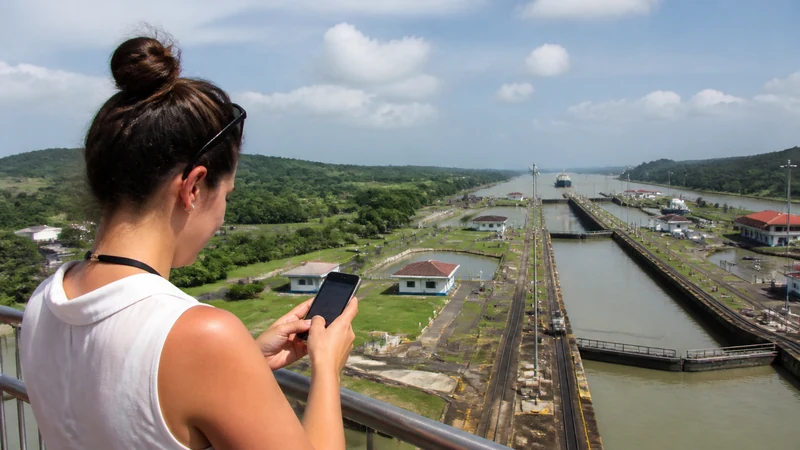

Panama eSIM coverage comes from an existing mobile network; the digital profile does not create separate coverage. Whether it connects depends on the plan’s authorised partner, the phone’s radio support and the conditions at the exact location.
That makes a national yes-or-no coverage answer misleading. Panama City, a hillside property near Boquete, a water taxi in Bocas del Toro and a remote San Blas island are four different radio environments.
NoveSIM Panama plans are data-only. They provide internet access where the supported network is available, but no Panamanian number, conventional calls or SMS.
Quick answer: Expect the best chance of routine service in populated areas and along established corridors. Do not extend that expectation to every island, boat crossing, forest road or highland property. Download the route before leaving town and ask the accommodation or operator about recent signal at the exact destination.
Top Panama eSIMs

Panama eSIM
Fixed
1 GB, 7 days5.00$2 GB, 15 days8.50$3 GB, 30 days11.00$Unlimited
Unlimited, 1 day5.50$Unlimited, 3 days13.50$Unlimited, 5 days21.50$
Central America eSIM
Fixed
1 GB, 7 days8.00$2 GB, 15 days13.00$3 GB, 30 days17.50$Unlimited
Unlimited, 1 day7.50$Unlimited, 3 days18.50$Unlimited, 5 days29.50$What Panama eSIM coverage starts with
On 2 September 2026, the live NoveSIM Panama product page listed Telefonica Moviles Panama, S.A. and displayed 5G access. That tells a buyer which partner access was shown for the product at that time. It does not promise access to every tower, every technology layer or every feature offered to domestic subscribers.
A phone may find several networks during a manual scan, but a travel plan can register only where its current roaming permissions allow. Leave network selection on Automatic unless the order instructions or NoveSIM Support identify a specific authorised network to test.
Read the 5G label correctly
Five conditions must align for 5G: the plan must allow it, the exact phone variant must support the relevant bands, the partner must offer it at the location, roaming registration must permit it and local conditions must be usable. A failure at any one point can leave the phone on 4G.
That is not automatically a fault. Stable 4G is adequate for maps, messaging, bookings and most ordinary travel tasks. A 5G icon also says little about congestion or indoor performance.
A practical coverage map of the journey
- Panama City: the strongest general expectation, with variations inside concrete buildings, lifts, car parks and crowded areas.
- Main intercity routes: useful service may appear around towns and then weaken with terrain or distance from settlements.
- Boquete and the highlands: a town-centre connection does not predict reception at every hillside address or trail.
- Bocas del Toro: populated locations may have service, but offshore travel and smaller islands should be treated separately.
- San Blas and Coiba trips: plan for substantial periods without terrestrial mobile data and follow the operator’s communication procedure.
- Border areas: a foreign network name can appear without the Panama plan being authorised for the neighbouring country.
For place-specific preparation, use the guides for Bocas del Toro connectivity and San Blas mobile internet.
One room can behave differently from the next
Coverage maps model broad outdoor availability. They cannot account for a particular ground-floor room, metal roof, reinforced wall, valley edge or crowded event. If data works outside but not indoors, test near an exterior opening or in another safe part of the property before changing the eSIM.
Wi-Fi and mobile service can fail independently. A remote lodge may have Wi-Fi through a separate backhaul where phones have no signal, or mobile data may work while the property’s internet is down. Ask what is available in the actual room and whether power interruptions affect it.
Diagnose the symptom before changing settings
No signal or “Searching” points first to location, registration, a disabled line or an outage. An APN cannot create radio signal. Signal bars without internet justify checking the selected data line, Data Roaming, plan validity and allowance.
Keep the APN automatic when data works. If NoveSIM specifically requires manual entry, use data.esim. Do not delete the installed eSIM during a coverage gap; the activation credential may not be reusable. The Panama troubleshooting guide provides reversible checks for places where service should reasonably be available.
Leave a covered area with an offline plan
- Test the Panama line with Wi-Fi switched off.
- Download the complete route, not only the destination pin.
- Save addresses, meeting points, tickets and return instructions.
- Ask the operator how it communicates when ordinary mobile service is absent.
- Carry sufficient power; repeated network searching drains the battery.
- Share a remote itinerary and expected return time with another person.
Test the offline route before driving
Prepare each driving stage while you have a working connection. Save the outward and return routes, planned fuel stops, accommodation coordinates and the address in readable text. Keep an alternative route or instructions for critical junctions available offline rather than relying on the destination pin alone.
- Download the required map areas over Wi-Fi and check which offline features your navigation app supports.
- With the vehicle safely parked, switch off Wi-Fi and mobile data.
- Open the saved area and test the route and address lookup you intend to use; if a feature is unavailable offline, save the necessary directions separately before departure.
- Check that fuel stops, meeting points and the return destination remain accessible without reloading a website or booking app.
- Restore the Panama data connection for updates where coverage permits, but retain the offline copies throughout the journey.
Offline preparation does not provide live traffic, closures or confirmation that a road is suitable. Check current conditions before setting out and follow local signs and operator instructions rather than an incomplete map.
Keep rental-car and assistance details offline
Before collecting a rental car, save the collection location, return station, agreed return arrangements and the rental company’s roadside-assistance instructions. Keep its contact number and the relevant booking or vehicle reference accessible without internet. Identify how you would contact assistance if needed: a data-only NoveSIM plan does not provide conventional calls or replace the rental company’s assistance service.
Set up the data line and position or store the phone safely before moving. If reception drops, use the prepared route; do not stop somewhere unsafe merely to search for signal. Change navigation or connection settings only after the vehicle is safely stopped. A larger data allowance cannot remove a coverage gap.
Prepare port arrivals and coastal stays before losing signal
For a journey from Panama City to Colón, save the exact terminal or facility, meeting point, contact details and return arrangements before departure. Keep any required access documents available offline in the format the operator accepts; do not assume a screenshot replaces an original document.
At a port, follow staff instructions and access restrictions rather than entering a restricted area to look for reception. If the connection is weak inside a building, retest only from a safe, permitted location. A land-based NoveSIM connection does not establish service on a vessel or offshore.
For a coastal stay around Portobelo, ask the host whether mobile data works inside the booked room, where the property Wi-Fi reaches and what happens during a power interruption. Agree in advance how to handle a late arrival if you cannot send a message. Save the check-in instructions, meeting point and alternative return transport details offline while you still have a connection.
Finish Santa Catalina–Coiba arrangements before departure
If you are staying in Santa Catalina before a Coiba trip, use a working connection at your accommodation to complete the arrangements. Ask the host about reception and Wi-Fi at the exact room rather than assuming a village connection will continue at the departure point, on the boat or at Coiba. Test the NoveSIM line on land, but do not treat a successful test as evidence of offshore coverage.
Save the operator’s name and contact details, booking confirmation, meeting point, departure time and agreed return arrangements offline. Ask which identification, permits or other documents you need to carry and in what format. Keep the required originals where applicable; an offline copy is a backup, not an automatic substitute.
Before losing internet access, agree how weather-related changes, delays or cancellations will be handled if you cannot receive a message. Confirm where and when to check for an update, what to do if departure does not proceed and how the return will be coordinated. Follow the operator’s current instructions rather than changing the agreed route because a map or delayed message suggests something different.
Keep essential details available without opening email or signing into a booking app. Charge the phone and backup power, protect them from water and heat, and retain a written meeting point and return time. Mobile data is useful when available, but it is not the boat operator’s safety or communication system.
Related Articles
FAQ
Does a Panama eSIM cover the whole country?
No mobile plan should be treated as guaranteed nationwide. It works where the authorised partner, compatible phone and local radio conditions allow service.
Does the NoveSIM 5G listing mean 5G everywhere?
No. Plan access, device bands, location and network conditions must all support it. The phone may correctly use 4G instead.
Will mobile data work between islands?
It may appear near populated coasts and disappear offshore. Do not depend on continuous terrestrial service during a boat journey.
Can an APN fix a no-signal area?
No. An APN routes data after network registration; it cannot create terrestrial radio coverage.
Final Recommendation
Use Panama eSIM coverage information to set expectations by location, not to promise uninterrupted service.
Test the line before leaving a populated area and diagnose no signal differently from signal without data.
For islands, highlands and remote roads, offline preparation is part of the connection plan.