


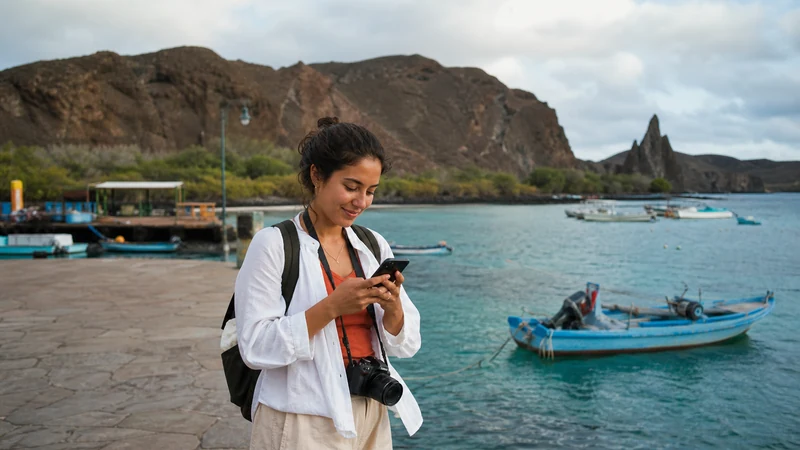

An Ecuador eSIM for Galápagos can provide mobile data only when the selected plan permits island use and its partner network has a usable signal at the traveller’s location.
The inhabited islands have mobile and fixed connectivity, but reception in a town is not evidence of continuous service on inter-island boats, cruise routes, remote shores or protected visitor sites.
NoveSIM Ecuador plans are data-only. They do not include an Ecuadorian number, ordinary calls or SMS, although internet calling and messaging apps can use the data connection.
Quick answer: Confirm Galápagos eligibility before buying, expect the best chance of mobile data in populated parts of Santa Cruz, San Cristóbal and Isabela, and prepare for long gaps during sea journeys and remote excursions. Keep tickets, meeting points and essential contacts offline.
Top Ecuador eSIMs

Ecuador eSIM
Fixed
1 GB, 7 days€ 4.442 GB, 15 days€ 7.543 GB, 30 days€ 10.20Unlimited
Unlimited, 1 day€ 4.88Unlimited, 3 days€ 8.43Unlimited, 5 days€ 11.98
How does an Ecuador eSIM for Galápagos work?
Do not rely on the word “Ecuador” alone. A travel eSIM works only within the geographic scope and partner access authorised for that exact plan. The live NoveSIM Ecuador eSIM page currently lists Otecel Sociedad Anonima with 4G, but that listing is potential network access rather than a guarantee for every island or itinerary.
Check the current product description and ask NoveSIM Support whether the chosen plan includes the Galápagos when the page does not state this explicitly. A phone showing other operators in manual selection does not mean the plan is authorised to register on them.
Where is Galápagos mobile internet most realistic?
| Part of the trip | Reasonable expectation | Preparation |
|---|---|---|
| Puerto Ayora and populated Santa Cruz | The best opportunity to test mobile data and use accommodation Wi-Fi, with normal variation inside buildings. | Complete large downloads before leaving town. |
| Puerto Baquerizo Moreno and populated San Cristóbal | Mobile service may be usable around settled areas, but performance can change away from town. | Save transfer and excursion details locally. |
| Puerto Villamil on Isabela | A connection may be available around the settlement; do not extend that expectation across the island. | Download maps and booking information beforehand. |
| Baltra airport and transfers | Service can vary between the terminal, road, channel crossing and onward transport. | Keep the accommodation address and transfer instructions offline. |
| Inter-island boats and cruise itineraries | Intermittent or no terrestrial mobile signal should be expected away from populated islands. | Ask the operator about onboard Wi-Fi or satellite service and its limitations. |
| Remote visitor sites | No dependable personal mobile connection should be assumed. | Follow the guide’s meeting, timing and safety instructions. |
Ecuador’s regulator provides operator coverage maps, but maps remain planning tools rather than a promise at one beach, trail or boat position. The Ecuador eSIM coverage guide explains the difference between national coverage, local partner access and the phone’s real connection.
Prepare before flying from Quito or Guayaquil
Quito and Guayaquil are the mainland gateways for Galápagos flights, while Baltra and San Cristóbal are the principal island airports. Use the mainland connection to finish installation and download anything that would be difficult to recover after arrival.
- Confirm that the exact phone is eSIM-compatible and carrier-unlocked.
- Verify that the plan covers the Galápagos and lasts through the return to the mainland.
- Install over stable private Wi-Fi at the time recommended by the plan instructions.
- Save flight details, transit-control documents, accommodation addresses and transfer instructions offline.
- Download island maps and screenshots of excursion meeting points.
- Ask a cruise or liveaboard operator whether onboard internet is included, paid, speed-limited or unavailable.
The Quito Airport internet guide and Guayaquil Airport internet guide cover the two common mainland departure points.
How much data is useful for an island trip?
Maps, text messages, email and booking checks use modest amounts of data. Photo backup, video uploads, streaming and video calls consume much more and may be frustrating over a congested or intermittent link.
- Pause automatic cloud photo and video backup on mobile data.
- Download entertainment before boarding a boat.
- Use trusted accommodation Wi-Fi for large uploads when it performs well.
- Carry a power bank; searching for a weak signal can increase battery use.
- Do not choose a large allowance unless the itinerary provides enough usable coverage to consume it.
Use the Ecuador data-planning guide to compare fixed and unlimited options. An unlimited label may still include a daily high-speed threshold or fair-use rule, so read the live terms.
Wi-Fi, mobile data and onboard internet are different
Accommodation Wi-Fi may use fibre, microwave or satellite backhaul and can remain available when the traveller’s mobile network is weak. Its speed can still change with the property, shared demand, weather or equipment. A vessel may offer satellite internet, but that service belongs to the operator and is not supplied by the phone’s Ecuador eSIM.
Confirm the official Wi-Fi name with staff before joining an open network. Avoid sensitive account activity on unknown public Wi-Fi and keep essential documents available without any connection.
Activate and test the eSIM safely
- Enable the installed Ecuador travel eSIM after reaching the covered destination.
- Select it as the mobile-data line.
- Turn on Data Roaming for the travel eSIM and keep it off for the home line.
- Disable automatic mobile-data switching.
- Leave network selection on Automatic and allow time for registration.
- Test a map or lightweight webpage while still near the airport or accommodation.
If manual APN entry is required for NoveSIM, use data.esim. Keep the installed profile during troubleshooting; do not delete it because a remote visitor site has no signal. Follow the Ecuador eSIM troubleshooting guide or contact NoveSIM Support before removal.
Related Articles
FAQ
Does an Ecuador eSIM automatically cover the Galápagos?
No. Confirm that the selected plan explicitly permits Galápagos use through an available partner network. Country naming alone does not guarantee island eligibility or reception at every stop.
Is there mobile data on inter-island boats?
Terrestrial reception may appear near populated coasts and disappear at sea. Do not plan around continuous mobile data; ask the boat operator whether it provides separate onboard internet.
Where should I install the eSIM?
Install at the time specified by the plan, preferably over stable private Wi-Fi before leaving mainland Ecuador. Keep activation details private and verify when validity begins.
Should I buy the largest data plan for Galápagos?
Not automatically. A large allowance has little value during long periods without usable coverage. Match the plan to the connected parts of the itinerary and use Wi-Fi for large transfers when appropriate.
Final Recommendation
Use an Ecuador eSIM for Galápagos only after confirming that the current plan covers the islands and supports the intended trip dates.
Expect the most practical use around populated areas, while treating boats, remote shores and protected visitor sites as potentially offline.
Install and test before remote travel, keep essential documents and maps offline, and follow the local guide’s communication procedure when mobile service disappears.