


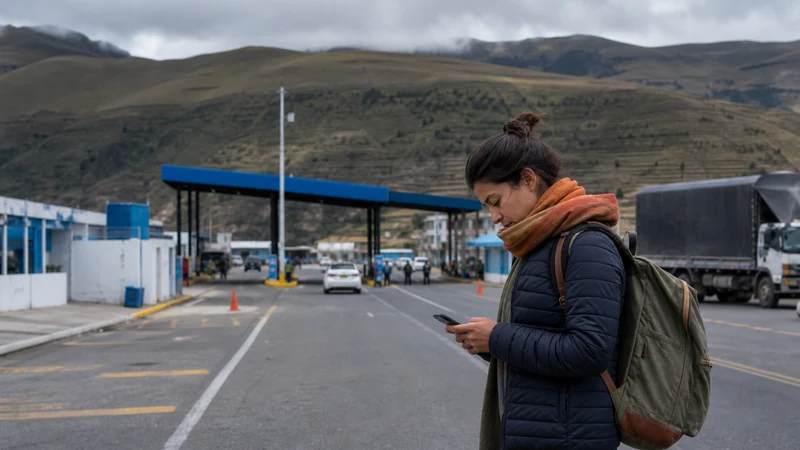

An Ecuador-to-Peru crossing changes the country in which the phone must register. An Ecuador-only plan should not be expected to continue simply because the journey remains overland.
Check current border, transport and entry requirements with official sources before departure. Store required documents, tickets, first-night details and the onward route offline in case data is unavailable during the transition.
NoveSIM travel eSIM plans are data-only. Country coverage, partner networks, validity and hotspot availability depend on the selected plan.
Quick answer: Verify whether one plan explicitly covers both Ecuador and Peru. Otherwise, install the Peru or suitable regional plan before travel and switch the mobile-data line only after entering its covered area.
Top Ecuador eSIMs

Ecuador eSIM
Fixed
1 GB, 7 days€ 4.452 GB, 15 days€ 7.573 GB, 30 days€ 10.24Unlimited
Unlimited, 1 day€ 4.90Unlimited, 3 days€ 8.46Unlimited, 5 days€ 12.03
Plan the Ecuador-to-Peru Crossing by Coverage
Geographic neighbours are not automatically bundled together. Confirm the named countries and current terms rather than assuming roaming will follow the route. Start with the Ecuador plan page and use the NoveSIM destination directory for Peru or a suitable regional option.
Stage the Change Before Departure
- Install the next eSIM while reliable Wi-Fi is available.
- Give each profile an unambiguous label.
- Keep the Ecuador profile selected during the Ecuador stage.
- After entering Peru, select the plan that lists Peru for mobile data.
- Enable Data Roaming on that travel line and leave home-line roaming disabled.
Review safe eSIM installation and the dual-SIM controls before the journey.
Save the Entire Onward Journey
- Transport and border-stage booking details.
- Accommodation address and contact information.
- An offline map extending beyond the border area.
- Required documents and relevant emergency contacts.
Reconnect Methodically in Peru
Give the newly selected plan time to register. If necessary, use Airplane Mode briefly and restart the phone. Check the selected data line and allowance before editing APN settings. Keep every installed eSIM unless support instructs removal.
The Ecuador road-trip guide covers offline preparation before the border stage.
Related Articles
FAQ
Does an Ecuador plan automatically include Peru?
No. Peru must appear in the exact plan’s current coverage list before you rely on it there.
When should I install the Peru plan?
Install it before departure over dependable Wi-Fi, then activate or select it according to its terms after entering the covered country.
What should remain available offline?
Keep documents, tickets, accommodation details, key contacts and the onward map offline throughout the crossing.
Should I remove the Ecuador eSIM after entering Peru?
No immediate removal is needed. Keep the eSIM profile, select the correctly covered plan and use data.esim only if that NoveSIM line requires manual APN entry.
Final Recommendation
Prepare the Ecuador-to-Peru crossing by verifying both countries explicitly rather than treating the border as ordinary domestic travel.
Prepare and label the next eSIM before departure, then switch data lines deliberately.
Keep border and onward-travel information offline even when cross-border mobile service is expected.