


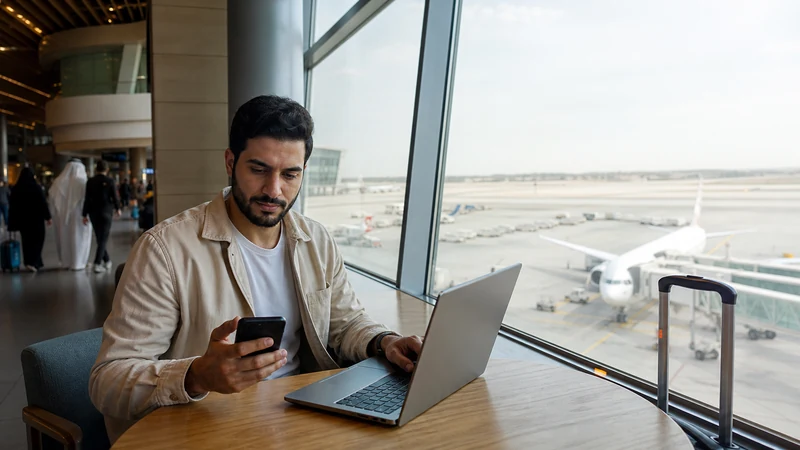

Mobile internet in Bahrain Airport Connectivity is easiest when travellers prepare an unlocked, eSIM-compatible phone, install the plan on reliable Wi-Fi and keep essential journey information offline.
This guide covers eSIM use, trusted Wi-Fi, data planning and realistic connectivity for airport arrival halls, eSIM setup, verified public Wi-Fi and onward Bahrain travel.
NoveSIM Bahrain travel plans are data-only. They do not include a local telephone number, traditional calls or SMS, although messaging and internet-calling apps can use the data connection where service is available.
Quick answer: Choose a plan that explicitly includes Bahrain, install it before the journey, select it for mobile data after arrival and enable Data Roaming on the travel line.
Top Bahrain eSIMs


Bahrain Travel Context
Bahrain is compact and has extensive modern mobile infrastructure, but buildings, congestion, maritime areas and the selected plan still affect real-world service.
The NoveSIM Bahrain page checked on 13 August 2026 lists Zain Bahrain B.S.C and STC with 5G access. The selected plan, compatible device, exact location and local coverage determine registration and performance; this is not a promise of one operator or speed everywhere.
Start with the Bahrain eSIM plans, review how NoveSIM works and confirm the exact handset on the eSIM-compatible devices page.
What Travellers Should Know about Mobile Internet in Bahrain Airport Connectivity
Airport Wi-Fi and a travel eSIM solve different problems. Wi-Fi can provide temporary terminal access, while an eSIM can continue into the transfer, city and wider itinerary when its partner network is available.
Wi-Fi may be enough to send one arrival message, but it leaves the traveller without a connection after walking outside. An eSIM requires advance compatibility and plan checks, yet it reduces dependence on captive portals and terminal coverage.
The strongest arrival strategy uses layers: offline tickets and addresses first, a pre-installed eSIM for mobile data, and verified airport Wi-Fi as a backup. This prevents one failed login or weak signal from blocking the entire transfer.
Arrival-Specific Preparation
Choose by task. Use trusted Wi-Fi for a large download when time and security permit; use the eSIM for maps, driver messages and movement beyond the terminal. Neither option guarantees speed. Keep essential information offline and test the mobile line before leaving arrivals so any settings problem can be handled without delaying the transfer.
Which Connection Options Work in Bahrain Airport Connectivity?
| Option | Best use | Important limitation |
|---|---|---|
| Travel eSIM | Arrival, maps, messages and movement | Requires a compatible unlocked device and selected-plan coverage |
| Local SIM | Longer stays that may require a local number | Purchase and registration conditions must be checked locally |
| Home roaming | Keeping an existing line active | Price and allowances depend on the home carrier |
| Hotel or café Wi-Fi | Large downloads and backup access | Quality and security vary by venue |
There is no universally best option. Compare the complete price, validity, data allowance, hotspot needs and whether a Bahraini number is actually necessary. The guide to choosing a travel eSIM explains the main decision factors, while the NoveSIM destinations page shows available country choices.
Check Compatibility and Phone Lock Status
An eSIM works only when the exact device variant supports eSIM and is not restricted to another carrier. Regional versions of the same model can differ, so verify the handset rather than relying on the brand name or release year.
- Open the phone’s mobile network or SIM settings.
- Look for Add eSIM, Add Mobile Plan or a similar option.
- Confirm the exact model using the guide to checking eSIM support.
- Ask the original carrier whether the handset is unlocked if its status is uncertain.
- Complete these checks before buying because a QR code cannot add eSIM capability to unsupported hardware.
Install the Bahrain eSIM before Travel
Install the profile while a stable private connection and the purchase email are available. Installation places the eSIM on the device; it is not always the same event as plan activation or the start of validity, so follow the instructions supplied with the selected plan.
- Connect to reliable Wi-Fi and update the phone if an update is required.
- Open the eSIM installation option in Settings.
- Scan the supplied QR code from a second screen or use the manual details provided.
- Label the new line Bahrain eSIM so it remains easy to identify.
- Keep the primary line as the default for calls if required, but do not select it for roaming data.
- Wait for installation to finish and keep the purchase instructions available offline.
Device menus vary by software version. Use the separate instructions for installing an eSIM on iPhone or installing an eSIM on Android.
Use the Correct Settings after Arrival
| Setting | Recommended value |
|---|---|
| Mobile Data | Bahrain eSIM |
| Data Roaming on travel eSIM | On |
| Data Roaming on primary line | Off |
| Allow Mobile Data Switching | Off |
| Network Selection | Automatic first |
| APN if manual entry is required | data.esim |
Travel eSIMs commonly connect through partner-network roaming, which is why Data Roaming usually needs to be enabled on the eSIM itself. Read the explanation of using Data Roaming for an eSIM. Keeping data switching off reduces the risk that the primary line silently supplies expensive roaming data.
How Much Data Is Practical in Bahrain Airport Connectivity?
Estimate data from behaviour rather than trip length alone. Navigation, messages and booking apps are relatively modest; video, social uploads, cloud photo backup, operating-system downloads and laptop tethering can consume a plan quickly.
- Download offline maps, language packs, music and entertainment before travel.
- Disable automatic photo backup and large app updates on mobile data.
- Use trusted accommodation Wi-Fi for large transfers where practical.
- Check per-app consumption every few days on a longer stay.
- Reserve part of the allowance for the airport or station return journey.
Hotspot availability and performance depend on the selected plan, phone, partner network and local conditions. Confirm tethering before treating the eSIM as a laptop connection, and remember that hotspot use increases both data and battery consumption.
Coverage, Speed and 5G Expectations
No article can promise one speed throughout Bahrain Airport Connectivity. Performance depends on the selected plan, compatible device, serving partner network, indoor construction, terrain, congestion and exact position. A handset may use 4G where 5G is unavailable, and a network indicator does not guarantee a particular application speed.
Urban experience should not be projected onto every regional route. Save maps and booking details before leaving a stable connection, especially for airport arrival halls, eSIM setup, verified public Wi-Fi and onward Bahrain travel. If the plan permits manual selection and automatic selection fails, test only networks named in the current plan instructions.
Keep a Primary Number without Using Roaming Data
On a dual-SIM phone, the home line can often remain enabled for calls or incoming messages while the Bahrain eSIM supplies data. Carrier charges can still apply to the primary line, so confirm its tariff and disable its Data Roaming setting. The support guide on keeping a primary number with a data eSIM covers the arrangement.
Internet calling and messaging apps use the data plan, but they do not turn a data-only eSIM into a local telephone service. For banking codes or identity checks, confirm how the home operator handles incoming SMS abroad before departure.
Use Public Wi-Fi Carefully
Venue Wi-Fi can be a useful backup but should not be the only connection plan. Confirm the exact network name with staff, avoid unexpected certificate warnings, keep device sharing disabled and use organisation-approved security controls for sensitive work. A convincing network name does not prove that an access point is operated by the venue.
Do not expose passports, payment information or confidential documents on an untrusted connection merely to save mobile data. When Wi-Fi is slow, use it for non-sensitive downloads and retain the eSIM for navigation, communication and time-critical bookings.
Troubleshoot Mobile Data Safely
- Confirm that the Bahrain eSIM is switched on.
- Select it as the phone’s Mobile Data line.
- Enable Data Roaming on that eSIM and disable data switching.
- Toggle Airplane Mode on for about 30 seconds, then turn it off.
- Restart the phone and allow several minutes for network registration.
- Check that the NoveSIM APN is data.esim if manual entry is required; leave username and password blank.
- Try an approved partner network manually only when the plan instructions allow it.
The guide to eSIM APN settings explains when manual entry may help. For arrival problems, follow troubleshooting after landing. Do not delete the installed eSIM unless NoveSIM support specifically instructs you to do so, because the same profile may not be reinstallable.
Related Articles
- Wi-Fi at Bahrain International Airport
- SIM cards at Bahrain International Airport
- Bahrain International Airport eSIM setup
- Mobile internet from Bahrain International Airport to the city
- Wi-Fi at Bahrain International Airport
- SIM cards at Bahrain International Airport
- Manama Metro airport mobile internet
- NoveSIM FAQ
FAQ
Can tourists use an eSIM in Bahrain Airport Connectivity?
Yes, when the unlocked phone supports eSIM and the selected plan explicitly includes Bahrain. Install on reliable Wi-Fi and follow the plan’s activation instructions.
What APN should I use for NoveSIM in Bahrain Airport Connectivity?
Use data.esim if manual APN entry is required. Leave username and password blank unless current NoveSIM instructions state otherwise.
Does Bahrain travel eSIM include a local number?
No. NoveSIM Bahrain travel plans are data-only and do not include a local number, traditional calls or SMS. Data-based communication apps can work where service is available.
Will mobile data work everywhere around Bahrain Airport Connectivity?
No provider can guarantee identical service everywhere. Coverage and speed vary with the plan, device, partner network, terrain, buildings, congestion and the exact route.
Final Recommendation
For mobile internet in Bahrain Airport Connectivity, confirm phone compatibility, unlocked status, Bahrain coverage, validity and sufficient data before purchase, then install the eSIM on reliable Wi-Fi.
After arrival, select the travel eSIM for mobile data, enable Data Roaming on that line, keep primary-line roaming off and use data.esim only if manual APN configuration is required.
Combine the eSIM with trusted Wi-Fi and offline route information, especially for airport arrival halls, eSIM setup, verified public Wi-Fi and onward Bahrain travel, so the journey remains workable when signal or speed changes.