


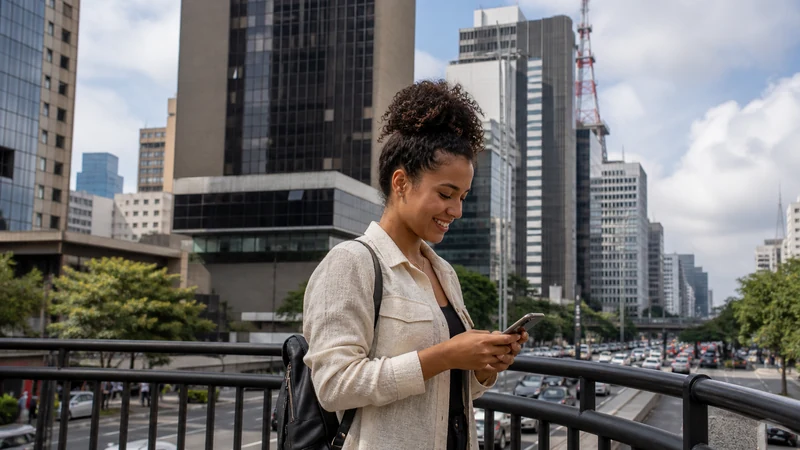

Internet in São Paulo is useful from the moment a traveller lands: the metropolitan area is vast, journeys can involve several transport modes and traffic can change plans quickly.
A Brazil eSIM provides independent data for navigation, ride confirmation and messages. Hotel and café Wi-Fi help with larger downloads, while a local prepaid SIM is more relevant when a Brazilian number is required.
São Paulo is a major city, not Brazil’s capital; Brasília is the federal capital.
Quick answer: For a short São Paulo visit, install a Brazil eSIM before flying and keep the accommodation address offline. Use verified Wi-Fi for downloads, but rely on mobile data for transport and navigation between neighbourhoods.
Top Brazil eSIMs

Brazil eSIM
Fixed
1 GB, 7 days€ 4.452 GB, 15 days€ 7.133 GB, 30 days€ 9.35Unlimited
Unlimited, 1 day€ 4.90Unlimited, 3 days€ 11.58Unlimited, 5 days€ 18.26
Choose Your São Paulo Connection
| Option | Best use |
|---|---|
| Travel eSIM | Data on arrival and across the city |
| Local SIM | Brazilian number or longer domestic use |
| Roaming | Short use when the home package is clear |
| Wi-Fi | Hotel work and large downloads |
From GRU Airport to the City
The airport’s official page currently lists .GRU WIFI with four free hours in two sessions. It helps inside the terminal, but mobile data is more practical once travelling. Save the full street address—not only the hotel name—and read the GRU internet guide.
Using Data Around São Paulo
Coverage can change inside high-rises, underground spaces and crowded venues. Keep network selection on Automatic and download an offline map of the metropolitan area. During major events, send lightweight messages before attempting media uploads.
Settings and Troubleshooting
Select the Brazil eSIM for data, enable its Data Roaming and disable automatic switching. If signal appears without internet, verify allowance and use data.esim only if a manual APN is required. Do not delete the eSIM.
Why São Paulo Needs a City-Level Connection Plan
São Paulo is a large metropolitan area where a day can involve several neighbourhoods, transport modes and changing traffic conditions. Mobile data is useful for route updates, ride confirmation, restaurant or museum reservations and messages to accommodation. It should support a planned itinerary, not replace knowing the next address.
Save the full street address and a map pin for every important destination. Similar business names and multiple branches can lead a traveller to the wrong part of the city. Keep the accommodation address offline in Portuguese-friendly written form for a driver or station agent.
Choose Between eSIM, Local SIM and Roaming
| Option | Best fit in São Paulo | Main limitation |
|---|---|---|
| Travel eSIM | Short visit needing data on arrival | Requires an unlocked compatible phone; data-only |
| Brazilian prepaid SIM | Longer stay or need for a local number | Purchase and registration take time |
| Home roaming | Brief use with a clear inclusive package | Daily fees and caps vary |
| Hotel or café Wi-Fi | Large downloads and backup | Limited to the venue |
NoveSIM Brazil plans do not include a Brazilian phone number, standard calls or SMS. Internet calling and messaging apps use the data connection. Compare the choices in Best SIM Card for Brazil.
Prepare the eSIM Before Flying
Confirm the exact phone model is eSIM-compatible and carrier-unlocked. Install the profile once on reliable private Wi-Fi, label it Brazil and keep the QR code private. Read the product’s activation rule before turning it on during an earlier stopover.
After landing, select Brazil for mobile data, enable Data Roaming on that line and disable automatic switching to the home SIM. Review Brazil eSIM installation before the travel day.
Arriving at Guarulhos Airport
GRU Airport’s current passenger information identifies .GRU WIFI as its official network and describes four complimentary hours in two sessions. Verify the name and current terms on terminal signage. Use Wi-Fi for arrival messages or setup, then test the eSIM with Wi-Fi off before leaving.
Guarulhos Airport is outside central São Paulo, and travel time changes with traffic and destination. Save the exact address and chosen transfer offline. The GRU internet guide covers captive-portal and arrival troubleshooting.
Using Data for Public Transport
Live route tools can help compare trains, metro, buses and walking connections, but connectivity can vary inside stations, tunnels and large structures. Download the metropolitan map and save the intended route before entering the system.
Do not let a phone battery become the only place where tickets, accommodation and payment information exist. Carry an alternative payment method and take a screenshot of the final stop and transfer instructions.
Using Ride Apps and Taxis
Confirm the pickup location, vehicle and driver in the official app, and avoid following instructions from unsolicited messages. Large terminals, shopping centres and event venues can have designated pickup zones; save the meeting point before leaving indoor Wi-Fi.
Traffic can change the route and price. Mobile data is useful for live updates, but the traveller should still know the destination and have an offline address. Do not hand an unlocked phone to an unknown person.
Coverage in High-Rises, Malls and Underground Spaces
Urban coverage does not guarantee identical signal on every floor or inside every building. Reinforced concrete, coated glass, elevators and underground levels can weaken service. Move near a window or outdoors before treating No Service as an account problem.
Keep network and radio selection on Automatic. A stable 4G connection can be more useful than forcing 5G indoors. Read Brazil eSIM coverage for the difference between a predicted map and actual indoor experience.
Data During Events and Carnival
São Paulo hosts large concerts, matches, trade shows and Carnival events where many devices share local capacity. Full signal bars do not guarantee fast uploads in a crowd. Send lightweight messages first and postpone cloud backup or video uploads.
Create an offline meeting point and return plan. The Brazil Carnival internet guide covers crowd congestion, battery and phone-security preparation.
How Much Data for a São Paulo Visit?
Maps, messaging, ride apps and reservations are relatively light. Social video, cloud photo backup, video calls and hotspot-connected laptops are heavier. Download the city map, playlists and entertainment before departure.
For a one-week trip, 3–5 GB can suit light use while 5–10 GB is a more flexible comparison for regular use. These are planning ranges, not guarantees. Use How Much Data for Brazil and adjust from your own phone history.
Working from São Paulo
A travel eSIM can support email and light work where service is stable, but confirm hotspot permission and the high-speed policy before relying on it for a laptop. Accommodation Wi-Fi quality varies; ask about the current connection and workspace.
For a critical meeting, keep an alternative location or connection. Pause laptop updates and cloud sync, use a metered connection and follow Brazil eSIM hotspot guidance.
Use Public Wi-Fi More Safely
- Ask staff for the official network name.
- Avoid sensitive account changes on an unverified hotspot.
- Use HTTPS and a trusted VPN where appropriate.
- Do not upload or expose the eSIM QR code.
- Forget temporary networks after use if desired.
- Switch to mobile data for important transport or payment tasks.
A plausible café, hotel or event name is not proof that a hotspot is official. A VPN protects traffic but cannot authenticate the owner of a fake access point.
Keep the Phone and Accounts Secure
Use a strong screen lock, hide sensitive notification previews and enable the manufacturer’s official find-and-lock feature before travel. Keep the phone out of sight when it is not needed and avoid holding it loosely near a moving crowd or open vehicle.
Prepare account-recovery methods and keep essential bookings available on a second device or in print. Store the eSIM QR code and activation details privately; they are credentials, not documents to show a driver, hotel or venue.
If Mobile Data Stops in São Paulo
- Confirm Brazil is switched on and selected for data.
- Enable Data Roaming on Brazil.
- Disable automatic data switching.
- Move outdoors or away from a deep indoor area.
- Toggle Airplane Mode for about 30 seconds.
- Keep network selection on Automatic.
- Check validity and allowance when signal exists.
If signal appears without internet, use data.esim only when manual APN entry is required. If pages load slowly during a crowded event, treat it as performance rather than deleting the profile. Follow Brazil eSIM troubleshooting.
Day Trips and Travel Beyond São Paulo
Coverage and transport conditions outside the metropolitan area can differ from the city. Download the route, return schedule and destination map before leaving. For a longer drive, use Brazil road-trip internet.
A São Paulo connection should not be used to predict service in the Amazon, Fernando de Noronha or another remote destination. Plan those segments separately.
Related Articles
- Brazil eSIM plans
- Mobile internet in Brazil
- Internet at GRU Airport
- São Paulo stopover eSIM
- Best SIM card for Brazil
- How much data for Brazil
- Install a Brazil eSIM
- Brazil dual-SIM settings
- Brazil eSIM hotspot
- Brazil eSIM coverage
- Brazil Carnival internet
- Brazil road-trip internet
- Brazil eSIM not working
- eSIM-compatible devices
- NoveSIM Support
FAQ
Do tourists need a local SIM in São Paulo?
No. An eSIM or suitable roaming plan can provide data; a local SIM matters mainly when a Brazilian number is needed.
Does GRU Airport have Wi-Fi?
The current official page lists four free hours on .GRU WIFI. Verify the name on airport signage.
Will mobile data work in the metro?
Service can vary by line, station, tunnel and network. Keep routes and tickets accessible offline.
What APN should a NoveSIM Brazil eSIM use?
Use data.esim only if manual APN entry is required.
Final Recommendation
Arrive with the Brazil eSIM installed, the exact São Paulo addresses saved and the airport transfer available offline. Select Brazil for data after landing and keep switching to the home SIM disabled.
Use mobile data for transport, navigation and messages, and verified accommodation Wi-Fi for larger downloads. Expect indoor and crowd-related variation even in a well-connected metropolitan area.
Protect the phone and eSIM credentials, keep a battery and account-recovery plan, and use reversible troubleshooting before support. Plan any day trip or onward remote destination separately from the São Paulo city connection.