


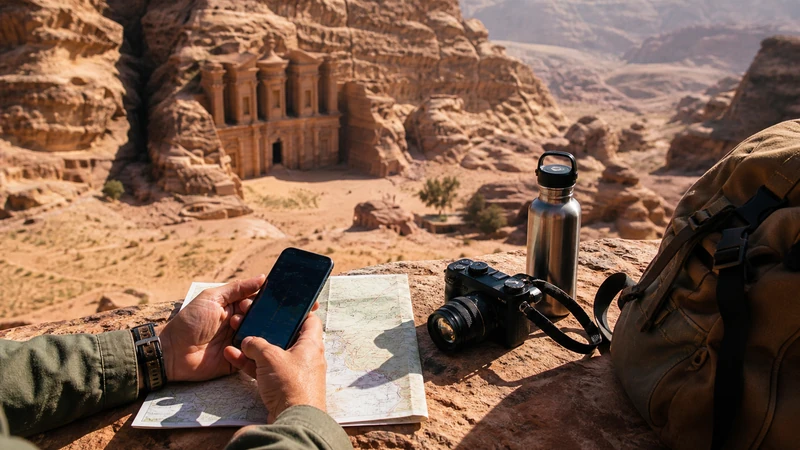

How much data for Jordan you need depends more on your activities than on the number of travel days. Maps, messages and booking checks are light; video, cloud backup and tethering can consume gigabytes quickly.
Use your phone’s recent data statistics as the starting point, then subtract tasks that will remain on trusted Wi-Fi and add a margin for navigation and itinerary changes.
NoveSIM Jordan plans are data-only and do not include a local number, ordinary calls or SMS.
Quick answer: Review one normal week of mobile use, pause photo backup and app updates, download offline maps, and choose an allowance that covers navigation, messaging and travel bookings plus a sensible margin.
Top Jordan eSIMs

Jordan eSIM
Fixed
1 GB, 7 days€ 2.642 GB, 15 days€ 3.963 GB, 30 days€ 5.28Unlimited
Unlimited, 1 day€ 4.40Unlimited, 3 days€ 11.45Unlimited, 5 days€ 18.49
How Much Data for Jordan Activities?
| Activity | Typical impact | Planning response |
|---|---|---|
| Maps and route checks | Relatively light when areas are cached | Download Amman, Petra, Wadi Rum and Aqaba offline |
| Text messaging and email | Low without large attachments | Allow extra for photos and documents |
| Voice/video calls | Moderate to high | Use trusted Wi-Fi for long calls |
| Social video and streaming | High | Reduce quality or download before travel |
| Photo/video backup | Potentially very high | Pause cellular uploads |
| Hotspot sharing | Depends on every connected device | Confirm plan support and monitor all devices |
These are relative categories rather than fixed per-hour promises. App settings, media quality and background activity can change consumption substantially.
Measure Your Own Baseline
- Open the phone’s Cellular or Mobile Data statistics.
- Choose a recent period that reflects normal use.
- Identify streaming, backup, social video and hotspot activity.
- Remove usage that you will reliably keep on trusted Wi-Fi.
- Add navigation, ride booking and travel-message use.
- Add a margin for delays or itinerary changes.
Compare the resulting need with current Jordan eSIM plans. Check both validity and usable allowance; a larger plan that expires before the last transfer is not suitable.
Reduce Data Use before Travelling
- Download maps and translation packs on Wi-Fi.
- Pause cloud photo and video backup.
- Disable automatic app and operating-system updates over mobile data.
- Download entertainment rather than streaming it.
- Set video apps to a lower mobile-data quality.
- Disable automatic media downloads in group chats.
The Jordan internet guide explains where Wi-Fi can serve as a backup and why remote routes still need offline preparation.
Plan for Navigation outside Amman
Long road transfers, Petra, Wadi Rum and Dana increase the importance of maps but do not necessarily require constant online navigation. Cache the map and save accommodation or camp coordinates before leaving the city.
Coverage gaps cannot be fixed by buying more data. Use the Jordan coverage guide to separate allowance planning from network availability.
Monitor Hotspot and Background Use
One tethered laptop can use more data than the phone through software updates, cloud drives and video meetings. Confirm hotspot availability for the exact plan, use a metered-connection setting where possible and disconnect devices when finished.
If use suddenly rises, inspect per-app statistics before assuming a billing fault. Automatic media backup is a common cause.
If Data Stops before the Trip Ends
- Check the remaining allowance and fair-use condition.
- Confirm that the Jordan eSIM remains selected for Mobile Data.
- Keep Data Roaming on for the travel line.
- Restart the connection with Airplane Mode.
- If signal exists without internet, use data.esim only if manual APN setup is required.
Do not delete the installed eSIM unless NoveSIM Support specifically instructs you to do so. Use Jordan troubleshooting if the allowance remains available.
Related Articles
- Choose a Jordan eSIM plan
- Jordan hotspot and tethering
- Mobile internet in Jordan
- Coverage along Jordan routes
- Diagnose slow mobile data
FAQ
Is 1 GB enough for Jordan?
It can be enough for light maps, messages and bookings when media and updates stay on Wi-Fi, but your own recent usage is the better guide.
Does offline Google Maps use mobile data?
The downloaded map reduces data use, although live traffic, searches and other features may still use a connection.
Does hotspot use more data?
The hotspot itself does not multiply traffic, but connected devices can run updates, cloud sync and high-quality video that use data quickly.
Does more data improve coverage?
No. Allowance and radio coverage are separate; terrain and network availability still determine connection.
Final Recommendation
Estimate how much data for Jordan you need from recent device statistics and the activities planned for the trip.
Reduce background use, download maps and select a validity period that reaches the final travel day.
Keep an offline route plan because a larger allowance cannot guarantee reception in remote parts of Jordan.