


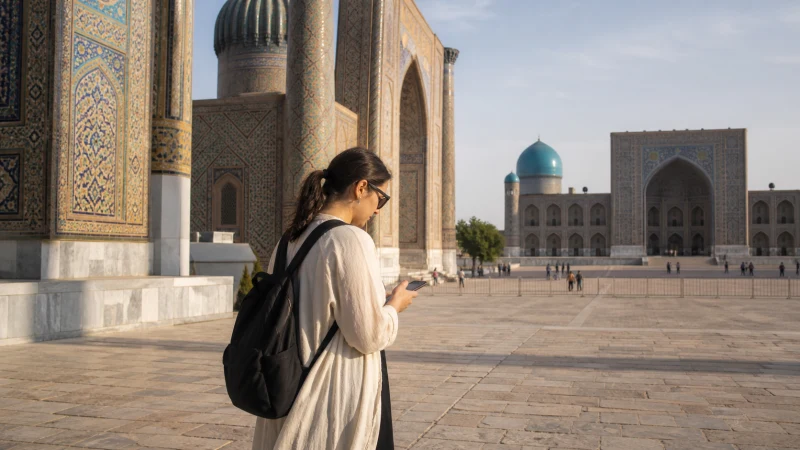

Internet in Samarkand for tourists helps with a practical problem: keeping sightseeing, accommodation and transport arrangements together without depending on a connection at every stop. Use mobile data for changes during the day, but save tickets and meeting details beforehand.
A visit to Registan or Shah-i-Zinda is not the same task as getting to the railway station. Keep the sightseeing plan and onward journey in separate notes so a last-minute search does not replace a confirmed arrangement.
We provide travel data, not an Uzbek phone number, conventional calls or SMS. You can contact a host through internet messaging when connected, but should agree on another way to meet if messages cannot be delivered.
Quick answer: For mobile internet in Samarkand, select a compatible Uzbekistan eSIM, test it at your accommodation and save monument locations, your hotel entrance and onward tickets offline. Agree a precise pickup point and time; do not rely on a live location message as the only arrangement.
Top Uzbekistan eSIMs

Uzbekistan eSIM
Fixed
1 GB, 7 days€ 3.182 GB, 15 days€ 4.093 GB, 30 days€ 4.99Unlimited
Unlimited, 1 day€ 2.72Unlimited, 3 days€ 5.45Unlimited, 5 days€ 8.17
Organise the day before you leave the hotel
UNESCO’s Samarkand overview identifies Registan, Shah-i-Zinda and Ulugh Beg’s Observatory among the city’s major monuments. Save the places you actually intend to visit rather than a long list of attractions you will not use.
Ask your accommodation to confirm current opening arrangements where necessary. A downloaded map shows where a place is; it does not establish today’s access conditions or ticket requirements.
- Save your accommodation’s entrance and reception contact.
- Keep any booking confirmation available without reopening an email.
- Record the agreed location and time for a driver or guide.
- Carry enough battery for the return journey, not just photography.
Make a pickup understandable without live location
Before separating from a driver, agree which entrance or landmark you will return to. Send the location while connected and keep the same information in a screenshot. If plans change, get confirmation rather than assuming an unread message has changed the arrangement.
For onward travel, save the departure station shown on your ticket, the departure time and the transport plan to reach it. The Uzbekistan train internet guide covers preparation for the journey itself; this city guide does not promise uninterrupted data on the train.
If you arrive by air, the Samarkand Airport internet guide deals with the initial connection and transfer.
Keep internet available for sightseeing during your Samarkand visit
Maps, messages and translation can be your priority even if you take many photographs. Pause automatic cloud uploads on mobile data and use trusted accommodation Wi-Fi for larger backups. Check the Uzbekistan eSIM allowance and validity against the whole trip, not only your Samarkand stay.
A hotel network should be tested where you will use it. If you need a video call, try that application in the room; a successful message at reception does not demonstrate that a long call will work upstairs.
Set up before a time-sensitive journey
- Confirm eSIM support and unlocked status, then check the package’s activation rules.
- Install using reliable Wi-Fi and the Uzbekistan installation guide.
- Choose the travel line for mobile data, enable its required roaming setting and prevent automatic switching to home-SIM data.
- With Wi-Fi off, load a new page and send a test message before leaving.
For a failed connection, retain the installed profile and check the line, validity and settings. Use data.esim if manual NoveSIM APN entry is required. Follow the connection troubleshooting steps instead of deleting the eSIM.
Related Articles
FAQ
What should I save offline for sightseeing in Samarkand?
Save the locations you will visit, your accommodation entrance, booking confirmations and any agreed pickup time and landmark.
Can I contact my driver with a data-only eSIM?
Internet messaging or calls can work when both parties use a compatible app and you have data. Agree this beforehand; the plan does not provide a local phone number.
Is a sightseeing map enough for my train departure?
No. Keep the station and departure details from your ticket separately, with a confirmed way to reach the station.
Should I upload all my photos on mobile data?
Only if your allowance supports it. Pausing automatic backups leaves more data available for directions and communication during the day.
Final Recommendation
During a visit to Samarkand, plan your internet use around the day’s sightseeing and the next confirmed departure.
Install and test before leaving your accommodation, with photo backups controlled and tickets saved locally.
A clear meeting arrangement is more dependable than expecting everyone to receive a live location at the last moment.