



The amount of mobile data you need for Uzbekistan depends more on your apps than on the destination. Start with your recent daily mobile-data use, multiply it by the days away and allow extra for activities you normally do on Wi-Fi.
A week visiting Tashkent and Samarkand with saved maps and booking messages is a different budget from the same week with video calls, uploads and a tethered laptop. Decide which tasks must work outside your accommodation before choosing an allowance.
Our NoveSIM travel eSIMs supply data. We do not provide an Uzbek phone number, conventional calls or SMS with these plans. Internet calls and messaging use the allowance, while calls on your home SIM are charged separately by that operator.
Quick answer: Calculate daily mobile use × trip days, then add a reserve. For example, a measured 0.3 GB per day over seven days is 2.1 GB; a 25% planning reserve brings that to about 2.6 GB. A 3 GB allowance could fit that example, but not extra video or laptop use. Check that the plan’s validity covers the whole trip.
Top Uzbekistan eSIMs

Uzbekistan eSIM
Fixed
1 GB, 7 days€ 2.682 GB, 15 days€ 3.573 GB, 30 days€ 4.46Unlimited
Unlimited, 1 day€ 2.68Unlimited, 3 days€ 5.35Unlimited, 5 days€ 8.03
How much data for Uzbekistan: short visits and longer trips
The table shows calculations, not measured averages for travellers in Uzbekistan. Its daily figures are assumptions: replace them with your own usage. The 25% reserve is an illustrative budgeting choice, not a guarantee that you will stay within the allowance.
| Assumed daily use | 3 days, with reserve | 7 days, with reserve | 14 days, with reserve |
|---|---|---|---|
| 0.2 GB | 0.75 GB | 1.75 GB | 3.5 GB |
| 0.5 GB | 1.88 GB | 4.38 GB | 8.75 GB |
| 1 GB | 3.75 GB | 8.75 GB | 17.5 GB |
Choose a suitable allowance above your estimate from the current Uzbekistan eSIM options, rather than assuming every figure in the table is a plan for sale. A small package can make sense for a two- or three-day visit if you have checked your consumption and keep large downloads on Wi-Fi.
For a month, repeat the calculation across all 30 days. At an assumed 0.5 GB per day, the base is 15 GB and the same reserve takes it to 18.75 GB. A quiet weekend’s use is not necessarily representative of a month with work calls or frequent uploads.
Find a useful daily figure on your phone
- Open the phone’s mobile-data usage report and check the dates it covers. A lifetime or several-month counter is not a daily estimate.
- Divide the data consumed by the number of days in that period. Review per-app totals to see what produced the figure.
- Remove activities you will genuinely move to Wi-Fi, such as downloading entertainment before departure.
- Add activities that will move from Wi-Fi to mobile data during travel, including calls from outside the hotel or laptop sharing.
- Multiply the revised daily figure by the trip length and add a reserve for delays or unexpected use.
On iPhone, Apple documents the per-app counters under Settings > Cellular or Mobile Data in its mobile-data usage instructions. Record the existing figures before resetting statistics for a new measurement period. Android menu names differ by manufacturer; look for data usage and confirm the selected SIM and date range.
What can change the estimate during your itinerary?
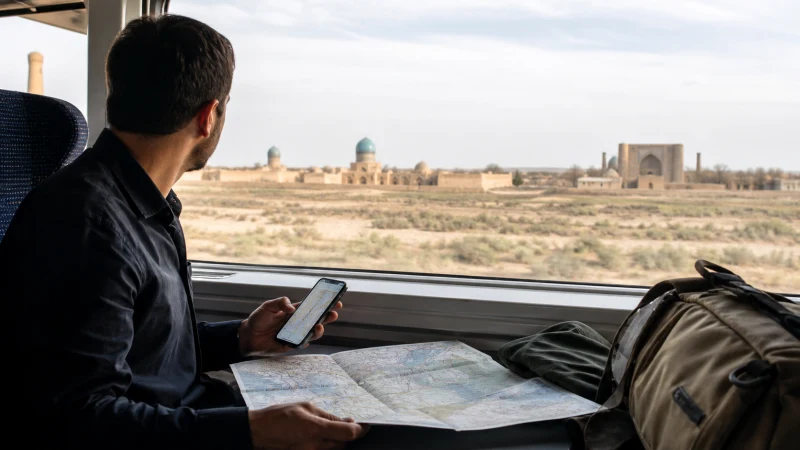
Save your Tashkent arrival address, the next accommodation and the map areas for Samarkand, Bukhara or Khiva before leaving Wi-Fi. Offline maps help with navigation, but a fresh booking, live transport update or message still needs a connection.
Photo uploads are easy to overlook during sightseeing. Taking a photo does not itself require mobile data; sending it, backing it up or uploading video does. Check whether your photo app is allowed to synchronise on mobile data, especially after a day taking pictures.
For a photography trip, keep a second local copy of important images where your equipment allows it, rather than making an online backup your only spare copy. RAW files and high-resolution video can make full uploads impractical within a small allowance. Upload selected previews over mobile data when needed and save larger transfers for trusted Wi-Fi. Check that a backup has completed before removing an original; weak reception on a remote stop can leave a queued upload unfinished.
A long train journey can change normal habits. Download entertainment beforehand if you intend to watch it, and avoid budgeting from maps and messages alone when you actually expect hours of streaming. An ample allowance does not establish continuous reception between stops; the Uzbekistan coverage guide addresses that separate question.
Budget for hotspot separately
If you plan to connect a laptop, confirm that the exact package and phone permit tethering. The laptop’s downloads consume the same mobile allowance: synchronised folders, software updates and large attachments can make your phone-only history a poor estimate.
Measure a comparable session if possible and add it to the trip budget. Pause automatic updates and cloud synchronisation on the connected device, not just on the phone. The Uzbekistan hotspot guide explains the sharing checks without assuming that every plan supports them.
Allowance, validity and unlimited are different checks
A package must cover both the number of GB and the dates you need service. Unused data is not useful once validity ends. Read when the validity clock starts and whether a replacement purchase is needed for a stay beyond the selected period; do not assume renewal or top-up is available.
For an unlimited option, inspect any fair-use, full-speed and reduced-speed terms before relying on video calls or sharing. The label alone does not promise unrestricted speed or hotspot access. Compare those conditions with a fixed allowance based on your calculation.
For longer stays, separate accommodation internet from mobile needs. A local number or a connection used mainly from one base may change the choice of service; the mobile-internet options guide covers that decision.
Check the budget while you travel
Compare the first day’s consumption with your estimate. If it is much higher, inspect the largest app totals before simply buying more data. Pause unwanted background transfers and check that the intended travel line remains selected for mobile data.
Use the provider’s remaining-allowance information where available; a phone counter is a planning aid and may not match billing exactly. Keep a reserve for the final transfer, booking changes and contacting your accommodation rather than spending the entire budget on the first few days.
Related Articles
FAQ
Is 3 GB enough for a week in Uzbekistan?
It can fit a measured average of 0.3 GB per day: seven days use 2.1 GB, or about 2.6 GB with an illustrative 25% reserve. Extra video, uploads or hotspot sessions can exceed that estimate, so check your own app usage and the plan’s validity.
How do I estimate data for two weeks?
Multiply a representative daily mobile-data figure by 14 and add a reserve. At an assumed 0.5 GB per day, that is 7 GB before a reserve, or 8.75 GB with 25% added. This is a calculation example, not a typical-use claim.
Do saved maps mean I will not need mobile data?
No. Saved map areas reduce the need to download map content, but live searches, bookings, updates and messages can still require data. Keep those tasks in the budget even when navigation is prepared offline.
Should I choose unlimited data for laptop work?
Compare your expected work usage with both fixed allowances and the unlimited plan’s actual terms. Check hotspot permission, full-speed limits and reduced-speed rules; unlimited wording alone does not establish suitability for laptop sharing.
Final Recommendation
How much data you need for Uzbekistan travel should follow your measured daily use and complete itinerary, rather than an unexplained number of GB per week. Add video, uploads and laptop sessions explicitly.
Match the resulting allowance to a validity period that covers departure through the final transfer. Keep large optional downloads on Wi-Fi and review usage early in the trip.
Saved maps make travel through Tashkent, Samarkand, Bukhara and Khiva less dependent on a live connection, but leave data available for the messages and booking changes that cannot be prepared in advance.