


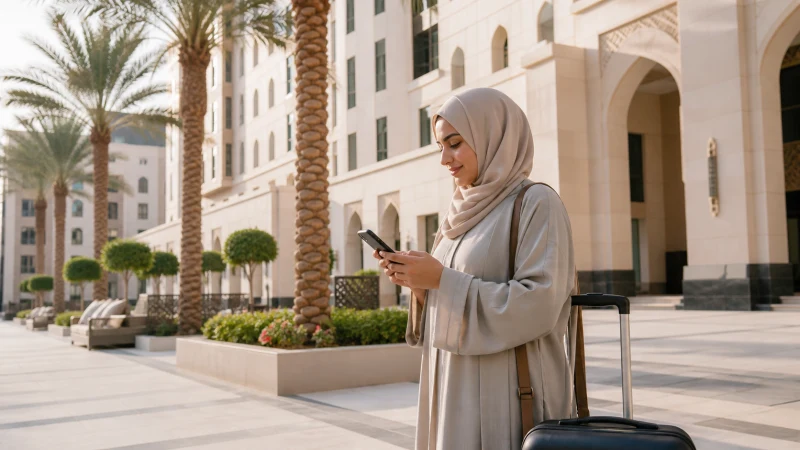

In Madinah, the most important mobile-data tasks are often simple: finding your hotel entrance, contacting your group and checking an onward booking. Arrange a Saudi Arabia data plan before you need those tasks, but do not assume a city-wide coverage claim describes reception inside your room or at a particular meeting point.
A visit around Al-Masjid an-Nabawi needs a practical communication plan as well as a working phone. Save the hotel address and agree where to meet if messages stop arriving. There is no reliable basis here for promising that Madinah will be less congested than Makkah throughout your visit.
Our NoveSIM travel eSIMs are data-only. We do not provide a Saudi telephone number, conventional calls or SMS with these plans; internet messaging uses the available data connection.
Quick answer: Check the network included in your plan, test data at your accommodation and save your hotel entrance and group meeting point offline. If data becomes slow near a busy gathering, reduce uploads and check your allowance and settings before assuming congestion is the only cause.
Top Saudi Arabia eSIMs


Choose connectivity for your stay, not a city ranking
A plan needs to cover Saudi Arabia and your full stay. An operator’s domestic coverage map cannot establish which networks a particular travel eSIM may use. Read the current Saudi Arabia eSIM plan details first; use the Saudi SIM-card guide if you also need a local number or want to compare alternatives.
Reception and speed depend on the plan, device, location and network conditions. A 5G-capable phone does not guarantee 5G access through every package, nor does a good outdoor connection establish indoor performance.
Keep a meeting point that works without messages
Before separating from your group, agree an identifiable, accessible meeting point and a time. Save the hotel name, address and entrance photograph on each traveller’s phone rather than leaving them only in a group chat. A location pin is useful, but a written description helps when an entrance or pickup point is not obvious.
If someone has no data, do not make constant live-location sharing the only way to find them. Keep the contact arrangements supplied by your accommodation or tour organiser available offline.
Test the connection at your accommodation
- Connect to trusted Wi-Fi and confirm that the eSIM is installed and the package is valid for Saudi Arabia.
- Select the travel eSIM for mobile data and follow the provider’s roaming instructions.
- Turn Wi-Fi off briefly, load a small web page and send a message.
- Check the result in your room and at the pickup location you expect to use.
The Saudi Arabia activation guide covers the setup sequence. Ask your accommodation about its Wi-Fi access rather than assuming every property offers a suitable backup.
When messages work but other apps stall
Pause photo backups, video uploads and large downloads. Try a small page to distinguish a general data problem from a single app problem. Check the remaining allowance and selected data line; signal bars alone do not prove that internet access is working.
Busy-network conditions are one possible explanation, not a diagnosis. Follow the Saudi Arabia eSIM troubleshooting guide if the problem persists. Keep the installed eSIM unless support specifically instructs you to remove it.
Prepare your departure from Madinah
Download the next booking and the route before checking out. The Madinah to AlUla guide is relevant for that onward journey; travellers continuing towards Jeddah can use the Jeddah–Madinah connectivity guide. Neither a successful hotel test nor city reception guarantees uninterrupted data between destinations.
FAQ
Will mobile data work around Al-Masjid an-Nabawi?
Check the network allowed by your plan and test your connection locally. Reception and usable data can vary by exact location, device and network conditions; keep meeting details offline.
Is Madinah always less congested than Makkah?
No such guarantee is justified. Conditions vary with location, time and the network used, so plan for your own visit rather than relying on a comparison between cities.
Should I rely on hotel Wi-Fi?
Ask the property about access and test it. It can supplement mobile data, but do not leave your hotel address or departure booking accessible only through an internet connection.
What should I save before leaving for AlUla?
Save the route, booking, accommodation address and pickup instructions offline. Confirm that your data package remains valid for the rest of the trip.
Final Recommendation
For Madinah, prioritise dependable contact arrangements over promises about network rankings. Give every member of your group an offline hotel reference and an agreed meeting point.
Test the travel data line early, then investigate slow service methodically instead of treating every failure as congestion.
Before your onward journey, download the information needed to reach the next accommodation without a live connection.