


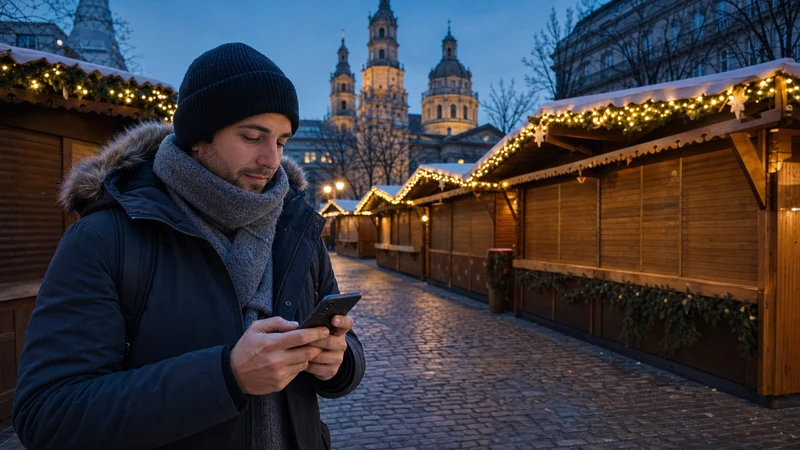

Internet for Hungary’s Christmas markets helps travellers navigate decorated city centres, check opening information, use transport, translate menus and coordinate in crowds. A Hungary travel eSIM provides mobile access between markets, while public or venue WiFi should be treated as a backup.
Winter travel adds practical challenges: cold temperatures can reduce battery performance, gloves make phones harder to use and crowded evening events may slow local networks. Offline maps, saved tickets and a meeting plan make the connection more dependable.
NoveSIM travel eSIM plans are data-only. They normally do not include a Hungarian number, traditional calls or SMS. Maps, messaging, email, translation and internet calls work through mobile data.
Quick answer: Install a Hungary eSIM before the trip, download every market map and transport ticket, and carry a warm, charged power bank. Keep the phone secure in crowds and do not depend on an open WiFi network for payments or sensitive activity.
Top Hungary eSIMs

Hungary eSIM
Fixed
1 GB, 7 days€ 1.732 GB, 15 days€ 3.463 GB, 30 days€ 4.33Unlimited
Unlimited, 1 day€ 2.16Unlimited, 3 days€ 4.76Unlimited, 5 days€ 7.79
Europe Extra eSIM
Fixed
1 GB, 7 days€ 2.162 GB, 15 days€ 3.463 GB, 30 days€ 4.33Unlimited
Unlimited, 1 day€ 2.60Unlimited, 3 days€ 5.19Unlimited, 5 days€ 8.65Europe+ eSIM
Fixed
1 GB, 7 days€ 2.602 GB, 15 days€ 3.893 GB, 30 days€ 5.19Unlimited
Unlimited, 1 day€ 2.60Unlimited, 3 days€ 6.06Unlimited, 5 days€ 9.95Which internet option is best for Christmas-market travel?
A Hungary travel eSIM suits visitors moving among Budapest and regional cities. A local prepaid SIM can suit a long stay or someone needing a Hungarian number, while home roaming is reasonable only when its cost and allowance are clear.
| Option | Best for | Main limitation |
|---|---|---|
| Hungary travel eSIM | Short visits and multi-city trips | Needs an unlocked compatible phone |
| Regional eSIM | Hungary plus Austria or Slovakia | Every country must be listed |
| Local prepaid SIM | Long stays or local number | Registration and physical slot |
| Home roaming | Verified included allowance | Fair-use or non-EU fees |
| Venue WiFi | Accommodation and cafés | No continuous market coverage |
Can one eSIM cover markets across Hungary?
Yes. A Hungary country plan can normally serve Budapest, Eger, Pécs, Szeged, Debrecen and other domestic destinations within its validity, allowance and partner coverage.
A separate eSIM is not required for each city. A regional plan is appropriate when the itinerary continues to Vienna, Bratislava or another country.
Internet at Budapest Christmas markets
Budapest hosts seasonal markets in central locations. Mobile data helps with walking navigation, public transport, restaurant bookings and meeting companions.
Evening crowds can increase local network demand. Messages may still work when high-resolution uploads slow down. Pause automatic photo backup if essential tasks need priority.
The internet in Budapest guide and Budapest mobile-data guide provide citywide preparation.
Internet for regional markets
Eger, Pécs, Szeged, Debrecen and other cities may host seasonal events. Dates, locations and programmes can change each year, so verify current information through official local sources.
One Hungary eSIM can normally remain active while travelling by train or bus. Save the market square, accommodation and final return service offline.
Use the Eger internet guide, Pécs internet guide and Szeged internet guide for local context.
Why crowds can slow mobile data
A large number of devices can share the same local network capacity. The phone may show a strong signal while data is slower than usual.
Pause video uploads, cloud backup and streaming. Send text messages instead of large media. Move away from the densest area if urgent information will not load.
The slow Hungary eSIM guide provides a full checklist.
How cold weather affects the phone
Cold temperatures can reduce apparent battery capacity and cause faster shutdown. Keep the phone in an inner pocket close to body warmth when not in use.
Do not heat a cold phone rapidly on a radiator or direct heat source. Condensation can form when moving between cold streets and warm interiors.
Carry a charged power bank in a protected pocket. Shorten screen-on time and download maps to reduce battery use.
How to use a phone safely in crowds
Keep the device secure and avoid standing in pedestrian flow while looking at the screen. Move to the side before checking directions.
Use a zipped inner pocket or secure bag. Do not leave the phone on a market table. Agree on a meeting point with companions in case a device is lost or the battery fails.
Mobile payments and internet
Payment options vary by stall. Carry an accepted backup payment method and do not assume every vendor accepts cards or mobile wallets.
A tokenised mobile wallet may not require a live connection for every transaction, but the terminal, bank or wallet conditions still apply. Do not rely on unknown public WiFi for banking.
Check prices before authorising payment and protect the screen from shoulder surfing.
Can visitors rely on market WiFi?
Some public spaces, cafés or event zones may offer WiFi. Availability and quality vary, and crowded networks can be slow.
Confirm the network name, use HTTPS and avoid sensitive activity on unknown open WiFi. Never install an unexpected certificate or device-management profile.
Use trusted accommodation WiFi for updates and large uploads. Keep the eSIM as the personal connection outside.
How to prepare maps and transport
- Download the city map and market location.
- Save accommodation and station routes.
- Open public-transport tickets before leaving WiFi.
- Store the final train or bus time offline.
- Agree on a meeting point with companions.
- Carry battery power.
- Verify annual dates through official sources.
A seasonal event may move or change opening hours, so current official information remains important.
How to verify eSIM compatibility
The phone must support eSIM and be carrier-unlocked. Regional variants can differ, and an operator-supplied handset may remain restricted.
- Look for an Add eSIM setting.
- Check device information for an EID.
- Confirm unlocked status.
- Match the exact model and region to the provider’s list.
Use the Hungary compatibility guide.
How to install before the winter trip
Install on stable WiFi after checking when validity begins. Choose enough duration for every city and the return journey.
- Confirm Hungary or all regional countries.
- Choose enough data and validity.
- Check partner networks and hotspot terms.
- Install through the supplied QR code or app method.
- Label the profile, such as Hungary Winter.
- Save support and order details offline.
- Download maps, tickets and language packs.
The Hungary installation guide provides common steps.
Correct data settings
Enable the travel profile, select it for mobile data and turn on roaming on that profile when instructed. Disable automatic fallback to the home SIM.
- Switch on the Hungary eSIM.
- Select it for cellular or mobile data.
- Enable roaming on that profile when required.
- Disable automatic data switching.
- Leave network selection automatic initially.
- Test a normal webpage before going out.
The Hungary activation guide explains the controls.
How much data is enough?
Maps, messages, transport and translation are light. Photo sharing, browsing and music add more. Video, streaming and hotspot use consume the most.
- Light use: maps, tickets, messages and email.
- Moderate use: browsing, music and photo uploads.
- Heavy use: video, tethering and cloud backup.
The Hungary trip data guide provides planning ranges.
Will 5G work at markets?
5G may be available where the plan, phone, partner and coverage support it. Crowded demand can still affect speed.
Stable 4G is sufficient for maps, tickets, messages and payments. The Hungary 5G guide explains the conditions.
What to do if there is no internet
Do not delete the eSIM. Move away from the densest crowd, confirm the selected data line, roaming setting, plan status and Hungary coverage.
- Confirm the travel eSIM is enabled.
- Select it for mobile data.
- Enable roaming on that profile when required.
- Toggle airplane mode briefly and wait.
- Restart the phone if needed.
- Keep network selection automatic initially.
- Enter an APN only when supplied by the provider.
Use the Hungary troubleshooting guide and APN guide.
Related Articles
- Internet in Budapest for Tourists
- Best eSIM for Hungary
- Internet in Eger for Tourists
- Internet in Pécs for Tourists
- Internet in Szeged for Tourists
FAQ
Does eSIM work at Hungary Christmas markets?
Yes. An unlocked compatible phone can use a Hungary travel eSIM where its supported partner has local coverage.
Why can data be slow in a market?
Large crowds can share local network capacity. Pause heavy transfers and move away from the densest area.
Does cold weather drain the battery?
Cold can reduce battery performance. Keep the phone and power bank protected in an inner pocket.
Can one eSIM cover several Hungarian cities?
Yes. One active Hungary plan can normally work across domestic cities within its validity, allowance and coverage.
Is public WiFi safe for payments?
Avoid banking or sensitive transactions on unknown open WiFi. Use a trusted connection and keep a backup payment method.
Final Recommendation
A Hungary travel eSIM is a convenient connection for Christmas-market trips in Budapest and regional cities. Use a regional plan if the itinerary continues abroad.
Download maps and tickets, protect the phone from cold and crowds, and carry a charged power bank. Select the travel profile for data and prevent fallback to the home SIM.
Treat public WiFi as a backup and verify annual market information through official sources. This preparation keeps winter travel practical even during busy evenings.