


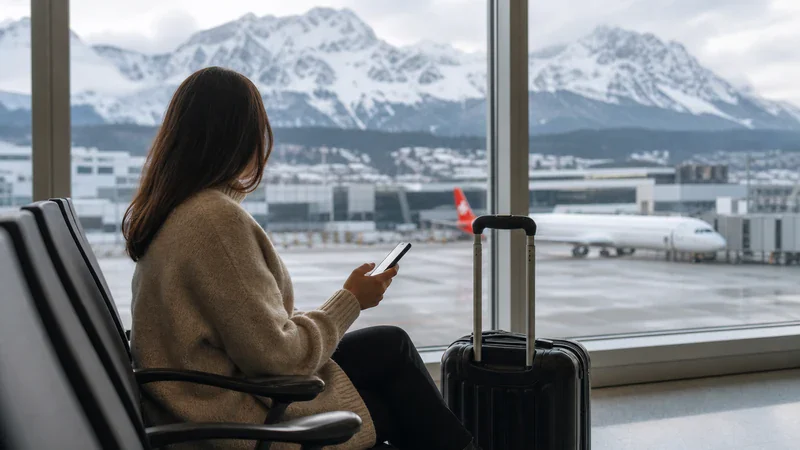

WiFi at Innsbruck Airport can help with boarding passes, messages and transport checks while you are inside the terminal. Because network names, access areas and connection procedures can change, confirm the current official WiFi instructions on airport signage or at the service desk rather than joining a similar-looking network.
Public airport WiFi is a useful short-term connection, but it will not follow you onto the bus, into Innsbruck or through Tyrol. Travellers who need continuous maps and messaging can install an Austria eSIM before departure and use mobile data after leaving the terminal.
NoveSIM travel eSIM plans are data-only. They normally do not include a local number, traditional voice calls or SMS, but internet-based messaging and calling apps can use the data connection.
Quick answer: Check the current WiFi network name and access instructions on official airport signs or with staff, connect through any genuine welcome page and use normal public-network precautions. Prepare an Austria eSIM as a backup if you need reliable internet for the approximately 20-minute bus journey to Innsbruck Main Station or onward travel in Tyrol.
Top Austria eSIMs

Austria eSIM
Fixed
1 GB, 7 days€ 1.732 GB, 15 days€ 3.033 GB, 30 days€ 3.89Unlimited
Unlimited, 1 day€ 2.16Unlimited, 3 days€ 5.19Unlimited, 5 days€ 8.22
Europe Extra eSIM
Fixed
1 GB, 7 days€ 2.162 GB, 15 days€ 3.463 GB, 30 days€ 4.33Unlimited
Unlimited, 1 day€ 2.60Unlimited, 3 days€ 5.19Unlimited, 5 days€ 8.65Europe+ eSIM
Fixed
1 GB, 7 days€ 2.602 GB, 15 days€ 3.893 GB, 30 days€ 5.19Unlimited
Unlimited, 1 day€ 2.60Unlimited, 3 days€ 6.06Unlimited, 5 days€ 9.95Is WiFi Available at Innsbruck Airport?
Innsbruck Airport’s current public information confirms free WiFi as a feature of the Tyrol Business Lounge. General terminal network details, including a public SSID, password policy, time limit and exact coverage map, are not clearly stated on the official passenger pages reviewed for this guide.
That does not prove that no wider terminal service exists; it means travellers should verify the current arrangement on arrival. Airport services can change, and an old network name from a review or forum may no longer be correct. Look for an official WiFi sign, ask the service desk or follow instructions displayed in a passenger seating area.
If the airport confirms a general network, note whether it is open, password-protected or uses a captive portal. Never guess the SSID or join a network only because it includes the word “airport”. A malicious hotspot can imitate a plausible name.
How to Connect Safely
- Check official signage or ask staff for the exact current network name.
- Open WiFi settings and select only that confirmed network.
- Open a browser if a welcome page does not appear automatically.
- Read the portal terms and complete only the required connection step.
- Open a normal, non-sensitive webpage to test access.
- Restore any temporarily paused VPN or privacy feature after connecting.
A legitimate free connection should not unexpectedly require payment-card details. If a portal requests information that does not fit the stated service, stop and confirm with airport staff. Do not install unknown certificates, profiles or applications merely to obtain basic WiFi.
Where Might the Signal Be Strongest?
Without a current public coverage map, the safest approach is to try open passenger areas near official signs or staffed facilities. WiFi performance can vary around gates, check-in, baggage claim, restaurants and seating because of access-point placement, walls and passenger demand.
If the signal is weak, move a short distance into a more open area rather than repeatedly changing phone settings. A device can remain attached to a distant access point after you walk through the terminal. Disconnecting and reconnecting may allow it to select a nearer point.
The Tyrol Business Lounge is located after security near gates 11 and 12, according to the airport’s official lounge information, and advertises free WiFi for eligible lounge guests. Lounge access conditions and opening hours are separate from any general terminal service and should be checked directly.
What If the WiFi Welcome Page Does Not Open?
Many public networks use a captive portal. The phone can show a WiFi symbol before the portal has granted full internet access, creating the impression that the connection is broken.
- Turn WiFi off, wait several seconds and turn it on again.
- Forget the confirmed airport network, then join it again.
- Open a browser and visit a simple webpage to trigger the portal.
- Temporarily pause a VPN, private relay or secure DNS feature if it blocks captive portals.
- Check that date and time are set automatically.
- Close and reopen the browser.
- Move to another public seating area and retry once.
Restore privacy tools after the portal has completed. If the page remains unavailable, ask the service desk whether there is a temporary issue. Repeatedly accepting certificate warnings or installing unknown software is not a safe solution.
Why Airport WiFi Can Feel Slow
Public networks share capacity among many passengers. Busy winter travel periods can bring concentrated demand, especially when delayed travellers stream video, upload photos or make calls. Building materials and distance from an access point also affect the connection.
- High demand: many devices may share the same local capacity.
- Weak signal: walls, crowds and distance can reduce quality.
- Background downloads: app updates and cloud backup may consume bandwidth.
- Portal incomplete: the device may be associated but not authorised.
- Device limits: older WiFi hardware or battery-saving mode can affect performance.
Pause large downloads, cloud synchronisation and automatic updates. Test one ordinary webpage before blaming the entire network. If an urgent task needs a stable connection, mobile data may be more efficient than extended troubleshooting.
Is Public Airport WiFi Secure?
Treat any shared airport network as public. Modern apps often encrypt traffic, but a traveller should still avoid unnecessary exposure of sensitive information. Banking, confidential work documents and account recovery are better handled on a trusted or employer-approved connection.
- Confirm the exact network name with an official source.
- Do not ignore browser certificate warnings.
- Keep the operating system and browser updated.
- Turn off file sharing and nearby-device discovery when unused.
- Avoid sending sensitive data through unfamiliar forms.
- Forget the network after leaving the airport.
- Disable automatic joining of open networks.
A personal mobile-data connection avoids the shared access point, although normal account security remains important. Travellers working remotely should follow their organisation’s VPN and device policies.
Airport WiFi Versus an Austria eSIM
| Feature | Airport WiFi | Austria eSIM |
|---|---|---|
| Coverage | Limited to supported airport areas | Mobile coverage in Austria through supported networks |
| Preparation | Confirm current network and portal on arrival | Install before travel on a compatible unlocked phone |
| Privacy | Shared public connection | Personal mobile-data link |
| After leaving | Signal normally ends near the terminal | Can continue on buses, trains and city journeys where coverage exists |
| Calls and SMS | Apps can work over WiFi | NoveSIM plans are normally data-only; apps use data |
The options complement each other. WiFi can reduce mobile-data use while waiting, and an eSIM can provide continuity outside. See the Innsbruck Airport eSIM guide for arrival settings and Tyrol travel considerations.
Other Ways to Get Internet
Home-network roaming may be convenient when Austria is included at an acceptable price. Check current charges and fair-use terms, especially for visitors from outside the EU or EEA. The Austria roaming guide lists the questions to ask your carrier.
A physical prepaid SIM is another option for phones without eSIM. Retail availability, registration and opening hours can change, so do not depend on an unverified airport shop. Compare the choices in the Innsbruck Airport SIM card guide.
For a compatible phone, an eSIM removes the need to handle a plastic card. Check the exact model and carrier-lock status with the Austria eSIM compatibility checklist.
How to Prepare an eSIM Before Arrival
- Confirm that the exact phone model supports eSIM.
- Verify that the device is unlocked from its home carrier.
- Select a plan that explicitly includes Austria and suits the trip length.
- Install it on dependable WiFi before departure.
- Label the line clearly, such as “Austria Data”.
- Save the QR code, instructions and support details offline.
- Check whether validity starts at installation or first network connection.
After landing, select the eSIM for mobile data and enable data roaming if the plan instructions require it. Keep data roaming off on the home SIM unless you intentionally use it. The Austria eSIM activation guide provides a complete settings sequence.
Internet for the Bus into Innsbruck
Innsbruck Airport’s official public-transport page states that bus line F connects the terminal directly with Innsbruck Main Station in approximately 20 minutes. Verify the current IVB or VVT timetable on the travel date because routes and frequencies can change.
Airport WiFi should not be expected to remain usable throughout the journey. Mobile data allows you to follow the bus, message accommodation and plan a railway connection. Save the destination address and a screenshot of the route before leaving as a fallback.
Travellers continuing to mountain resorts should also save transfer details. Valleys, tunnels and remote areas can have variable mobile coverage, so connectivity should supplement offline preparation rather than replace it.
How Much Mobile Data Is Useful?
Maps, text messages and transport searches use relatively little data. Video, cloud backup, social media feeds and hotspot use consume much more. Estimate from your behaviour rather than trip duration alone.
- Light use: offline maps, messaging and occasional searches.
- Moderate use: frequent browsing, music and social media.
- Heavy use: streaming, remote work, uploads and tethering.
Download maps and entertainment on trusted WiFi, pause automatic photo uploads and monitor per-app usage. The Austria trip data guide offers a practical activity-based estimate.
WhatsApp, Calls and Dual-SIM Use
WhatsApp can use airport WiFi or eSIM data while normally retaining the account’s existing number. Installing a travel eSIM does not require changing the WhatsApp number. More detail is available in using WhatsApp with an Austria eSIM.
On a dual-SIM phone, the home line may stay available for calls or verification texts while the eSIM supplies data. Home-carrier charges can still apply to voice and SMS. A data-only travel plan does not itself provide conventional calls or a local number.
What If the eSIM Does Not Connect?
- Turn airplane mode off and confirm the eSIM line is enabled.
- Select the eSIM for mobile data.
- Enable data roaming if required by the plan.
- Wait several minutes and restart the phone once.
- Leave network selection on automatic unless support advises otherwise.
- Check only the APN supplied for the exact plan.
- Move near a window or outside if terminal reception is weak.
Do not delete the installed profile during troubleshooting unless support instructs you. Follow the Austria eSIM troubleshooting guide and contact support with the phone model and relevant settings.
Practical WiFi and Arrival Checklist
- Confirm the current airport network name through official signage or staff.
- Use only the genuine welcome portal.
- Avoid ignoring security warnings or installing unknown profiles.
- Store boarding passes, transport and accommodation details offline.
- Prepare an eSIM before departure if continuous data is important.
- Switch from weak WiFi to mobile data when leaving the terminal.
- Check the current bus line F timetable before travel.
- Keep a power bank ready for navigation in cold conditions.
Related Articles
- eSIM at Innsbruck Airport: Setup, Data and Arrival Guide
- SIM Card at Innsbruck Airport: Buying Options and eSIM Alternative
- Does My Phone Support an Austria eSIM?
- How to Activate an Austria eSIM
- Austria eSIM Not Working: Troubleshooting Guide
- How Much Data Do You Need for an Austria Trip?
FAQ
Does Innsbruck Airport have free WiFi?
The airport’s public information confirms free WiFi in the Tyrol Business Lounge. General terminal network details were not clearly published on the official passenger pages reviewed, so confirm current access through airport signage or the service desk.
What is the Innsbruck Airport WiFi network name?
Use only the current name shown by the airport or confirmed by staff. Do not rely on an old blog or join a similar-looking network, because SSIDs and access arrangements can change.
Why does the WiFi connect without internet?
A captive portal may still need completion. Forget and rejoin the confirmed network, open a browser and temporarily pause a VPN if it blocks the welcome page. Restore privacy tools afterwards.
Will airport WiFi work on the bus to Innsbruck?
No terminal network should be relied on for the bus journey. Use mobile data or save the route offline before leaving the airport.
Can I install an Austria eSIM on airport WiFi?
It may be possible if a suitable connection is available, but installation before departure on dependable WiFi is safer. Check when the plan’s validity starts.
Should I delete an eSIM that will not connect?
No. Check the data line, roaming, network and plan-specific APN first. Delete the profile only if support specifically instructs you.
Final Recommendation
Confirm Innsbruck Airport’s current WiFi details from an official source on arrival rather than relying on an unverified network name. Use the connection for routine terminal tasks and follow public-network security precautions.
For maps and messaging beyond the airport, install a compatible Austria eSIM before travel and select it for mobile data after landing. Apply roaming settings to the correct line and keep the profile installed if troubleshooting is needed.
Offline essentials, verified airport WiFi and prepared mobile data together provide the most reliable setup for the journey into Innsbruck and onward travel through Tyrol.