


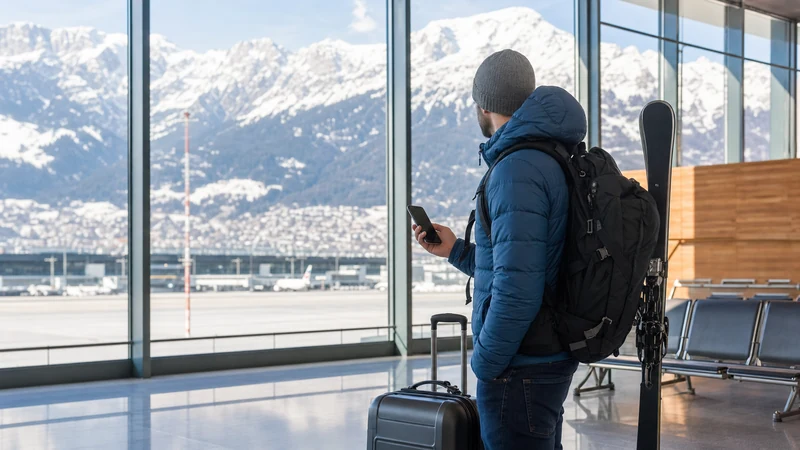

An eSIM at Innsbruck Airport gives a compatible unlocked phone mobile data without requiring a physical SIM swap after landing. It is useful for checking transport, navigating into Innsbruck and staying connected on journeys through Tyrol.
Installing the plan before departure is usually easier than completing setup in the arrivals hall. You can keep your home SIM in the phone, label the travel line clearly and select it for mobile data after the aircraft lands.
NoveSIM travel eSIM plans are data-only. They normally do not include an Austrian telephone number, traditional calls or SMS, but WhatsApp, iMessage, FaceTime and similar services can work through the plan’s data connection.
Quick answer: Check that your exact phone model supports eSIM and is carrier-unlocked, install the Austria plan on reliable WiFi before travel, then select it for mobile data at Innsbruck Airport. Enable data roaming on the eSIM if the plan instructions require it, while keeping data roaming off on your home line unless you intend to use it.
Top Austria eSIMs

Austria eSIM
Fixed
1 GB, 7 days€ 1.732 GB, 15 days€ 3.033 GB, 30 days€ 3.89Unlimited
Unlimited, 1 day€ 2.16Unlimited, 3 days€ 5.19Unlimited, 5 days€ 8.22
Europe Extra eSIM
Fixed
1 GB, 7 days€ 2.162 GB, 15 days€ 3.463 GB, 30 days€ 4.33Unlimited
Unlimited, 1 day€ 2.60Unlimited, 3 days€ 5.19Unlimited, 5 days€ 8.65Europe+ eSIM
Fixed
1 GB, 7 days€ 2.602 GB, 15 days€ 3.893 GB, 30 days€ 5.19Unlimited
Unlimited, 1 day€ 2.60Unlimited, 3 days€ 6.06Unlimited, 5 days€ 9.95Why Use an eSIM at Innsbruck Airport?
Innsbruck Airport is close to the Tyrolean capital, yet arrival internet is valuable from the moment you leave the terminal. Live maps can identify the correct bus stop, transport apps can show current departures and messaging lets accommodation or transfer providers know about a delay.
An eSIM can be prepared before the flight, so there is no need to search for a shop, wait for it to open or remove the home SIM. This is particularly convenient for travellers carrying ski or hiking equipment and for passengers continuing directly to mountain resorts.
- Mobile data can be ready soon after landing.
- The physical home SIM can remain installed.
- Dual-SIM phones can keep the primary number available for calls or texts.
- No small plastic card needs to be handled or stored.
- Maps and transport information remain available beyond airport WiFi coverage.
Network, speed, 4G or 5G availability and hotspot support depend on the selected plan, device, location and local coverage. Mountain terrain and indoor buildings can affect reception, so keep essential directions available offline as a backup.
Does Your Phone Support an Austria eSIM?
Compatibility depends on the exact model, sales region and software configuration. A product name alone is not always enough because manufacturers sometimes sell regional variants with different SIM capabilities. The phone must also be unlocked from its original carrier.
- Open the device information screen and note the exact model number.
- Check the manufacturer’s official documentation for eSIM support in that sales region.
- Look in mobile or cellular settings for an option to add an eSIM.
- Ask the home carrier to confirm that the phone is network-unlocked.
- Install the latest stable system update appropriate for the device.
The complete Austria eSIM compatibility guide explains how to verify iPhone and Android devices. If the phone is locked, contact the carrier before buying; the eSIM provider cannot remove a carrier restriction.
When Should You Install the eSIM?
Install it before departure on a dependable WiFi connection. This gives you time to read the instructions, scan the QR code and resolve compatibility questions without relying on airport connectivity. Keep the installation details available on another device or as a printed copy when possible.
Installation and activation are not necessarily the same. Some plans begin when installed, while others begin when they first connect to a supported network. Follow the rule stated for the exact plan so that a time-limited allowance does not start earlier than intended.
Do not scan the same QR code repeatedly on different phones. Many eSIM installation codes are designed for a single successful installation. If setup fails, preserve the profile and contact support rather than deleting it and trying random steps.
How to Prepare Before Flying to Innsbruck
- Confirm that the phone supports eSIM and is unlocked.
- Choose a plan that explicitly includes Austria and suits the trip length.
- Install it while connected to reliable WiFi.
- Label the new line Austria Data or another clear name.
- Keep the home SIM selected for calls and SMS if needed.
- Save the QR code, instructions and support details offline.
- Download an offline map of Innsbruck and planned Tyrol destinations.
- Check when the plan’s validity begins.
Also save the accommodation address and onward transport details. This reduces dependence on any one connection during arrival and is especially useful if a flight lands outside normal retail hours.
How to Activate the eSIM After Landing
Wait until the aircraft has parked and normal phone use is permitted. Then turn airplane mode off and allow the device a few minutes to find a network.
- Open Settings and go to the cellular, mobile-data or SIM section.
- Make sure the Austria eSIM line is switched on.
- Select the eSIM as the line used for mobile data.
- Enable data roaming on the eSIM if required by its instructions.
- Keep data roaming disabled on the home SIM unless your home plan covers Austria.
- Disable cellular-data switching if you want to prevent automatic use of the home line.
- Wait for network registration, then open a normal webpage to test data.
The detailed Austria eSIM activation guide covers common iPhone and Android menu paths. Menu labels vary by manufacturer and software version, so use the closest equivalent shown on your device.
Should Data Roaming Be On?
Many travel eSIMs need data roaming enabled because they connect through partner networks. Follow the plan instructions rather than assuming the setting should always be off. The important distinction is which line has roaming enabled.
- Travel eSIM: enable roaming when the product instructions require it.
- Home SIM: leave data roaming off unless you intentionally use a covered home-carrier plan.
- Mobile-data line: select the travel eSIM after arrival.
- Data switching: turn it off when you want strict control over which SIM supplies data.
Your home SIM can remain active for incoming calls or authentication texts, but the carrier may charge for voice and SMS roaming. Review the current Austria roaming charges before leaving it active.
Getting from Innsbruck Airport to the City
Innsbruck Airport’s official passenger information states that bus line F connects the terminal directly with Innsbruck Main Station, with a journey of about 20 minutes. Schedules and service patterns can change, so check current IVB or VVT information on the travel date.
Mobile data helps you confirm the stop, follow the route and plan a railway connection. The main station links Innsbruck with regional and international destinations, making connectivity useful for travellers continuing into Tyrol, Vorarlberg, South Tyrol or Bavaria.
Airport WiFi may help inside the terminal, but do not depend on it at the bus stop or during the journey. Save a screenshot of the route as a fallback and switch the phone from weak WiFi to mobile data when leaving the building.
Using the eSIM for Ski and Mountain Travel
Innsbruck Airport is a gateway to winter-sports and Alpine destinations. A data plan can support navigation, weather checks, lift information and accommodation messages, but mountain coverage is not uniform. Valleys, tunnels, remote slopes and indoor buildings can weaken signal.
- Download offline maps for planned resorts and walking routes.
- Save transfer-company and accommodation contact details.
- Keep tickets and insurance information available offline.
- Carry a charged power bank in cold weather.
- Do not rely on mobile reception for emergency planning in remote terrain.
If the itinerary crosses into Italy, Germany or Switzerland, verify that every country is included. An Austria-only plan should not be assumed to provide data across the border. A suitable regional plan may be more convenient for a multi-country Alpine journey.
eSIM, Roaming or Physical SIM?
| Option | Best for | Main consideration |
|---|---|---|
| Travel eSIM | Compatible unlocked phones and quick pre-travel setup | Usually data-only; activation rules vary |
| Home roaming | Travellers whose existing plan already covers Austria | Price and fair-use limits depend on the carrier |
| Physical Austrian SIM | Phones without eSIM or users needing a local arrangement | Purchase, registration and opening hours may add delay |
| Airport WiFi | Short tasks while inside the terminal | Does not provide continuous coverage after departure |
For a removable card, consult the planned Innsbruck Airport SIM card guide once it is available. Choose according to the whole itinerary, not only the first hour after landing.
How Much Data Do You Need?
Maps, messaging and transport searches are relatively light. Social video, streaming, cloud photo backup and laptop tethering consume much more. Estimate based on normal habits and consider how much hotel or resort WiFi will be available.
- Light use: offline maps, messaging, email and occasional searches.
- Moderate use: regular browsing, music and social media.
- Heavy use: video, remote work, large uploads and hotspot sharing.
Turn off automatic app updates, postpone full-resolution photo uploads and monitor the phone’s per-app data screen. The guide to data for an Austria trip provides a practical activity-based estimate.
Can You Keep WhatsApp and Your Home Number?
Yes. WhatsApp normally remains registered to the existing number while using the eSIM’s data connection. Installing a data-only line does not require changing the WhatsApp number. Avoid accepting an unnecessary number-change prompt.
Dual-SIM mode can keep the home line available for calls or verification texts, but those services remain subject to the home carrier’s roaming prices. See WhatsApp with an Austria eSIM for a fuller explanation.
What If the eSIM Does Not Connect?
Do not delete the installed profile. Work through a short, controlled checklist so that you do not lose a valid installation.
- Confirm airplane mode is off.
- Check that the eSIM line is enabled and selected for mobile data.
- Enable data roaming on the eSIM if required.
- Wait several minutes and restart the phone once.
- Leave network selection on automatic unless support advises otherwise.
- Check the APN only against the instructions for your exact plan.
- Move near a window or outside if the terminal signal is weak.
Use the full Austria eSIM troubleshooting guide and the Austria eSIM APN guide if needed. Contact support with the order details, phone model and screenshots of relevant settings, but do not share a reusable QR code publicly.
Battery and Data-Saving Tips
Cold conditions, navigation and weak-signal searching can drain a battery faster than expected. Download essentials before leaving the airport and carry a power bank appropriate for airline rules.
- Use offline maps while keeping live data available for updates.
- Enable low-data mode if the allowance is limited.
- Pause cloud photo backup and automatic downloads.
- Turn off personal hotspot when it is not in use.
- Manually select mobile data if the phone clings to weak airport WiFi.
- Store accommodation and transport details in an offline note.
Innsbruck Airport eSIM Checklist
- Verify the exact phone model and unlocked status.
- Choose a plan that explicitly includes Austria and the full trip duration.
- Install it on reliable WiFi before departure.
- Check when validity begins.
- Save instructions, directions and booking details offline.
- Select the eSIM for mobile data after landing.
- Apply roaming settings to the correct line.
- Verify current bus or transfer information before leaving the terminal.
- Keep the profile installed during troubleshooting.
Related Articles
- Does My Phone Support an Austria eSIM?
- How to Activate an Austria eSIM
- Austria eSIM Not Working: Troubleshooting Guide
- Austria eSIM APN Settings
- Mobile Data in Austria for Travellers
- How Much Data Do You Need for an Austria Trip?
FAQ
Can I use an eSIM immediately at Innsbruck Airport?
Yes, if the phone is compatible and unlocked and the plan has been installed correctly. Select the eSIM for mobile data after landing and enable data roaming if its instructions require it.
Should I install the eSIM before flying?
Usually yes. Installation on reliable WiFi before departure is easier, but check whether the plan starts at installation or first network connection.
Does an Austria eSIM include a local phone number?
NoveSIM travel plans are normally data-only and do not include a local number, traditional calls or SMS. Internet-based messaging and calling apps can use the data connection.
Will the eSIM work at Tyrolean ski resorts?
It can work where the plan’s supported networks have coverage. Signal varies with terrain, buildings, device and local conditions, so download essential maps and details offline.
Can I keep my home SIM active?
Yes, on a dual-SIM phone. Use the eSIM for data and keep the home line for calls or texts if required, while checking the home carrier’s roaming charges.
Should I delete an eSIM that shows no service?
No. Check the selected data line, roaming setting, network registration and plan-specific APN. Delete the profile only if support specifically instructs you.
Final Recommendation
Prepare the Austria eSIM before flying to Innsbruck, after confirming that the exact device supports eSIM and is carrier-unlocked. Save the installation instructions and essential arrival information offline.
At the airport, select the travel line for mobile data and apply roaming settings only to the intended SIM. Allow time for registration and keep the profile installed if troubleshooting is needed.
This setup provides a practical connection for the short journey into Innsbruck and for onward travel through Tyrol, while offline maps and saved booking details remain a reliable backup in mountain areas.