


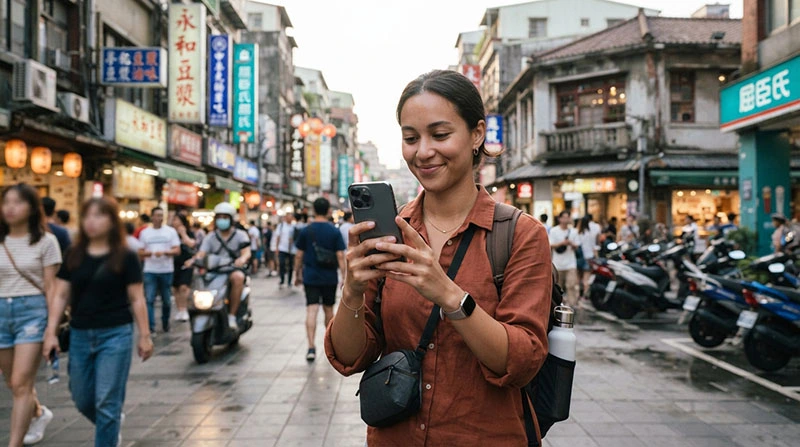

WhatsApp works in Taiwan through mobile data or WiFi. Travellers can continue using messages, voice calls, video calls, group chats and media sharing without changing their existing WhatsApp number.
A Taiwan travel eSIM can provide the internet connection WhatsApp needs. Because the eSIM is data-only, it does not replace the telephone number registered with your WhatsApp account. Your existing number normally remains connected to the application even when another SIM supplies mobile data.
Before travelling, install your Taiwan eSIM on stable WiFi. After arrival, enable the travel profile, select it for mobile data, turn on Data Roaming and disable automatic data switching.
Quick answer: Yes, WhatsApp works in Taiwan. Keep WhatsApp registered to your normal number and use a Taiwan eSIM or WiFi for messages, voice calls and video calls.
Top Taiwan eSIMs

Taiwan eSIM
Fixed
1 GB, 7 days€ 4.922 GB, 15 days€ 8.043 GB, 30 days€ 11.17Unlimited
Unlimited, 1 day€ 4.47Unlimited, 3 days€ 11.62Unlimited, 5 days€ 18.77
Can Tourists Use WhatsApp in Taiwan?
Yes. Tourists can use WhatsApp in Taiwan in the same way they use it at home, provided the phone has a working internet connection.
WhatsApp can be used for:
- Individual and group messages.
- Voice messages.
- WhatsApp voice calls.
- WhatsApp video calls.
- Photo and video sharing.
- Document sharing.
- Live location sharing.
- Communication with accommodation hosts and travel companions.
You do not need a Taiwanese telephone number to continue using an existing WhatsApp account.
Does WhatsApp Work With a Taiwan eSIM?
Yes. A Taiwan eSIM supplies mobile internet, while WhatsApp normally remains linked to the number you used when registering the account.
The two functions are separate:
| Service | Purpose |
|---|---|
| Taiwan eSIM | Provides mobile data in Taiwan |
| WhatsApp account | Remains registered to your existing number |
| Home SIM | Can remain available for calls, SMS and verification codes |
You do not need to move WhatsApp to the eSIM or change the number stored in the application.
Will WhatsApp Keep My Existing Number?
Yes. Installing or activating a data-only eSIM does not normally change your WhatsApp number.
When WhatsApp detects a new SIM or eSIM, it may ask whether you want to update your telephone number. Choose to keep your existing number unless you intentionally want to transfer the account.
Changing the number unnecessarily can affect:
- How contacts identify you.
- Existing account settings.
- Group notifications.
- Future verification attempts.
For a normal Taiwan trip, leave the WhatsApp number unchanged.
Does a Taiwan eSIM Include a Phone Number?
NoveSIM travel plans are data-only. They do not include:
- A Taiwanese telephone number.
- Traditional voice minutes.
- Standard SMS messages.
This does not prevent WhatsApp from working. WhatsApp calls and messages travel through the mobile internet connection rather than traditional voice or SMS services.
How to Set Up WhatsApp With a Taiwan eSIM
You usually do not need to change anything inside WhatsApp. The main setup takes place in your phone’s mobile data settings.
Before travelling
- Confirm that WhatsApp works on your existing number.
- Install the Taiwan eSIM using stable WiFi.
- Keep the eSIM profile installed.
- Do not change your WhatsApp number.
- Back up important conversations if desired.
After arriving in Taiwan
- Enable the Taiwan eSIM.
- Select it as the mobile data line.
- Enable Data Roaming on the travel eSIM.
- Disable Data Roaming on your home SIM.
- Disable automatic mobile data switching.
- Turn off WiFi and test WhatsApp.
Recommended SIM Settings for WhatsApp
| Setting | Taiwan eSIM | Home SIM |
|---|---|---|
| Enabled | Yes | Optional |
| Selected for mobile data | Yes | No |
| Data Roaming | Enabled | Disabled |
| Telephone number | Not included | Your usual number |
| WhatsApp registration | Keep the existing WhatsApp number | |
| Automatic data switching | Disabled | |
Can I Keep My Home SIM Active?
Yes. On a compatible Dual SIM phone, you can keep your regular SIM active while using the Taiwan eSIM for internet.
This can be useful for:
- Receiving bank verification messages.
- Keeping your usual number available.
- Receiving important SMS messages.
- Maintaining iMessage or similar services.
However, your home operator may charge roaming fees for traditional calls or SMS. Disable Data Roaming on the home SIM and avoid answering chargeable calls unless necessary.
Do I Need My Home SIM for WhatsApp?
Not for ordinary daily use. Once WhatsApp has been registered, it can use any working internet connection, including:
- A Taiwan eSIM.
- Hotel WiFi.
- Airport WiFi.
- A personal hotspot.
- Another mobile data connection.
You may need access to the registered number if WhatsApp requests a new verification code after reinstalling the application, changing phones or resetting the account.
Can I Remove My Home SIM?
WhatsApp can continue working after the home SIM is removed, provided the account remains registered and the phone has internet access.
Keeping the home SIM installed may still be useful for verification codes and urgent calls. On Dual SIM phones, there is usually no need to remove it.
Do WhatsApp Voice Calls Work in Taiwan?
Yes. WhatsApp voice calls use mobile data or WiFi rather than traditional telephone minutes.
Call quality depends on:
- Mobile signal strength.
- Network congestion.
- The remaining high-speed data.
- Whether the phone is moving.
- Background downloads.
- The other caller’s internet connection.
For clearer calls, use a stable 4G, LTE, 5G or reliable WiFi connection.
Do WhatsApp Video Calls Work in Taiwan?
Yes. Video calls work, but they use more data than messages or voice calls.
Video quality may fall when:
- The signal is weak.
- The network is crowded.
- Your plan is operating at reduced speed.
- A VPN is slowing the connection.
- Other applications are downloading files.
Use WiFi for long video calls when you want to conserve mobile data.
How Much Data Does WhatsApp Use?
Actual usage varies according to call quality, media size and application settings. Messages require very little data, while video calls and automatic media downloads require considerably more.
| WhatsApp Activity | Typical Data Impact |
|---|---|
| Text messages | Very low |
| Voice messages | Low |
| Photo sharing | Low to moderate |
| Voice calls | Moderate |
| Video calls | High |
| Large video sharing | High |
Travellers who mainly use WhatsApp messages, maps and ordinary browsing generally need much less data than travellers making frequent video calls.
How to Reduce WhatsApp Data Usage
Enable lower data usage for calls
Open WhatsApp settings, find Storage and Data, and enable the option that reduces data use for calls where available.
Restrict automatic media downloads
Configure photos, audio, videos and documents to download only on WiFi or when selected manually.
Use WiFi for backups
Conversation and media backups can consume substantial data. Set cloud backups to run over WiFi only.
Avoid sending original-quality videos
Large video files can consume a significant part of a fixed allowance.
Will WhatsApp Work on an Unlimited-Style eSIM?
Yes. WhatsApp can be used with an unlimited-style plan.
NoveSIM unlimited-style plans include 1GB of high-speed data during each 24-hour period. After the daily allowance is used, speed may be reduced until the next reset.
At reduced speed:
- Text messages may continue working normally.
- Voice messages may take longer to upload.
- Voice calls may be less stable.
- Video calls may become difficult.
- Large media files may load slowly.
For frequent video calls or large media transfers, a suitable fixed-data plan may offer more predictable high-speed usage.
Why Is WhatsApp Not Working With My Taiwan eSIM?
If WhatsApp cannot connect, first determine whether the problem affects WhatsApp only or all mobile internet.
- Turn off WiFi.
- Open a normal webpage.
- Try a map application.
- Send a WhatsApp message.
- Check whether other applications connect.
If no application works, the issue is likely with the eSIM settings rather than WhatsApp.
Check the Active Mobile Data Line
Confirm that the Taiwan eSIM, not your home SIM, is selected for mobile data.
On iPhone
Settings → Cellular → Cellular Data → Taiwan eSIM
On Samsung
Settings → Connections → SIM Manager → Mobile Data → Taiwan eSIM
On Google Pixel
Settings → Network & Internet → SIMs → Mobile Data → Taiwan eSIM
Enable Data Roaming
A travel eSIM normally connects through partner networks, so Data Roaming must be enabled on the travel profile.
Keep Data Roaming disabled on your home SIM to reduce the risk of charges from your regular operator.
Check the APN
If the phone shows signal but WhatsApp and other applications have no internet, check the APN.
| Field | Value |
|---|---|
| Name | NoveSIM or Taiwan |
| APN | data.esim |
| Username | Leave empty |
| Password | Leave empty |
On Android, save the new APN and select it as active. Then turn Airplane Mode on for 30 seconds.
WhatsApp Messages Are Delayed
Messages may arrive late when:
- Background data is restricted.
- Battery Saver limits WhatsApp.
- The mobile signal is weak.
- The phone is connected to unstable public WiFi.
- The high-speed allowance has been used.
- A VPN is delaying traffic.
Allow WhatsApp to use background mobile data and remove strict battery restrictions if immediate notifications are important.
WhatsApp Calls Keep Disconnecting
Call interruptions are usually related to connection stability rather than the account itself.
Try:
- Moving outdoors or near a window.
- Disconnecting from weak public WiFi.
- Using mobile data instead.
- Disabling a VPN temporarily.
- Closing cloud backups and downloads.
- Turning Airplane Mode on for 30 seconds.
- Restarting the phone.
WhatsApp Works on WiFi but Not on the eSIM
This usually means the application is working but the mobile data connection is not configured correctly.
Check that:
- The Taiwan eSIM is enabled.
- It is selected for mobile data.
- Data Roaming is enabled.
- Automatic data switching is disabled.
- The APN is data.esim.
- The plan has remaining data and validity.
WhatsApp Works on Mobile Data but Not on WiFi
The WiFi network may require a browser login, restrict internet calling or have an unstable connection.
Try:
- Open a browser and complete the WiFi login page.
- Forget and reconnect to the WiFi network.
- Disable any VPN temporarily.
- Switch back to the Taiwan eSIM.
Can I Receive a WhatsApp Verification Code in Taiwan?
WhatsApp verification is normally sent by SMS or an automated telephone call to the number being registered.
A data-only Taiwan eSIM cannot receive that standard SMS because it does not include a telephone number. The verification code must be received through the SIM associated with your WhatsApp number.
To avoid problems:
- Register WhatsApp before departure.
- Keep your home SIM available when possible.
- Do not reinstall WhatsApp unnecessarily.
- Do not change your registered number during the trip.
Can I Register WhatsApp With a Data-Only eSIM?
No. A data-only eSIM does not provide the telephone number required for initial WhatsApp registration.
You can still use the eSIM to provide internet after registering WhatsApp with another valid mobile number.
Does WhatsApp Work at Taiwan Airports?
Yes, once the eSIM has connected to a supported network or the phone is connected to airport WiFi.
After landing:
- Enable the Taiwan eSIM.
- Select it for mobile data.
- Enable Data Roaming.
- Wait several minutes for the first connection.
- Move away from underground arrival areas if necessary.
Does WhatsApp Work on Taiwan Trains?
WhatsApp can be used on trains where mobile coverage is available. Temporary interruptions may occur in tunnels, underground stations and remote mountain sections.
Messages normally send automatically when the connection returns.
Does WhatsApp Work Throughout Taiwan?
WhatsApp can work anywhere your phone has usable mobile data or WiFi.
You can use it while visiting:
- Taipei.
- Taichung.
- Tainan.
- Kaohsiung.
- Hualien.
- Sun Moon Lake.
- Kenting.
- Other covered areas.
Connection quality can vary in tunnels, mountain regions and isolated coastal locations.
Can I Use WhatsApp Through a Personal Hotspot?
Yes. A second phone, tablet or computer can use WhatsApp through a working hotspot connection where the application supports that device.
Hotspot use can consume data quickly, particularly when several devices run cloud backups, downloads or video calls.
Is WhatsApp or a Traditional Call Better in Taiwan?
| Option | Connection Used | Possible Cost |
|---|---|---|
| WhatsApp message | Mobile data or WiFi | Uses a small amount of data |
| WhatsApp voice call | Mobile data or WiFi | Uses plan data |
| WhatsApp video call | Mobile data or WiFi | Uses more plan data |
| Traditional call on home SIM | Home operator roaming | Roaming fees may apply |
For many travellers, WhatsApp is the more practical option for international communication because it uses the travel eSIM’s data rather than traditional roaming minutes.
Should You Delete the eSIM if WhatsApp Does Not Work?
No. Do not delete the travel eSIM while troubleshooting WhatsApp.
Many eSIM QR codes are valid for one installation only. Removing the profile may prevent reinstallation.
Check the mobile data line, Data Roaming, APN and remaining plan allowance first.
Can You Top Up the Taiwan eSIM?
NoveSIM plans cannot normally be topped up or extended using the same QR code. When the data or validity ends, purchase and install a new eSIM profile.
You need WiFi or another working internet connection to complete the new installation. Install the replacement before the current plan becomes unavailable whenever possible.
WhatsApp Troubleshooting Checklist
| Check | Correct Status |
|---|---|
| WhatsApp number | Keep existing number |
| Taiwan eSIM | Enabled |
| Mobile data line | Taiwan eSIM selected |
| Data Roaming | Enabled on travel eSIM |
| Automatic data switching | Disabled |
| APN | data.esim |
| Background data | Allowed for WhatsApp |
| VPN during testing | Temporarily disabled |
Related Articles
- How to Use an eSIM in Taiwan
- No Internet With a Taiwan eSIM
- eSIM Not Working in Taiwan
- APN Settings for a Taiwan eSIM
- How Much Data Do You Need for Taiwan?
FAQ
Does WhatsApp work in Taiwan?
Yes. WhatsApp works through mobile data or WiFi and supports messages, voice calls, video calls and media sharing.
Will WhatsApp keep my normal number with a Taiwan eSIM?
Yes. A data-only eSIM provides internet while WhatsApp normally remains registered to your existing telephone number.
Do I need a Taiwanese number for WhatsApp?
No. You can continue using the account registered to your home number.
Can I make WhatsApp calls with a Taiwan eSIM?
Yes. Voice and video calls use the eSIM’s mobile data connection.
Can a data-only eSIM receive a WhatsApp verification code?
No. Verification is sent to the telephone number registered with WhatsApp. Keep access to that SIM if a new verification is required.
Why does WhatsApp work on WiFi but not mobile data?
Check that the Taiwan eSIM is selected for mobile data, Data Roaming is enabled and the APN is data.esim.
How much data do WhatsApp calls use?
Voice calls use a moderate amount of data, while video calls require considerably more. Actual consumption depends on duration and call quality.
Should I change my WhatsApp number after installing the eSIM?
No. Keep your existing number unless you intentionally want to transfer your WhatsApp account.
Final Recommendation
WhatsApp works in Taiwan through a travel eSIM or WiFi. Install the Taiwan eSIM before departure, then select it for mobile data and enable Data Roaming after arrival.
Keep WhatsApp registered to your existing number. You do not need a Taiwanese telephone number, and installing a data-only eSIM should not change your account.
To reduce data usage, limit automatic media downloads, use WiFi for backups and avoid long video calls when your high-speed allowance is limited. If WhatsApp does not connect, test another application and verify the active mobile data line, roaming setting and data.esim APN.