


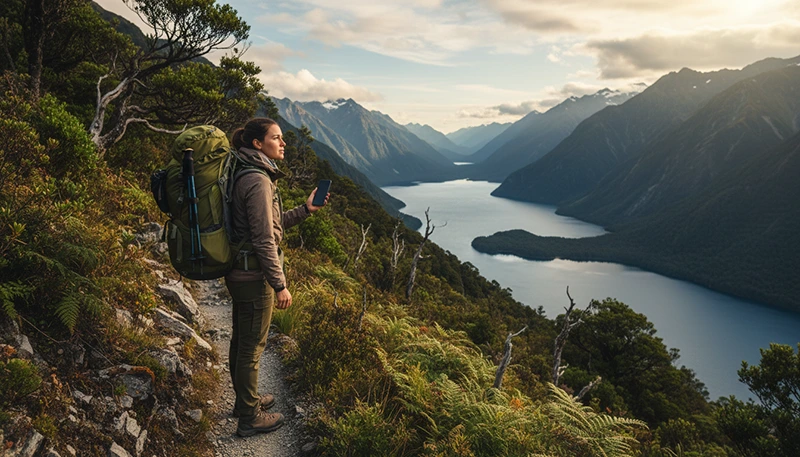

New Zealand Great Walks are some of the most famous hiking trails in the world, offering spectacular landscapes, remote wilderness and unforgettable outdoor experiences.
However, many Great Walks are located far away from cities and mobile infrastructure. Hikers should understand how internet access works on these trails and prepare before entering areas where mobile coverage may disappear.
Quick answer: Internet access on New Zealand Great Walks is limited and varies by location. A travel eSIM provides mobile data in areas with network coverage, but hikers should always download offline maps and prepare for sections with no connection.
Top New Zealand eSIMs

New Zealand eSIM
Fixed
1 GB, 7 days€ 2.182 GB, 15 days€ 3.933 GB, 30 days€ 5.24Unlimited
Unlimited, 1 day€ 2.62Unlimited, 3 days€ 6.54Unlimited, 5 days€ 10.47
Asia eSIM
Fixed
1 GB, 7 days€ 4.362 GB, 15 days€ 7.853 GB, 30 days€ 10.47Unlimited
Unlimited, 1 day€ 5.67Unlimited, 3 days€ 15.27Unlimited, 5 days€ 24.87Can You Get Internet on New Zealand Great Walks?
Internet access on New Zealand Great Walks depends on the trail, terrain and distance from mobile towers.
Some areas may have:
- Mobile signal near trail entrances.
- Coverage close to towns.
- Connection in open elevated areas.
- Limited service near some huts.
Many remote sections may have:
- No mobile signal.
- No internet access.
- Limited ability to make online updates.
This is normal for wilderness hiking and is not necessarily a problem with your phone or eSIM.
Why Internet Is Limited on Great Walks
New Zealand’s Great Walks pass through some of the most remote landscapes in the country.
Factors affecting connectivity include:
- Mountain ranges blocking signals.
- Dense native forests.
- Remote valleys.
- Low population density.
- Distance from mobile towers.
The same natural environment that makes these trails special also makes mobile coverage challenging.
Mobile Coverage on Popular New Zealand Great Walks
| Great Walk | Internet Availability |
|---|---|
| Milford Track | Very limited in remote sections |
| Routeburn Track | Variable due to alpine terrain |
| Kepler Track | Variable between forests and ridges |
| Abel Tasman Coast Track | Some areas may have better connectivity |
| Tongariro Northern Circuit | Limited in mountain areas |
Using a New Zealand eSIM for Great Walks
A New Zealand travel eSIM is useful for hikers before and after their Great Walk adventure.
It helps with:
- Checking weather forecasts.
- Booking transport.
- Communicating before entering the trail.
- Downloading maps.
- Sharing updates when connected.
During the hike itself, availability depends on mobile network coverage.
Best Mobile Networks for New Zealand Hiking
New Zealand has three major mobile networks:
| Network | Suitable For |
|---|---|
| Spark | Often preferred for wider rural coverage |
| One NZ | Strong in cities and tourist areas |
| 2degrees | Good in populated locations |
For Great Walks, no network guarantees coverage everywhere because the terrain is the biggest factor.
Internet Before Starting a Great Walk
The most important time to have internet is before entering the trail.
Before your hike:
- Download offline maps.
- Check weather conditions.
- Confirm transport details.
- Save accommodation information.
- Download emergency contacts.
Once you start the hike, you should be prepared to continue without internet.
Offline Maps Are Essential for Great Walks
Offline maps are one of the most important tools for hiking in New Zealand.
Recommended options include:
- Google Maps offline areas.
- Outdoor hiking navigation apps.
- NZ Topo Maps.
- Downloaded trail information.
Offline maps allow you to:
- See your location.
- Follow routes.
- Navigate without mobile data.
- Plan distances and stops.
Internet Setup for Multi-Day Hiking Trips
| Tool | Purpose |
|---|---|
| Travel eSIM | Internet before and after the trail |
| Offline maps | Navigation without signal |
| Power bank | Keep devices charged |
| Downloaded information | Access important details offline |
Can You Use WhatsApp on New Zealand Great Walks?
WhatsApp works normally when you have mobile data or WiFi connection.
During remote hiking sections:
- Messages may not send immediately.
- Photos may wait until you reconnect.
- Calls require an active internet connection.
Many hikers simply send updates when reaching areas with coverage.
How Much Data Do You Need for a Great Walk?
Great Walk hikers usually do not need large amounts of data because most time is spent offline.
| Usage | Recommended Data |
|---|---|
| Maps and messages | 1–3GB |
| Long hiking trip | 3–5GB |
| Combined New Zealand travel | 5–10GB |
What to Do If There Is No Internet During a Great Walk
No internet is normal in remote New Zealand.
If you lose connection:
- Continue using offline maps.
- Save battery power.
- Wait until reaching coverage again.
- Follow your planned route.
Do not depend only on your phone for navigation or emergency situations in remote wilderness.
Recommended New Zealand eSIM Settings
| Setting | Recommended |
|---|---|
| Mobile Data | New Zealand travel eSIM |
| Data Roaming | Enabled on eSIM |
| Main SIM roaming | Disabled |
| Network Selection | Automatic |
| APN | data.esim |
Great Walk Connectivity Checklist
- Install your eSIM before travelling.
- Download offline maps.
- Check the weather forecast.
- Save transport details.
- Charge your phone.
- Carry a power bank.
- Inform someone about your hiking plans.
Related New Zealand Hiking Connectivity Guides
- Mobile Coverage Great Walks New Zealand
- Internet for Hiking New Zealand
- Mobile Data New Zealand Hiking
- Offline Maps New Zealand Travel
- New Zealand eSIM
FAQ
Is there internet on New Zealand Great Walks?
Internet availability is limited and depends on location. Some areas have signal, while many remote sections do not.
Will my eSIM work on New Zealand hiking trails?
It works where partner networks provide coverage. Remote areas may have no mobile service.
Do I need offline maps for Great Walks?
Yes. Offline maps are strongly recommended for all multi-day hikes.
Can I use WhatsApp during a Great Walk?
Yes, when you have internet access. Remote sections may have no connection.
How do hikers stay connected in remote New Zealand?
Most hikers combine mobile data, offline maps and good preparation before entering remote areas.
Final Recommendation
Internet on New Zealand Great Walks is useful, but hikers should not expect continuous connectivity throughout the trails.
The best approach is to use a travel eSIM for connected areas, download offline maps before starting and prepare for sections without mobile service.
With the right preparation, you can enjoy New Zealand’s legendary hiking trails while staying connected whenever possible.