


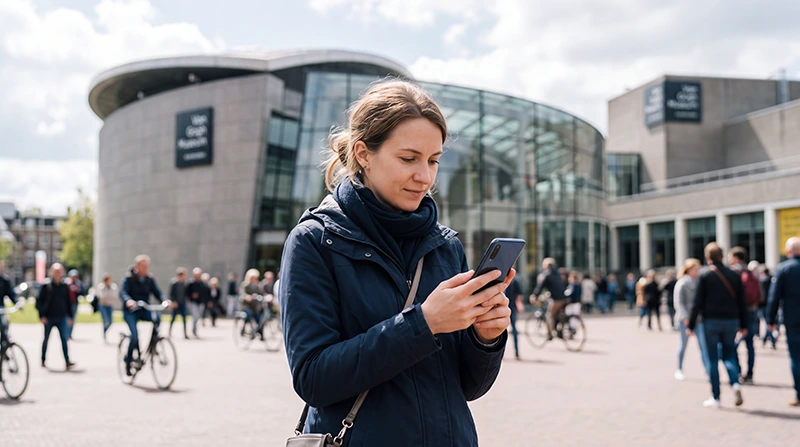

Visitors to the Van Gogh Museum can get internet through museum WiFi, international roaming, a local prepaid SIM card or a Netherlands travel eSIM.
Internet access is useful for opening digital tickets, checking your reserved entry time, navigating to Museumplein and planning the rest of your day in Amsterdam.
Quick answer: museum WiFi may help with short tasks inside the building, but a Netherlands travel eSIM is more practical when you also need mobile data before and after your visit.
Top Netherlands eSIMs

Netherlands eSIM
Fixed
1 GB, 7 days€ 2.242 GB, 15 days€ 3.583 GB, 30 days€ 4.48Unlimited
Unlimited, 1 day€ 2.24Unlimited, 3 days€ 5.37Unlimited, 5 days€ 8.06
Europe Extra eSIM
Fixed
1 GB, 7 days€ 2.242 GB, 15 days€ 3.583 GB, 30 days€ 4.48Unlimited
Unlimited, 1 day€ 2.69Unlimited, 3 days€ 5.37Unlimited, 5 days€ 8.95Europe+ eSIM
Fixed
1 GB, 7 days€ 2.692 GB, 15 days€ 4.033 GB, 30 days€ 5.37Unlimited
Unlimited, 1 day€ 2.69Unlimited, 3 days€ 6.27Unlimited, 5 days€ 10.29Best Internet Options at the Van Gogh Museum
| Option | Best For | Main Limitation |
|---|---|---|
| Travel eSIM | Continuous mobile data throughout Amsterdam | Requires a compatible unlocked phone |
| Museum WiFi | Short online tasks inside the museum | Coverage and access conditions may vary |
| Home SIM roaming | Immediate connection without extra installation | Charges depend on your operator |
| Local prepaid SIM | Travellers needing a Dutch number | Requires a physical purchase and activation |
Why You May Need Internet During Your Visit
Mobile internet can help before, during and after your museum visit.
- Opening your digital admission ticket.
- Checking your reserved entry time.
- Finding the correct entrance.
- Using tram and walking directions.
- Checking nearby cafés and attractions.
- Contacting your hotel or travel group.
- Managing other timed museum bookings.
Save your ticket as a screenshot or downloadable file before arrival in case the connection is temporarily weak.
Is WiFi Available at the Van Gogh Museum?
Visitor WiFi may be available inside the museum or in selected public areas. Access, speed and coverage can vary.
WiFi may be useful for:
- Opening digital visitor information.
- Sending messages.
- Checking museum details.
- Accessing online travel documents.
However, museum WiFi will not normally provide internet while travelling to Museumplein or exploring Amsterdam after your visit.
How to Connect to Museum WiFi
- Open the WiFi settings on your phone.
- Select the official museum network.
- Open the login page when prompted.
- Accept the connection conditions.
- Wait until your phone confirms the connection.
If the login page does not appear, open a browser and visit a new webpage. Avoid connecting to unfamiliar networks with similar names.
Is Museum WiFi Safe?
Public WiFi should be used carefully, particularly for sensitive accounts or payments.
- Connect only to the official network.
- Avoid online banking when possible.
- Use websites protected by HTTPS.
- Disable automatic file sharing.
- Forget the network after leaving.
- Prefer mobile data for sensitive activity.
Using a Netherlands Travel eSIM
A travel eSIM gives you mobile data throughout Amsterdam without requiring a physical SIM card. It can be installed before departure and activated after arrival.
It is useful for:
- Google Maps and walking directions.
- Tram, bus and train information.
- Digital museum tickets.
- WhatsApp messages and calls.
- Restaurant reservations.
- Navigation around Museumplein.
Browse Netherlands eSIM plans.
How to Activate Your eSIM
- Install the eSIM before departure using reliable WiFi.
- Enable the Netherlands eSIM after arrival.
- Select it for Mobile Data.
- Turn on Data Roaming for the travel eSIM.
- Keep Data Roaming off on your primary SIM.
- Disable Automatic Data Switching.
- Keep Network Selection on Automatic.
- Wait several minutes for connection.
Turn off WiFi temporarily and open a webpage to confirm that mobile data is working.
Recommended eSIM Settings
| Setting | Recommended Value |
|---|---|
| Netherlands eSIM | Enabled |
| Mobile Data | Netherlands eSIM |
| Data Roaming on travel eSIM | On |
| Data Roaming on primary SIM | Off |
| Automatic Data Switching | Off |
| Network Selection | Automatic |
| APN | data.esim when required |
Can You Buy a SIM Card at the Museum?
The Van Gogh Museum is a cultural attraction rather than a telecommunications shop. You should not rely on buying a prepaid SIM card inside or directly beside the museum.
Physical SIM cards are more likely to be available from operator stores, electronics retailers, supermarkets and convenience shops elsewhere in Amsterdam.
A physical SIM is most useful when your phone does not support eSIM or when you need a Dutch telephone number.
Internet Around Museumplein
The Van Gogh Museum is located near the Rijksmuseum, Stedelijk Museum and other attractions around Museumplein. Mobile data is useful when visiting several locations on the same day.
You may need it to:
- Open timed-entry tickets.
- Check walking routes between museums.
- Find the nearest tram stop.
- Check restaurant availability.
- Contact members of your travel group.
- Navigate back to your accommodation.
Read the internet guide for the Rijksmuseum.
Will WhatsApp Work at the Van Gogh Museum?
Yes. WhatsApp works through museum WiFi or mobile data from a travel eSIM.
A data-only travel eSIM does not normally change the number registered with WhatsApp. Keep your existing account and use the Netherlands eSIM for internet access.
Read how WhatsApp works in the Netherlands.
How Much Data Do You Need?
| Activity | Typical Data Use |
|---|---|
| Maps and ticket access | Low |
| WhatsApp messages | Low |
| Photo uploads | Moderate |
| Video calls | High |
| Streaming and video uploads | Very high |
Maps, tickets and messaging use relatively little data. Streaming and frequent photo or video uploads consume much more.
NoveSIM unlimited plans include 1 GB of high-speed data per 24-hour period. After the daily allowance is used, speed may be reduced until the next reset.
How to Reduce Mobile Data Use
- Save your museum ticket offline.
- Download an offline map of central Amsterdam.
- Pause cloud photo backups.
- Disable automatic app updates.
- Use hotel WiFi for large uploads.
- Turn off automatic video playback.
What If the eSIM Has No Internet?
- Confirm that the Netherlands eSIM is selected for Mobile Data.
- Turn on Data Roaming for the travel eSIM.
- Disable Automatic Data Switching.
- Keep Network Selection on Automatic.
- Check that the APN is data.esim.
- Turn Airplane Mode on for 30 seconds.
- Turn it off and wait several minutes.
Signal can be weaker inside some interior areas. Move closer to an entrance or outdoor area before changing advanced settings.
Do not delete the eSIM during troubleshooting because the QR code may support only one installation.
Fix a Netherlands eSIM with no internet.
Best Option for Different Visitors
| Visitor | Recommended Option |
|---|---|
| Van Gogh Museum and Amsterdam visit | Netherlands travel eSIM |
| Multiple Museumplein attractions | Netherlands travel eSIM |
| Multi-country Europe trip | Regional Europe eSIM |
| Phone without eSIM support | Physical prepaid SIM |
| Only needs access inside the museum | Museum WiFi when available |
| Needs a Dutch telephone number | Local physical SIM |
Related Amsterdam Internet Guides
- Netherlands eSIM Plans
- Internet in Amsterdam for Tourists
- Internet at the Rijksmuseum
- Internet at Amsterdam Airport
- How to Use an eSIM in the Netherlands
- No Internet on a Netherlands eSIM
FAQ
Is WiFi available at the Van Gogh Museum?
Visitor WiFi may be available inside the museum, but access conditions, coverage and speed can vary.
What is the easiest way to get internet during a Van Gogh Museum visit?
A Netherlands travel eSIM is usually the easiest option for continuous internet before, during and after your visit.
Can I buy a SIM card at the Van Gogh Museum?
You should not rely on buying a SIM card at the museum. Purchase one elsewhere in Amsterdam or use a travel eSIM.
Will mobile data work inside the museum?
It may work in many areas, but signal strength can vary inside the building.
Will WhatsApp keep my existing number?
Yes. WhatsApp continues using the number already registered to your account while the eSIM supplies mobile data.
Do I need Data Roaming enabled?
Yes. Enable Data Roaming on the travel eSIM and keep it disabled on your primary SIM.
What APN should I use for NoveSIM?
Use data.esim when manual APN configuration is required.
Final Recommendation
Museum WiFi may be useful for short tasks inside the Van Gogh Museum, but a Netherlands travel eSIM provides continuous internet throughout Amsterdam.
Install the eSIM before departure, select it for Mobile Data after arrival and enable Data Roaming. Keep Automatic Data Switching off to avoid accidental data use through your primary SIM.
Save your museum ticket offline and use mobile data for navigation, transport updates and the rest of your Museumplein itinerary.