
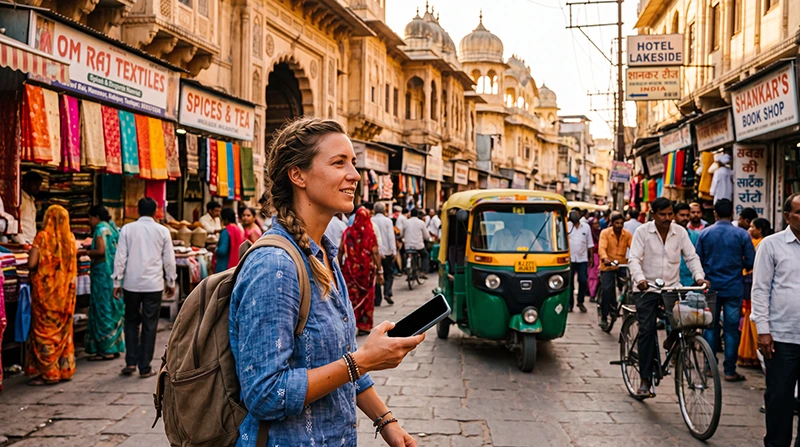

Traveler using Google Maps and an India eSIM for navigation in India

Google Maps in India: Navigation, Offline Maps and Travel Guide

Google Maps is one of the most useful apps for travelling in India. It can help you navigate enormous cities, locate railway stations, find airport terminals, reach hotels hidden in narrow streets, compare driving routes and discover restaurants or attractions near your location.

India is an enormous and highly varied country. A single trip may include modern business districts, historic old cities, mountain roads, rural villages, tropical beaches and long railway journeys. Google Maps works well in many of these situations, but visitors should understand its limitations and prepare offline information before entering areas with weaker mobile coverage.

The app is most useful when combined with a reliable mobile data connection. An India eSIM allows you to use live navigation, traffic information, location sharing and local searches without depending entirely on hotel, airport or café WiFi.

Quick answer: Google Maps works in India and is useful for walking, driving, public transport, restaurants, hotels and live location sharing. Download offline maps before long journeys, save your accommodation as a pin and keep an India eSIM active for live traffic and navigation updates.

Top India eSIMs

Does Google Maps Work in India?

Yes. Google Maps works throughout India and is widely used by both residents and international visitors. It can provide navigation and location information in major cities, tourist destinations and many smaller towns.

Travellers commonly use Google Maps in India for:

  • Walking directions.
  • Driving navigation.
  • Public transport information.
  • Finding hotels and guesthouses.
  • Locating railway stations.
  • Finding airport terminals.
  • Checking live traffic.
  • Searching for restaurants and cafés.
  • Saving tourist attractions.
  • Sharing a live location.
  • Following road-trip routes.
  • Finding pharmacies, hospitals and ATMs.

Coverage and map detail are generally strongest in cities and established tourist areas. In remote villages, deserts, forests and mountain regions, road data and mobile coverage may be less dependable.

Why Google Maps Is Essential for India Travel

Indian cities can be large, densely populated and difficult to understand during a first visit. A hotel may be located inside a narrow lane that is inaccessible by car, while a railway station may have several entrances spread across a wide area.

Google Maps can help reduce uncertainty by showing your current location and the approximate position of your destination. It can also help you recognise whether a driver is moving in the expected direction.

The app is especially useful for:

  • First-time visitors.
  • Solo travellers.
  • Backpackers using trains and buses.
  • Families travelling between attractions.
  • Couples on multi-city holidays.
  • Business travellers moving between meetings.
  • Digital nomads searching for coworking spaces.
  • Road trippers travelling across several states.

Best Google Maps Features for India Travel

Feature Best Use in India Needs Internet?
Walking navigation Old cities, markets and tourist districts Usually yes
Driving directions Road trips, taxis and private drivers Live updates require data
Offline maps Remote areas and travel days No after download
Traffic layer Delhi, Mumbai, Bangalore and other busy cities Yes
Public transport Metro, train and bus route planning where available Yes
Saved places Hotels, restaurants and attractions Partly
Location sharing Families, couples and solo travellers Yes
Trip progress sharing Taxi journeys and arrival coordination Yes
Reviews and photos Restaurants, hotels and attractions Yes
Street View Recognising buildings and entrances where available Yes

How Accurate Is Google Maps in India?

Google Maps is generally accurate in major Indian cities, established tourist destinations and along major highways. However, no navigation app is perfect, and accuracy can vary in old-city lanes, newly constructed districts, rural roads and remote mountain regions.

Possible issues include:

  • A hotel entrance appearing on the wrong side of a building.
  • A road shown as accessible even though it is too narrow for a car.
  • A temporary road closure not appearing immediately.
  • A private road appearing as a public shortcut.
  • A village property having no precise street address.
  • A business pin being placed slightly incorrectly.
  • Walking directions leading through an unsuitable path.
  • Road-trip routes selecting an overly narrow local road.

When travelling to a hotel, desert camp, mountain guesthouse or rural homestay, ask the property to send its exact Google Maps pin through WhatsApp. Save the location before beginning the journey.

Google Maps in Large Indian Cities

Google Maps is particularly valuable in large cities where traffic, long distances and complex neighbourhood layouts can make travel difficult.

City Google Maps Usefulness Main Travel Challenge
Delhi Excellent Large distances and heavy traffic
Mumbai Excellent Traffic and complex suburban geography
Bangalore Excellent Traffic and rapidly changing roads
Hyderabad Excellent Long transfers between districts
Chennai Excellent Large urban area and busy roads
Kolkata Very Good to Excellent Dense streets and historic neighbourhoods
Jaipur Excellent Busy old-city areas
Varanasi Useful with limitations Narrow lanes near the ghats

Using Google Maps in Delhi

Delhi is one of the largest and busiest cities in India. Google Maps helps visitors navigate between the airport, New Delhi Railway Station, Old Delhi, Connaught Place, India Gate and other major districts.

Use the traffic layer before leaving your hotel because travel time can change considerably throughout the day.

When navigating to Old Delhi, remember that some lanes are too narrow for cars. A taxi may need to drop you several minutes away from the final destination.

Read the internet guide for Delhi tourists.

Using Google Maps in Mumbai

Mumbai extends across a long coastal metropolitan area. Google Maps is useful for comparing road routes, locating suburban railway stations and estimating travel times between districts.

Save your hotel and airport terminal before travelling. Mumbai has separate airport terminal areas, and choosing the wrong destination can lead to a significant delay.

Read the internet guide for Mumbai tourists.

Using Google Maps in Bangalore

Bangalore is known for heavy traffic and long travel times between business districts. Google Maps traffic information is particularly useful when travelling between the airport, Whitefield, Electronic City, Koramangala, Indiranagar and the central business area.

Do not judge distance only by kilometres. A relatively short journey can take much longer during peak traffic.

Read the internet guide for Bangalore tourists.

Using Google Maps in Varanasi

Google Maps can help you reach the general area of a hotel or ghat in Varanasi, but navigation becomes more difficult inside the narrow lanes of the old city.

Some guesthouses cannot be reached by car, auto-rickshaw or taxi. Ask your accommodation for:

  • An exact map pin.
  • The nearest vehicle-accessible drop-off point.
  • Walking directions from the drop-off point.
  • A recognisable nearby landmark.
  • A contact number for assistance.

Read the internet guide for Varanasi tourists.

How to Download Google Maps for Offline Use

Offline maps are one of the most important tools for travelling around India. Once an area is downloaded, you can access the map and use supported navigation features even when mobile coverage is weak or unavailable.

How to Download an Offline Map on Android

  1. Open Google Maps.
  2. Tap your profile picture or account icon.
  3. Select Offline Maps.
  4. Tap Select Your Own Map.
  5. Move and resize the map area.
  6. Tap Download.

How to Download an Offline Map on iPhone

  1. Open Google Maps.
  2. Tap your profile picture or account icon.
  3. Select Offline Maps.
  4. Choose the area you want to save.
  5. Tap Download.

Download maps while connected to reliable WiFi because large areas can require considerable storage and data.

Which India Maps Should You Download?

Download separate areas based on your itinerary rather than trying to save the entire country in one map.

Itinerary Recommended Offline Areas
Golden Triangle Delhi, Agra and Jaipur
Rajasthan trip Jaipur, Udaipur, Jodhpur and Jaisalmer
Goa holiday North Goa, Panjim and South Goa
Kerala trip Kochi, Alleppey, Varkala and Kovalam
Himalayan trip Rishikesh, Shimla, Manali and surrounding roads
Business trip Airport, hotel and meeting districts
Backpacking route Each major city plus connecting regions

Limitations of Offline Google Maps

Offline maps are extremely useful, but they do not provide every feature available with an active internet connection.

Depending on the device, location and downloaded information, offline use may not include:

  • Current traffic conditions.
  • Live public transport updates.
  • Recent road closures.
  • New business reviews.
  • Live opening hours.
  • Real-time route changes.
  • Current taxi availability.
  • Live location sharing.

Use offline maps as a backup rather than a complete replacement for mobile data.

How Much Storage Do Offline Maps Need?

The required storage depends on the size and detail of the selected area. A major metropolitan area may require considerably more space than a small town.

Before downloading maps:

  • Check the available phone storage.
  • Delete unused downloads.
  • Download only the regions you need.
  • Update important maps before travelling.
  • Keep extra storage available for photos and videos.

Using Google Maps for Walking in India

Walking navigation is useful in tourist districts, markets and city centres. However, pedestrians should remain aware of local conditions rather than focusing continuously on the phone screen.

Walking routes may pass through:

  • Very busy roads.
  • Narrow market lanes.
  • Uneven pavements.
  • Areas without dedicated pedestrian crossings.
  • Private or restricted passages.
  • Steep paths in hill towns.

Stop in a safe place before checking the map. Do not hold your phone close to the road while standing near traffic.

Using Google Maps for Driving in India

Google Maps is useful for road trips and private-driver journeys, but drivers should use their judgement and follow local signs.

Before a long drive:

  • Download the route offline.
  • Save the hotel location.
  • Check alternative routes.
  • Save fuel stations.
  • Review the road with the hotel or driver.
  • Check weather conditions.
  • Avoid unfamiliar shortcuts through rural roads.

On remote routes, the fastest route shown by the app may not always be the safest or most practical route for the vehicle.

Read the complete India road-trip internet guide.

Using Google Maps on Indian Trains

Google Maps can show your approximate position while travelling by train, provided the phone can receive GPS signals and mobile data is available for updated map information.

It is useful for:

  • Following your progress.
  • Estimating when you are approaching the destination.
  • Locating the arrival station.
  • Finding the route from the station to the hotel.
  • Sharing your arrival progress.

Mobile coverage may disappear temporarily in rural areas, tunnels and mountain regions. Download the arrival city before boarding.

Read the internet guide for Indian train travel.

Using Google Maps for Public Transport in India

Google Maps may provide metro, train and bus information in supported locations. Availability and detail vary between cities and individual transport networks.

Public transport information may include:

  • Metro lines.
  • Railway routes.
  • Bus routes.
  • Walking connections.
  • Suggested transfers.
  • Estimated journey times.

For important journeys, compare Google Maps with official local transport information. Save station names and route numbers before leaving WiFi.

Finding Railway Stations with Google Maps

Indian cities may have several major railway stations. Selecting the wrong one can cause a missed train, even when the station names appear similar.

Before departure:

  • Check the station name on the ticket.
  • Search for the exact station in Google Maps.
  • Verify the station code.
  • Save the entrance closest to your platform where possible.
  • Allow extra travel time.
  • Take a screenshot of the station location.

Finding Airports and Terminals

Always search for the precise airport terminal rather than only the airport name. Large airports may have different domestic and international terminal areas.

Save:

  • The airport code.
  • The departure terminal.
  • The airline check-in area.
  • The vehicle drop-off point.
  • The route from your hotel.

Read the internet guide for domestic flights in India.

Using Google Maps to Find Hotels

Google Maps is useful for checking the position of a hotel before booking. It can show nearby roads, railway stations, restaurants and attractions.

Before confirming a reservation, check:

  • Distance from the station or airport.
  • Nearby transport options.
  • Guest photos of the entrance.
  • Recent reviews.
  • Whether the property is located inside a narrow lane.
  • Whether the neighbourhood matches your itinerary.

Do not rely only on the map pin. Compare it with the address provided by the booking platform and contact the property if anything appears inconsistent.

Using Google Maps to Find Restaurants

Google Maps can help travellers search for restaurants by cuisine, rating, distance and opening time.

Useful search phrases include:

  • Restaurants near me.
  • Vegetarian restaurant.
  • Family restaurant.
  • Breakfast near me.
  • Café with WiFi.
  • Restaurant open now.
  • Pharmacy near me.
  • ATM near me.

Read several recent reviews rather than relying only on the average rating. Opening hours and business information can occasionally be outdated.

Saving Places in Google Maps

Saving locations before a trip makes navigation faster and reduces the risk of choosing a similarly named business.

Create saved lists for:

  • Hotels.
  • Railway stations.
  • Airports.
  • Restaurants.
  • Tourist attractions.
  • Hospitals and pharmacies.
  • Coworking spaces.
  • Meeting locations.
  • Fuel stations.
  • Emergency points.

You can create separate lists for each city or region.

How to Share Your Live Location

Location sharing can help couples, families and groups stay connected while travelling independently.

You may use it to:

  • Share your position with a travel companion.
  • Show family where you are during a taxi journey.
  • Coordinate meeting points.
  • Share trip progress while navigating.
  • Help a hotel or driver locate you.

Only share your live location with people you trust, and stop sharing when it is no longer necessary.

Sharing Trip Progress During a Taxi Ride

Google Maps can allow you to share your journey progress after navigation has started. This can be helpful during airport transfers or late-night taxi journeys.

The person receiving the update may be able to follow your progress until you reach the destination or stop sharing.

Google Maps and Ride-Hailing Apps

Google Maps is useful alongside Uber, Ola and other transport apps. Use Maps to confirm the location, then enter or select the same destination in the ride-hailing application.

Before confirming a ride:

  • Check the map pin.
  • Confirm the hotel or attraction name.
  • Verify the pickup point.
  • Compare the expected route.
  • Save the destination offline.

Google Maps for Rajasthan Travel

Google Maps generally works well in Jaipur, Udaipur, Jodhpur and other Rajasthan cities. Coverage may become less reliable on remote desert roads and near isolated camps.

For desert accommodation, ask for exact coordinates rather than relying on a written address.

Read the internet guide for Rajasthan tourists.

Google Maps in Goa

Google Maps is useful for travelling between Goa’s beaches, towns, restaurants and accommodation. Some smaller coastal roads can be narrow or poorly lit, so review the route before driving a scooter or car.

Download maps for both North and South Goa if you plan to explore the entire region.

Google Maps in Kerala

Google Maps works well in Kochi, Varkala, Kovalam and other populated areas. Connectivity can become weaker on backwater routes, forest roads and hill-station journeys.

When visiting a houseboat or rural resort, save the boarding or meeting point rather than only the company’s office address.

Google Maps in the Indian Himalayas

Google Maps is helpful in Rishikesh, Shimla, Manali, Leh and other Himalayan towns. However, travellers should be especially cautious on remote mountain roads.

Possible limitations include:

  • No mobile coverage.
  • Temporary road closures.
  • Weather-related route changes.
  • Roads unsuitable for some vehicles.
  • Missing or outdated information.
  • Long detours caused by mountain terrain.

Download offline maps, confirm the route locally and never depend entirely on a phone for remote mountain navigation.

How Much Mobile Data Does Google Maps Use?

Google Maps usually consumes relatively little mobile data compared with video streaming, video calls or social media. Actual usage depends on route length, map detail, satellite imagery, searches and how often the route changes.

Google Maps Activity Expected Data Usage
Basic live navigation Low
Searching for places Low
Loading business photos Moderate
Using satellite view Higher
Downloading offline maps Potentially high
Location sharing Low to Moderate

Download large offline map areas through hotel WiFi rather than mobile data.

How Much Data Do You Need for Google Maps in India?

Trip Type Suggested Total Data
Three-day city break 3–5 GB
One-week holiday 8–10 GB
Two-week multi-city trip 15–25 GB
One-month backpacking trip 30–50 GB
Frequent hotspot and video use High-data or unlimited option

Google Maps itself is unlikely to use most of the allowance. Video, social media, cloud backups and hotspot use normally consume much more.

Why an India eSIM Is Useful for Google Maps

Offline maps provide a valuable backup, but live mobile data makes Google Maps much more useful.

With an India eSIM, you can access:

  • Current traffic information.
  • Live route changes.
  • Recent business information.
  • Location sharing.
  • Trip-progress sharing.
  • Restaurant and hotel searches.
  • Ride-hailing pickup locations.
  • Updated public transport information.

An India eSIM can be installed before departure and used while keeping your normal SIM card active.

Browse India eSIM plans.

Recommended Mobile Settings for Google Maps

Setting Recommended Value
India eSIM Enabled
Mobile Data India eSIM
Calls and SMS Primary SIM
Data Roaming on India eSIM On
Data Roaming on primary SIM Off
Automatic Data Switching Off
Network Selection Automatic
Location Services Enabled for Google Maps
Preferred Network 5G Auto or 4G/LTE
APN data.esim if required

India eSIM APN Settings

Most compatible smartphones configure the APN automatically. If your phone shows a mobile signal but Google Maps and other apps do not load, check the following settings.

Field Value
Name NoveSIM
APN data.esim
Username Leave blank
Password Leave blank
Authentication None

What to Do If Google Maps Is Not Working

  1. Confirm that Mobile Data is enabled.
  2. Check that the India eSIM is selected for Mobile Data.
  3. Enable Data Roaming on the India eSIM.
  4. Confirm that Location Services are enabled.
  5. Allow Google Maps to access your location.
  6. Keep Network Selection on Automatic.
  7. Verify that the APN is data.esim.
  8. Turn Airplane Mode on for 30 seconds.
  9. Turn it off and wait several minutes.
  10. Restart the phone.
  11. Open a previously downloaded offline map.

Do not delete the eSIM while troubleshooting. If you are in a remote region, the issue may simply be the absence of local mobile coverage.

What to Do If Your Location Is Incorrect

If the blue location marker appears in the wrong place:

  • Move outdoors or closer to a window.
  • Confirm that Location Services are enabled.
  • Turn WiFi and Bluetooth scanning on if appropriate.
  • Calibrate the compass when prompted.
  • Close and reopen Google Maps.
  • Restart the phone.
  • Wait for the GPS position to update.

Dense buildings, indoor areas, tunnels and mountain terrain can temporarily reduce positioning accuracy.

How to Save Battery While Using Google Maps

Continuous navigation can use significant battery power, especially when the display remains on and mobile data, GPS and Bluetooth are active.

  • Carry a charged power bank.
  • Reduce screen brightness.
  • Use voice navigation.
  • Turn the screen off on simple route sections.
  • Close unnecessary background apps.
  • Download maps in advance.
  • Use battery-saving mode carefully.
  • Connect the phone to vehicle power during long drives.

Google Maps Safety Tips in India

  • Do not stare at the phone while crossing roads.
  • Stop in a safe place before checking directions.
  • Do not hold the phone close to moving traffic.
  • Confirm isolated routes before following them.
  • Avoid displaying expensive devices unnecessarily.
  • Share live location only with trusted people.
  • Keep important addresses stored offline.
  • Use a secure phone lock.
  • Do not follow a map route into a restricted or unsafe area.
  • Ask local staff when the route appears unsuitable.

Google Maps Checklist Before Travelling to India

  1. Install or update Google Maps.
  2. Sign in to your Google account.
  3. Download offline maps.
  4. Save your first hotel.
  5. Save the arrival airport.
  6. Save railway stations.
  7. Create destination lists.
  8. Install your India eSIM.
  9. Save the eSIM instructions.
  10. Enable location access.
  11. Download hotel confirmations.
  12. Carry a power bank.
  13. Install WhatsApp for map-pin sharing.
  14. Save emergency contacts.

Related India Guides

FAQ

Does Google Maps work in India?

Yes. Google Maps works throughout India and is useful for walking, driving, public transport, hotels, restaurants, airports and railway stations.

Can I use Google Maps offline in India?

Yes. Download the required map areas before travelling. Offline maps are particularly useful during train journeys, road trips and mountain travel.

Is Google Maps accurate in India?

It is generally accurate in cities and established tourist areas. Pins and routes may be less precise in narrow old-city lanes, villages and remote regions.

Does Google Maps show public transport in India?

Public transport information is available in supported cities and networks. The level of detail varies, so compare important routes with official transport information.

Can Google Maps track an Indian train journey?

It can show your approximate location when GPS and map information are available. Use a dedicated railway app for official train status and platform information.

Does Google Maps use a lot of mobile data?

No. Normal navigation generally uses relatively little data compared with video streaming, video calls and cloud backups.

Should I download maps before arriving in India?

Yes. Download the airport, first city and hotel area before departure so you can navigate even if airport WiFi is unavailable.

Can I share my live location in India?

Yes. Google Maps location sharing and trip-progress sharing can be used when an internet connection is available.

Should I trust every shortcut suggested by Google Maps?

No. Use local judgement, especially on rural, desert and mountain roads. The fastest suggested route may not always be suitable for your vehicle.

Does Google Maps work with an India eSIM?

Yes. An India eSIM provides the mobile data needed for live traffic, searches, route updates and location sharing.

Can I keep my regular SIM active?

Yes. Most Dual SIM phones allow the primary SIM to remain active while the India eSIM provides mobile data.

Do I need Data Roaming enabled?

Yes. Enable Data Roaming on the India eSIM and keep it disabled on your primary SIM.

What APN should I use?

If manual configuration is required for a NoveSIM India eSIM, use data.esim.

Final Recommendation

Google Maps is one of the most important apps for travelling in India. It helps visitors navigate cities, locate hotels, find railway stations, follow road-trip routes and discover nearby services.

Use live Google Maps navigation when mobile data is available, but always download offline maps before train journeys, road trips and travel into rural or mountain regions. Save your hotel as a pin, keep screenshots of important addresses and ask accommodation providers to send their precise location through WhatsApp.

An India eSIM makes Google Maps more useful by providing live traffic, route updates, local searches and location sharing throughout the journey. Install the eSIM while connected to reliable WiFi, select it for Mobile Data after arriving in India, enable Data Roaming and keep Network Selection on Automatic.

Browse India eSIM plans here.

Scroll to Top