


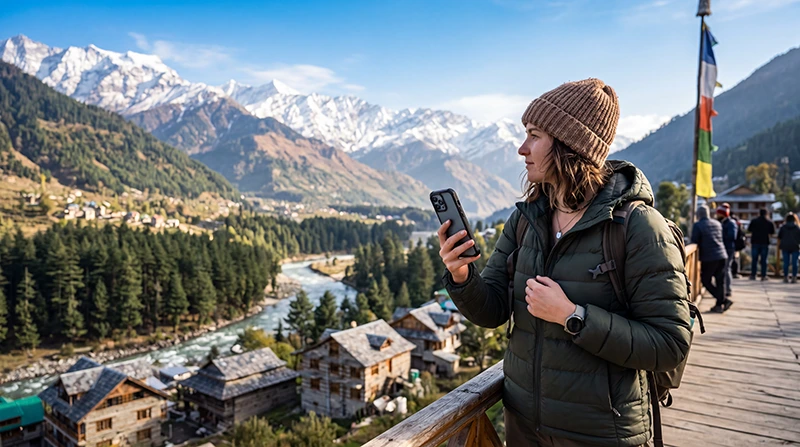

Manali is one of India’s most popular mountain destinations, attracting adventure travellers, backpackers, honeymoon couples, digital nomads and road trip enthusiasts throughout the year. Surrounded by the Himalayas, pine forests and the Beas River, Manali is also the gateway to famous destinations such as Solang Valley, Rohtang Pass, Atal Tunnel, Sissu, Spiti Valley and Leh-Ladakh.
Reliable mobile internet is essential for navigating mountain roads, booking accommodation, checking weather conditions, contacting drivers, using Google Maps and sharing your adventures. While Manali itself enjoys good mobile coverage, connectivity becomes less reliable as you travel deeper into the Himalayas.
For most international visitors, an India eSIM is the easiest way to stay connected. Install it before your trip, activate it after arriving in India and enjoy mobile data without needing to buy or replace a physical SIM card.
Quick answer: install your India eSIM before departure, enable Data Roaming after arriving in India, select it for Mobile Data and download offline maps before travelling beyond Manali.
Top India eSIMs


Is Mobile Internet Good in Manali?
Yes. Mobile internet in Manali is generally reliable throughout the town, including hotels, cafés, shopping streets and tourist attractions. Most visitors can comfortably use navigation, messaging, hotel booking apps and social media.
Coverage gradually becomes weaker as you travel towards higher-altitude destinations such as Rohtang Pass, Baralacha La, Spiti Valley and parts of the Leh-Manali Highway.
Best Ways to Get Internet in Manali
| Internet Option | Best For | Rating |
|---|---|---|
| India eSIM | Most international visitors | ★★★★★ |
| Local prepaid SIM | Long stays | ★★★★☆ |
| International roaming | Emergency only | ★★☆☆☆ |
| Hotel WiFi | Large downloads | ★★★★☆ |
Why Choose an India eSIM?
An India eSIM allows you to stay connected immediately after arriving in India and continue using the same mobile data plan throughout Himachal Pradesh and the rest of your journey.
- Install before travelling.
- No physical SIM card required.
- Avoid airport queues.
- Keep your regular SIM active.
- Works throughout most of India.
- Perfect for Dual SIM phones.
- Continue using WhatsApp with your existing number.
- Ideal for road trips through northern India.
Mobile Coverage Around Manali
| Location | Coverage |
|---|---|
| Old Manali | Excellent |
| Mall Road | Excellent |
| Vashisht | Very Good |
| Hadimba Temple | Very Good |
| Solang Valley | Good to Very Good |
| Rohtang Pass | Limited |
| Atal Tunnel | No Coverage Inside |
| Sissu | Limited to Good |
| Leh-Manali Highway | Variable |
| Remote trekking routes | Little or No Coverage |
Internet in Old Manali
Old Manali has excellent mobile coverage and is one of the most popular areas for international travellers. Most cafés, guesthouses and coworking-friendly accommodations also provide WiFi.
You can comfortably use Google Maps, WhatsApp, hotel booking apps and digital payments throughout the area.
Internet in Solang Valley
Coverage remains available around Solang Valley, although speeds may fluctuate during busy tourist seasons. Since the valley attracts large numbers of visitors, temporary congestion can occur on weekends and holidays.
Internet at Rohtang Pass
Rohtang Pass sits at over 3,900 metres above sea level, where weather and terrain make mobile coverage less reliable. Expect occasional signal loss and download maps before leaving Manali.
Internet on the Leh-Manali Highway
The famous Leh-Manali Highway passes through some of India’s most remote landscapes. Mobile coverage is available in certain settlements, but long sections of the route have limited or no connectivity.
Before starting the journey:
- Download offline Google Maps.
- Save hotel confirmations.
- Store emergency contact numbers.
- Download entertainment.
- Carry a power bank.
Internet for Trekking Around Manali
Popular trekking routes such as Hampta Pass, Bhrigu Lake, Beas Kund and Pin Parvati gradually lose mobile coverage as you move away from populated areas.
If you’re joining a multi-day trek, don’t expect continuous internet access.
Public WiFi in Manali
Hotels, cafés, restaurants and many hostels provide WiFi throughout Manali. Premium hotels generally offer the fastest and most stable connections, while budget guesthouses may have slower shared internet.
Mobile data remains the better option when exploring outside town.
Can You Work Remotely from Manali?
Yes. Manali has become increasingly popular among digital nomads. Many cafés, boutique hotels and coworking-friendly accommodations provide reliable internet suitable for remote work.
If you depend on stable connectivity for video meetings, choose accommodation with verified high-speed WiFi and keep your India eSIM as a backup.
Recommended Mobile Settings
| Setting | Recommended Value |
|---|---|
| India eSIM | Enabled |
| Mobile Data | India eSIM |
| Calls | Primary SIM |
| SMS | Primary SIM |
| Data Roaming | On |
| Automatic Data Switching | Off |
| Network Selection | Automatic |
| Preferred Network | 5G Auto or LTE |
| APN | data.esim |
India eSIM APN Settings
| Field | Value |
|---|---|
| Name | NoveSIM |
| APN | data.esim |
| Username | Leave blank |
| Password | Leave blank |
| Authentication | None |
How Much Data Do You Need?
| Trip Length | Recommended Data |
|---|---|
| 3–4 days | 3–5 GB |
| One week | 8–10 GB |
| 10 days | 10–15 GB |
| Two weeks | 15–25 GB |
| Remote workers | 30 GB+ |
Useful Apps for Manali
- Google Maps (download offline maps)
- Google Translate
- Booking.com
- Weather apps
- Trekking navigation apps
- Offline Maps
- Emergency SOS apps
Can You Keep Your Home SIM Active?
Yes. Most Dual SIM smartphones allow you to keep your regular SIM active for calls and SMS while your India eSIM provides mobile data.
Does WhatsApp Work in Manali?
Yes. WhatsApp works normally through your India eSIM or hotel WiFi. Your existing phone number remains unchanged.
What to Do If Mobile Internet Stops Working
- Confirm the India eSIM is enabled.
- Select it for Mobile Data.
- Enable Data Roaming.
- Verify the APN is data.esim.
- Restart your phone.
- Enable Airplane Mode for 30 seconds.
- Move to an open area if surrounded by mountains.
Remember that some mountain roads and trekking routes simply have no mobile coverage.
Related India Guides
- India eSIM
- Internet in the Indian Himalayas
- Internet in Ladakh
- Internet in Rishikesh
- Mobile Data in India
- Best Network in India
- How to Use an India eSIM
- India eSIM APN Settings
FAQ
Is mobile internet good in Manali?
Yes. Coverage is generally excellent throughout Manali, Old Manali and most tourist areas.
Does mobile internet work on the Leh-Manali Highway?
Only in some settlements. Large parts of the highway have limited or no mobile coverage.
Can I work remotely from Manali?
Yes. Many hotels, cafés and coworking-friendly spaces offer reliable WiFi, while an India eSIM provides dependable mobile data throughout the town.
Should I download offline maps?
Yes. Offline maps are highly recommended before driving towards Rohtang Pass, Spiti Valley or Ladakh.
Can I keep my regular SIM active?
Yes. Most Dual SIM smartphones allow you to use your primary SIM for calls while the India eSIM provides mobile data.
What APN should I use?
If manual configuration is required, use data.esim.
Final Recommendation
Manali is one of the best-connected destinations in Himachal Pradesh, making it easy to stay online while exploring the town. An India eSIM lets you enjoy reliable mobile data throughout Manali while preparing for road trips into more remote Himalayan regions.
Install your eSIM before departure, activate it after arriving in India, enable Data Roaming and download offline maps before travelling beyond Manali.