


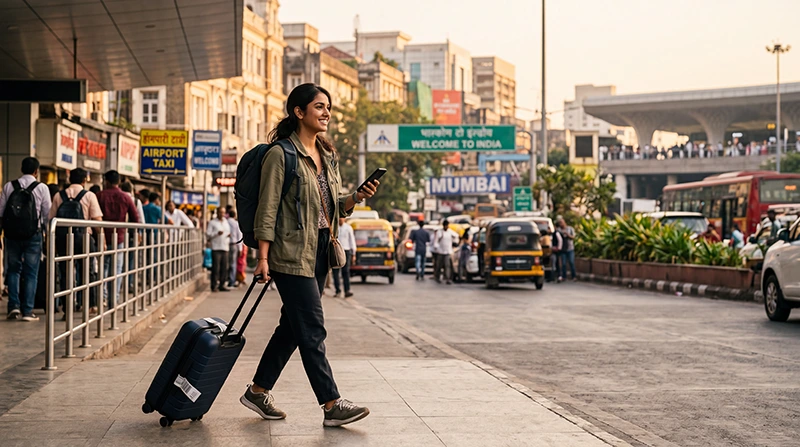

Reliable internet is one of the most important travel essentials when visiting India. Whether you’re exploring Delhi, Mumbai, Jaipur, Agra, Goa, Kerala or the Himalayan region, you’ll rely on mobile data for navigation, transportation, hotel bookings, messaging and online payments.
Fortunately, getting internet in India is easier than ever. Travelers can choose between a travel eSIM, a local prepaid SIM card, international roaming or public WiFi depending on their needs.
Quick answer: for most international visitors, installing an India eSIM before departure is the easiest and fastest way to get online immediately after landing.
Top India eSIMs


Ways to Get Internet in India
| Option | Best For | Main Advantage |
|---|---|---|
| India eSIM | Most tourists | Ready before arrival |
| Local prepaid SIM | Long stays | Indian phone number |
| International roaming | Short trips and emergencies | No setup required |
| Public WiFi | Occasional browsing | Usually free |
Why an eSIM Is the Easiest Option
Unlike a physical SIM card, an eSIM can be purchased online and installed before your trip. Once you arrive in India, you simply enable it and begin using mobile data.
- Install before departure.
- No physical SIM card required.
- No airport queues.
- Keep your existing phone number.
- Works with Dual SIM smartphones.
- Fast activation.
- Perfect for tourists.
How to Activate an India eSIM
- Choose the India eSIM plan that suits your trip.
- Complete your purchase online.
- Receive your QR code by email.
- Install the eSIM while connected to WiFi.
- Travel to India.
- Enable the eSIM after landing.
- Select it for Mobile Data.
- Turn on Data Roaming.
- Keep Network Selection on Automatic.
Your QR code and installation guide are also available in your NoveSIM account at any time.
Can You Buy a SIM Card After Arrival?
Yes. Local prepaid SIM cards are widely available at airports, operator stores and authorized retailers across India.
However, buying a local SIM may require passport verification, visa details and identity registration. Activation can sometimes take additional time.
Can You Use International Roaming?
Most home mobile operators offer roaming in India, but roaming charges can become expensive, especially if you use maps, social media or video streaming.
Before traveling, check your carrier’s roaming prices and compare them with the cost of a travel eSIM.
Can You Rely on Public WiFi?
Hotels, airports, cafés and shopping malls often provide free WiFi. While convenient for downloading large files or updating apps, public WiFi should only be used as a backup connection.
Mobile data remains the most reliable way to stay connected while sightseeing or traveling between cities.
Internet Coverage in India
| Destination | Coverage |
|---|---|
| Delhi | Excellent |
| Mumbai | Excellent |
| Bengaluru | Excellent |
| Jaipur | Excellent |
| Agra | Excellent |
| Goa | Very Good |
| Kerala | Very Good |
| Remote mountain regions | Variable |
How Much Data Do You Need?
| Trip Length | Recommended Data |
|---|---|
| Weekend | 3–5 GB |
| One week | 10 GB |
| 10 days | 15 GB |
| Two weeks | 20 GB |
| Remote work | 30 GB+ |
Most tourists find that 10–20 GB is enough for maps, messaging, browsing, social media and travel planning.
Recommended Mobile Settings
| Setting | Recommended Value |
|---|---|
| Mobile Data | India eSIM |
| Calls | Primary SIM |
| SMS | Primary SIM |
| Data Roaming | ON (eSIM) |
| Automatic Data Switching | OFF |
| Network Selection | Automatic |
| APN | data.esim if required |
India eSIM APN Settings
Most smartphones configure the APN automatically. If manual configuration is needed, use:
| Field | Value |
|---|---|
| APN | data.esim |
| Username | Leave blank |
| Password | Leave blank |
| Authentication | None |
Does WhatsApp Work?
Yes. Your WhatsApp account continues using your existing phone number while your India eSIM provides the internet connection.
What If the Internet Doesn’t Work?
- Enable the India eSIM.
- Select it for Mobile Data.
- Enable Data Roaming.
- Turn off Automatic Data Switching.
- Verify the APN is data.esim.
- Turn Airplane Mode on for 30 seconds.
- Restart your phone.
Travel Tips
- Install your eSIM before departure.
- Download offline Google Maps.
- Carry a power bank.
- Save hotel confirmations offline.
- Use hotel WiFi for large downloads.
- Disable roaming on your primary SIM.
- Monitor your mobile data usage.
- Keep your QR code until your trip ends.
Related India Guides
- India eSIM
- Best eSIM for India
- Buy India eSIM
- Mobile Data in India
- Best Way to Get Internet in India
- Local SIM vs eSIM in India
FAQ
What is the easiest way to get internet in India?
For most international travelers, a travel eSIM is the fastest and most convenient option because it can be installed before departure and activated immediately after arrival.
Can I buy a local SIM card after landing?
Yes. Local SIM cards are available at airports and operator stores, although identity verification and registration may be required.
Is public WiFi enough?
Public WiFi is useful as a backup, but mobile data offers much more reliable connectivity while traveling around India.
How much mobile data do I need?
Most tourists use between 10 GB and 20 GB during a one to two-week trip.
What APN should I use?
If manual configuration is required, use data.esim.
Final Recommendation
The easiest way to get internet in India is by installing a travel eSIM before your trip. You’ll be connected shortly after landing, avoid SIM card registration and keep your regular phone number active throughout your journey.
Install your eSIM before departure, enable Data Roaming after arrival and use data.esim if manual APN configuration is required.