


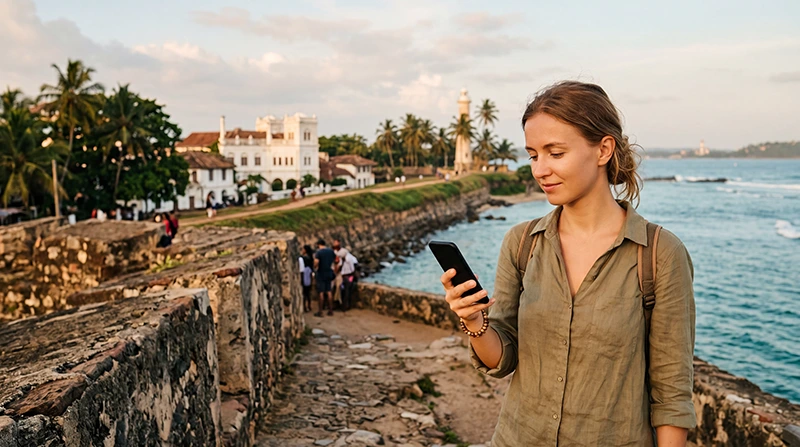

Reliable internet in Galle makes it easier to explore the historic city, navigate the southern coast, contact accommodation and arrange transportation during your trip to Sri Lanka.
Galle is one of the country’s most popular tourist destinations and is best known for Galle Fort, its colonial architecture, ocean views, cafés and boutique hotels. Many visitors also use the city as a base for trips to Unawatuna, Hikkaduwa, Weligama, Mirissa and other south-coast destinations.
Tourists can get internet in Galle through a Sri Lanka travel eSIM, local prepaid SIM card, hotel WiFi, café WiFi or international roaming. For most international visitors, an eSIM is the easiest option because it can be installed before departure and used throughout the city and surrounding coast.
Quick answer: install a Sri Lanka eSIM before travelling, select it for Mobile Data after arrival, enable Data Roaming and keep Automatic Data Switching turned off. Use hotel WiFi for large downloads and mobile data while exploring Galle and the south coast.
Top Sri Lanka eSIMs

Sri Lanka eSIM
Fixed
1 GB, 7 days€ 4.312 GB, 15 days€ 6.903 GB, 30 days€ 9.06Unlimited
Unlimited, 1 day€ 4.74Unlimited, 3 days€ 10.78Unlimited, 5 days€ 16.82
What Is the Best Way to Get Internet in Galle?
The best option depends on your trip length, phone compatibility, expected data usage and whether you need a Sri Lankan telephone number.
| Internet Option | Best For | Main Advantage |
|---|---|---|
| Sri Lanka eSIM | Most international tourists | Install before departure |
| Local prepaid SIM card | Long stays and local calls | Usually includes a local number |
| Hotel WiFi | Large downloads and indoor use | No mobile data required |
| Café or coworking WiFi | Remote work and longer sessions | Useful for laptop use |
| International roaming | Emergency or very short use | No additional installation |
For a normal holiday in Galle or a journey along Sri Lanka’s southern coast, a travel eSIM usually provides the best balance of convenience and continuous mobile connectivity.
Why Mobile Internet Is Useful in Galle
Although the historic centre is walkable, mobile data remains useful for directions, transport, accommodation communication and planning day trips.
You can use mobile internet for:
- Google Maps and walking directions.
- Contacting hotels and guesthouses.
- Using WhatsApp messages and calls.
- Booking or contacting drivers.
- Finding restaurants and cafés.
- Checking attraction opening hours.
- Accessing booking confirmations.
- Planning trips to Unawatuna or Mirissa.
- Checking surf and weather information.
- Sharing photographs and videos.
Using a Sri Lanka eSIM in Galle
A Sri Lanka eSIM is a digital mobile data profile installed directly on a compatible smartphone. It allows you to connect without replacing your regular physical SIM card.
You can install the eSIM before departure while connected to reliable WiFi. After arriving in Sri Lanka, enable the travel line, select it for Mobile Data and turn on Data Roaming.
Main benefits include:
- No physical SIM replacement.
- No need to visit a local mobile shop.
- Keep your regular number active.
- Use data shortly after arrival.
- Continue using WhatsApp with your existing number.
- Use the same plan in Galle and other Sri Lankan destinations.
- Manage both SIM lines from your phone settings.
Browse available plans on the Sri Lanka eSIM page.
How to Prepare Your eSIM Before Travelling
- Check that your phone supports eSIM.
- Confirm that the device is unlocked.
- Select a Sri Lanka data plan.
- Connect your phone to stable WiFi.
- Install the eSIM using the supplied QR code or installation link.
- Label the line Sri Lanka, Travel or NoveSIM.
- Keep the profile installed until arrival.
- Save your hotel address and travel documents offline.
Your NoveSIM QR code and installation instructions are sent by email after purchase. You can also find the eSIM information in your NoveSIM account by opening the relevant order.
Do not delete the eSIM after installation. Many travel eSIM QR codes can only be used once.
How to Activate the eSIM in Galle
- Open your SIM or Mobile Network settings.
- Enable the Sri Lanka eSIM.
- Select it as the preferred line for Mobile Data.
- Turn on Data Roaming for the travel eSIM.
- Turn off automatic mobile data switching.
- Keep Network Selection on Automatic.
- Wait several minutes for registration.
The phone should connect to a supported local mobile network. If you are travelling from Colombo, the eSIM will normally remain connected during much of the journey along the southern corridor.
Recommended Mobile Data Settings
| Setting | Recommended Value |
|---|---|
| Sri Lanka eSIM | Enabled |
| Mobile Data | Sri Lanka eSIM |
| Calls | Primary SIM |
| SMS | Primary SIM |
| Data Roaming on travel eSIM | On |
| Data Roaming on primary SIM | Off |
| Automatic Data Switching | Off |
| Network Selection | Automatic |
| Preferred Network Type | 5G Auto or 4G/LTE |
| APN | data.esim if required |
Mobile Coverage in Galle
Mobile coverage is generally strong in Galle and the main populated areas around the city. Most tourists can normally use mobile data for navigation, messaging, browsing and booking applications.
Coverage is usually strongest around:
- Galle Fort.
- Galle railway station.
- Galle bus station.
- The main commercial areas.
- Major hotels and guesthouses.
- Roads toward Unawatuna.
- Coastal areas close to the city.
Signal quality may vary inside historic buildings with thick walls, lower-floor rooms, interior courtyards and accommodation located on quieter coastal roads.
Which Mobile Network Is Best in Galle?
Dialog and SLT-Mobitel are generally the strongest choices for tourists in Galle. Both provide good coverage in the city and along many populated sections of the southern coast.
| Network | Best For | Main Strength |
|---|---|---|
| Dialog | Tourists travelling around Sri Lanka | Balanced overall coverage |
| SLT-Mobitel | Speed-focused users | Strong mobile data performance in supported areas |
| Hutch | Budget-conscious visitors | Competitive prepaid packages |
A travel eSIM connects through one or more supported local partner networks. The exact operator depends on the selected package and its roaming agreements.
Read our comparison of the best mobile networks in Sri Lanka for tourists.
Internet in Galle Fort
Mobile internet is generally reliable around Galle Fort, including many streets, cafés, boutique hotels and public areas.
The fort contains historic buildings with thick stone walls, so indoor reception can occasionally be weaker than the signal outside.
If mobile data becomes slow:
- Move closer to a window.
- Step into an open courtyard.
- Switch from unstable 5G to 4G.
- Turn Airplane Mode on for 30 seconds.
- Restart the phone.
Internet at Galle Railway Station
Mobile data is generally useful around Galle railway station for checking bookings, contacting accommodation and confirming onward transport.
The station may become busy around popular departures. Temporary network congestion can reduce speed when many passengers are using mobile data at the same time.
Before boarding a train:
- Download your ticket or booking details.
- Save your destination address.
- Download an offline map.
- Send urgent messages.
- Keep your hotel contact details available.
Internet on the Train from Colombo to Galle
Mobile data can work during much of the coastal train journey between Colombo and Galle. However, the signal may change as the train moves between populated areas, stations and quieter coastal sections.
Short interruptions can occur because of:
- Movement between mobile towers.
- Network congestion.
- Buildings or terrain near the railway.
- Weak indoor reception inside the train.
- Crowded carriages with many connected passengers.
Download important information before boarding and avoid relying on uninterrupted mobile data for an important video call.
Read our guide to internet on Sri Lanka trains.
Internet in Unawatuna
Unawatuna is located a short distance from Galle and is one of the most popular nearby beach destinations.
Mobile coverage is generally good in the main village, beach area and populated accommodation zones. Signal may vary at quieter coves, hillside properties and buildings surrounded by dense vegetation.
A Sri Lanka eSIM can continue working as you travel between Galle and Unawatuna without changing plans or SIM cards.
Read our dedicated guide to internet in Unawatuna.
Internet from Galle to Mirissa and Weligama
Mobile data is normally available along much of the route from Galle toward Weligama and Mirissa.
You can use it for:
- Navigation.
- Contacting accommodation.
- Checking train or bus information.
- Messaging drivers.
- Finding beaches and restaurants.
- Checking surf forecasts.
Signal may be weaker at isolated beaches, small bays and accommodation away from the main road.
See our guide to internet in Mirissa for tourists.
Hotel WiFi in Galle
Most hotels, guesthouses, hostels and boutique properties in Galle provide WiFi. Quality can vary depending on the property, building design and room location.
Hotel WiFi is useful for:
- Large downloads.
- Software updates.
- Cloud backups.
- Long video calls.
- Streaming entertainment.
- Laptop work.
Historic properties inside Galle Fort may have thick walls that affect both WiFi and mobile reception. Check recent guest reviews when internet quality is important.
Café and Restaurant WiFi
Many cafés and restaurants in Galle Fort and other tourist areas offer WiFi to customers.
Café WiFi can be useful for:
- Checking email.
- Planning your itinerary.
- Making a short video call.
- Using a laptop temporarily.
- Downloading travel documents.
Public WiFi should not replace mobile data because the connection ends when you leave the property and may be less secure than your personal eSIM connection.
Can You Work Remotely from Galle?
Galle can be suitable for short remote-working stays, especially when your hotel, apartment or coworking space has reliable WiFi.
A practical setup includes:
- Accommodation WiFi as the primary connection.
- A Sri Lanka eSIM as backup.
- Offline copies of essential files.
- A power bank.
- Cloud backups limited to WiFi.
- A second connection option for important meetings.
Test both WiFi and mobile coverage before an important video conference. Internet quality can vary between historic buildings and coastal accommodation.
Is Public WiFi Safe?
Public WiFi should be used carefully. Avoid sensitive transactions on unknown shared networks.
Do not use public WiFi for:
- Online banking.
- Entering payment card details.
- Managing cryptocurrency accounts.
- Accessing confidential company systems.
- Changing important passwords.
- Sending sensitive documents.
Use your personal eSIM connection for sensitive activity whenever possible.
Does WhatsApp Work in Galle?
Yes. WhatsApp works through mobile data or WiFi in Galle.
You can use it to:
- Contact hotels and guesthouses.
- Message drivers.
- Make voice and video calls.
- Share your live location.
- Send photographs and documents.
- Communicate with friends and family.
Your existing WhatsApp number remains unchanged when the Sri Lanka eSIM provides mobile data.
Read our complete guide to using WhatsApp in Sri Lanka.
Can You Use Google Maps in Galle?
Google Maps is useful for walking directions inside Galle Fort, locating accommodation, planning coastal trips and finding restaurants.
Mobile data helps you:
- Navigate around Galle Fort.
- Find the railway and bus stations.
- Locate cafés and restaurants.
- Plan a route to Unawatuna.
- Share your position with a driver.
- Follow the road toward Mirissa.
Download an offline map as a backup before travelling to quieter coastal or rural areas.
How Much Data Do You Need in Galle?
| Trip Length and Use | Suggested Data |
|---|---|
| 1–2 days with maps and messages | 1–3 GB |
| 3–5 days with normal tourist use | 3–7 GB |
| One week with frequent social media | 5–10 GB |
| Video calls and streaming | 10–20 GB |
| Remote work and hotspot use | Large or unlimited plan |
Maps and messaging use relatively little data. Video streaming, social media uploads, cloud backups and laptop hotspot use consume much more.
Read our guide to how much data you need for Sri Lanka.
Can You Use Personal Hotspot?
Personal Hotspot availability depends on the selected plan and device. When supported, you can share mobile data with a laptop, tablet or another phone.
Hotspot use can consume data quickly because connected devices may:
- Download software updates.
- Synchronise cloud files.
- Upload photographs.
- Stream video.
- Run background applications.
Pause automatic updates and cloud backups before connecting a laptop.
How to Reduce Mobile Data Usage
- Download offline maps.
- Use hotel WiFi for large downloads.
- Disable automatic application updates.
- Pause photo and video backups.
- Reduce streaming quality.
- Turn off social media autoplay.
- Enable Low Data Mode or Data Saver.
- Download entertainment before train journeys.
- Monitor usage in your phone settings.
Sri Lanka eSIM APN Settings
The APN is normally configured automatically. If the eSIM shows signal but websites and applications do not load, enter the APN manually.
| APN Field | Value |
|---|---|
| Name | NoveSIM |
| APN | data.esim |
| Username | Leave blank |
| Password | Leave blank |
| Authentication | None or automatic |
Save the APN and make sure it is selected. Activate Airplane Mode for approximately 30 seconds or restart the phone.
Read our detailed guide to Sri Lanka eSIM APN settings.
What If Mobile Internet Is Not Working?
- Confirm that the Sri Lanka eSIM is enabled.
- Select it for Mobile Data.
- Turn on Data Roaming for the travel eSIM.
- Turn off Automatic Data Switching.
- Keep Network Selection on Automatic.
- Check that the APN is data.esim.
- Turn Airplane Mode on for 30 seconds.
- Turn Airplane Mode off.
- Restart the phone.
Do not delete the eSIM while troubleshooting. Many QR codes can only be installed once.
See our guides to an eSIM not working in Sri Lanka and no internet on a Sri Lanka eSIM.
What If Mobile Data Is Slow?
Slow speed may be caused by indoor reception, network congestion, historic building walls or an unstable 5G connection.
Try:
- Moving outdoors or closer to a window.
- Switching from 5G to 4G.
- Using Airplane Mode for 30 seconds.
- Restarting the phone.
- Pausing cloud backups.
- Closing application updates.
- Testing another supported network.
Read our guide to fixing a slow Sri Lanka eSIM.
Travel Internet Tips for Galle
- Install your eSIM before departure.
- Download an offline map of Galle.
- Save your hotel address.
- Keep train and transport details available offline.
- Carry a power bank.
- Use hotel WiFi for large downloads.
- Use mobile data for navigation and transport.
- Disable roaming on your primary SIM.
- Expect weaker reception inside thick historic buildings.
- Test mobile data before travelling to quieter beaches.
Related Sri Lanka Guides
- Sri Lanka eSIM Guide
- Mobile Data in Sri Lanka
- Internet in Sri Lanka for Tourists
- Internet in Colombo for Tourists
- Internet in Unawatuna
- Internet in Mirissa for Tourists
- Internet on Sri Lanka Trains
- Best Network in Sri Lanka for Tourists
FAQ
What is the best way to get internet in Galle?
For most tourists, a Sri Lanka eSIM is the easiest option because it can be installed before departure and used throughout Galle and the southern coast.
Is mobile internet reliable in Galle?
Mobile coverage is generally strong in Galle, Galle Fort and other populated areas. Indoor reception can vary inside thick historic buildings.
Which mobile network is best in Galle?
Dialog and SLT-Mobitel are generally strong choices. The best performance depends on your exact location and accommodation.
Does hotel WiFi work well in Galle?
Most hotels provide WiFi, but speed and room coverage vary. Historic buildings may have weaker reception in some rooms.
Will mobile data work on the train from Colombo to Galle?
It usually works during much of the journey, but temporary interruptions and congestion can occur.
Can I use WhatsApp in Galle?
Yes. WhatsApp works through mobile data or WiFi and keeps your existing registered number.
Can I use Google Maps in Galle?
Yes. Google Maps is useful for Galle Fort, transport stations and coastal travel. Download an offline map as a backup.
Can I keep my regular SIM active?
Yes. Use the Sri Lanka eSIM for Mobile Data and keep your primary SIM active for calls and SMS.
Do I need Data Roaming enabled?
Yes. Enable Data Roaming on the travel eSIM and keep it disabled on your primary SIM.
What APN should I use?
For a NoveSIM Sri Lanka eSIM, use data.esim if manual configuration is required.
Can I use Personal Hotspot?
Hotspot availability depends on the selected plan and device. When supported, you can share mobile data with another device.
How much data do I need in Galle?
Most tourists need approximately 3–7 GB for several days of maps, messaging, browsing and moderate social media use.
Final Recommendation
A Sri Lanka eSIM is one of the easiest ways to get internet in Galle. It allows you to prepare your mobile data before departure, keep your regular SIM active and stay connected while exploring Galle Fort and the southern coast.
Mobile coverage is generally strong in populated areas, but reception can be weaker inside historic buildings, isolated coastal accommodation and quieter beaches.
After arrival, select the Sri Lanka eSIM for Mobile Data, enable Data Roaming and disable Automatic Data Switching. Keep roaming turned off on your primary SIM.
If mobile internet does not work, confirm that the APN is data.esim, activate Airplane Mode for approximately 30 seconds and restart the phone.