
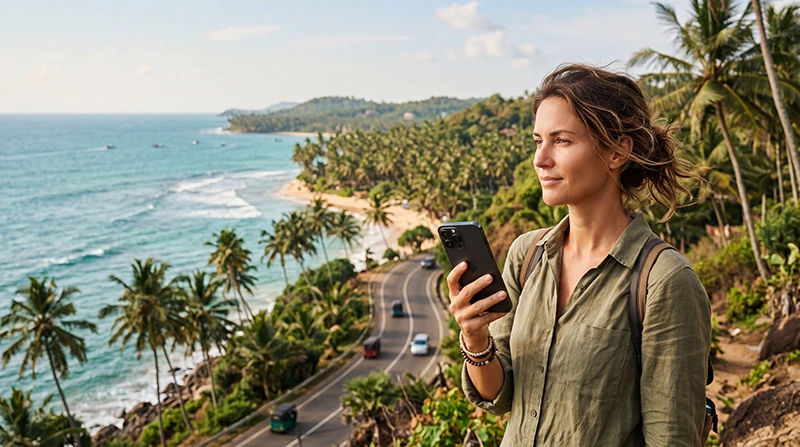

Your eSIM can work in Sri Lanka if the selected plan includes Sri Lanka, your phone supports eSIM technology and the device is unlocked. After arrival, the eSIM must also be enabled, selected for Mobile Data and configured with Data Roaming turned on.
Not every eSIM automatically works in every country. A plan purchased for Europe, India, Southeast Asia or another destination may not include Sri Lanka unless the country is specifically listed in the coverage information.
If you have already installed a travel eSIM, check the plan name, included destinations and validity period before departure. A regional or global plan may include Sri Lanka, while a single-country plan for another destination will not.
Quick answer: your eSIM should work when Sri Lanka is included in the plan, the phone is compatible and unlocked, the travel line is selected for Mobile Data, Data Roaming is enabled and the APN is set to data.esim when manual configuration is required.
Top Sri Lanka eSIMs
How to Check Whether Your eSIM Covers Sri Lanka
The first step is to confirm that Sri Lanka appears in the plan’s destination or coverage list.
Check:
- The product name.
- The country coverage list.
- The order confirmation.
- The plan details in your account.
- The installation email.
- The package validity and activation conditions.
A plan may be described as:
| Plan Type | Will It Work in Sri Lanka? |
|---|---|
| Sri Lanka single-country eSIM | Yes |
| Asia regional eSIM | Only if Sri Lanka is listed |
| Global eSIM | Only if Sri Lanka is included |
| India-only eSIM | No |
| Thailand-only eSIM | No |
| Europe eSIM | No, unless the plan has additional global coverage |
| Maldives-only eSIM | No |
Do not assume that every Asia plan includes Sri Lanka. Regional packages have different country lists, so check the exact plan before travelling.
Will a European eSIM Work in Sri Lanka?
A Europe-only eSIM will normally not work in Sri Lanka because Sri Lanka is outside the European coverage region.
The same applies to an EU roaming package from your home operator. European roaming rules do not automatically apply in Sri Lanka, and your operator may charge separate international roaming rates.
To use mobile data in Sri Lanka, you need:
- A Sri Lanka single-country eSIM.
- An Asia plan that specifically includes Sri Lanka.
- A global plan with Sri Lanka coverage.
- A local Sri Lankan SIM card.
Check the plan coverage rather than relying only on the plan name.
Will an Asia eSIM Work in Sri Lanka?
An Asia eSIM may work, but Sri Lanka must appear in the list of supported destinations.
Some regional plans focus on East and Southeast Asia and may include countries such as Japan, Thailand, Malaysia, Singapore and Indonesia without covering Sri Lanka.
Other packages provide wider Asian coverage and include Sri Lanka, India, the Maldives or the United Arab Emirates.
Before purchasing, compare:
- The included countries.
- The available data allowance.
- The plan validity period.
- The supported local networks.
- Whether hotspot use is available.
- Whether a Fair Usage Policy applies.
Does Your Phone Support eSIM?
Your plan cannot work if the phone does not support eSIM technology.
The most reliable check is to look for an eSIM installation option directly in the phone settings.
| Device | Where to Check | Option to Look For |
|---|---|---|
| iPhone | Settings → Cellular or Mobile Data | Add eSIM |
| Samsung Galaxy | Settings → Connections → SIM Manager | Add eSIM |
| Google Pixel | Settings → Network and Internet → SIMs | Add SIM or Set Up an eSIM |
| Other Android phones | Settings → Mobile Network, SIMs or SIM Management | Add eSIM or Download a SIM |
Regional versions of the same phone model may have different eSIM capabilities. Always check the exact device you plan to use.
Read our full guide to checking whether your phone supports a Sri Lanka eSIM.
Does the Phone Need to Be Unlocked?
Yes. A carrier-locked phone may reject a travel eSIM even when the device supports eSIM technology.
On iPhone:
- Open Settings.
- Select General.
- Tap About.
- Find Carrier Lock or Network Provider Lock.
If the device displays No SIM Restrictions, it is normally unlocked.
Android phones do not have one universal lock-status menu. Contact the operator that originally sold the phone when you are unsure.
Can You Install the eSIM Before Travelling?
Yes. Installing the eSIM before departure is recommended.
Use reliable WiFi and confirm that the new profile appears in the SIM settings. Label the line Sri Lanka, Travel or NoveSIM so that you can identify it easily after landing.
Installation and activation are not always the same. Installing the profile adds it to the phone, while activation commonly begins when the eSIM first connects to a supported network in a covered destination.
Do not delete the profile if it shows No Service before your trip. A Sri Lanka plan may not connect while you are outside its coverage area.
See our guide on how to install a Sri Lanka eSIM.
How to Make the eSIM Work After Landing
After arriving in Sri Lanka, complete the mobile data setup.
- Turn off Airplane Mode.
- Enable the Sri Lanka eSIM.
- Select it as the preferred line for Mobile Data.
- Turn on Data Roaming for the eSIM.
- Turn off automatic mobile data switching.
- Keep Network Selection on Automatic.
- Wait several minutes for network registration.
The phone should connect to a supported local partner network. Registration may take several minutes after landing.
Recommended Sri Lanka eSIM Settings
| Setting | Recommended Value |
|---|---|
| Sri Lanka eSIM | Enabled |
| Mobile Data | Sri Lanka eSIM |
| Calls | Primary SIM |
| SMS | Primary SIM |
| Data Roaming on Sri Lanka eSIM | On |
| Data Roaming on primary SIM | Off |
| Automatic Data Switching | Off |
| Network Selection | Automatic |
| Preferred Network Type | 5G Auto or 4G/LTE |
| APN | data.esim if required |
Why Must Data Roaming Be Enabled?
A travel eSIM connects through a local partner network in Sri Lanka. The phone therefore treats the connection as roaming.
Data Roaming must be enabled on the travel eSIM for mobile internet to work. This is normal and does not create additional charges beyond the prepaid eSIM plan.
Keep Data Roaming disabled on your primary SIM to help prevent charges from your home mobile operator.
Which APN Should You Use?
The APN is normally configured automatically. If the phone shows signal but websites and apps do not load, enter the APN manually.
| APN Field | Value |
|---|---|
| Name | NoveSIM |
| APN | data.esim |
| Username | Leave blank |
| Password | Leave blank |
| Authentication | None or automatic |
Save the APN and make sure it is selected. Then turn Airplane Mode on for approximately 30 seconds and restart the phone.
Read our complete guide to Sri Lanka eSIM APN settings.
Which Mobile Network Will the eSIM Use?
A travel eSIM does not operate its own mobile towers. It connects through one or more supported local partner networks in Sri Lanka.
The exact operator depends on the plan and its roaming agreements. Some plans support one network, while others may allow connection to several supported operators.
Keep Network Selection on Automatic for normal use. This allows the phone to connect to an available supported network.
Learn more in our comparison of the best mobile networks in Sri Lanka for tourists.
Where Will the eSIM Work in Sri Lanka?
Mobile coverage is generally strongest in cities, towns, coastal resorts and popular tourist destinations.
| Destination | Expected Mobile Coverage |
|---|---|
| Bandaranaike International Airport | Generally strong |
| Colombo | Generally strong |
| Kandy | Generally strong in populated areas |
| Galle | Generally strong |
| Mirissa and Weligama | Generally good |
| Sigiriya | Usually good near towns and hotels |
| Ella | Good, with mountain-related variations |
| Nuwara Eliya | Good, with local variations |
| Arugam Bay | Generally usable in populated areas |
| Remote national parks | Variable |
| Mountain roads and railway routes | Variable or interrupted |
No eSIM or mobile operator can guarantee uninterrupted reception in every part of the island. Download offline maps before travelling through mountains, national parks and rural areas.
Will the eSIM Work at Colombo Airport?
A compatible Sri Lanka eSIM should work after landing at Bandaranaike International Airport when the plan is active and the phone settings are correct.
After leaving Airplane Mode:
- Enable the travel eSIM.
- Select it for Mobile Data.
- Turn on Data Roaming.
- Keep Network Selection on Automatic.
- Wait several minutes.
Airport WiFi may be used temporarily while the phone completes network registration.
See our guide to using an eSIM at Colombo Airport.
Will the eSIM Work on Sri Lanka Trains?
The eSIM may work during many parts of a train journey, but the signal can disappear in tunnels, mountain valleys and rural areas.
This is especially common on the scenic route between Kandy, Nanu Oya and Ella.
Before travelling:
- Download your tickets.
- Save your hotel address.
- Download offline maps.
- Send important messages.
- Download entertainment.
Read our guide to internet on Sri Lanka trains.
Will the eSIM Work in National Parks?
Coverage may be available near park entrances, visitor centres and surrounding towns. It can become weak or unavailable during a safari.
This may affect areas inside:
- Yala National Park.
- Udawalawe National Park.
- Wilpattu National Park.
- Remote forest and wildlife zones.
Save your booking confirmation, driver’s number and meeting point before entering the park.
Can You Keep Your Normal SIM Active?
Yes. Most compatible Dual SIM phones allow the primary SIM and travel eSIM to remain active together.
Use this configuration:
- Sri Lanka eSIM for Mobile Data.
- Primary SIM for calls and SMS.
- Data Roaming on the travel eSIM.
- Data Roaming off on the primary SIM.
- Automatic Data Switching off.
Your home operator may still charge for answering or making normal calls abroad.
Will WhatsApp Continue to Work?
Yes. WhatsApp can continue using your existing telephone number while the Sri Lanka eSIM supplies mobile data.
You do not need to change your registered WhatsApp number. Messages, calls, contacts and group chats can continue normally.
Read our guide to using WhatsApp in Sri Lanka.
Can You Make Normal Calls with the eSIM?
NoveSIM Sri Lanka plans are mobile data only. They do not include a traditional telephone number, standard voice minutes or SMS.
You can make internet calls using:
- WhatsApp.
- Viber.
- FaceTime.
- Messenger.
- Telegram.
- Google Meet.
- Microsoft Teams.
Keep your primary SIM active when you need to receive regular calls or SMS, but check your home operator’s roaming charges.
Can You Use Personal Hotspot?
Hotspot availability depends on the selected plan and device. When supported, you can share the eSIM connection with a laptop, tablet or another phone.
Hotspot use can consume data quickly because connected devices may download updates, synchronise cloud files or stream video automatically.
Before using hotspot:
- Disable software updates.
- Pause cloud backups.
- Reduce streaming quality.
- Disconnect unused devices.
- Monitor your data usage.
What If the eSIM Shows No Service?
No Service means that the phone has not registered with a supported network.
Try the following:
- Confirm that Sri Lanka is included in the plan.
- Make sure you are already in Sri Lanka.
- Enable the travel eSIM.
- Turn on Data Roaming.
- Keep Network Selection on Automatic.
- Turn Airplane Mode on for 30 seconds.
- Restart the phone.
- Move outdoors or closer to a window.
Do not delete the eSIM while troubleshooting.
What If the eSIM Has Signal but No Internet?
If signal bars, 4G, LTE or 5G appear but nothing loads, check:
- The Sri Lanka eSIM is selected for Mobile Data.
- Data Roaming is enabled.
- Automatic Data Switching is off.
- The APN is data.esim.
- The plan is active and has available data.
- WiFi is turned off during the test.
After correcting the settings, use Airplane Mode for 30 seconds and restart the device.
See our guide to fixing no internet on a Sri Lanka eSIM.
What If the eSIM Is Slow?
Slow speed can be caused by weak signal, network congestion, unstable 5G, background downloads or a high-speed data limit.
Try:
- Moving outdoors.
- Switching from 5G to 4G.
- Restarting the phone.
- Pausing cloud backups.
- Checking the remaining high-speed allowance.
- Testing another supported network.
Read our guide to fixing a slow Sri Lanka eSIM.
Can You Use an eSIM Bought from Another Provider?
Yes, but only when that provider’s plan specifically includes Sri Lanka and your phone meets the compatibility requirements.
Before relying on an existing eSIM, check:
- Sri Lanka is listed in the plan coverage.
- The validity has not expired.
- The profile has not already been deleted.
- The plan has remaining data.
- The phone is unlocked.
- The correct APN instructions are available.
APN settings differ between providers, so use the instructions supplied with your specific eSIM. The APN data.esim applies to NoveSIM plans.
Can You Reuse an Old eSIM?
An old eSIM profile may remain installed after a previous trip, but the original data plan may have expired.
You cannot assume that an installed profile still includes active data or Sri Lanka coverage.
Check:
- The remaining validity.
- The destination coverage.
- The remaining data balance.
- Whether the provider supports adding another plan to the same profile.
NoveSIM plans cannot currently be topped up or extended on the same QR code. Purchase a new plan when you need additional data or validity.
Can You Transfer the eSIM to Another Phone?
A travel eSIM is normally intended for installation on one device. Standard transfer features may not work with a travel profile.
Do not install the eSIM on a temporary phone if you plan to use it on another device during the trip.
Many QR codes support only one installation and may become linked to the first phone that downloads the profile.
Common Reasons an eSIM Does Not Work in Sri Lanka
- Sri Lanka is not included in the plan.
- The phone does not support eSIM.
- The device is carrier-locked.
- The profile is disabled.
- The primary SIM is selected for Mobile Data.
- Data Roaming is off.
- Automatic Data Switching is on.
- The APN is incorrect.
- The plan has expired.
- The data allowance has been used.
- The local signal is temporarily weak.
Related Sri Lanka Guides
- Sri Lanka eSIM Guide
- Does My Phone Support eSIM?
- How to Install a Sri Lanka eSIM
- How to Activate a Sri Lanka eSIM
- How to Use an eSIM in Sri Lanka
- Sri Lanka eSIM Not Working
- No Internet on a Sri Lanka eSIM
- Sri Lanka eSIM APN Settings
FAQ
Will my eSIM work in Sri Lanka?
It should work when Sri Lanka is included in the plan, the phone supports eSIM, the device is unlocked and the correct mobile data settings are enabled.
Will a Europe eSIM work in Sri Lanka?
A Europe-only plan normally will not work. You need a Sri Lanka, compatible Asia or global plan that includes the country.
Will an Asia eSIM work in Sri Lanka?
Only when Sri Lanka is included in the specific regional plan’s country list.
Can I install the eSIM before travelling?
Yes. Install it while connected to reliable WiFi and keep the profile on the phone until arrival.
Do I need Data Roaming enabled?
Yes. Enable Data Roaming on the travel eSIM because it connects through a local partner network.
What APN should I use with NoveSIM?
Use data.esim and leave the username and password blank.
Can I keep my normal SIM active?
Yes. Keep it active for calls and SMS while using the Sri Lanka eSIM for Mobile Data.
Will WhatsApp keep my current number?
Yes. WhatsApp continues using your existing number while the travel eSIM supplies internet access.
Why does the eSIM show No Service before departure?
A Sri Lanka plan may not connect outside its covered destination. Do not delete the profile before arriving.
Why does the eSIM have signal but no internet?
Check the Mobile Data selection, Data Roaming, Automatic Data Switching and APN settings.
Can I transfer the eSIM to another phone?
Travel eSIMs are generally intended for one device and may not support transfer after installation.
Should I delete the eSIM if it does not connect?
No. Keep it installed while troubleshooting because the QR code may only support one installation.
Final Recommendation
Your eSIM can work in Sri Lanka when the country is included in the selected plan and your phone is compatible and unlocked.
Install the profile before departure. After landing, enable the eSIM, select it for Mobile Data, turn on Data Roaming and disable automatic data switching.
For a NoveSIM plan, use data.esim as the APN if manual configuration is required. Keep Network Selection on Automatic and do not delete the profile if it does not connect immediately.


