
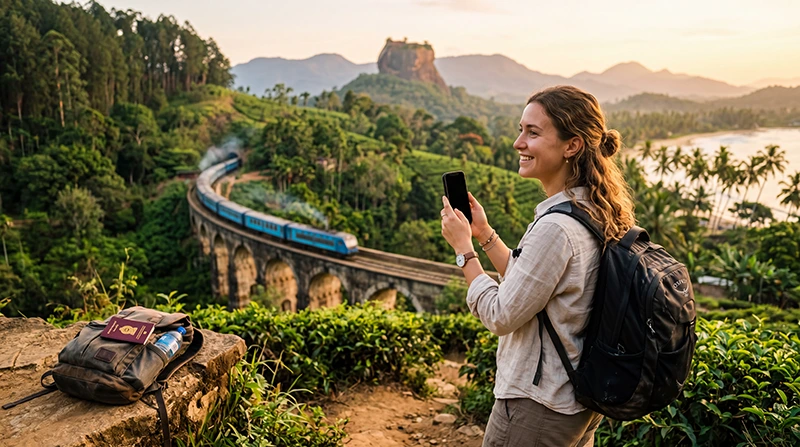

Traveler choosing the best SIM card or eSIM for Sri Lanka

Best SIM Card for Sri Lanka: Local SIM vs eSIM for Tourists

Planning a trip to Sri Lanka? Choosing the right SIM card or eSIM makes it easier to navigate between destinations, communicate with hotels, check train schedules, arrange transportation and stay connected throughout your journey.

Tourists can choose between a local prepaid SIM card, a travel eSIM, international roaming or public WiFi. A local SIM may suit travelers who need a Sri Lankan phone number, while an eSIM is often more convenient for visitors who mainly need mobile data.

Whether you are visiting Colombo, Kandy, Ella, Sigiriya, Galle, Mirissa, Nuwara Eliya or Arugam Bay, reliable mobile internet helps you use maps, WhatsApp, hotel booking platforms, ride-hailing services and travel apps.

Quick answer: for most tourists, a Sri Lanka eSIM is the easiest alternative to a physical SIM card because it can be installed before departure and used shortly after landing.

Top Sri Lanka eSIMs

What Is the Best SIM Card Option for Sri Lanka?

The best option depends on your phone, trip length, expected data usage and whether you need local calls or only mobile internet.

Option Best For Main Advantage
Sri Lanka eSIM Most international tourists Install before departure
Local prepaid SIM card Long stays and local calls May include a local number
International roaming Very short or emergency use No new SIM installation
Public WiFi Backup connection Useful for large downloads

Why Choose a Sri Lanka eSIM?

  • Install before departure.
  • No physical SIM card required.
  • No airport queues.
  • No need to visit a mobile operator shop.
  • Keep your existing SIM card and phone number.
  • Perfect for Dual SIM smartphones.
  • Mobile data available shortly after arrival.
  • Ideal for tourists, families, backpackers and business travelers.

Why Choose a Local Sri Lanka SIM Card?

A local prepaid SIM card may be suitable if you are staying for several weeks, need a Sri Lankan phone number or want to make traditional local calls.

You may need to show your passport when purchasing and registering a local SIM card. You must also physically replace your existing SIM unless your phone supports two physical SIM cards.

  • May include a local phone number.
  • Suitable for longer stays.
  • Available at airports and operator stores.
  • May include local calls and SMS.
  • Requires physical installation.
  • May require passport registration.

Sri Lanka eSIM vs Local SIM Card

Feature Sri Lanka eSIM Local SIM Card
Buy before departure Yes No
Digital delivery Yes No
Physical installation No Yes
Airport queue No Possible
Keep home SIM active Yes Depends on device
Local phone number Usually no Usually yes
Passport registration No local shop registration Usually required
Best for short trips Excellent Good
Best for long stays Good Very Good

Can You Buy a SIM Card at Colombo Airport?

Travelers can usually purchase local prepaid SIM cards after arriving at Bandaranaike International Airport. Airport counters can be convenient, but queues, opening hours and plan availability may vary.

A pre-installed eSIM allows you to avoid the airport SIM card process. You can install it before departure and activate mobile data after landing.

Who Should Choose an eSIM?

  • Tourists visiting Sri Lanka for a short holiday.
  • Travelers who mainly need mobile data.
  • People who want to keep their home SIM active.
  • Dual SIM smartphone users.
  • Families and couples.
  • Backpackers moving between several destinations.
  • Business travelers.
  • Visitors who want internet immediately after landing.

Who Should Choose a Local SIM Card?

  • Travelers staying for several weeks or months.
  • Visitors who need a Sri Lankan phone number.
  • People making frequent traditional local calls.
  • Travelers with phones that do not support eSIM.
  • Visitors comfortable registering and installing a physical SIM.

How Much Data Do You Need in Sri Lanka?

Trip Length Recommended Data
2–3 days 3–5 GB
5 days 5–10 GB
One week 10 GB
10 days 15–20 GB
Two weeks 20–30 GB
Remote work or frequent hotspot use 30 GB or more

Typical Mobile Data Usage

Activity Approximate Usage
Maps and navigation Low
WhatsApp messaging Very low
Email and browsing Low to moderate
Social media Moderate
Video calls High
Video streaming Very high
Laptop hotspot Moderate to very high

Mobile Coverage in Sri Lanka

Mobile coverage is generally strongest in cities, coastal destinations and popular tourist areas. Signal may be less consistent in national parks, mountain regions, railway tunnels and remote countryside.

Destination Expected Coverage
Bandaranaike International Airport Excellent
Colombo Excellent
Kandy Excellent
Galle Excellent
Sigiriya Very Good
Ella Good to Very Good
Nuwara Eliya Good to Very Good
Mirissa Very Good
Arugam Bay Good to Very Good
Remote national parks and mountain roads Variable

What Can You Use Your SIM Card or eSIM For?

  • Google Maps and navigation.
  • WhatsApp messages and calls.
  • Hotel and guesthouse communication.
  • Train and bus information.
  • Ride-hailing apps.
  • Restaurant searches.
  • Translation apps.
  • Flight updates.
  • Social media and photo uploads.
  • Personal Hotspot if supported.

Does WhatsApp Work with a Sri Lanka eSIM?

Yes. WhatsApp continues to use your existing phone number even when your Sri Lanka eSIM provides the mobile data connection.

You do not need to change your WhatsApp number. Messages, voice calls and video calls continue to work through the eSIM’s data connection.

Can You Keep Your Home SIM Active?

Yes. Most Dual SIM smartphones allow you to keep your primary SIM active for calls and SMS while using a Sri Lanka eSIM for mobile data.

To reduce the risk of unexpected roaming charges, disable Data Roaming on your primary SIM and turn off Automatic Data Switching.

How to Install a Sri Lanka eSIM

  1. Select a Sri Lanka eSIM plan that matches your trip.
  2. Complete your purchase online.
  3. Receive your QR code and installation instructions by email.
  4. Find the QR code and installation link in your NoveSIM account if needed.
  5. Install the eSIM while connected to WiFi.
  6. Keep the eSIM disabled until arrival if preferred.
  7. After landing, enable the eSIM.
  8. Select it for Mobile Data.
  9. Enable Data Roaming.

Recommended Settings

Setting Recommended Value
Mobile Data Sri Lanka eSIM
Calls Primary SIM
SMS Primary SIM
Data Roaming on eSIM ON
Data Roaming on primary SIM OFF
Automatic Data Switching OFF
Network Selection Automatic
APN data.esim if required

Sri Lanka eSIM APN Settings

Most compatible devices configure the APN automatically. If your phone connects to a mobile network but the internet does not work, enter the APN manually.

Field Value
APN data.esim
Username Leave blank
Password Leave blank
Authentication None

What to Do If Your eSIM Does Not Connect

  1. Confirm that the Sri Lanka eSIM is turned on.
  2. Select the eSIM for Mobile Data.
  3. Enable Data Roaming on the eSIM.
  4. Disable Data Roaming on your primary SIM.
  5. Turn off Automatic Data Switching.
  6. Turn Airplane Mode on for 30 seconds, then turn it off.
  7. Restart your phone.
  8. Keep Network Selection on Automatic.
  9. Enter data.esim as the APN if required.

Travel Tips

  • Check that your phone supports eSIM before purchasing.
  • Install your eSIM before departure.
  • Keep your QR code and installation details available.
  • Download offline maps.
  • Save hotel confirmations and addresses offline.
  • Carry a power bank.
  • Expect weaker coverage in remote mountain and wildlife areas.
  • Use WiFi for large downloads and software updates.

Related Sri Lanka Guides

FAQ

What is the best SIM card for tourists in Sri Lanka?

The best option depends on whether you need a local number. A travel eSIM is usually the easiest choice for tourists who mainly need mobile data, while a local prepaid SIM may suit longer stays and local calls.

Is an eSIM better than a local SIM card in Sri Lanka?

An eSIM is generally more convenient because it can be installed before departure and does not require a physical SIM swap. A local SIM may be better if you need a Sri Lankan phone number.

Can I buy a SIM card at Colombo Airport?

Local prepaid SIM cards are generally available at Bandaranaike International Airport, although queues, opening hours and available plans may vary.

How much data do I need for one week?

For most tourists, 10 GB is enough for maps, WhatsApp, browsing, hotel communication and moderate social media use.

Can I keep my home SIM active?

Yes. Most Dual SIM smartphones allow you to keep your primary SIM active for calls and SMS while using your Sri Lanka eSIM for mobile data.

Do I need Data Roaming enabled?

Yes. Enable Data Roaming on your Sri Lanka eSIM. Keep roaming disabled on your primary SIM to help avoid unexpected charges.

Does WhatsApp work with a Sri Lanka eSIM?

Yes. WhatsApp continues to use your existing number while the Sri Lanka eSIM provides your mobile data connection.

What APN should I use?

If manual APN configuration is required for a NoveSIM Sri Lanka eSIM, use data.esim.

Can I use Personal Hotspot?

Hotspot availability depends on the selected plan and device. Check the plan details before relying on it for laptop or tablet connectivity.

Should I install my eSIM before flying?

Yes. Installing your eSIM before departure allows you to connect shortly after landing in Sri Lanka.

Final Recommendation

For most international tourists, a Sri Lanka eSIM is more convenient than purchasing a physical SIM card after arrival. It lets you avoid airport queues, keep your home SIM active and use mobile internet shortly after landing.

Choose a local prepaid SIM card if you specifically need a Sri Lankan phone number or plan to stay for an extended period. Otherwise, install your eSIM before departure, select it for Mobile Data after landing and enable Data Roaming.

Choose your Sri Lanka eSIM plan.

Scroll to Top