


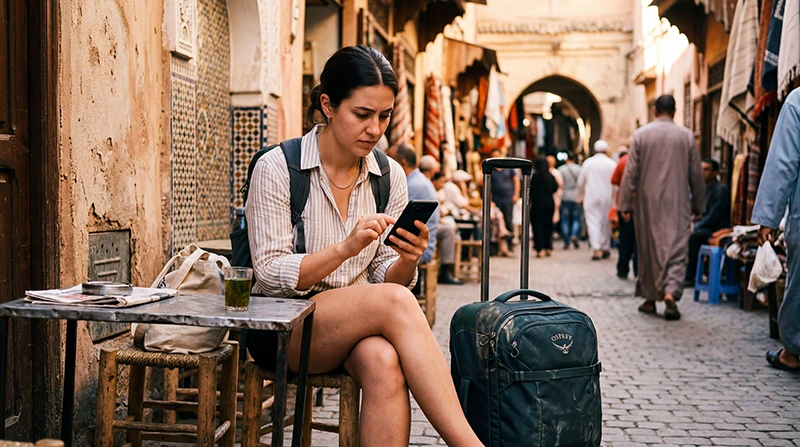

If your eSIM is not working in Morocco, the issue is usually related to mobile data settings, roaming, APN configuration, network selection or weak local signal.
Most Morocco eSIM problems can be fixed by selecting the eSIM for Mobile Data, enabling Data Roaming, turning off automatic data switching and using the correct APN if manual setup is required.
Quick answer: turn on your Morocco eSIM, select it for Mobile Data, enable Data Roaming, turn off roaming on your primary SIM, keep Network Selection on Automatic and use APN data.esim if needed.
Top Morocco eSIMs

Morocco eSIM
Fixed
1 GB, 7 days€ 3.562 GB, 15 days€ 5.793 GB, 30 days€ 8.02Unlimited
Unlimited, 1 day€ 4.45Unlimited, 3 days€ 11.58Unlimited, 5 days€ 18.71
Africa eSIM
Fixed
1 GB, 7 days€ 10.242 GB, 15 days€ 19.153 GB, 30 days€ 26.73Unlimited
Unlimited, 1 day€ 13.81Unlimited, 3 days€ 39.64Unlimited, 5 days€ 65.48Quick Fix Checklist
- Check that the Morocco eSIM is installed and turned ON.
- Select the Morocco eSIM for Mobile Data.
- Enable Data Roaming on the Morocco eSIM.
- Turn off Data Roaming on your primary SIM.
- Turn off Automatic Data Switching.
- Restart your phone.
- Turn Airplane Mode ON for 30 seconds, then OFF.
- Keep Network Selection on Automatic.
- Set APN to data.esim if required.
- Move closer to a window or open area if signal is weak.
Recommended Morocco eSIM Settings
| Setting | Recommended Value |
|---|---|
| Mobile Data | Morocco eSIM |
| Calls | Primary SIM |
| SMS | Primary SIM |
| Data Roaming on eSIM | ON |
| Data Roaming on Primary SIM | OFF |
| Automatic Data Switching | OFF |
| Network Selection | Automatic |
| APN | data.esim if required |
APN Settings for Morocco eSIM
| Field | Value |
|---|---|
| APN | data.esim |
| Username | Leave blank |
| Password | Leave blank |
| Authentication | None |
Why Your eSIM May Not Work in Morocco
- Data Roaming is not enabled on the eSIM.
- The wrong SIM is selected for Mobile Data.
- Automatic Data Switching is turned on.
- APN settings are missing.
- Network Selection is set manually.
- The phone is in an area with weak signal.
- The phone is locked to another carrier.
- The phone does not support eSIM.
- The eSIM was deleted after installation.
How to Fix Morocco eSIM on iPhone
- Open Settings.
- Tap Cellular or Mobile Data.
- Select your Morocco eSIM.
- Make sure the eSIM line is ON.
- Enable Data Roaming.
- Go back to Mobile Data.
- Select the Morocco eSIM for Mobile Data.
- Turn off Allow Mobile Data Switching.
- Restart your iPhone.
- Toggle Airplane Mode for 30 seconds.
How to Fix Morocco eSIM on Android
- Open Settings.
- Go to Network & Internet, Connections or SIM Manager.
- Select your Morocco eSIM.
- Make sure the eSIM line is ON.
- Enable Data Roaming.
- Select the Morocco eSIM for Mobile Data.
- Turn off automatic data switching if available.
- Keep Network Selection on Automatic.
- Restart your Android phone.
- Toggle Airplane Mode for 30 seconds.
If Your eSIM Is Installed but Has No Internet
If the eSIM appears installed but mobile data does not work, first check roaming and APN settings. A travel eSIM often requires Data Roaming to be enabled on the eSIM line.
If the phone shows signal but pages do not load, set the APN manually to data.esim, restart the device and try again.
If Your eSIM Has No Signal
If your phone shows no signal, move to a more open area and keep Network Selection on Automatic. Indoor signal may be weaker in riads, thick-walled buildings, underground areas, airports or remote locations.
Coverage can also vary in the Atlas Mountains, Sahara Desert, remote beaches and rural roads.
If Your QR Code Does Not Install
- Make sure your phone supports eSIM.
- Check that your phone is unlocked.
- Connect to stable WiFi.
- Restart your phone and try again.
- Scan the QR code in good lighting.
- Use manual activation details if available.
- Do not delete any partially installed eSIM profile.
Can You Delete and Reinstall the eSIM?
No. Do not delete your Morocco eSIM unless you are finished using it. Deleted eSIM profiles usually cannot be reused or installed again with the same QR code.
Does WhatsApp Work If the eSIM Has No Number?
Yes. WhatsApp can work with mobile data from a data-only Morocco eSIM. Your WhatsApp account stays linked to your existing phone number.
If WhatsApp asks whether you want to change your number, do not change it unless you intentionally want to move your WhatsApp account to another number.
Can You Use Hotspot After Fixing the eSIM?
Yes. Most smartphones allow hotspot sharing with an eSIM where mobile coverage is available. Hotspot can use data quickly, especially with laptops, streaming, video calls and multiple devices.
When the Problem May Be Coverage
| Location | Possible Issue |
|---|---|
| Marrakech, Casablanca, Rabat, Agadir | Usually good coverage, check settings first |
| Fes medina or old riads | Indoor signal may vary |
| Atlas Mountains | Coverage can be variable or limited |
| Sahara Desert | Remote areas may have weak or no signal |
| Remote beaches or rural roads | Coverage can vary |
| Airports or underground areas | Move closer to a window or outside |
Related Morocco eSIM Guides
- Morocco eSIM
- Install Morocco eSIM
- How to Activate Morocco eSIM
- How to Use eSIM in Morocco
- Morocco eSIM for iPhone
- Morocco eSIM for Android
- Does My Phone Support eSIM in Morocco?
- Morocco eSIM APN Settings
FAQ
Why is my eSIM not working in Morocco?
The most common reasons are Data Roaming being off, the wrong SIM selected for Mobile Data, missing APN settings, manual network selection or weak local signal.
Do I need Data Roaming for Morocco eSIM?
Yes. Data Roaming should be enabled on the Morocco eSIM. Keep roaming off on your primary SIM to avoid unwanted charges.
What APN should I use for Morocco eSIM?
If manual APN setup is required for a NoveSIM Morocco eSIM, use data.esim.
Why does my Morocco eSIM show signal but no internet?
This usually means mobile data settings need adjustment. Check that the eSIM is selected for Mobile Data, Data Roaming is ON and APN is set to data.esim if required.
Can I reinstall my Morocco eSIM?
Usually no. Do not delete the eSIM after installation because deleted eSIM profiles often cannot be reused with the same QR code.
Does WhatsApp work with Morocco eSIM?
Yes. WhatsApp works with mobile data, and your account can stay linked to your existing phone number.
Final Recommendation
If your eSIM is not working in Morocco, first check the basic settings: Morocco eSIM selected for Mobile Data, Data Roaming enabled on the eSIM, Data Roaming disabled on your primary SIM and Automatic Data Switching turned off.
If mobile data still does not work, restart your phone, toggle Airplane Mode for 30 seconds, keep Network Selection on Automatic and use data.esim as the APN if manual setup is required.