


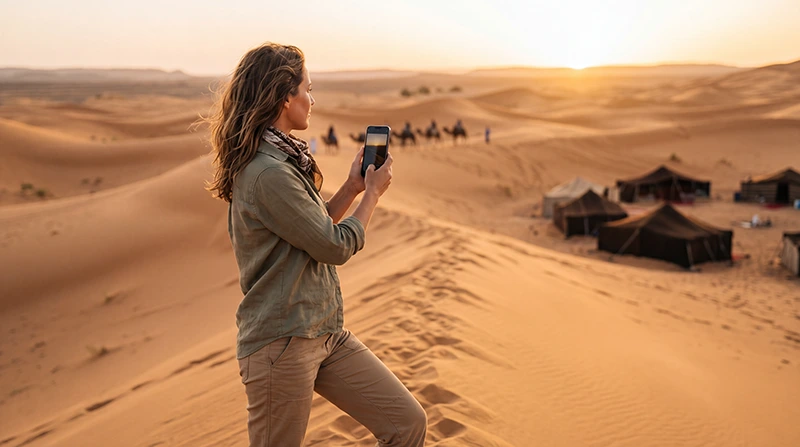

Internet on a Morocco desert trip depends on your exact location and the connection available there. A travel eSIM uses supported mobile networks; it does not provide satellite internet or guarantee reception at a camp, in the dunes or along an off-road transfer.
Arrange the camp handover before leaving your last reliable connection. Knowing the camp’s name is not enough: you need the agreed meeting point, time, contact person and instructions for arriving without being able to send a message.
Our NoveSIM travel eSIMs are data-only. We do not provide a Moroccan number, conventional calls or SMS with these plans. WhatsApp and other internet services need mobile data or Wi-Fi to send messages and make calls.
Quick answer: Use a Morocco data plan where its supported network is available, ask your particular camp about Wi-Fi, and save the transfer instructions offline. Test mobile data before the desert stage. If reception disappears, keep the profile installed and use your saved arrangements; changing an APN or buying more GB cannot create coverage.
Top Morocco eSIMs

Morocco eSIM
Fixed
1 GB, 7 days€ 3.642 GB, 15 days€ 5.913 GB, 30 days€ 8.19Unlimited
Unlimited, 1 day€ 4.55Unlimited, 3 days€ 11.83Unlimited, 5 days€ 19.10
Africa eSIM
Fixed
1 GB, 7 days€ 10.462 GB, 15 days€ 19.563 GB, 30 days€ 27.29Unlimited
Unlimited, 1 day€ 14.10Unlimited, 3 days€ 40.48Unlimited, 5 days€ 66.87Choose connectivity for the whole trip, not just the camp night
Mobile data can help with accommodation messages and bookings before and after the desert stage. Compare the supported networks, allowance and validity on the selected Morocco eSIM plan, rather than assuming a package described as suitable for Morocco reaches every desert location.
A local SIM also needs reception from its operator. If a local number matters to your arrangements, check that the selected local bundle includes the calls or SMS you need. Your home SIM’s roaming is a separate service with separate terms; do not assume it is a free backup.
Buying extra data does not improve reception. Budget for your connected use over the complete itinerary using the Morocco data-allowance calculation. There is no defensible universal GB requirement for a night in a camp.
Ask the camp these questions before departure
- Is Wi-Fi provided at the actual camp booked, rather than only at its town office or reception hotel?
- Where can guests use it: in tents, in a shared area or at another location?
- Is it included, and are there any access hours or usage conditions?
- Can staff describe recent mobile reception at that camp and identify the operator used?
- What is the agreed arrival procedure if you cannot call or send a message?
If you must attend a work call, ask about that specific requirement rather than asking only whether the camp has internet. An available Wi-Fi network is not proof of a connection suitable for a video meeting. Arrange another time or location if reliable access cannot be confirmed.
Save the meeting point separately from the camp location
For a Merzouga or Erg Chebbi stay, confirm whether you meet the organiser at accommodation, a parking area or another agreed point before an onward transfer. Do not infer vehicle access from the camp pin shown on a booking page.
For a trip arranged from Zagora, M’Hamid or another departure point, obtain the same written instructions from the operator. This guide does not establish current road access or recommend independent navigation through desert tracks.
- Save the booking reference, camp name and organiser’s contact details.
- Save the agreed meeting point, meeting time and any parking or luggage instructions.
- Ask what to do if your arrival is delayed and when you should send the last update before losing internet.
- Download the map information appropriate to the journey and keep a separate copy of the written instructions.
- Confirm that the saved material opens without a connection before departing.
A downloaded map is not a substitute for local route advice or the transfer arrangements you booked. For the driving stages before the handover, use the Morocco road-trip preparation guide.
Test the phone before the transfer
Read the plan’s validity-start instructions before installing or enabling it early. Once ready to use the package in Morocco, enable the travel line, select it for mobile data and apply the required roaming setting to that line. Keep home-SIM data roaming off if you do not intend to use it.
Turn Wi-Fi off briefly and load a small webpage. Then check the messaging app you will use with the organiser. A successful test confirms connectivity at the test location, not throughout the onward journey.
Keep the phone charged and take a suitable power source for the time away from charging facilities. If you are travelling with others, save essential instructions on more than one device rather than leaving every detail on the hotspot host’s phone.
When internet stops, identify which connection failed
No mobile signal: a supported network may not be reachable at that location. Retain the installed profile and follow your offline arrangements. Do not enter unfamiliar terrain merely to search for reception.
Mobile signal but no data: check the selected data line, roaming instructions, package validity and remaining allowance. For NoveSIM, the APN is data.esim. Use the Morocco APN instructions only if manual configuration is required.
Connected to camp Wi-Fi but pages do not load: ask staff whether the connection is working and whether a login or other access step is needed. A Wi-Fi icon alone does not establish internet access; reinstalling the travel eSIM will not repair the camp’s connection.
Do not delete an installed eSIM unless support instructs you to do so. When you can reconnect, report whether the problem involved no signal, signal without data or the camp Wi-Fi. That distinction is more useful than repeatedly changing settings.
Leave large transfers until you have checked the connection
Pause automatic photo backups and large downloads if you want to preserve mobile allowance for messages. Check hotspot eligibility before sharing the plan, and review any high-speed restriction on an unlimited offer.
Messages and live-location updates cannot be relied on when internet is unavailable. Agree communication expectations before the trip, and remember that a location displayed to someone else may be an older update.
Related Articles
FAQ
Will my Morocco eSIM work at a Sahara camp?
Only where a network supported by the plan is available. Ask about the exact camp, but treat recent reports as context rather than a guarantee for your phone and package.
Does camp Wi-Fi mean there is internet in my tent?
Not necessarily. Ask where Wi-Fi is provided and whether the actual camp booked has it. Access at a town office or a shared area does not establish access in a tent.
Should I navigate directly to the camp’s map pin?
Follow the organiser’s arrival instructions. The agreed meeting or transfer point may differ from the camp location, and a map pin does not confirm vehicle access.
Will unlimited data solve a desert coverage gap?
No. Allowance and reception are separate. Unlimited mobile data still requires a supported network connection and may have high-speed usage restrictions.
Final Recommendation
Prepare internet for Morocco’s Sahara travel by confirming the actual camp’s arrangements and saving the meeting instructions before departure. Do not rely on a general coverage rating for a town or desert region.
Test mobile data while another connection is available, check validity and keep essential details offline. Separate a mobile-network problem from a camp Wi-Fi problem before changing settings.
Make the handover possible without a last-minute message. Clear instructions from the organiser remain useful even when neither mobile data nor Wi-Fi is available.