


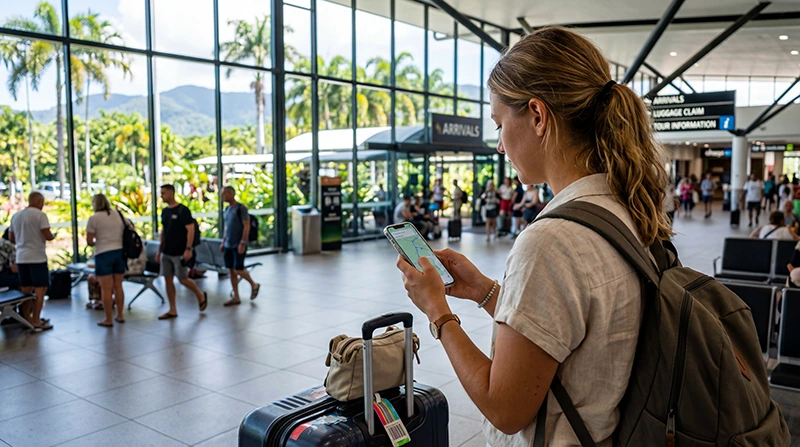

An eSIM for Cairns Airport can give you mobile data soon after landing without finding a SIM shop, provided it is installed correctly on a compatible unlocked phone. The safest approach is to complete installation before the flight.
Cairns is a gateway to reef departures and regional Queensland, where coverage may differ from the terminal and city. Test the connection on arrival, then store important travel information offline.
NoveSIM travel eSIM plans are data-only and do not include an Australian number or traditional calls and SMS. Internet calling and messaging remain available through data.
Quick answer: Install the Australia eSIM on stable Wi-Fi before departure, label it clearly and activate it according to the plan instructions. At Cairns Airport, select it for mobile data, follow the roaming setting supplied with the plan and test maps before leaving.
Top Australia eSIMs

Australia eSIM
Fixed
1 GB, 7 days€ 2.682 GB, 15 days€ 3.573 GB, 30 days€ 4.91Unlimited
Unlimited, 1 day€ 2.68Unlimited, 3 days€ 5.80Unlimited, 5 days€ 8.48
Asia eSIM
Fixed
1 GB, 7 days€ 4.462 GB, 15 days€ 8.033 GB, 30 days€ 10.71Unlimited
Unlimited, 1 day€ 5.80Unlimited, 3 days€ 15.62Unlimited, 5 days€ 25.44Prepare an eSIM for Cairns Airport before flying
- Confirm the exact phone model supports eSIM.
- Verify that the device is carrier-unlocked.
- Check whether validity begins at installation or first network connection.
- Save the QR code and manual installation details securely.
- Download the airport transfer and accommodation address offline.
Use the Australia compatibility guide if the device menu or model variant is uncertain.
Connect after arrival at Cairns Airport
- Open the phone’s mobile or cellular settings.
- Enable the line labelled for Australia.
- Select it as the mobile-data line.
- Apply the plan’s data-roaming instruction.
- Leave network selection automatic unless support advises otherwise.
- Open a webpage and maps before leaving the terminal.
If installation must happen after landing, airport Wi-Fi can provide a temporary connection. The Cairns Airport internet guide explains the available arrival options.
Plan separately for reef and regional travel
A successful terminal test proves the setup works; it does not guarantee reception offshore or on every regional road. Coverage depends on the partner network, device, terrain and conditions.
Download tickets and meeting points before a reef trip, and consult the Great Barrier Reef mobile-data guide for realistic expectations.
If the eSIM has no data
Confirm line selection, roaming instructions and automatic network selection. Toggle flight mode, restart the phone and test again. Do not delete the installed eSIM unless NoveSIM support instructs you to do so. If manual APN entry is required for NoveSIM, use data.esim. The full Australia troubleshooting guide provides the next checks.
Related Articles
FAQ
Should I install my eSIM before arriving in Cairns?
Yes. Installation on reliable Wi-Fi before departure is easier, but confirm what event starts the plan’s validity.
Can Cairns Airport Wi-Fi help with setup?
It can be a backup connection, but save all setup details beforehand and avoid relying on public Wi-Fi for sensitive activity.
Will the eSIM work on a Great Barrier Reef trip?
Reception offshore is not guaranteed and varies with route, network and conditions. Keep tickets and essential information offline.
Should I delete and reinstall an eSIM that will not connect?
No. Check settings first and contact support; do not delete the installed eSIM unless support specifically instructs you to do so.
Final Recommendation
Prepare the eSIM for Cairns Airport before departure so arrival is a connection test, not the start of a complicated installation.
Select the correct data line, follow the roaming instruction and verify maps while still inside the terminal.
Carry offline travel details for reef and regional journeys where ordinary mobile reception may disappear.