
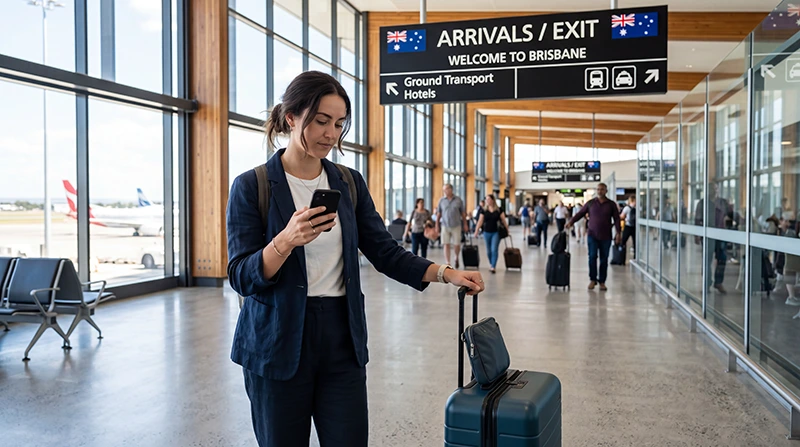

One of the first things most travelers need after landing at Brisbane Airport is internet access. Whether you need directions to your hotel, want to order an airport transfer, check train schedules, contact family, access travel documents, or simply use Google Maps, having internet immediately after arrival makes your trip much easier.
Fortunately, there are several ways to get online at Brisbane Airport, including airport WiFi, local SIM cards, international roaming, and travel eSIMs.
Quick answer: while Brisbane Airport offers WiFi and SIM card options, many travelers now choose an Australia eSIM because it provides internet access immediately after landing and continues working throughout Australia.
Top Australia eSIMs
How to Get Internet at Brisbane Airport
Travelers arriving at Brisbane Airport generally have four main options.
| Option | Best For | Main Advantage | Main Limitation |
|---|---|---|---|
| Australia eSIM | Most tourists | Works immediately after arrival | Requires eSIM-compatible phone |
| Airport WiFi | Temporary internet access | No purchase required | Only useful inside the airport |
| Airport SIM Card | Travelers who prefer physical SIMs | Local mobile service | Requires store visit and setup |
| International Roaming | Travelers with roaming included | No setup required | Can be expensive |
Does Brisbane Airport Have Internet Access?
Yes. Brisbane Airport provides internet access through airport WiFi services available throughout the terminals.
Most travelers use internet shortly after arrival for:
- Booking an Uber
- Checking Airtrain schedules
- Using Google Maps
- Accessing boarding passes and travel documents
- Checking flight updates
- Contacting family and friends
- Using WhatsApp and Messenger
- Reviewing travel bookings
Internet access is often one of the first priorities after clearing immigration and collecting luggage.
Using Airport WiFi at Brisbane Airport
Airport WiFi can be useful for quick tasks immediately after arrival.
- Checking emails
- Messaging friends and family
- Looking up directions
- Accessing travel documents
- Checking hotel reservations
- Booking transportation
However, airport WiFi only helps while you remain inside the terminal.
Once you leave Brisbane Airport, you will need another source of internet access.
Using an Australia eSIM at Brisbane Airport
An Australia eSIM allows travelers to connect shortly after arrival without visiting airport stores or changing physical SIM cards.
Many tourists install their eSIM before departure and simply activate mobile data after landing.
- No physical SIM card required
- No airport queues
- Instant online purchase
- Easy installation
- Works across Australia
- Useful for road trips and city travel
- Keep your primary SIM active
Why NoveSIM Is a Good Choice for Brisbane Airport Arrivals
NoveSIM is designed for travelers who want reliable internet immediately after arriving in Australia.
- Instant QR code delivery
- Install before travel
- No physical SIM card required
- Works immediately after arrival
- Useful throughout Australia
- Compatible with modern iPhone and Android devices
- Works with Google Maps, WhatsApp, ride apps, and travel tools
- Keep your regular number active
You can browse plans here: Australia eSIM plans.
Can You Buy a SIM Card at Brisbane Airport?
Yes. Brisbane Airport offers SIM card options through airport retailers and mobile service providers.
However, buying a SIM card often requires:
- Finding a store
- Comparing plans
- Installing the SIM card
- Removing your current SIM
- Completing activation steps
This is one reason why many travelers now prefer travel eSIMs.
Internet for Transportation from Brisbane Airport
Internet access becomes especially important as soon as you leave the airport.
Most travelers need mobile data for:
- Uber and ride-sharing apps
- Airtrain schedules
- Taxi bookings
- Google Maps navigation
- Hotel directions
- Public transport information
- Restaurant bookings
Having mobile internet available before leaving the airport can save significant time.
Internet Beyond Brisbane Airport
Your internet needs continue throughout your trip.
- Brisbane CBD
- South Bank
- Kangaroo Point
- Gold Coast
- Surfers Paradise
- Sunshine Coast
- Noosa
- Cairns
- Great Barrier Reef tours
- Australian road trips
Mobile internet remains useful throughout your entire Australia vacation.
Can You Keep Your Normal Phone Number?
Yes. Most modern smartphones support dual-SIM functionality.
This allows you to:
- Use an Australia eSIM for mobile data
- Keep your primary SIM active
- Receive SMS verification codes
- Receive calls on your normal number
- Continue using WhatsApp normally
Will WhatsApp Work?
Yes. WhatsApp works normally with an Australia eSIM because it only requires internet access.
- Messages
- Voice calls
- Video calls
- Photo sharing
- Location sharing
- Group chats
Your WhatsApp account remains connected to your existing phone number.
How Much Data Do You Need?
| Traveler Type | Suggested Data |
|---|---|
| Weekend visitor | 3–5 GB |
| One-week tourist | 5–10 GB |
| Two-week traveler | 10–20 GB |
| Road trip traveler | 10–30 GB |
| Heavy social media user | 20 GB+ or unlimited |
Recommended Australia eSIM Settings
| Setting | Recommended Value |
|---|---|
| Mobile Data | Australia eSIM |
| Data Roaming | ON for the eSIM |
| APN | data.esim |
| Primary SIM | Calls and SMS |
| Automatic Data Switching | OFF |
How to Prepare Before Landing in Brisbane
- Purchase your Australia eSIM.
- Receive the QR code by email.
- Install the eSIM while connected to WiFi.
- Travel to Australia.
- Select the eSIM for mobile data.
- Enable data roaming on the eSIM.
- Connect shortly after landing.
Common Mistakes to Avoid
- Waiting until arrival to arrange internet access.
- Relying entirely on airport WiFi.
- Leaving roaming enabled on your primary SIM.
- Not checking eSIM compatibility before travel.
- Removing your primary SIM unnecessarily.
- Not downloading important travel documents beforehand.
Related Australia Travel Internet Guides
- Australia eSIM
- SIM Card Brisbane Airport
- WiFi Brisbane Airport
- Internet Brisbane Tourists
- Best eSIM for Australia
- Mobile Internet Australia
- Internet Australia Tourists
- Australia Roaming Charges
FAQ: Internet Brisbane Airport
Does Brisbane Airport have internet?
Yes. Travelers can access internet through airport WiFi, SIM cards, roaming services, or travel eSIMs.
What is the best internet option at Brisbane Airport?
For most tourists, an Australia eSIM is the most convenient option because it works both inside and outside the airport.
Can I use internet immediately after landing?
Yes. If your eSIM is installed before travel, you can usually connect shortly after arrival.
Can I buy a SIM card at Brisbane Airport?
Yes. SIM cards are available through airport retailers and mobile providers.
Will WhatsApp work?
Yes. WhatsApp works normally with airport WiFi or mobile data and remains connected to your existing number.
Final Recommendation
Internet access at Brisbane Airport is easy to obtain, but airport WiFi and airport SIM cards are only temporary solutions. Most travelers need reliable internet throughout their entire Australia trip.
For convenience, flexibility, and immediate connectivity, an Australia eSIM is usually the best option. It allows you to connect shortly after landing and stay online throughout Brisbane and the rest of Australia.


