


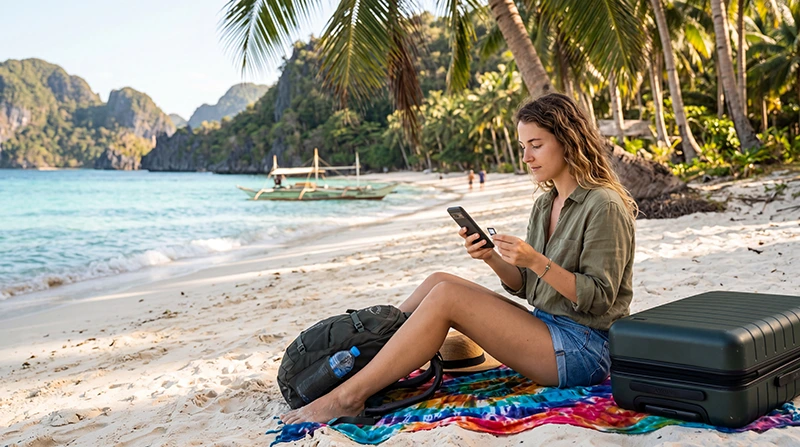

The Philippines is one of Southeast Asia’s most exciting travel destinations, offering more than 7,000 islands, stunning beaches, world-class diving, vibrant cities, and unforgettable adventures.
Whether you’re visiting Manila, Cebu, Boracay, Palawan, Coron, El Nido, Bohol, or Siargao, having reliable internet access will make your trip significantly easier.
Quick answer: For most travelers, the best way to get internet in the Philippines is with a travel eSIM. It can be installed before departure, activated immediately after arrival, and allows you to stay connected without searching for local SIM cards or paying expensive roaming fees.
Top Philippines eSIMs


Why You Need Internet in the Philippines
Internet access is essential for modern travel.
Most visitors use mobile internet for:
- Google Maps navigation
- Booking transportation
- Airport transfers
- WhatsApp communication
- Hotel reservations
- Island-hopping tours
- Translation apps
- Social media
- Online banking
- Flight updates
Having your own internet connection means you can travel independently and stay connected throughout your trip.
Internet Options in the Philippines
Travelers generally choose one of four options:
- Travel eSIM
- Local SIM card
- International roaming
- Public WiFi only
Option 1: Travel eSIM (Best Overall Choice)
A travel eSIM is a digital SIM card that installs directly onto your smartphone.
Advantages include:
- Install before departure
- No physical SIM card required
- Instant delivery by email
- Immediate connectivity after arrival
- Keep your regular SIM active
- No airport queues
- Easy setup process
For most tourists, this is the most convenient way to get internet in the Philippines.
Option 2: Local SIM Card
Local SIM cards are available throughout the country.
You can purchase them at:
- Manila Airport
- Cebu Airport
- Shopping malls
- Convenience stores
- Mobile operator stores
- Electronics shops
The main providers are Globe and Smart.
While local SIM cards are often affordable, they require extra time and effort after arrival.
Option 3: International Roaming
Most mobile carriers offer roaming in the Philippines.
Benefits include:
- No installation required
- Keep your number active
- Works immediately after arrival
However, roaming is often the most expensive option and may provide less data than travel eSIM plans.
Option 4: Public WiFi Only
Many travelers consider relying entirely on WiFi.
WiFi is available in:
- Hotels
- Resorts
- Cafes
- Restaurants
- Airports
- Shopping malls
While useful as a supplement, WiFi alone is usually not reliable enough for day-to-day travel.
Comparison of Internet Options
| Option | Convenience | Cost | Best For |
|---|---|---|---|
| Travel eSIM | Excellent | Low | Most tourists |
| Local SIM Card | Good | Low | Budget travelers |
| International Roaming | Excellent | High | Short trips |
| Public WiFi Only | Limited | Free | Very light users |
Mobile Coverage in the Philippines
Most popular tourist destinations have reliable mobile coverage.
- Manila
- Cebu
- Boracay
- Palawan
- El Nido
- Coron
- Bohol
- Siargao
- Davao
- Puerto Princesa
Coverage can be weaker in remote islands and rural regions, but service continues to improve every year.
Which Mobile Network Is Best?
| Network | Best For |
|---|---|
| Globe | Tourist destinations and major cities |
| Smart | Nationwide and island coverage |
Most travel eSIM providers use one of these networks.
How Much Data Do You Need?
| Trip Type | Recommended Data |
|---|---|
| Weekend Trip | 3–5 GB |
| One Week Vacation | 5–10 GB |
| Two Week Vacation | 10–20 GB |
| One Month Travel | 20–50 GB |
| Remote Work | Unlimited |
Most travelers find that 10 GB is sufficient for navigation, messaging, social media, and daily travel planning.
Will WhatsApp Work?
Yes.
WhatsApp works normally with both eSIMs and local SIM cards.
You can continue using:
- Messages
- Voice calls
- Video calls
- Group chats
- Photo sharing
- Location sharing
Your WhatsApp number remains unchanged.
Can You Keep Your Home Number?
Yes.
If you use an eSIM, most modern smartphones support dual SIM functionality.
You can use:
- Philippines eSIM for internet
- Your regular SIM for calls and SMS
- Your existing phone number
How to Get Internet Before Landing
- Purchase a Philippines eSIM online.
- Receive your QR code.
- Install the eSIM before departure.
- Keep it installed.
- Arrive in the Philippines.
- Select the eSIM for mobile data.
- Enable data roaming.
- Connect automatically.
This allows you to have internet within minutes of landing.
Recommended eSIM Settings
| Setting | Recommended Value |
|---|---|
| Mobile Data | Philippines eSIM |
| Data Roaming | ON |
| APN | data.esim |
| Primary SIM | Calls and SMS |
| Automatic Data Switching | OFF |
Related Philippines Travel Guides
- Best eSIM for Philippines
- Buy eSIM Philippines
- Best SIM Card Philippines
- Philippines Roaming Charges
- Mobile Internet Philippines
- Internet Philippines for Tourists
- Local SIM vs eSIM Philippines
- How to Get Mobile Internet in the Philippines
- Does My Phone Support eSIM Philippines?
Frequently Asked Questions
What is the best way to get internet in the Philippines?
For most travelers, a travel eSIM is the easiest and most convenient option.
Is an eSIM better than a local SIM card?
For most tourists, yes. It provides easier setup and immediate connectivity after arrival.
Can I use WhatsApp in the Philippines?
Yes. WhatsApp works normally with mobile data or WiFi.
Can I buy a SIM card at the airport?
Yes. SIM cards are available at major international airports throughout the Philippines.
Do travel eSIMs require data roaming?
Yes. Most travel eSIMs require data roaming to be enabled.
Final Recommendation
For most visitors, a travel eSIM is the best way to get internet in the Philippines. It combines convenience, affordability, and flexibility while allowing you to stay connected from the moment you arrive. Whether you’re exploring Manila, relaxing in Boracay, discovering Palawan, or surfing in Siargao, an eSIM offers a simple and reliable internet solution for your entire trip.