


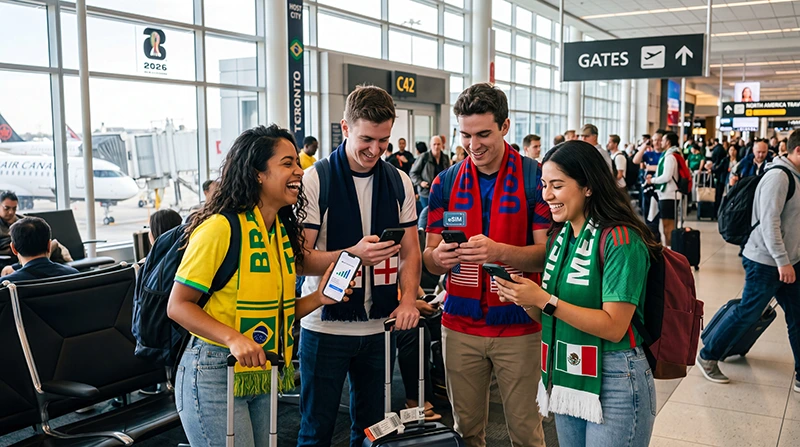

World Cup 2026 will be one of the biggest football travel events ever, bringing millions of fans to the United States, Canada, and Mexico.
Whether you are attending one match, following your national team, visiting multiple host cities, or traveling across all three countries, reliable mobile internet will be one of the most important parts of your trip.
Quick answer: The best eSIM for World Cup fans is a regional North America eSIM that works across the USA, Canada, and Mexico. It helps you stay connected for digital tickets, maps, WhatsApp, transportation apps, hotel bookings, fan zones, and match-day updates without buying separate SIM cards in each country.
Top Canada eSIMs

Canada eSIM
Fixed
1 GB, 7 days€ 4.022 GB, 15 days€ 6.693 GB, 30 days€ 9.82Unlimited
Unlimited, 1 day€ 5.36Unlimited, 3 days€ 15.17Unlimited, 5 days€ 23.65
United States eSIM
Fixed
1 GB, 7 days€ 2.682 GB, 15 days€ 4.463 GB, 30 days€ 5.80Unlimited
Unlimited, 1 day€ 3.57Unlimited, 3 days€ 8.93Unlimited, 5 days€ 13.83
Why World Cup Fans Need an eSIM
Modern football travel depends heavily on mobile data.
During World Cup 2026, fans will use their phones for:
- Digital match tickets
- Google Maps navigation
- Uber, Lyft, and taxi apps
- Hotel check-ins
- Flight updates
- WhatsApp communication
- Fan zone information
- Restaurant bookings
- Public transportation routes
- Social media posts
- Live tournament updates
Without reliable internet, simple travel tasks can become stressful, especially on match days when cities and stadium areas are crowded.
Why a Regional eSIM Is Best for World Cup 2026
World Cup 2026 is different from most tournaments because it will be hosted across three countries.
A regional eSIM can cover:
- United States
- Canada
- Mexico
This is ideal for fans who may travel between host cities or follow their team across borders.
eSIM vs Local SIM Card for World Cup Fans
| Option | Best For | Main Limitation |
|---|---|---|
| Regional eSIM | Multi-city and multi-country fans | Requires eSIM-compatible phone |
| Local SIM Card | Fans staying in one country | May not work across borders |
| International Roaming | Convenience | Can become expensive |
| WiFi Only | Very light users | Not reliable for stadium and travel days |
For most international fans, an eSIM offers the best balance of convenience, flexibility, and cost control.
Best eSIM for Fans Visiting One Host Country
If you are only visiting one country during the tournament, a country-specific eSIM may be enough.
| Trip Type | Recommended eSIM |
|---|---|
| USA only | USA eSIM |
| Canada only | Canada eSIM |
| Mexico only | Mexico eSIM |
| USA + Canada | North America eSIM |
| USA + Mexico | North America eSIM |
| USA + Canada + Mexico | Regional North America eSIM |
Best eSIM for Fans Following Their Team
If you plan to follow your national team, your travel route may change depending on match results.
You may need to:
- Book new flights
- Change hotels
- Move to another host city
- Cross into another country
- Check knockout-stage match locations
- Coordinate quickly with other fans
For this type of trip, a regional eSIM is usually the safest option because it keeps you connected even when your itinerary changes.
How Much Data Do World Cup Fans Need?
| Fan Type | Recommended Data |
|---|---|
| One Match | 3–5 GB |
| Weekend Trip | 5 GB |
| One-Week Fan Trip | 10 GB |
| Multiple Host Cities | 20–30 GB |
| Following Your Team | 20–50 GB |
| Content Creator | 50 GB+ or Unlimited |
Most fans should choose at least 10 GB. If you plan to upload videos, post regularly on social media, or travel across multiple cities, consider 20 GB or more.
What Uses the Most Data During the World Cup?
| Activity | Data Usage |
|---|---|
| WhatsApp messages | Very low |
| Google Maps | Low |
| Digital tickets | Low |
| Instagram Stories and Reels | Medium to high |
| TikTok | High |
| Video calls | High |
| Uploading match videos | Very high |
Navigation and messaging use relatively little data. Video uploads, TikTok, Instagram Reels, and live streaming can use data very quickly.
Using eSIM for Digital Match Tickets
Digital tickets are one of the biggest reasons fans need reliable mobile internet.
Before every match day:
- Download your ticket in advance
- Save confirmation emails offline
- Keep your phone charged
- Carry a power bank
- Save stadium directions offline
Even with a good eSIM, stadium areas can be crowded, so preparing tickets before arrival is always smart.
Will WhatsApp Work With a World Cup eSIM?
Yes.
WhatsApp works normally with a travel eSIM, even if the eSIM is data-only.
You can keep your existing WhatsApp number and continue using:
- Fan group chats
- Voice calls
- Video calls
- Location sharing
- Photo sharing
- Travel coordination
This makes WhatsApp one of the easiest communication tools for football fans during the tournament.
Will eSIM Work at World Cup Stadiums?
Yes, eSIM mobile data should work in and around World Cup stadiums because all host venues are located in major metropolitan areas.
However, match days may create temporary network congestion because thousands of people use mobile data at the same time.
You may experience slower speeds when:
- Entering the stadium
- Leaving after the match
- Uploading videos
- Using ride-hailing apps immediately after full time
- Standing in very crowded fan zones
This can happen with any mobile network, including local SIM cards and roaming plans.
Best eSIM Settings for World Cup Fans
| Setting | Recommended Option |
|---|---|
| Mobile Data | Select travel eSIM |
| Data Roaming | ON for eSIM |
| APN | data.esim |
| Primary SIM | Calls and SMS if needed |
| Automatic Data Switching | OFF |
How to Install Your World Cup eSIM
- Check that your phone supports eSIM.
- Make sure your phone is unlocked.
- Buy your eSIM before departure.
- Install it while connected to WiFi.
- Do not delete the eSIM after installation.
- After arrival, select it for mobile data.
- Enable data roaming on the eSIM.
- Restart your phone if mobile data does not connect.
Tips for Staying Connected During World Cup 2026
- Install your eSIM before flying
- Download offline maps for each host city
- Save hotel addresses offline
- Download tickets before match day
- Use WiFi for large video uploads
- Carry a power bank
- Check your data balance regularly
- Turn off automatic cloud backups
- Use data saver mode when needed
Related World Cup 2026 Travel Guides
Planning your World Cup trip? These guides will help you stay connected across the USA, Canada, and Mexico throughout the tournament:
- World Cup 2026 Travel eSIM Guide
- Best eSIM for World Cup 2026
- World Cup 2026 Mobile Data Guide
- World Cup 2026 Roaming Charges
- How Much Data Do You Need for World Cup 2026?
- Does My eSIM Work at World Cup 2026?
- Best eSIM for Following Your Team at World Cup 2026
- World Cup Mexico City eSIM
- World Cup New York eSIM
- World Cup Toronto eSIM
- World Cup Vancouver eSIM
Frequently Asked Questions
What is the best eSIM for World Cup fans?
For most fans, the best option is a regional North America eSIM that works across the USA, Canada, and Mexico.
Can one eSIM work in all World Cup host countries?
Yes. Many regional eSIM plans include coverage in the United States, Canada, and Mexico.
How much data do World Cup fans need?
Most fans need 10–20 GB. Fans following their team or traveling across multiple countries may need 20–50 GB or more.
Will WhatsApp work with a World Cup eSIM?
Yes. WhatsApp keeps your existing number and works normally with mobile data from your eSIM.
Should I install my eSIM before traveling?
Yes. Install your eSIM before departure while connected to WiFi so you can connect shortly after arrival.
Final Recommendation
For World Cup 2026 fans, mobile internet will be essential for tickets, maps, transport, hotels, communication, and match-day planning.
If you are visiting more than one host city or following your team across the tournament, a regional North America eSIM is the best choice. It gives you flexible mobile data across the USA, Canada, and Mexico without airport SIM card queues, physical SIM swapping, or unexpected roaming stress.