


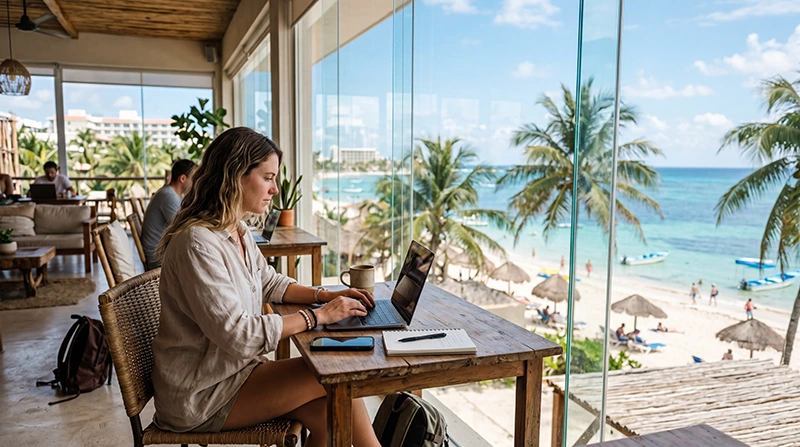

Before committing to a coworking space in Playa del Carmen, try the internet from the desk and at the time you expect to work. Check your actual calls, uploads and required work tools, then test a separate connection if an interruption would affect a meeting or deadline.
A day pass can help you assess the workspace before buying a longer membership. Ask what the pass includes, where calls are allowed and what remains powered during an outage, rather than choosing from an advertised download speed alone.
NoveSIM travel eSIMs provide prepaid mobile data without a Mexican number, conventional calls or carrier SMS. They can be a laptop fallback when the selected plan permits hotspot and the connection at your desk supports the work you need to do.
Quick answer: Compare the workspace’s access conditions, call facilities and outage arrangements, then run a representative work test. Confirm hotspot permission and high-speed limits before treating mobile data as backup. Keep a second workspace option if a local interruption could affect both the building connection and mobile service.
Top Mexico eSIMs

Mexico eSIM
Fixed
1 GB, 7 days€ 3.622 GB, 15 days€ 5.883 GB, 30 days€ 7.24Unlimited
Unlimited, 1 day€ 3.62Unlimited, 3 days€ 8.60Unlimited, 5 days€ 13.57
North America eSIM
Fixed
1 GB, 7 days€ 4.072 GB, 15 days€ 7.243 GB, 30 days€ 9.95Unlimited
Unlimited, 1 day€ 5.88Unlimited, 3 days€ 15.38Unlimited, 5 days€ 25.33Central America eSIM
Fixed
1 GB, 7 days€ 7.692 GB, 15 days€ 12.213 GB, 30 days€ 16.29Unlimited
Unlimited, 1 day€ 6.79Unlimited, 3 days€ 16.74Unlimited, 5 days€ 26.69Two Local Spaces to Check
These examples give you specific facilities to ask about. They are based on the spaces’ own published information, checked in November 2026; we have not tested their connections or ranked their reliability.
| Workspace | What the provider publishes | What to confirm for your visit |
|---|---|---|
| Nest Coworking | Fibre internet, automatic backup power and call booths. Its coworking page distinguishes a creative area where conversation is allowed from a quiet focus area without calls. | Which area your pass covers, how to reserve call space and which equipment and sockets remain powered during an outage. |
| Bunker Coworking | A coworking day pass and longer shared-space options on its membership site. | The hours for your exact pass, desk availability, call arrangements and the internet and power fallback at the location. |
Read Nest’s facilities alongside its current pass conditions. Its pricing page explicitly lists 24/7 access for week and month passes; ask about the hours of a day pass rather than applying the headline access claim to every purchase.
Check Bunker’s membership and day-pass options for the visit you want. Features listed under a monthly membership are not evidence that every day-pass visitor receives them. Confirm room reservations and access before arranging a call there.
Ask These Questions Before Paying
- Can I use the desk or area I need on my intended dates, including the start and end times of my calls?
- Are calls permitted at the desk, or do I need a booth or room booking?
- Are booth or room use, access hours and any extra charges included in this exact pass?
- Is the connection shared, and can I test my required VPN and work applications?
- What happens if the main internet connection fails? Is there another upstream service or only backup power?
- During a power interruption, do the network equipment and desk sockets remain available, and for how long?
- What are the cancellation, renewal and re-entry conditions if I choose a longer membership?
Backup power and a second internet service address different problems. A powered router cannot restore a failed upstream connection, and a working network does not mean your laptop can charge. Ask the provider to explain the arrangement rather than interpreting “backup” as uninterrupted work.
Use a Trial Day for Real Work
- Choose a day and time similar to your normal schedule and sit in the area you intend to use.
- Connect with your own device and complete any legitimate access steps supplied by the workspace.
- Run a short test call using your usual platform, with camera or screen sharing if those are part of your work.
- Try a representative, non-sensitive upload or download and your permitted VPN or remote-access tool.
- Check whether noise, room access and the connection remain suitable during the work period.
- Test your mobile fallback separately by disconnecting the laptop from the workspace Wi-Fi and connecting it to the permitted hotspot.
A speed test can be useful, but one result does not establish call stability or access to your company systems. Keep required workplace protections enabled. If an application is blocked or fails, ask the workspace or your IT team instead of bypassing controls.
The Mexico remote-work internet guide explains the broader primary-connection and fallback checks. Use those alongside the local pass and room arrangements, rather than assuming that any coworking membership guarantees a suitable working day.
Check the eSIM Before Calling It a Backup
Compare the current Mexico eSIM offers for hotspot permission, allowance, duration and high-speed conditions. Confirm exact-device compatibility and carrier-unlocked status before purchase, then follow the purchased instructions for installation and the start of validity.
The current Mexico Unlimited offer states 1 GB of high-speed data, where available, per 24 hours, followed by reduced speeds until the next 24-hour period. That is not a promise that a long video meeting or large upload will work well after the threshold. Recheck the selected offer before payment.
Estimate the fallback work you may need to complete, not an arbitrary monthly quantity for “digital nomads”. Count calls, uploads and laptop background activity. The Mexico data guide helps you allow for the heavy tasks; pause optional backups and updates when sharing mobile data.
Test at the actual desk. Reception outdoors or elsewhere in Playa does not establish indoor hotspot performance. Check permitted partner coverage using the Mexico network guide, and do not assume a city-wide operator ranking identifies the best connection for that room.
Have a Plan for an Interrupted Call
Before an important meeting, know how to switch the laptop to the tested fallback and keep the phone charged. Save the workspace’s contact details and another place you could work if the interruption is prolonged. A fixed connection and mobile service can both be affected by a wider local outage.
If the workspace connection fails, ask staff about the incident before repeatedly changing settings. If only one work tool fails while ordinary webpages load, investigate that application or required access with IT.
For a NoveSIM mobile-data problem, check the selected line, validity and remaining allowance using the Mexico troubleshooting guide. Keep the installed profile and delete it only if NoveSIM Support instructs you to do so.
Related Articles
FAQ
Does a Playa del Carmen day pass include 24/7 access?
Check the exact pass with the workspace. A general 24/7 claim or a monthly-membership feature does not establish the hours of a day pass. Confirm access before scheduling an early or late call.
Does backup power guarantee that the internet will keep working?
No. Ask what is powered and for how long, and whether there is a separate internet service if the primary connection fails. Test your own fallback and keep another workspace option for a longer interruption.
Can a travel eSIM replace the coworking connection for work?
It may cover some tasks when hotspot is permitted and reception and usable data are sufficient. Test the actual applications at the desk and check high-speed limits. Do not assume that a connection working for messages is enough for the whole working day.
Final Recommendation
Choose a Playa del Carmen coworking space from its exact access conditions and a representative trial, not a general claim about city internet quality.
Test permitted mobile hotspot as a separate fallback and budget for the work it would need to carry.
Keep room bookings, staff contacts and another workspace option accessible so an interruption has a clear next step.