


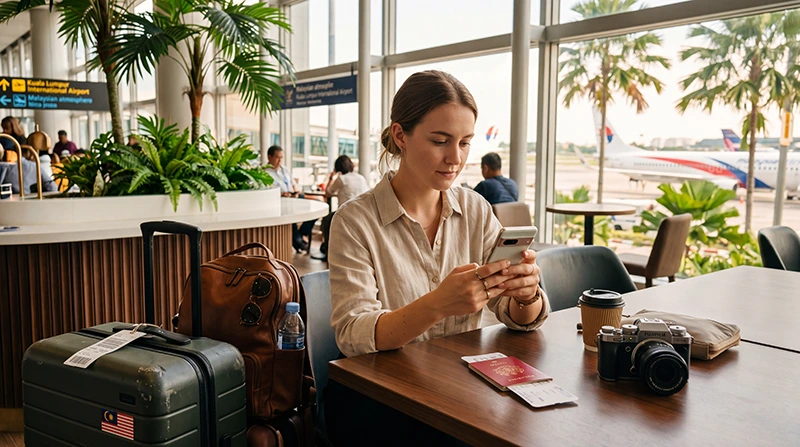

Installing a Malaysia eSIM is usually a simple process that takes only a few minutes. Most travelers complete the installation before departure so everything is ready when they arrive in Malaysia.
Whether you are visiting Kuala Lumpur, Penang, Langkawi, Malacca, Johor Bahru or Borneo, installing your eSIM in advance can help you get connected immediately after landing.
Quick answer: Open your phone settings, choose Add eSIM, scan the QR code provided by your eSIM provider and complete the installation. Activate the eSIM after arriving in Malaysia and enable Data Roaming.
Top Malaysia eSIMs

Malaysia eSIM
Fixed
1 GB, 7 days€ 3.932 GB, 15 days€ 6.983 GB, 30 days€ 9.16Unlimited
Unlimited, 1 day€ 5.24Unlimited, 3 days€ 12.65Unlimited, 5 days€ 20.51
What Is an eSIM?
An eSIM is a digital SIM card built directly into your smartphone.
Instead of inserting a physical SIM card, you download a mobile profile electronically using a QR code or activation details.
This allows travelers to set up mobile internet before leaving home.
Before Installing Your Malaysia eSIM
Before you begin, make sure:
- Your phone supports eSIM technology
- Your device is carrier unlocked
- You have received your eSIM QR code
- You have a stable WiFi connection
- Your device has sufficient battery power
Installation is usually easiest when completed before traveling.
When Should You Install a Malaysia eSIM?
Most travelers install their eSIM before departure.
This allows them to avoid setup issues while traveling and ensures the phone is ready to connect immediately after arrival.
Installing the eSIM does not usually mean the plan starts immediately. Most travel eSIMs activate once they connect to a supported network in Malaysia.
How to Install a Malaysia eSIM on iPhone
Installing an eSIM on iPhone is straightforward.
- Open Settings
- Select Cellular or Mobile Data
- Tap Add eSIM
- Select Use QR Code
- Scan your eSIM QR code
- Follow the on-screen instructions
- Wait for the installation to complete
- Label the eSIM as “Malaysia” or “Travel”
The eSIM profile will then be stored on your iPhone.
How to Install a Malaysia eSIM on Android
The process is similar on most Android devices.
- Open Settings
- Select Network & Internet or Connections
- Open SIM Manager
- Select Add eSIM
- Tap Scan QR Code
- Scan your QR code
- Follow the installation instructions
- Save the eSIM profile
Menu names may vary depending on the manufacturer.
Can You Install an eSIM Without a QR Code?
Some providers also support manual installation.
This usually requires:
- SM-DP+ address
- Activation code
- Confirmation code if required
QR code installation is generally the easiest option.
What Happens After Installation?
After installation, the eSIM profile is stored on your device.
You can usually leave it disabled until you arrive in Malaysia.
When you arrive, simply activate the eSIM and select it for mobile data.
Do You Need Internet to Install an eSIM?
Yes.
A stable internet connection is required because your phone must download the eSIM profile from the provider.
WiFi is strongly recommended during installation.
Can You Install the eSIM Days Before Traveling?
Yes.
Many travelers install their eSIM several days before departure.
This allows time to verify that the installation was successful.
Most travel eSIMs activate only after connecting to a supported network in Malaysia.
How to Label Your Malaysia eSIM
Most smartphones allow you to name your eSIM profile.
Popular labels include:
- Malaysia
- Travel
- Data
- Malaysia eSIM
Using a clear label helps avoid confusion if multiple SIM profiles are installed.
Do You Need Data Roaming Enabled?
Yes.
Most Malaysia travel eSIMs require Data Roaming to be enabled on the eSIM profile after arrival.
Recommended settings:
- Malaysia eSIM Roaming → ON
- Primary SIM Roaming → OFF
This helps prevent unwanted roaming charges.
APN Settings for Malaysia eSIM
Most devices configure APN settings automatically.
If manual configuration is needed, use:
| Setting | Value |
|---|---|
| APN | data.esim |
| Username | Leave blank |
| Password | Leave blank |
Can You Keep Your Home SIM Active?
Yes.
Most modern smartphones support dual-SIM functionality.
You can use:
- Malaysia eSIM for mobile data
- Your regular SIM for calls
- SMS verification codes
- Banking notifications
- Two-factor authentication
This is one of the main advantages of eSIM technology.
Does WhatsApp Work After Installation?
Yes.
WhatsApp remains linked to your existing phone number.
The eSIM only provides internet access.
You generally do not need to change your WhatsApp account.
Common Installation Mistakes
Some of the most common mistakes include:
- Installing without WiFi
- Scanning the QR code multiple times
- Deleting the eSIM after installation
- Using the wrong SIM for mobile data
- Forgetting Data Roaming after arrival
- Incorrect APN settings
Most installation issues can be avoided by carefully following the setup instructions.
What If Installation Fails?
If the installation does not complete successfully:
- Check your WiFi connection
- Restart your device
- Try scanning the QR code again
- Verify that the QR code has not already been used
- Confirm your device supports eSIM
Do not delete partially installed profiles unless specifically instructed to do so.
Related Malaysia eSIM Guides
- How to Activate Malaysia eSIM
- Malaysia eSIM iPhone
- Malaysia eSIM Android
- Does My eSIM Work in Malaysia
- eSIM Not Working Malaysia
- No Internet Malaysia eSIM
- APN Settings Malaysia eSIM
FAQ: Install Malaysia eSIM
When should I install my Malaysia eSIM?
Most travelers install their eSIM before departure while connected to stable WiFi.
Do I need WiFi to install an eSIM?
Yes. A stable internet connection is required to download the eSIM profile.
Can I install my eSIM days before traveling?
Yes. Installing early is recommended and most plans activate only after connecting to a supported network in Malaysia.
Do I need Data Roaming enabled?
Yes. Most travel eSIMs require Data Roaming to be enabled after arrival.
Can I keep my regular SIM active?
Yes. Most dual-SIM phones allow you to use the eSIM for data while keeping your home SIM active.
Will WhatsApp still work?
Yes. WhatsApp remains linked to your existing phone number.
What APN should I use?
If manual setup is needed, use data.esim and leave username and password blank.
What should I do if installation fails?
Check your WiFi connection, restart the device and verify that your phone supports eSIM technology.
Final Recommendation
Installing a Malaysia eSIM before departure is one of the easiest ways to prepare for your trip.
Complete the installation while connected to WiFi, keep the profile on your device and activate it after arriving in Malaysia.
With proper installation, Data Roaming enabled and APN settings configured if necessary, your eSIM should provide reliable mobile internet throughout your journey.