


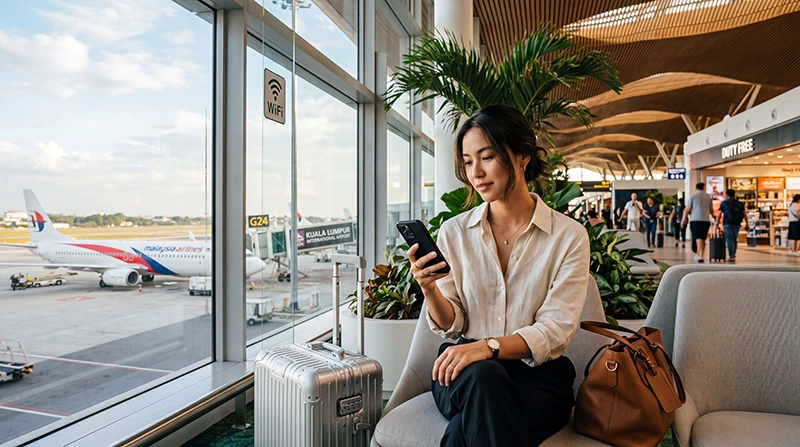

Kuala Lumpur International Airport offers complimentary Wi-Fi in terminal public and seating areas. The displayed network name and login instructions should be confirmed on current airport signage.
Airport Wi-Fi is useful for an arrival message but cannot cover the onward train, taxi or city journey.
NoveSIM travel eSIMs are data-only, without a Malaysian number, calls or SMS.
Quick answer: Select the official KLIA free Wi-Fi network, open a browser and follow the landing page. If it does not appear, disable VPN and mobile data temporarily, forget the network and reconnect.
Top Malaysia eSIMs

Malaysia eSIM
Fixed
1 GB, 7 days€ 3.922 GB, 15 days€ 6.973 GB, 30 days€ 9.15Unlimited
Unlimited, 1 day€ 5.23Unlimited, 3 days€ 12.63Unlimited, 5 days€ 20.47
Connect Safely
- Confirm the official network name on airport signage.
- Select it in Wi-Fi settings.
- Open a browser to trigger the portal.
- Accept the current terms and test a fresh page.
Avoid sensitive transactions on public Wi-Fi. If the portal remains hidden, move to another seating area or ask an information counter.
Prepare Data After KLIA
Compare a Malaysia eSIM with a SIM card at Kuala Lumpur Airport. Save the hotel address and first route before leaving the terminal. Broader planning is in mobile internet in Malaysia.
Related Articles
FAQ
Is KLIA Wi-Fi free?
Complimentary access is provided; follow current terminal instructions.
Why will the portal not open?
VPN, private-relay features, mobile data or a stale session can interfere.
Is public Wi-Fi secure?
Treat it as untrusted and avoid sensitive activity.
Will it work after leaving?
No. Prepare mobile data for onward travel.
Final Recommendation
Use the official KLIA network for short terminal tasks, protect sensitive information and prepare eSIM, local SIM or offline directions for the journey beyond the airport.