


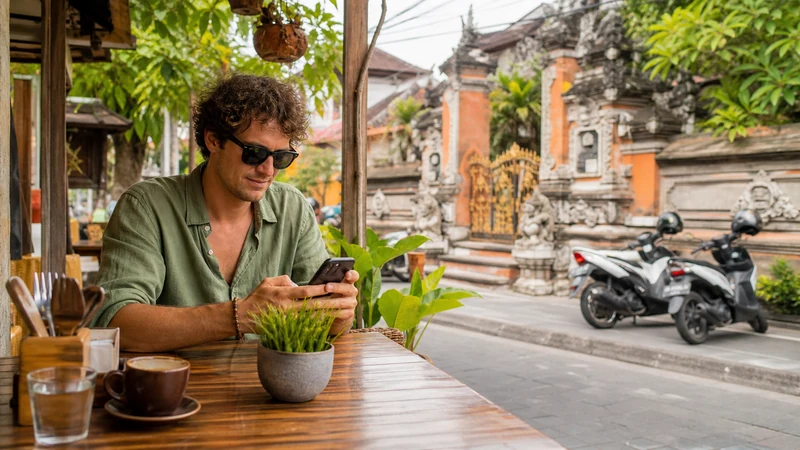

WhatsApp works in Indonesia for messages, voice calls, video calls and file sharing whenever your phone has usable mobile data or Wi-Fi. You do not need an Indonesian phone number to continue using an account registered to your usual number.
The account is tied to the number verified in WhatsApp, not to the SIM selected for internet access. Adding an Indonesia travel eSIM therefore does not automatically change your WhatsApp number, contacts or group memberships.
NoveSIM travel eSIMs are data-only. We do not provide an Indonesian number, conventional voice calls or SMS, but WhatsApp can use the eSIM’s data connection.
Quick answer: Keep WhatsApp registered to your existing number and select the Indonesia eSIM only for mobile data. Do not use Change Number unless you genuinely want the account moved to another number. Keep access to your usual SIM because WhatsApp may request verification again after a reinstall, device change or security check.
Top Indonesia eSIMs

Indonesia eSIM
Fixed
1 GB, 7 days€ 3.582 GB, 15 days€ 6.263 GB, 30 days€ 8.49Unlimited
Unlimited, 1 day€ 4.02Unlimited, 3 days€ 10.28Unlimited, 5 days€ 16.54
Can you use your existing WhatsApp number in Indonesia?
Yes. WhatsApp states that an account uses the number with which it was verified rather than a particular SIM slot. On a dual-SIM phone, the home line can remain associated with WhatsApp while the Indonesia eSIM supplies the internet connection.
After installing the eSIM, open the phone’s mobile-data settings and choose the travel line for data. There is no reason to edit the number inside WhatsApp. If the app displays a prompt about a new number, decline it unless changing the account identity is intentional.
What should you do before leaving home?
- Open WhatsApp settings and confirm which number is registered.
- Keep the home SIM active or otherwise retain access to that number.
- Complete a current chat backup on trusted Wi-Fi.
- Install the travel profile using the Indonesia eSIM installation guide.
- Avoid deleting and reinstalling WhatsApp immediately before the trip.
WhatsApp can sometimes verify a move to a new phone through the old device, but SMS verification may still be required. A data-only eSIM cannot receive that code for your home number.
How to use WhatsApp with an Indonesia eSIM
- Leave the existing WhatsApp account signed in.
- Switch on the Indonesia eSIM after arrival.
- Select it as the phone’s mobile-data line.
- Enable Data Roaming on the travel eSIM if the plan instructions require it.
- Turn off mobile-data switching to prevent the home SIM from taking over.
- Send a short message and make a brief call before leaving the airport or hotel.
Keeping the home line enabled for incoming SMS can be useful, but its carrier may charge for roaming calls, voicemail or messages. Disable data roaming on that line and check its roaming tariff separately.
How much data will WhatsApp use?
Text messages consume very little data. Photos, voice notes and documents use more, while long video calls and automatic media downloads are the main sources of heavy usage. Data consumption also rises when poor reception forces repeated uploads or reconnects a call.
Before choosing an allowance, estimate the number of calls and uploads rather than counting only messages. The Indonesia mobile-data guide helps combine WhatsApp with maps, social media and streaming. In WhatsApp settings, reduce media upload quality and limit automatic downloads if the plan has a fixed allowance.
Will WhatsApp work everywhere in Indonesia?
The app itself is not the limiting factor. Indonesia spans thousands of islands, and reception can change between a large city, an inter-island ferry, a mountain road and a remote beach. A message waits and sends after the phone reconnects; a live call may drop as coverage changes.
Save hotel addresses, tickets and driver details outside WhatsApp before a remote journey. For route planning, consult the Indonesia mobile-network guide and remember that coverage maps cannot guarantee indoor reception at a specific property.
Why might WhatsApp not connect?
First determine whether the fault affects WhatsApp alone or the entire data connection. Turn off Wi-Fi and load an ordinary webpage. If nothing loads, check the eSIM rather than changing app settings.
- Confirm that the Indonesia eSIM is on and selected for mobile data.
- Enable roaming on the travel line and keep roaming off on the home line.
- Leave network selection on Automatic, then toggle Airplane Mode briefly.
- Restart the phone and test a webpage again.
- If required, enter data.esim as the NoveSIM APN.
Keep the installed profile. Do not delete it unless NoveSIM Support specifically instructs you to do so, because an activation code may not be reusable. Continue with the Indonesia eSIM troubleshooting steps if general mobile data remains unavailable.
Related Articles
- Best eSIM for Indonesia travel
- Mobile internet in Indonesia
- How to activate an Indonesia eSIM
- Indonesia eSIM APN settings
FAQ
Does WhatsApp work in Indonesia without a local SIM?
Yes. WhatsApp can use hotel Wi-Fi or mobile data from a travel eSIM while remaining registered to your existing number.
Will an Indonesia eSIM change my WhatsApp number?
No. Adding or selecting another data line does not change the registered WhatsApp number. The number changes only if you deliberately use the app’s Change Number process.
Can a NoveSIM eSIM receive a WhatsApp verification code?
No. NoveSIM travel eSIMs are data-only and cannot receive conventional SMS. Keep access to the number registered with WhatsApp in case verification is requested.
Do WhatsApp calls use my eSIM allowance?
Yes. Voice and video calls use the active mobile-data connection when Wi-Fi is unavailable, so they count against the travel plan’s allowance and any fair-use policy.
Final Recommendation
Use the Indonesia eSIM as the data connection and leave WhatsApp registered to the number your contacts already know.
Back up the account, retain access to the home number and test a message after selecting the travel line. For remote routes, save essential arrival information outside the app.
If WhatsApp stops working, test general mobile data first. Correct the eSIM settings without deleting the installed profile, then investigate the app only when other internet services work normally.