


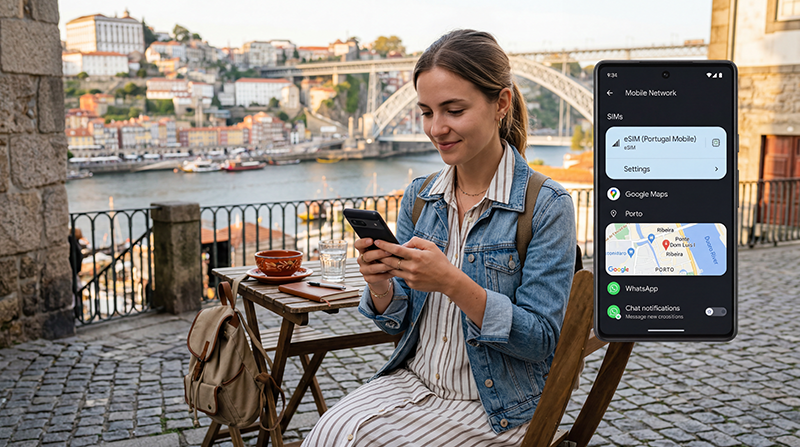

If you are traveling to Portugal with an Android phone, using an eSIM is one of the easiest ways to stay connected without buying a physical SIM card after arrival.
Whether you are visiting Lisbon, Porto, Algarve, Madeira, the Azores, Faro, Lagos, Cascais, Ericeira, Braga, Coimbra, or taking a road trip, a Portugal eSIM can help you use Google Maps, WhatsApp, taxis, hotel communication, travel apps, restaurant searches, and mobile internet throughout your trip.
Quick answer: A Portugal eSIM works on compatible unlocked Android phones. Install the eSIM while connected to WiFi before travel, select it for mobile data after arrival, and enable data roaming on the eSIM line.
Top Portugal eSIMs

Portugal eSIM
Fixed
1 GB, 7 days€ 1.732 GB, 15 days€ 3.463 GB, 30 days€ 4.33Unlimited
Unlimited, 1 day€ 2.16Unlimited, 3 days€ 4.76Unlimited, 5 days€ 7.79
Europe Extra eSIM
Fixed
1 GB, 7 days€ 2.162 GB, 15 days€ 3.463 GB, 30 days€ 4.33Unlimited
Unlimited, 1 day€ 2.60Unlimited, 3 days€ 5.19Unlimited, 5 days€ 8.65Europe+ eSIM
Fixed
1 GB, 7 days€ 2.602 GB, 15 days€ 3.893 GB, 30 days€ 5.19Unlimited
Unlimited, 1 day€ 2.60Unlimited, 3 days€ 6.06Unlimited, 5 days€ 9.95Does Portugal eSIM Work on Android?
Yes. Portugal eSIM can work on compatible Android phones if the device is carrier unlocked and the eSIM plan includes Portugal coverage.
Compatibility depends on the device model, region, Android version, and carrier restrictions.
Which Android Phones Support eSIM?
Many newer Android phones support eSIM, including selected models from Samsung, Google Pixel, Motorola, Xiaomi, Oppo, Honor, and Huawei.
Popular eSIM-compatible Android phones may include:
- Samsung Galaxy S20 series and newer
- Samsung Galaxy S21, S22, S23, S24, and S25 series
- Samsung Galaxy Z Fold and Z Flip series
- Google Pixel 3 and newer models
- Selected Motorola, Xiaomi, Oppo, Honor, and Huawei models
Not every Android version of every phone supports eSIM, so check compatibility before purchase.
Before Installing Portugal eSIM on Android
- Make sure your Android phone supports eSIM
- Confirm your phone is carrier unlocked
- Connect to stable WiFi
- Keep your eSIM QR code or installation details available
- Install the eSIM before travel if possible
- Do not delete the eSIM after installation unless support advises you to
How to Install Portugal eSIM on Android
Menu names can vary depending on your Android phone model, but the general process is similar.
- Open Settings.
- Go to Connections, Network & Internet, or Mobile Network.
- Select SIM Manager, SIMs, or Add SIM.
- Choose Add eSIM or Download a SIM instead.
- Scan the QR code from your eSIM instructions.
- Follow the on-screen setup steps.
- Label the eSIM as Portugal, Travel, or NoveSIM.
How to Install Portugal eSIM on Samsung
- Open Settings.
- Tap Connections.
- Tap SIM Manager.
- Tap Add eSIM.
- Scan your Portugal eSIM QR code.
- Follow the setup instructions.
- After arrival, select the Portugal eSIM for mobile data.
How to Install Portugal eSIM on Google Pixel
- Open Settings.
- Tap Network & Internet.
- Tap SIMs.
- Select Add SIM.
- Choose Download a new eSIM.
- Scan your Portugal eSIM QR code.
- Follow the on-screen instructions.
When Should You Activate Portugal eSIM on Android?
You can usually install the eSIM before traveling while connected to WiFi.
After you arrive in Portugal, select the Portugal eSIM for mobile data and enable data roaming.
This helps your Android phone connect to the local mobile network and start using mobile internet.
How to Select Portugal eSIM for Mobile Data on Android
If your home SIM is still selected for data, your Portugal eSIM may be installed but not used for internet.
- Open Settings.
- Go to Connections, SIM Manager, or Mobile Network.
- Find Preferred SIM or Mobile Data.
- Select your Portugal eSIM.
- Wait a few moments and test mobile internet.
How to Enable Data Roaming on Android
Most travel eSIM plans require data roaming to be enabled on the eSIM line.
- Open Settings.
- Go to Connections, Mobile Network, or SIMs.
- Select your Portugal eSIM.
- Turn on Data Roaming.
- Wait several minutes for the network connection.
If data roaming is off, mobile internet may not work even if the eSIM is installed correctly.
APN Settings for Portugal eSIM on Android
Most Android phones configure APN settings automatically.
If manual APN setup is needed for NoveSIM eSIM, use:
| Setting | Value |
|---|---|
| APN | data.esim |
After changing APN settings, restart your Android phone and test mobile internet again.
How to Check APN Settings on Android
- Open Settings.
- Go to Connections, Network & Internet, or Mobile Network.
- Select the Portugal eSIM.
- Open Access Point Names or APN.
- Confirm the APN is set to data.esim.
Can You Keep Your Home SIM Active on Android?
Yes. Many modern Android phones support dual SIM functionality.
This allows you to use the Portugal eSIM for mobile data while keeping your regular SIM active for:
- Calls
- SMS verification codes
- Banking messages
- Authentication codes
- WhatsApp on your existing number
Will WhatsApp Work with Portugal eSIM on Android?
Yes. WhatsApp works normally with Portugal eSIM mobile data.
Your WhatsApp number does not change just because you use an eSIM for internet.
You can continue using WhatsApp with your existing number for messages, voice calls, video calls, location sharing, and travel communication.
Can You Use Google Maps with Portugal eSIM on Android?
Yes. Google Maps works with Portugal eSIM mobile data.
This is useful for airport arrival, hotel directions, walking routes, road trips, public transport, restaurants, train stations, beaches, and tourist attractions.
Download offline maps as a backup before road trips, island travel, or remote areas.
Can You Use Hotspot with Portugal eSIM on Android?
Many travelers use Android hotspot with eSIM mobile data.
Hotspot availability depends on your plan, device settings, and network conditions.
If hotspot is important, choose a data plan that matches your expected usage.
Portugal eSIM Not Working on Android
If your Portugal eSIM is installed but internet is not working, check these settings:
- Make sure the Portugal eSIM is enabled.
- Select the Portugal eSIM for mobile data.
- Enable data roaming on the eSIM line.
- Restart your Android phone.
- Turn airplane mode on for 30 seconds and then off.
- Check APN settings if needed.
- Disable VPN temporarily.
- Move to an open area with better signal.
No Internet on Portugal eSIM on Android
If you see signal bars but apps do not load, the issue is often related to:
- Data roaming disabled
- Wrong SIM selected for mobile data
- APN missing or incorrect
- VPN interference
- Temporary network registration delay
Start with mobile data selection and data roaming first.
Slow Portugal eSIM on Android
If internet feels slow, check:
- Signal strength
- Network congestion
- VPN usage
- Data Saver mode
- Background app updates
- Remote beaches, tunnels, mountains, or rural areas
Try restarting the phone or using airplane mode for 30 seconds to refresh the connection.
How Much Data Do Android Users Need in Portugal?
| Travel Style | Recommended Data |
|---|---|
| Maps, WhatsApp, light browsing | 1GB – 3GB |
| Regular tourist trip | 5GB – 15GB |
| Road trips, beaches, and social media | 15GB – 30GB |
| Video uploads and hotspot | 20GB – 40GB |
| Remote work and heavy hotspot use | 30GB+ or unlimited recommended |
Before Traveling to Portugal with Android
- Install your eSIM while connected to WiFi
- Check that your Android phone is unlocked
- Save your eSIM QR code and instructions
- Download offline maps
- Save hotel and airport details
- Keep your home SIM active if you need SMS codes
- Carry a power bank for long travel days
- Enable data roaming after arrival
Where to Find Your NoveSIM eSIM Details
Your NoveSIM QR code and installation instructions are available:
- In your confirmation email
- Under My Account → Orders → View → eSIM details
More Portugal Android and eSIM Guides
- Portugal eSIM
- Portugal eSIM iPhone
- Does My eSIM Work in Portugal
- eSIM Not Working Portugal
- No Internet Portugal eSIM
- APN Settings Portugal eSIM
- How Much Data Do You Need for Portugal
- Does WhatsApp Work in Portugal
- Google Maps in Portugal
FAQ: Portugal eSIM for Android
Does Portugal eSIM work on Android?
Yes. Portugal eSIM can work on compatible unlocked Android phones if the eSIM plan includes Portugal coverage.
Which Android phones support eSIM?
Many newer Samsung Galaxy, Google Pixel, Motorola, Xiaomi, Oppo, Honor, and Huawei models support eSIM, but compatibility varies by model, region, and carrier restrictions.
Do I need data roaming enabled on Android?
Yes. Most travel eSIM plans require data roaming to be enabled on the eSIM line.
Can I keep my regular SIM active?
Yes. Many modern Android phones support dual SIM, allowing you to use Portugal eSIM for data while keeping your regular SIM active.
Will WhatsApp keep my number?
Yes. WhatsApp usually continues working with your existing number while using Portugal eSIM for mobile data.
What is the APN for NoveSIM eSIM?
The APN is data.esim.
What should I do if eSIM has no internet?
Select the Portugal eSIM for mobile data, enable data roaming, restart your Android phone, use airplane mode for 30 seconds, and check APN settings if needed.
Final Recommendation
For Android users traveling to Portugal in 2026, a Portugal eSIM is one of the easiest ways to stay connected.
Install the eSIM before departure, select it for mobile data after arrival, enable data roaming, and keep your regular SIM active if you need calls or SMS codes.
This setup gives you mobile internet for Google Maps, WhatsApp, taxis, hotels, restaurants, road trips, beaches, and travel apps throughout Portugal.