


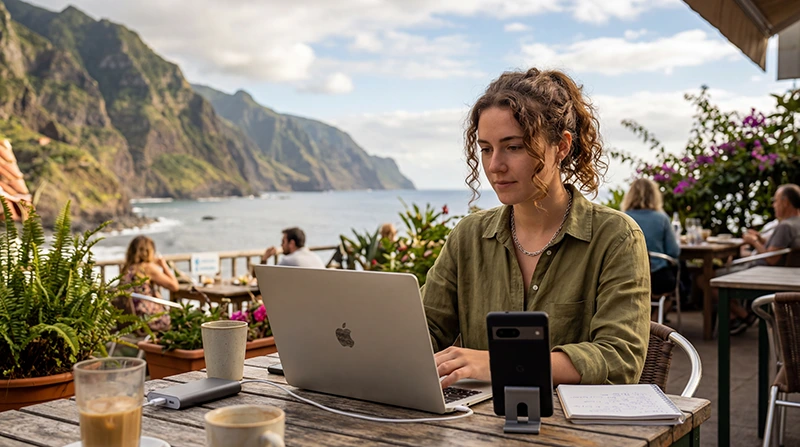

Portugal is one of Europe’s most attractive destinations for remote work, digital nomads, freelancers, startup founders, creators, consultants, and long-stay travelers.
Reliable internet is essential for video calls, emails, cloud tools, client communication, project platforms, banking apps, maps, accommodation check-ins, hotspot backup, and travel planning.
Quick answer: For remote work in Portugal, the best setup is usually a combination of accommodation WiFi or coworking WiFi plus a Portugal eSIM for mobile data backup, hotspot, travel days, and internet access outside fixed locations.
Top Portugal eSIMs

Portugal eSIM
Fixed
1 GB, 7 days€ 1.732 GB, 15 days€ 3.463 GB, 30 days€ 4.33Unlimited
Unlimited, 1 day€ 2.16Unlimited, 3 days€ 4.76Unlimited, 5 days€ 7.79
Europe Extra eSIM
Fixed
1 GB, 7 days€ 2.162 GB, 15 days€ 3.463 GB, 30 days€ 4.33Unlimited
Unlimited, 1 day€ 2.60Unlimited, 3 days€ 5.19Unlimited, 5 days€ 8.65Europe+ eSIM
Fixed
1 GB, 7 days€ 2.602 GB, 15 days€ 3.893 GB, 30 days€ 5.19Unlimited
Unlimited, 1 day€ 2.60Unlimited, 3 days€ 6.06Unlimited, 5 days€ 9.95Why Internet Matters for Remote Work in Portugal
Remote workers often move between apartments, cafes, coworking spaces, airports, trains, beaches, city neighborhoods, and weekend destinations.
Even if your accommodation offers WiFi, mobile internet is still important because WiFi quality can vary.
- Backup internet during WiFi problems
- Hotspot for laptops
- Video calls during travel days
- Maps and transport apps
- Slack, WhatsApp, Zoom, Google Meet, Teams, and email
- Cloud tools and file sharing
- Two-factor authentication and banking apps
- Emergency connectivity
Best Internet Options for Remote Workers in Portugal
| Option | Best For | Main Limitation |
|---|---|---|
| Apartment WiFi | Main work setup | Quality depends on accommodation |
| Coworking WiFi | Focused work and meetings | Requires location or membership |
| Portugal eSIM | Backup internet, hotspot, travel days | Requires eSIM-compatible unlocked phone |
| Physical SIM Card | Older devices without eSIM | Requires store visit and SIM replacement |
| Cafe WiFi | Light work and browsing | Can be unstable or crowded |
Why a Portugal eSIM Is Useful for Remote Work
An eSIM is a digital SIM card built into compatible smartphones.
Remote workers can install a Portugal eSIM before travel and use mobile data after arriving in Portugal.
- No physical SIM card required
- No need to search for a SIM shop after arrival
- Useful as backup internet
- Can support hotspot on compatible devices and plans
- Works during travel days
- Useful when changing accommodation
- Lets many users keep their regular SIM active
Portugal eSIM for Laptop Hotspot
Many remote workers use their smartphone as a hotspot for a laptop or tablet.
This is useful when:
- Apartment WiFi is unstable
- Cafe WiFi is slow
- You need to send urgent work
- You are between accommodations
- You are at an airport or train station
- You need backup during an important meeting
Hotspot performance depends on your device, plan, signal strength, and network conditions.
How Much Data Do You Need for Remote Work in Portugal?
| Work Style | Recommended Data |
|---|---|
| Light work, email, maps, messaging | 5GB – 10GB |
| Regular remote work with backup hotspot | 15GB – 30GB |
| Frequent hotspot and video calls | 30GB – 50GB |
| Heavy uploads, cloud work, streaming, long stays | 50GB+ or unlimited recommended |
What Uses the Most Data While Working Remotely?
- Zoom, Google Meet, Microsoft Teams, and video calls
- Screen sharing
- Cloud backups
- Large file uploads
- Streaming
- Software updates
- Hotspot sharing
- Downloading work files
- Uploading videos or creative projects
Remote Work Internet in Lisbon
Lisbon is one of Portugal’s strongest remote work hubs, with coworking spaces, cafes, international communities, public transport, startup events, and easy access to nearby coastal areas.
A Portugal eSIM is useful in Lisbon for navigation, coworking access, hotspot backup, ride apps, food delivery, client communication, and weekend trips to Cascais, Sintra, Ericeira, or Setúbal.
Remote Work Internet in Porto
Porto is popular with remote workers who prefer a creative city atmosphere, riverside areas, cafes, coworking spaces, and a slightly slower rhythm.
Mobile internet helps with transport, navigation, remote meetings, hotspot backup, and day trips to Braga, Guimarães, the coast, or the Douro Valley.
Remote Work Internet in Algarve
The Algarve is popular for beach-based remote work, longer stays, sunny weather, villas, resorts, golf areas, and coastal towns.
Remote workers often stay in Faro, Lagos, Albufeira, Portimão, Tavira, Vilamoura, Carvoeiro, and Sagres.
Mobile data is especially useful because the region is spread across many towns, beaches, roads, and accommodation types.
Remote Work Internet in Madeira
Madeira is well known among digital nomads thanks to its island lifestyle, mountain scenery, hiking routes, coastal towns, and remote work communities.
A Portugal eSIM is useful for backup internet, hotspot, Funchal navigation, travel days, road trips, and changing accommodation.
Signal may vary in tunnels, mountains, valleys, forests, and remote viewpoints, so offline maps are recommended for exploration days.
Remote Work Internet in the Azores
The Azores are attractive for remote workers who prefer nature, peace, volcanic landscapes, hiking, whale watching, and island life.
Mobile data is useful for backup internet, hotspot, airport days, island hopping, rental car navigation, ferry updates, and communication while exploring.
Coverage is generally good in towns and tourist areas, but signal may vary in remote volcanic areas, forests, mountains, valleys, and boat routes.
Can You Use WhatsApp, Slack, Zoom, and Google Meet?
Yes. With mobile data or WiFi, remote workers can use WhatsApp, Slack, Zoom, Google Meet, Microsoft Teams, Gmail, Google Maps, Notion, Trello, Asana, Dropbox, Google Drive, and other cloud tools.
For important video calls and large uploads, test your connection before the meeting.
Can You Keep Your Home SIM Active?
Yes. Most modern smartphones support dual SIM functionality.
You can use a Portugal eSIM for mobile data while keeping your regular SIM active for calls, SMS codes, banking apps, authentication messages, and WhatsApp on your usual number.
Do You Need Data Roaming Enabled?
Yes. Most travel eSIM plans require data roaming to be enabled on the eSIM line.
If data roaming is disabled, your eSIM may be installed correctly but mobile internet may not work.
APN Settings for NoveSIM eSIM
Most devices configure APN settings automatically.
| Setting | Value |
|---|---|
| APN | data.esim |
How to Activate Portugal eSIM for Remote Work
- Choose your Portugal eSIM plan based on your expected data usage.
- Install the eSIM while connected to WiFi before travel.
- Arrive in Portugal.
- Select the Portugal eSIM for mobile data.
- Enable data roaming on the eSIM line.
- Wait for your phone to connect to the local network.
- Test maps, WhatsApp, email, and hotspot before important work tasks.
What If Internet Does Not Work?
- Make sure the Portugal eSIM is selected for mobile data.
- Enable data roaming on the Portugal eSIM line.
- Restart your phone.
- Turn airplane mode on for 30 seconds and then off.
- Check APN settings if needed.
- Disable VPN or Data Saver temporarily.
- Wait several minutes for network registration.
- Move to a stronger signal area if you are indoors, underground, in mountains, or near thick walls.
Remote Work Backup Internet Checklist
- Install your eSIM before travel if possible
- Download offline maps
- Test hotspot before important meetings
- Keep your phone charged
- Carry a power bank
- Save coworking spaces near your stay
- Check accommodation WiFi reviews before booking
- Avoid major uploads on weak connections
- Keep your eSIM QR code and instructions accessible
Where to Find Your NoveSIM eSIM Details
Your NoveSIM QR code and installation instructions are available:
- In your confirmation email
- Under My Account → Orders → View → eSIM details
More Portugal Internet Guides
- Portugal eSIM
- Best eSIM for Digital Nomads Portugal
- Mobile Internet Portugal
- Internet Portugal Tourists
- Internet Lisbon Tourists
- Internet Porto Tourists
- Internet Algarve Tourists
- Internet Madeira Tourists
- Internet Azores Tourists
FAQ: Remote Work Internet in Portugal
What is the best internet setup for remote work in Portugal?
The best setup is usually accommodation WiFi or coworking WiFi plus a Portugal eSIM for mobile data backup and hotspot.
Can I use a Portugal eSIM for laptop hotspot?
Yes. Many travelers use their phone as a hotspot, but hotspot availability depends on the device, plan, signal, and network conditions.
Is eSIM enough for remote work in Portugal?
An eSIM can be enough for light work and backup internet, but full-time remote workers usually combine it with apartment WiFi or coworking WiFi.
How much data do I need for remote work in Portugal?
Light users may need 5GB to 10GB, while video calls, hotspot, uploads, and long stays may require 30GB, 50GB, or unlimited data.
Do I need data roaming enabled for Portugal eSIM?
Yes. Most travel eSIM plans require data roaming to be enabled on the eSIM line.
What is the APN for NoveSIM eSIM?
The APN for NoveSIM eSIM is data.esim.
Final Recommendation
For remote work in Portugal, a reliable internet setup should not depend on one connection only.
Accommodation WiFi or coworking WiFi is usually best for focused work, while a Portugal eSIM is valuable for backup internet, hotspot, maps, travel days, accommodation changes, and emergency connectivity.